Download Orra Audio Orra Pump Pro for Mac Free. It is full Latest Version setup of Orra Audio Orra Pump Pro DMG for Mac OS X.
Orra Audio Orra Pump Pro for Mac Review
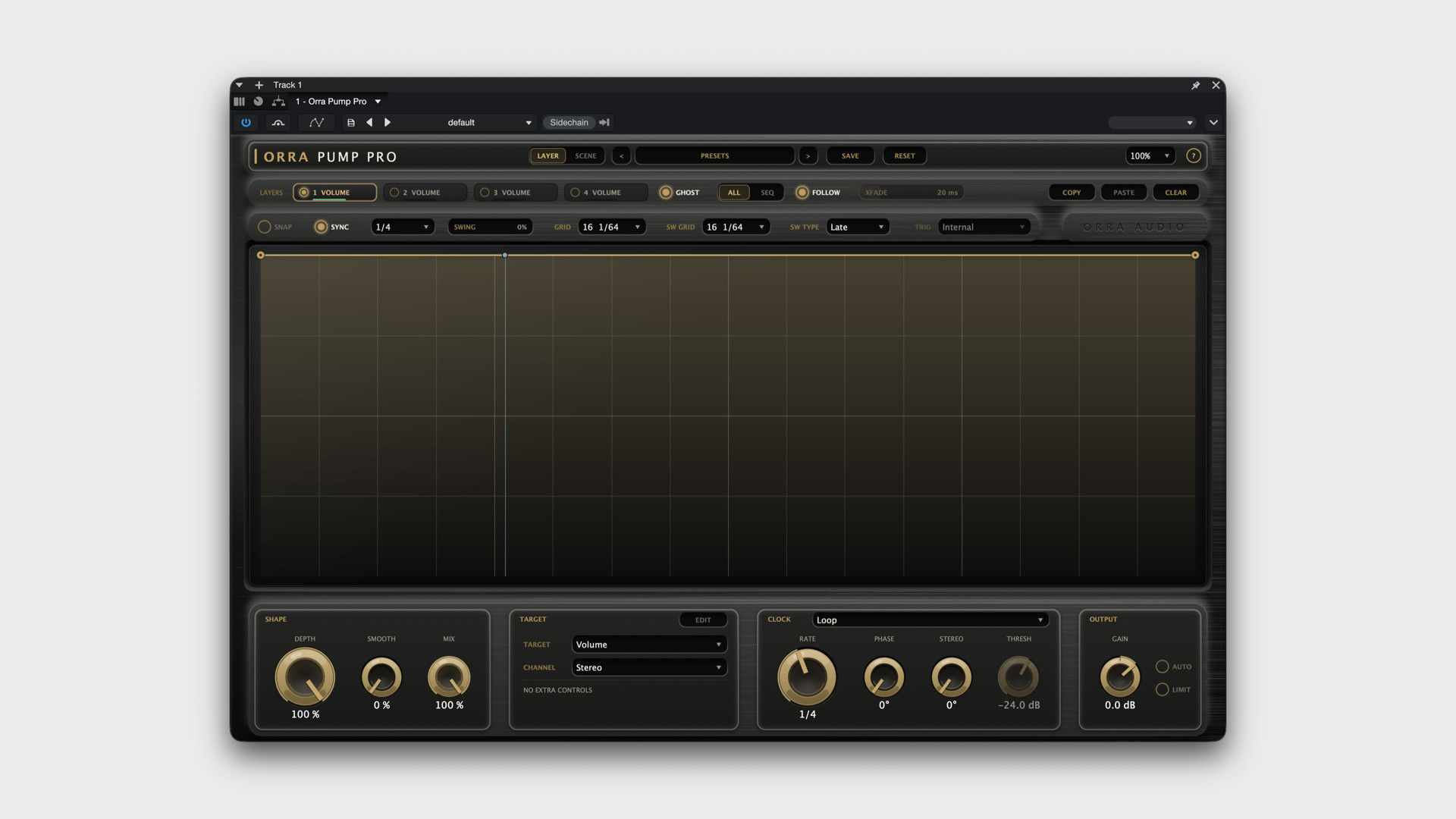
Orra Audio Orra Pump Pro is an audio effect plugin designed for music producers, beatmakers, DJs, and sound designers who want to create rhythmic changes in their music. It helps you control how sounds rise, fall, move, and change over time. You can use it on basslines, drums, vocals, synthesizers, and other instruments to create pumping effects, rhythmic cuts, filter sweeps, and echoing sounds. One of its main strengths is the ability to draw your own movement patterns. Instead of relying only on fixed settings, you can create a custom shape that controls the sound in time with your music. For example, you can make a bassline pulse between beats, cut a vocal into a rhythmic pattern, or gradually open a filter to build tension before a drop. This makes Orra Pump Pro useful for electronic music, house, techno, hip-hop, drum and bass, and cinematic sound design.
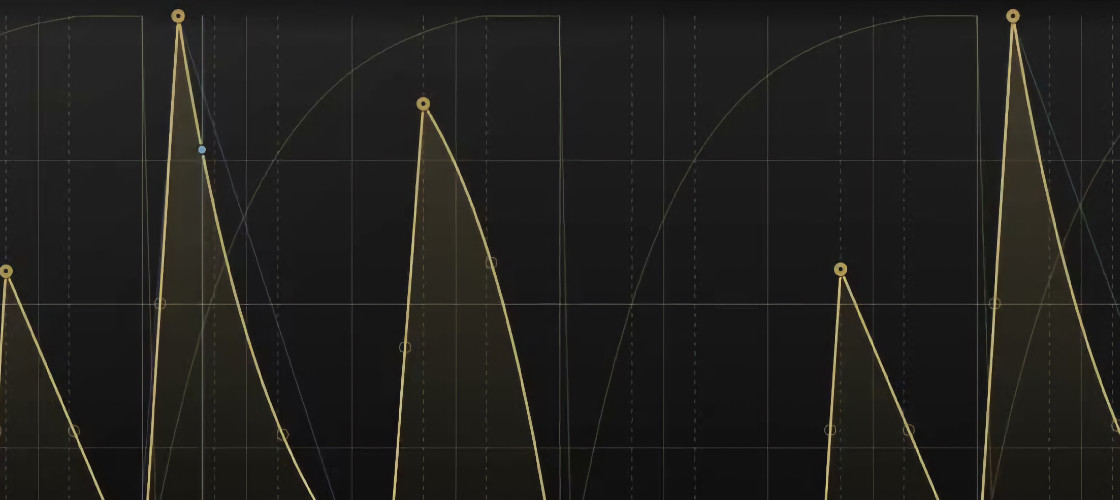
The plugin includes four independent layers, each with its own movement pattern and effect. You can run these layers together to create several changes at once, or switch between them for different parts of a track. For example, one layer can control the volume while another changes the filter and a third adds a reverb effect. This gives you more creative control without needing to load several separate plugins. Orra Pump Pro also includes 14 effect targets. These cover filter changes, volume control, stereo movement, reverb, delay, saturation, distortion, width, bit reduction, chorus, and phaser effects. You can apply these effects separately or combine them to create more complex sounds. The reverb and delay controls are particularly useful for sending a vocal word or drum hit into an echo or spacious effect at a specific moment.
For Mac users, Orra Pump Pro supports macOS 10.13 or later, with macOS 11 or later required for Apple Silicon Macs. It supports both Intel and Apple Silicon processors through a universal version. The plugin is available in Audio Units, VST3, and AAX formats, so it can work with compatible music production applications, including Logic Pro, GarageBand, Cubase, and Pro Tools. Actual compatibility depends on your music software and its supported plugin formats. Another useful feature is its zero-latency processing. The plugin does not add processing delay during normal operation, making it suitable for real-time playback and recording. Its built-in presets also provide a useful starting point if you do not want to draw every movement pattern yourself. You can adjust the presets to fit your track and save your own settings for future projects.
The main limitation is that Orra Pump Pro focuses on rhythmic sound changes rather than general mixing. It will not replace a full equalizer, compressor, or complete mastering tool. Beginners may also need time to understand how its four layers work together. However, for producers who want greater control over rhythmic effects, it offers a flexible and creative way to shape individual tracks. Overall, Orra Audio Orra Pump Pro is a useful plugin for Mac users who want to create custom rhythmic effects without building every movement manually through automation. Its four layers, adjustable patterns, and wide range of effects make it suitable for electronic music production, beatmaking, and creative sound design.
Key Features
- Four independent layers for creating multiple rhythmic effects.
- Custom drawing controls for shaping how sounds change over time.
- 14 effect options, including filters, volume, pan, reverb, delay, distortion, and chorus.
- Tempo synchronization to keep rhythmic patterns in time with your music.
- Options for running all four layers together or switching between them.
- Adjustable transitions when switching between layers.
- Stereo controls for changing the width and position of sounds.
- Separate control over the centre and sides of a stereo mix for supported effects.
- Built-in presets and complete settings for different musical styles.
- Automatic level matching to make comparisons between processed and original sounds easier.
- A safety limiter to help control sudden volume peaks.
- Zero-latency processing for real-time use.
- Support for compatible Intel and Apple Silicon Macs.
- Audio Units, VST3, and AAX support for compatible music production software.
Alternatives to Consider
Xfer LFO Tool
Xfer LFO Tool is worth considering if you mainly want to create rhythmic volume changes, filter movements, and repeating patterns. It is useful for electronic music producers who want to shape basslines and create pumping effects. Orra Pump Pro offers four layers and a broader selection of built-in effects, while LFO Tool may suit users who prefer a more focused approach.
Cableguys ShaperBox
Cableguys ShaperBox is another option for producers who want to control volume, filters, stereo movement, and other sound changes with custom patterns. It offers several dedicated shaping tools for creative music production. Compare both plugins to see which workflow feels more comfortable for the effects you use most often.
Xfer Serum
Xfer Serum is a synthesizer rather than a dedicated rhythmic effect plugin. It is useful for creating basses, leads, pads, and other electronic sounds from scratch. If your main goal is to design new sounds, Serum may be a better fit. If you want to add rhythmic movement and effects to sounds you already have, Orra Pump Pro is more directly suited to that task.
Conclusion
Orra Audio Orra Pump Pro is a strong option for Mac-based music producers who want to create rhythmic effects, pumping basslines, chopped vocals, filter movements, and creative transitions. Its biggest advantage is the ability to combine four custom movement patterns with a wide range of effects in one plugin. The main drawback is its learning curve, especially if you are new to drawing patterns and combining multiple effects. It is also a specialized production tool rather than an all-purpose mixing solution. If you produce electronic music, house, techno, hip-hop, or soundtrack music and want more control over rhythmic sound changes, Orra Pump Pro is worth considering. Its flexible controls and built-in presets make it useful for both experimenting with new ideas and refining an existing track.
Technical Details
- Full Name: Orra Audio Orra Pump Pro
- Setup App File Name: Orra Audio Orra Pump Pro
- Full Application Size: 16 MB
- Latest Version: 1.0.0
- Setup Type: AU, VST3
- Developers: Orra Audio
System Requirements
- Operating System: macOS 11 (Big Sur) or later
- Memory (RAM): 4/8 GB
- Hard Disk Space: 39.1 MB
- Processor: Apple Silicon (M1-M6 or newer) and Intel Core (64-bit)
Download Orra Audio Orra Pump Pro Latest Version Free
Click on the button below to start Orra Audio Orra Pump Pro Download for Mac OS X. This is completely Tested and Working Latest Version Mac OS App of Orra Audio Orra Pump Pro. It is offline installer and standalone setup for Orra Audio Orra Pump Pro for Apple Macintosh. We provide Resumeable single direct link Orra Audio Orra Pump Pro Download for Mac.