Download JixiPix Premium Pack 2026 full latest version program free setup for Windows.
JixiPix Premium Pack 2026 for Windows Review
JixiPix Premium Pack 2026 is a creative photo editing package for Windows users who want to transform ordinary photographs into artistic images without spending hours editing every detail manually. Developed by JixiPix, the package brings 18 different photo effects and artistic applications together in one program. It includes tools for watercolor paintings, oil painting effects, pencil sketches, comic-style images, vintage photographs, dramatic black-and-white pictures, and creative designs. This makes it a useful option for photographers, graphic designers, bloggers, social media creators, and hobby artists who want more variety in their photo editing workflow.
The biggest advantage of JixiPix Premium Pack is that it combines several different creative styles in one place. Instead of purchasing separate applications for every effect, you can switch between different tools within the same interface. For example, you can turn a landscape into a watercolor painting, create an oil-painting effect for a portrait, give a photograph an old-fashioned appearance, or transform a picture into comic-style artwork. Each application focuses on a different result, so you have several creative options without needing to learn a completely new program for every style.
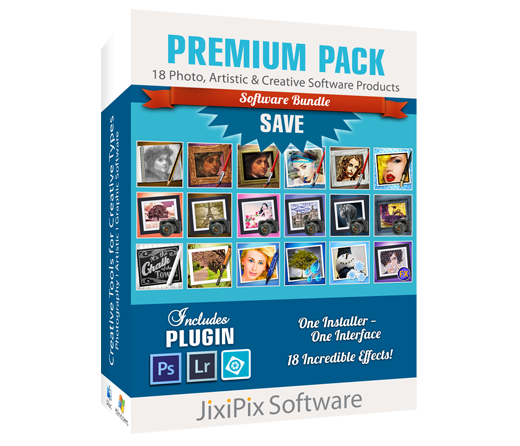
The package includes Aquarella, Artista Haiku, Artista Oil, Artista Sketch, Artoon, Chalkspiration, Dramatic Black and White, Grungetastic, Kyoobik Photo, Moku Hanga, NIR Color, Pop Dot Comics, Portrait Painter, Rainy Daze, Romantic Photo, Simply HDR, Snow Daze, and Vintage Scene. Together, these tools cover a wide range of photography and artistic effects. The developer lists more than 2,000 presets across the package, giving users plenty of starting points for different types of images. The available effects and adjustments vary from one application to another.
One of the most useful aspects of the package is its automatic photo transformation. You can open an image, choose a style, and let the selected application create an initial effect. You can then adjust the settings to change the appearance of the final result. Presets make it easier to explore different looks without having to understand every control. If you find a style you like, you can save your settings and use them again on other photographs. This can save time for creators who need to produce several images with a similar appearance.
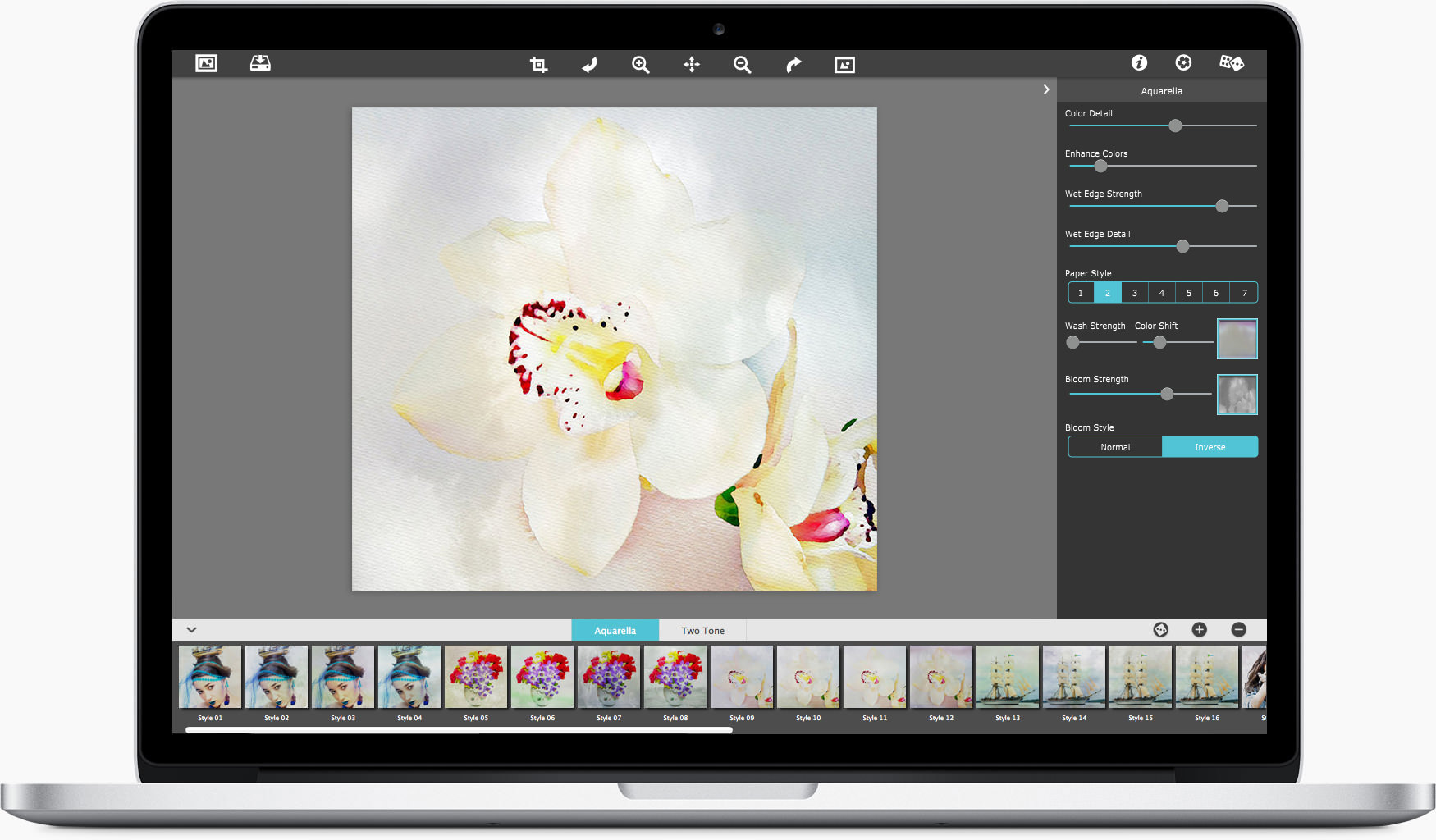
For users who enjoy painting effects, Aquarella and Artista Oil offer different ways to change the appearance of a photograph. Aquarella creates a watercolor-style image with soft colors and flowing edges, while Artista Oil gives pictures the look of an oil painting. These tools can be useful for landscapes, flowers, portraits, travel photographs, and decorative artwork. You can try different presets and adjust the result to preserve more detail or create a softer, more artistic finish. They are especially helpful for users who want painting-style images without manually drawing every brushstroke.
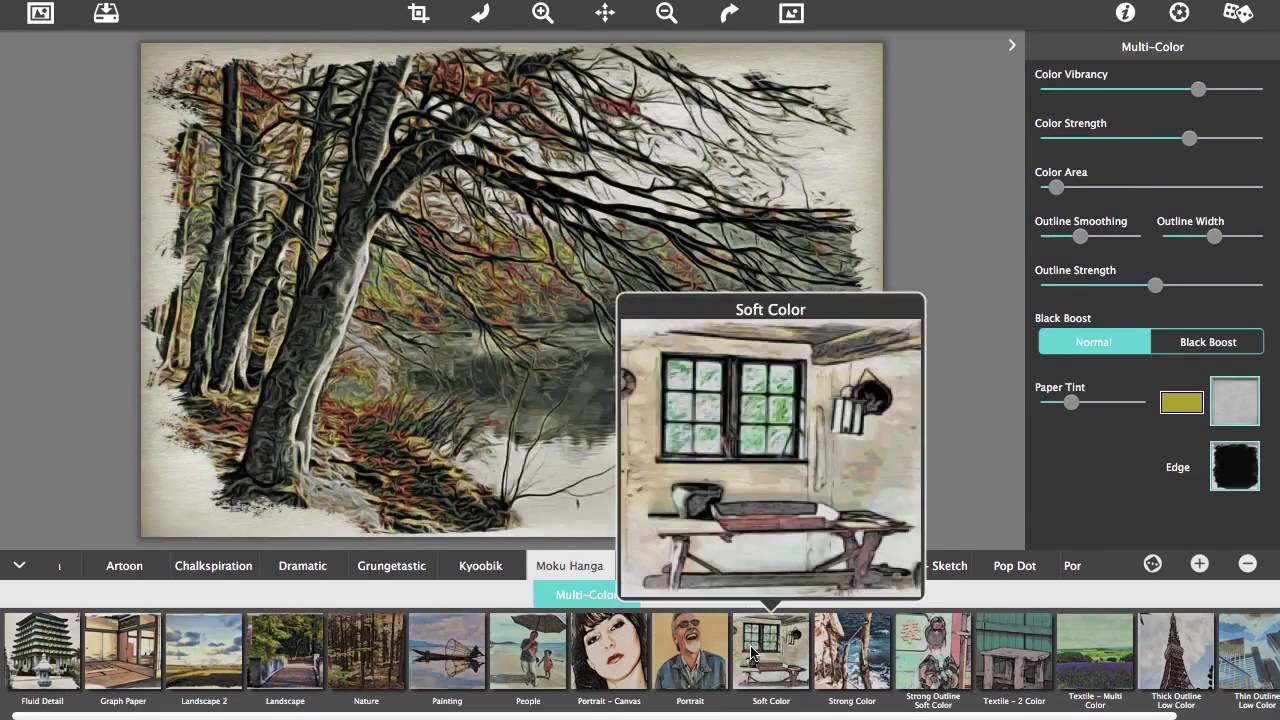
Artista Haiku, Artista Sketch, and Moku Hanga provide additional artistic options. Artista Haiku creates a loose, expressive painting style, while Artista Sketch turns photographs into pencil-style drawings with outlines and shading. Moku Hanga produces artwork inspired by traditional Japanese woodblock printing, with distinctive colors and outlines. These effects can help you create a collection of images with different artistic appearances. They may also be useful for posters, book illustrations, greeting cards, and creative content for websites.
The package also includes several tools for more playful and decorative designs. Artoon transforms photographs into cartoon-style images, while Pop Dot Comics creates a comic-book appearance with dotted patterns and graphic effects. Chalkspiration creates chalkboard-style artwork and lets you add decorative objects and text. Kyoobik Photo divides an image into a tiled design, giving it a more unusual appearance. These applications are useful for social media graphics, event promotions, personal projects, and designs that need to stand out from ordinary photographs.
For photographers who prefer realistic images with stronger contrast, Dramatic Black and White and Simply HDR provide different editing options. Dramatic Black and White converts photographs into monochrome images with stronger contrast and mood. It can be useful for portraits, buildings, landscapes, and street photography. Simply HDR focuses on enhancing light, shadow, and color to make details more noticeable. It can help bring out features in landscapes and architecture, although the final result depends on the original photograph and the settings you choose.
JixiPix Premium Pack also includes effects for changing the mood and age of a photograph. Romantic Photo creates a soft, dreamy appearance using gentle lighting and color effects. Rainy Daze adds rainy weather, mist, and water-related effects to suitable images. Snow Daze adds snow and frosty details to make a scene appear colder. Vintage Scene gives photographs an aged look through old-fashioned colors, grain, borders, and worn-paper effects. These tools are useful for photographers and content creators who want to change the feeling of an image without rebuilding the entire scene.
Grungetastic provides a worn, rough, and distressed appearance, making it useful for vintage posters, album artwork, and creative backgrounds. NIR Color offers a different approach to color transformation, inspired by infrared-style photography. Portrait Painter focuses on giving portraits a painted appearance. These applications add further variety to the package, especially if your work includes different subjects and visual styles. However, the effects are designed for creative editing rather than replacing every tool in a professional photo editing program.
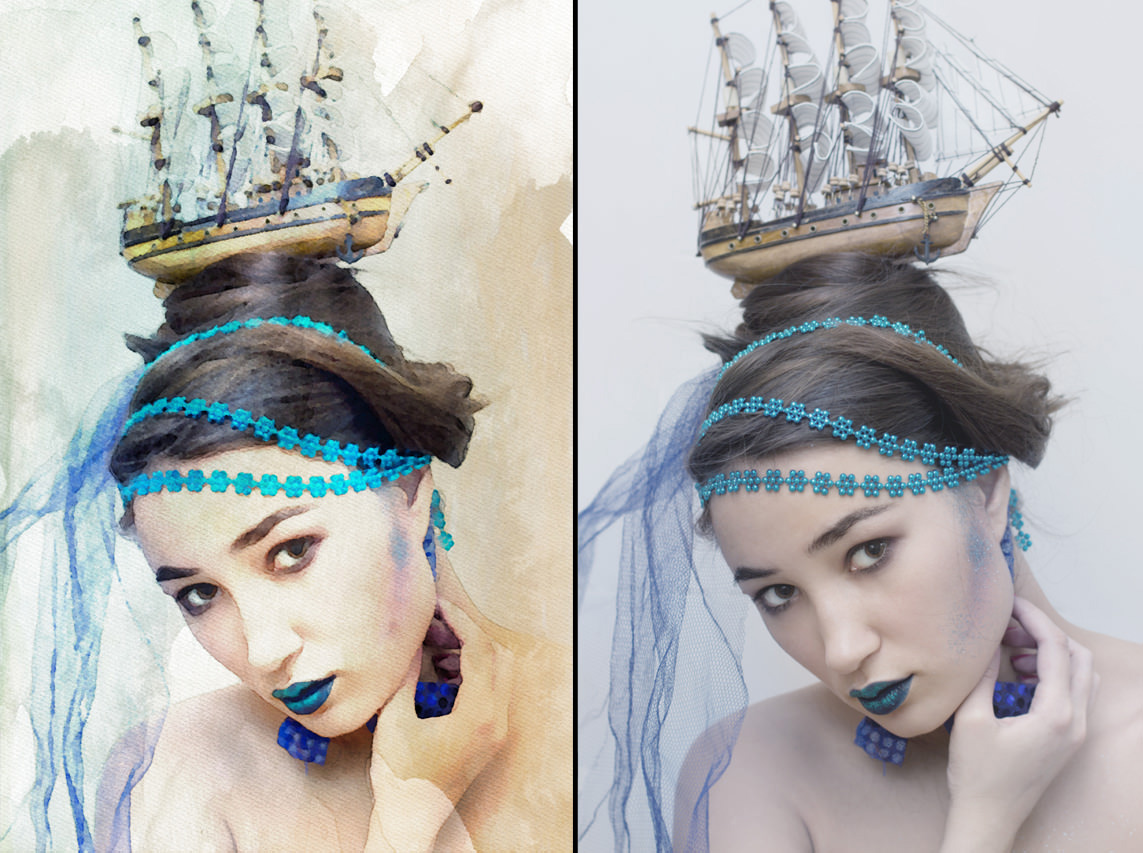
Another benefit is the ability to compare the edited image with the original photograph. You can preview effects, undo changes, and adjust settings before saving the result. The software also supports saving custom presets, allowing you to reuse a preferred combination of settings. This is helpful when you regularly edit photographs for a blog, business, portfolio, or social media account. Instead of repeating the same adjustments every time, you can start with a saved style and make small changes when necessary.
The package is available as a standalone Windows application and includes a plugin for supported photo editing programs. According to the developer, the plugin works with compatible versions of Adobe Photoshop, Photoshop Elements, Lightroom, and Corel PaintShop Pro. This allows users to access the effects within an existing editing workflow. Plugin compatibility depends on the host application and its version, so it is important to check the requirements before relying on this feature. The standalone version is useful for people who prefer editing photographs without opening another program.
JixiPix Premium Pack supports high-resolution images and output, which is useful when preparing artwork for printing or larger displays. It also includes tools such as cropping, zooming, undo, redo, and image previewing. These basic controls make everyday editing easier, even for users who are new to creative photo software. However, the individual effects are designed for particular purposes, so the available controls will not be identical across all 18 applications.
There are a few limitations to consider before choosing this package. It focuses on artistic effects rather than complete photo editing. If you need advanced skin retouching, precise object removal, detailed image manipulation, or complex graphic design, you may still need a general-purpose editor. Some effects can also look too strong when applied to unsuitable photographs, so trying several presets and adjusting their settings is important. Users who only need one specific effect may find that purchasing a single application is more practical than buying the complete package.
Overall, JixiPix Premium Pack 2026 is a versatile choice for Windows users who want a broad collection of artistic photo effects in one application. Its range of painting, sketching, comic, vintage, weather, and color effects makes it suitable for many creative projects. The main benefit is variety: you can explore several styles without buying each application separately. If you regularly experiment with photography and digital artwork, the package offers a convenient way to expand your creative options.
Key Features of JixiPix Premium Pack 2026
- 18 creative applications: Access a collection of photo effects and artistic tools through one package.
- More than 2,000 presets: Explore ready-made styles and save your own settings.
- Watercolor effects: Turn photographs into soft watercolor-style paintings with Aquarella.
- Oil painting effects: Give images the appearance of traditional oil paintings with Artista Oil.
- Pencil sketch effects: Create drawings with outlines and shading using Artista Sketch.
- Cartoon and comic styles: Use Artoon and Pop Dot Comics to create playful, illustrated images.
- Chalkboard artwork: Make chalk-style designs and add decorative elements with Chalkspiration.
- Black-and-white photography: Create dramatic monochrome images with Dramatic Black and White.
- High-contrast effects: Use Simply HDR to enhance the appearance of light, shadow, and color.
- Japanese-inspired artwork: Create distinctive woodblock-style images with Moku Hanga.
- Portrait painting: Give portrait photographs an artistic painted appearance.
- Vintage photo effects: Add aged colors, grain, borders, and worn-paper details with Vintage Scene.
- Rain and snow effects: Change the mood of suitable photographs with Rainy Daze and Snow Daze.
- Dreamy photo effects: Create softer, romantic images with Romantic Photo.
- Creative image layouts: Use Kyoobik Photo to create tiled image effects.
- Color transformation: Explore infrared-inspired colors with NIR Color.
- Distressed textures: Give images a worn and rough appearance with Grungetastic.
- Preview and editing controls: Compare the original and edited image, undo changes, and adjust settings.
- Custom presets: Save preferred effects for use on future photographs.
- High-resolution output: Prepare images for supported digital and print projects.
- Photo editing plugin: Access the package through compatible versions of supported photo editing applications.
- Windows support: Use the standalone application on supported Windows versions.
Alternatives to JixiPix Premium Pack 2026
If you want artistic photo effects on Windows, several other applications are worth considering. Some offer broad photo editing tools, while others focus on painting, drawing, or ready-made creative styles. The best choice depends on how much control you need and whether you prefer a complete editing program or a collection of specialized effects.
- Adobe Photoshop
Adobe Photoshop is a professional image editor for photography, graphic design, and digital artwork. It offers layers, masks, brushes, filters, color adjustments, and tools for detailed image editing. You can use it to create watercolor paintings, sketches, vintage photographs, comic effects, and many other styles. However, some effects require manual adjustments or additional resources. Photoshop is a strong choice if you need one application for both creative effects and detailed photo editing, but it uses a paid subscription model.
- GIMP
GIMP is a free, open-source image editor that provides layers, brushes, filters, selections, and color adjustments. It can be used for photo correction, image manipulation, artistic effects, and graphic design. You can create many styles similar to those available in JixiPix Premium Pack, although some may require more manual work or additional brushes and textures. GIMP is a good choice for users who want a flexible image editor without paying for a subscription.
- Corel Painter
Corel Painter is designed for digital artists who want to create paintings that resemble traditional art. It includes a wide range of brushes and controls for painting styles such as watercolor and oil. Unlike a package that mainly transforms existing photographs, Corel Painter offers more control over painting from scratch and refining individual strokes. It is suitable for artists who want a dedicated digital painting workspace, although beginners may need time to learn its tools.
- FotoSketcher
FotoSketcher is a Windows application that turns photographs into drawings and paintings. It provides effects inspired by pencil sketches, watercolor, oil painting, and other artistic styles. Its straightforward workflow makes it useful for beginners who want to transform photographs without learning a complex editing program. It has a narrower range of creative tools than JixiPix Premium Pack, but it can be a practical choice if you mainly want sketching and painting effects.
- Topaz Studio
Topaz Studio is a creative image editing option for users interested in artistic looks and photo enhancement. Depending on the available version and supported features, it can provide tools for adjusting images and creating stylized results. It is worth comparing if your main interest is improving photographs and experimenting with creative effects. Before choosing it, check the current product offering, supported operating system, and pricing because software features and availability can change.
Which Alternative Should You Choose?
- Adobe Photoshop: Best for professional photo editing and detailed image manipulation.
- GIMP: Best for users who want a free, flexible image editor.
- Corel Painter: Best for artists who want greater control over digital painting.
- FotoSketcher: Best for simple photo-to-sketch and photo-to-painting effects.
- Topaz Studio: Worth exploring for creative image adjustments and stylized photo editing.
- JixiPix Premium Pack: Best for users who want many ready-made artistic photo effects together in one package.
Conclusion
JixiPix Premium Pack 2026 is a useful creative photo editing package for Windows users who want more variety than a single-effect application can provide. Its 18 included applications cover watercolor paintings, oil painting styles, pencil sketches, cartoon effects, comic designs, vintage photographs, weather effects, and other creative transformations. Its biggest advantage is convenience. You can switch between different artistic styles through one interface and save your preferred settings for future projects.
The package is particularly suitable for photographers, bloggers, designers, and social media creators who regularly need visually distinctive images. The main drawback is that it does not replace a complete photo editor, and users who only need one specific effect may not require the entire collection. Before purchasing, try the demo and explore the included applications to see which ones match your work. Research was based on JixiPix’s official Premium Pack details, including its 18 included applications, preset collection, plugin support, and Windows requirements.
JixiPix Premium Pack 2026 Technical Setup Details
- Software Full Name: JixiPix Premium Pack 2026
- Setup File Name: JixiPix_Premium_Pack_1.2.19.rar
- Setup Size: 767 MB
- Setup Type: Offline Installer / Full Standalone Setup
- Compatibility Mechanical: 32 Bit (x86) / 64 Bit (x64)
- Developers: JixiPix
System Requirements for JixiPix Premium Pack 2026
- Operating System: Windows 7/8/10
- RAM: 4 GB
- Hard Disk: 4 GB
- Processor: Intel Dual Core or higher processor
JixiPix Premium Pack 2026 Download
Download JixiPix Premium Pack 2026 free latest full version offline direct download link for full offline setup by clicking the button below.