Download Sixth Sample Utopia for Mac Free. It is full Latest Version setup of Sixth Sample Utopia DMG for Mac OS X.
Sixth Sample Utopia for Mac Review
Sixth Sample Utopia is a mastering plugin designed to help music producers improve the loudness, balance, and overall character of their final mixes. It combines parallel dynamics processing and saturation in one interface, giving users a straightforward way to shape their music before exporting it.
The plugin was developed in collaboration with professional mastering engineer Luca, whose work includes releases on Deadbeats, Inspected, NIGHTMODE, and Pilot. Its design is based on a mastering process he used in professional sessions. Instead of making users build a complicated processing chain from separate plugins, Utopia brings the main stages together in one tool.
Utopia is particularly useful for electronic music producers, mix engineers, and musicians who want more control over their final sound without spending too much time adjusting multiple processors. It works with compatible Mac DAWs through AU, VST3, and AAX formats.
Three-Band Processing for Better Control
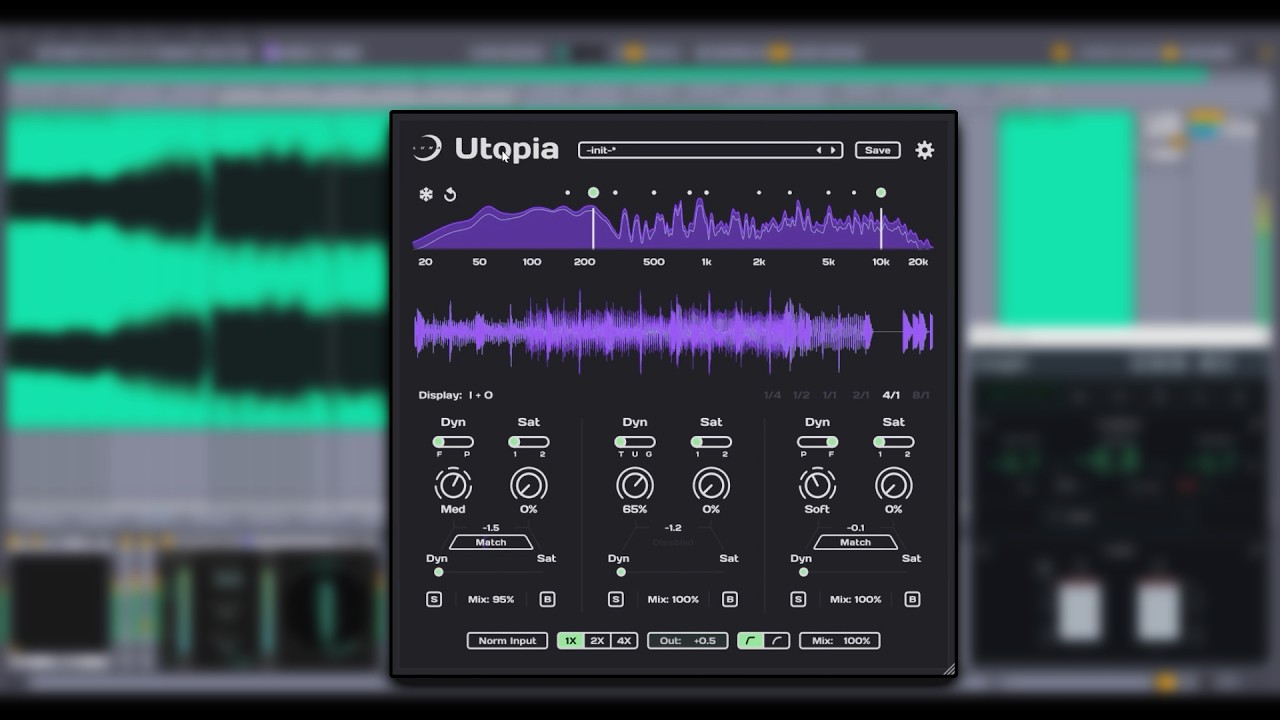
One of Utopia’s main features is its three-band processing system. It divides the audio signal into low, mid, and high frequency ranges, allowing users to shape different parts of a mix independently.
Each band has its own processing settings, so you can work on the low end without applying exactly the same treatment to the high frequencies. This is useful when a mix needs more control over its bass, clearer midrange, or a more polished top end.
You can also adjust the crossover points to decide where the frequency bands are divided. Utopia automatically adapts its internal processing to the selected crossover settings. This saves time because users do not have to manually retune every processing stage whenever they change the frequency split.
Parallel Dynamics and Saturation
The central idea behind Utopia is its combination of parallel dynamics processing and saturation. These two processes work together to make a mix sound louder, more controlled, and fuller.
Dynamics processing helps manage changes in volume, while saturation adds harmonic character and density. Running them in parallel gives users a way to combine their effects instead of relying on only one type of processing.
A blend slider controls the balance between the two paths. This is useful because different tracks need different amounts of control and character. A subtle setting may help a mix feel more finished, while a stronger blend can create a more noticeable change.
The plugin also includes loudness matching between the parallel paths. This helps users compare the processing without being misled simply because one version sounds louder than the other.
Frequency-Specific Processing Modes
Not every frequency range responds well to the same processing settings. Heavy treatment of the low end can affect bass definition, while excessive processing in the high frequencies can make a mix sound harsh.
Utopia addresses this through dynamics and saturation modes tailored to each frequency band. These settings are carefully tuned for the selected frequency range, helping users work with different parts of their mix more appropriately.
This approach is useful for electronic music, where the bass, kick, synths, and high-frequency details often need different levels of control. Instead of applying one general setting across the entire signal, you can adjust the treatment of each band separately.
Input Normalization for Consistent Results
Input level can affect how dynamics and saturation processors respond. If the incoming signal is too loud or too quiet, the same settings may produce different results.
Utopia includes input normalization to provide more consistent processing behavior. This helps make its response more predictable when working with tracks that have different starting levels.
It is especially useful when moving between projects or comparing different mixes. You can spend more time listening to the musical result rather than repeatedly adjusting the input level to compensate for changes in the source signal.
Spectrum Analyzer and Oscilloscope
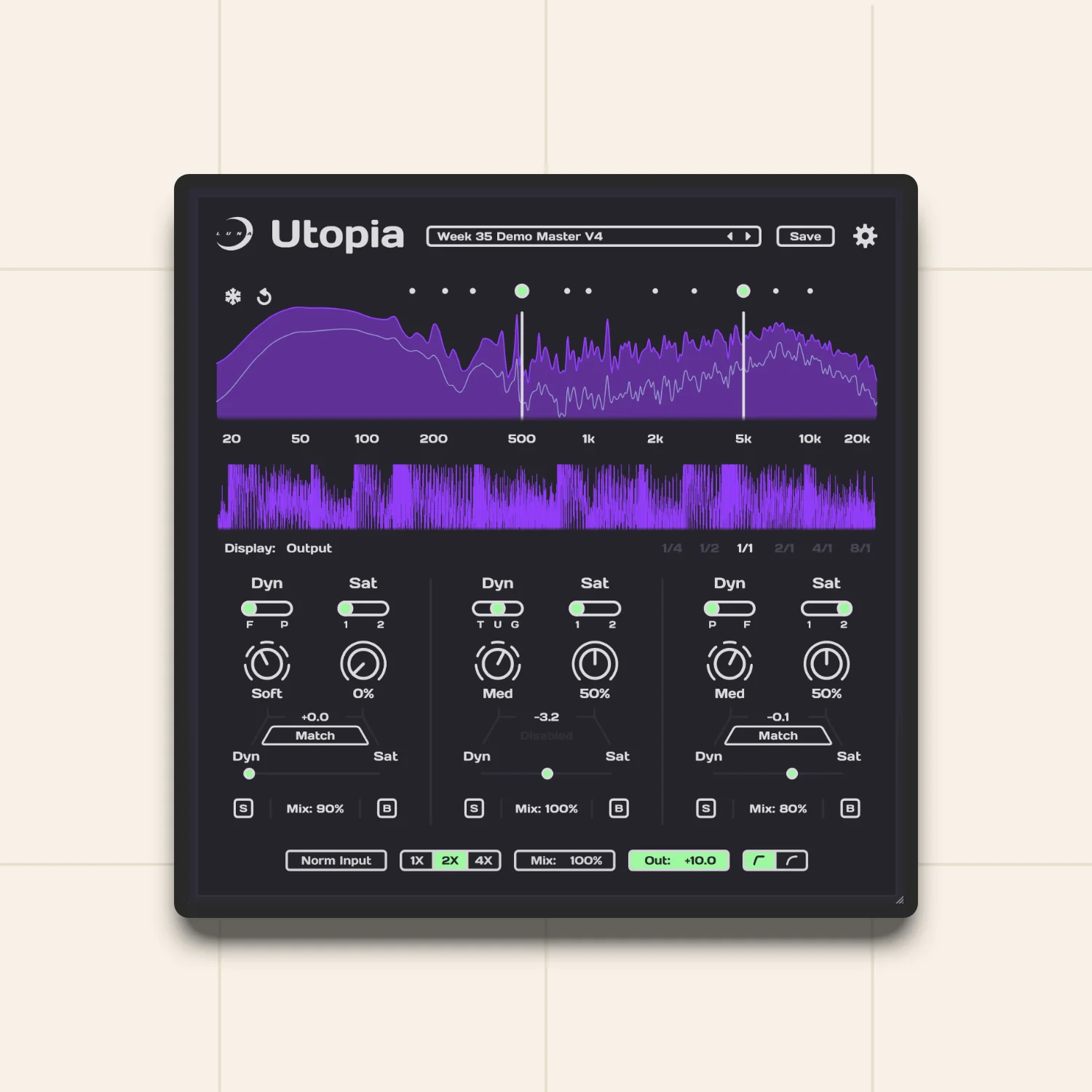
Utopia includes visual monitoring tools that help users understand what is happening during processing. Its spectrum analyzer displays frequency information, making it easier to observe how the low, mid, and high ranges are behaving.
The oscilloscope provides another view of the audio signal. It can help users observe changes in waveform shape and understand how the processing affects the signal.
These tools are useful during mastering because listening should remain the main priority, but visual feedback can help identify issues that may not be immediately obvious. They also make it easier to compare different settings while adjusting the plugin.
Per-Band Solo and Bypass
Working with several frequency bands can make it difficult to understand which part of the processing is changing the sound. Utopia includes individual solo and bypass controls for each band.
Solo lets you listen to a selected frequency range on its own, while bypass allows you to compare the processed and unprocessed signal for that band.
These controls are helpful when a mix sounds too heavy, too bright, or lacks clarity. You can isolate the relevant frequency range and make adjustments without changing the entire processing chain.
Two Clipping Curves
Clipping is commonly used in mastering to control peaks and increase the perceived loudness of a track. However, the character of clipping can vary depending on how the signal is handled.
Utopia includes two clipping curves with different characteristics. This gives users another way to shape the final sound and control peaks during processing.
The two options provide flexibility for different musical styles and mastering preferences. The important point is to use clipping carefully. Pushing a track too hard can remove useful dynamics and create unwanted distortion, so it is worth comparing the results at matched loudness.
Customizable Interface and Themes
Utopia includes ten interface themes and an additional custom appearance option. This lets users change the plugin’s visual presentation according to their preferences.
The theme options do not directly affect audio quality, but they make the interface more comfortable to use during longer sessions. The overall design keeps the main processing controls accessible without requiring users to navigate through a large number of separate windows.
For producers who prefer a focused workflow, this straightforward layout is one of the plugin’s practical advantages.
Key Features of Sixth Sample Utopia
- Three-band processing for low, mid, and high frequencies.
- Parallel dynamics processing and saturation.
- Blend control for balancing both processing paths.
- Hand-tuned settings for different bands and crossover combinations.
- Dynamics and saturation modes tailored to each frequency range.
- Loudness matching between parallel paths.
- Input normalization for consistent processing.
- Individual solo and bypass controls for each band.
- Built-in spectrum analyzer and oscilloscope.
- Two clipping curves for different processing characteristics.
- Ten interface themes and a custom appearance option.
- AU, VST3, and AAX plug-in formats for compatible Mac DAWs.
Best Alternatives to Sixth Sample Utopia
- iZotope Ozone
iZotope Ozone is a comprehensive mastering suite designed for producers and engineers who want a wider range of tools for finalizing their music. It includes different mastering processors for tasks such as equalization, dynamics control, limiting, and stereo enhancement.
Compared with Utopia, Ozone offers a broader mastering environment with more individual processing options. This makes it suitable for users who want to build a detailed mastering chain and adjust different aspects of their sound separately.
Choose Ozone if you need a larger collection of mastering tools. Utopia is a more focused option if you prefer its parallel dynamics and saturation workflow.
- FabFilter Pro-L 2
FabFilter Pro-L 2 is a professional limiter designed for controlling peaks and increasing loudness while maintaining audio quality. It offers different limiting styles, detailed metering, and controls for managing the final output.
Unlike Utopia, Pro-L 2 focuses primarily on limiting rather than combining multiband dynamics and saturation in a complete processing approach. It is a useful alternative when your main mastering requirement is precise loudness control.
Choose Pro-L 2 if you want a dedicated limiter with detailed control over the final signal. Utopia is more suitable when you also want parallel saturation and three-band processing.
- T-RackS 6
T-RackS 6 from IK Multimedia provides a collection of mixing and mastering processors. It includes tools for equalization, compression, limiting, and other audio-processing tasks, allowing users to build different mastering chains.
Its modular approach gives engineers more freedom to choose and combine processors. However, this can require more setup than Utopia’s focused workflow.
Choose T-RackS 6 if you prefer a larger collection of mastering tools. Utopia is worth considering if you want a simpler way to work with parallel dynamics, saturation, and multiband processing.
Which Alternative Should You Choose?
The right choice depends on how much control you need during mastering. Sixth Sample Utopia is a good option for producers who want a focused workflow built around three-band processing, parallel dynamics, and saturation. iZotope Ozone is more suitable for users who need a broad mastering suite. FabFilter Pro-L 2 is a strong choice for dedicated limiting, while T-RackS 6 offers a larger collection of processors for building custom mastering chains. If your priority is controlling the overall character and loudness of a mix without setting up several separate plugins, Utopia offers a practical approach.
Conclusion
Sixth Sample Utopia is a focused mastering plugin for producers who want to improve the loudness, control, and character of their final mixes. Its combination of parallel dynamics and saturation provides a practical approach to processing, while the three-band design allows users to treat different frequency ranges independently. Features such as input normalization, loudness matching, per-band solo and bypass, and visual monitoring make the workflow easier to manage. The two clipping curves and customizable interface also add useful flexibility without making the plugin unnecessarily complicated.
Its main limitation is that it does not aim to replace a complete mastering suite with a large collection of separate processors. Users who need detailed equalization, stereo tools, and several different mastering modules may prefer a broader solution. Overall, Sixth Sample Utopia is worth considering for Mac-based producers and mix engineers who want a straightforward mastering tool with parallel processing and frequency-specific control. Its focused design makes it especially useful when you want to shape a mix without spending too much time building a complex mastering chain.
Technical Details
- Full Name: Sixth Sample Utopia
- Setup App File Name: Sixth Sample Utopia
- Full Application Size: 15 MB
- Latest Version: 1.0.0
- Setup Type: AU, VST3
- Developers: Sixth Sample
System Requirements
- Operating System: macOS 11 (Big Sur) or later
- Memory (RAM): 4/8 GB
- Hard Disk Space: 39.7 MB
- Processor: Apple Silicon (M1-M6 or newer) and Intel Core (64-bit)
Download Sixth Sample Utopia Latest Version Free
Click on the button below to start Sixth Sample Utopia Download for Mac OS X. This is completely Tested and Working Latest Version Mac OS App of Sixth Sample Utopia . It is offline installer and standalone setup for Sixth Sample Utopia for Apple Macintosh. We provide Resumeable single direct link Sixth Sample Utopia Download for Mac.