Download Active KillDisk Ultimate 2026 full latest version program free setup for Windows.
Active KillDisk Ultimate 2026 for Windows Review
Active KillDisk Ultimate 2026 is a professional data-erasure utility developed by LSoft Technologies. It is designed to permanently erase information from hard drives, SSDs, NVMe drives, USB devices, memory cards, and other storage media.
Unlike normal file deletion or formatting, secure erasure overwrites storage areas to make previously stored information difficult or impossible to recover. This makes KillDisk useful when preparing computers for resale, retiring office equipment, recycling storage devices, or disposing of drives that contain confidential information.
The Ultimate package includes Windows and Linux applications, command-line tools, and bootable environments. You can erase a drive without starting its installed operating system, which is particularly useful when removing Windows from a system disk. It also supports multiple erasure standards, parallel disk operations, and certificates documenting completed erasure sessions.
Securely Erase Different Storage Devices
One of the main strengths of Active KillDisk Ultimate is its support for different storage technologies. It can erase traditional HDDs, SATA SSDs, NVMe M.2 and U.2 drives, USB storage devices, memory cards, SCSI disks, and RAID disk arrays.
This flexibility makes it useful for both personal and professional environments. Home users can prepare an old computer for resale, while IT departments can sanitize several retired drives before sending them for recycling.
The software can erase physical disks, partitions, logical drives, and unused disk space. It also supports large-capacity drives above 4 TB and newer storage devices with 4 KB sector sizes.
More Than 25 International Erasure Standards
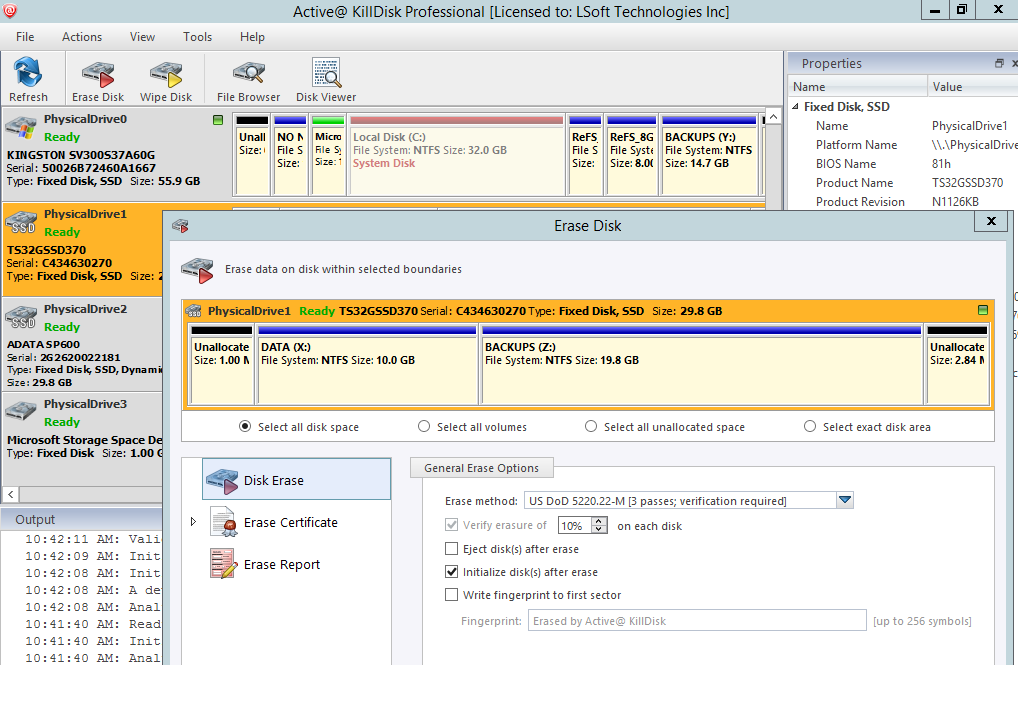
Active KillDisk Ultimate includes more than 25 international data-erasure standards and methods. These include recognized options such as US DoD 5220.22-M, NIST 800-88, and user-defined erasure methods.
The available methods let administrators select an approach that matches their storage equipment and data-handling requirements. Advanced users can also create custom patterns for individual passes, including hexadecimal values.
It is important to choose an appropriate method rather than assuming that more overwrite passes always provide better protection. Modern HDDs and SSDs behave differently, and the correct sanitization method depends on the storage technology and the required security level.
Bootable Disk for Erasing Windows System Drives
A major advantage of the Ultimate edition is its bootable environment. You do not have to start the installed Windows operating system to erase the system drive.
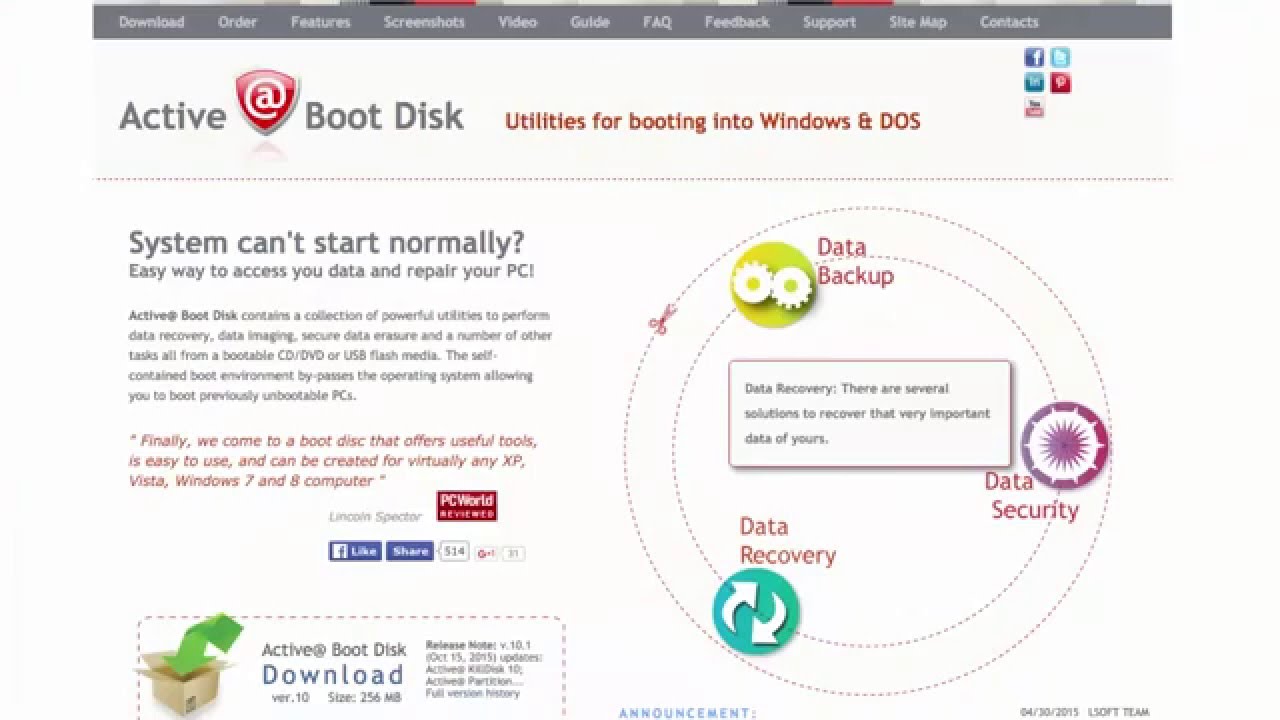
The package includes a Windows-based boot disk, a Linux-based LiveCD, a console boot disk, and a bootable media creator. You can prepare a USB drive or compatible optical disc and start the computer from that device.
This is useful when you want to sanitize the drive containing Windows itself. A running operating system cannot safely erase all of its own active system files, so an external boot environment provides a separate way to access the storage device.
The bootable tools also support UEFI systems, while the console environment can work with both modern 64-bit and legacy 32-bit systems.
Parallel Erasing for Multiple Drives
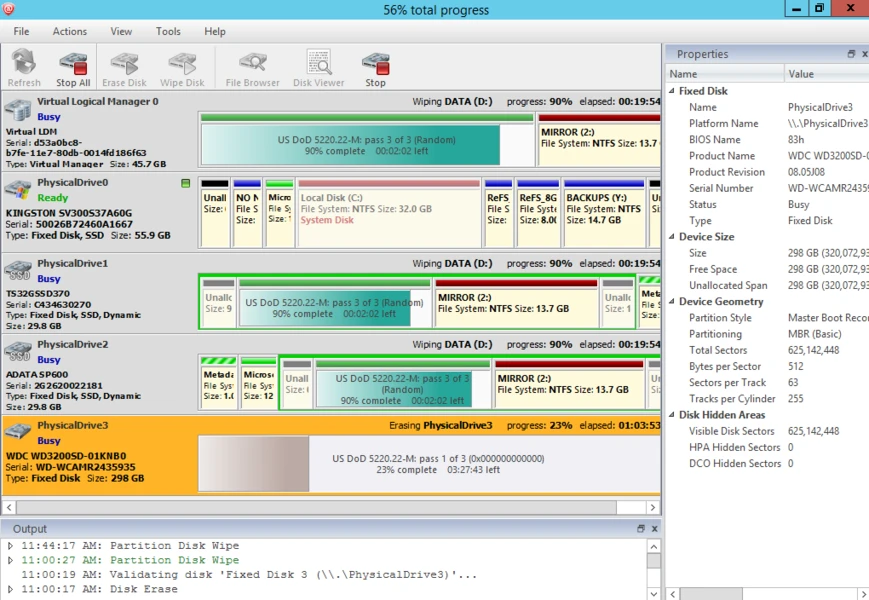
Active KillDisk Ultimate supports parallel erasure of multiple disks. This can reduce the time required to process several storage devices in an IT department or computer refurbishment environment.
The number of drives that can be erased simultaneously depends on the license and its permitted usage. The Ultimate package is designed for organizations that need to handle multiple drives without paying an additional fee for every erase operation.
For businesses that regularly retire computers, this can make the workflow easier to manage. Administrators can process several connected drives while keeping track of individual operations.
SSD Secure Erase Support
Traditional hard drives and solid-state drives store information differently. SSDs use flash memory and internal management systems, so ordinary overwrite methods may not reach every physical storage location.
Active KillDisk Ultimate provides low-level ATA Secure Erase support for SSDs through its Linux application and console environment. This gives users a firmware-level option for supported devices.
The distinction matters: the official product information specifically identifies this ATA Secure Erase support for the Linux application and console. Users should not assume that every erasure method works identically across the Windows interface, Linux tools, SATA SSDs, and NVMe drives.
Before erasing an SSD, check the manufacturer’s support information and confirm that the selected sanitization method is appropriate for the device.
Erase Unused Disk Space
KillDisk can also wipe unused disk space instead of erasing an entire storage device. This is useful when you want to remove traces of previously deleted files while keeping current files and installed applications.
The software supports unused-space wiping on file systems such as FAT, exFAT, NTFS, Ext2, Ext3, and Ext4.
This feature can help when a computer is still in use but previously deleted information needs to be sanitized. However, users should carefully select the correct drive and operation because wiping unused space is different from erasing an entire disk.
Certificates and Erasure Reports
For professional environments, documenting completed erasure operations is important. Active KillDisk Ultimate can generate certificates after a sanitization session.
The certificates can include a company logo and additional comments. You can print them, save them as PDF files, or export information in XML format.
This is useful for organizations that need records of storage-device disposal. A certificate helps document which erasure process was performed and its reported completion status.
The software also supports email reporting through a configured SMTP account. These features make it easier to maintain records when processing several computers or storage devices.
Command-Line Automation and Batch Operations
Active KillDisk Ultimate is not limited to its graphical interface. It includes command-line options for automating erasure procedures.
Advanced users can create scripts and run operations in batch mode without manually interacting with every step. PXE boot configurations are also supported, which can be useful in managed IT environments.
These options are particularly relevant to system administrators and organizations that regularly process large numbers of computers. Instead of repeating the same manual workflow, they can prepare scripts and standardize their erasure procedures.
Disk Inspection and Hidden-Zone Detection
KillDisk also includes tools for examining storage devices before and after an operation. Its File Browser and Disk Viewer provide information about volumes and low-level disk sectors.
The built-in Hex Viewer can inspect raw storage areas, including MBR records, volume boot sectors, file-system records, and data-file clusters.
Another useful feature is its ability to detect, display, and reset or erase certain hidden disk areas, including Host Protected Area and Device Configuration Overlay regions.
These tools are more relevant to experienced users and IT technicians than everyday home users. They provide additional visibility into connected storage devices and help with more detailed disk-management tasks.
Key Features of Active KillDisk Ultimate 2026
- Securely erases HDDs, SSDs, NVMe drives, USB devices, and memory cards
- Supports SCSI storage devices and RAID disk arrays
- Includes more than 25 international erasure standards and methods
- Supports US DoD 5220.22-M and NIST 800-88 methods
- Provides custom erasure patterns, including hexadecimal values
- Supports parallel erasure of multiple disks
- Includes Windows and Linux applications
- Provides Windows-based and Linux-based bootable environments
- Includes a console boot disk for 32-bit and 64-bit systems
- Creates bootable USB and optical media
- Supports PXE boot configurations
- Provides ATA Secure Erase through supported Linux and console tools
- Wipes unused disk space
- Supports FAT, exFAT, NTFS, Ext2, Ext3, and Ext4
- Generates customizable PDF certificates and XML reports
- Offers command-line scripting and batch operations
- Includes File Browser, Disk Viewer, and Hex Viewer
- Detects and manages supported HPA and DCO disk areas
- Uses a perpetual licensing model with no additional cost per erase
Best Alternatives to Active KillDisk Ultimate 2026
1. Blancco Drive Eraser
Blancco Drive Eraser is a professional data-sanitization solution designed for organizations that need secure and documented storage-device disposal. It supports different storage technologies and provides reporting features for businesses with formal data-handling requirements.
Its main advantage is its focus on verified erasure and enterprise asset-management workflows. Organizations can use it when they need more structured reporting and compliance documentation.
Active KillDisk Ultimate is worth considering if you prefer its one-time licensing approach and bootable tools. Blancco is a strong alternative for businesses that need an enterprise-focused erasure process.
2. DBAN
DBAN, also known as Darik’s Boot and Nuke, is a free bootable tool for erasing traditional hard drives. It runs independently of the installed Windows operating system, allowing users to wipe a drive without starting Windows.
Its straightforward approach makes it useful for basic personal HDD disposal. However, DBAN does not provide the same support for modern SSD and NVMe sanitization, enterprise reporting, or advanced automation found in Active KillDisk Ultimate.
Choose DBAN if you need a basic free option for an older HDD. KillDisk is more suitable when you need broader storage support and additional management features.
3. Parted Magic
Parted Magic is a bootable Linux-based toolkit that includes disk-management and storage-sanitization utilities. It provides tools for handling partitions, examining drives, and performing secure erase operations on supported HDDs and SSDs.
It is useful when you want a separate boot environment for storage maintenance. Its SSD-related tools make it a relevant alternative for users who need to prepare drives before resale or reuse.
Active KillDisk Ultimate offers a more dedicated data-erasure workflow with certificates, command-line automation, and multiple licensing options. Parted Magic is worth comparing if you also need broader disk-management utilities.
Which Alternative Should You Choose?
The best option depends on your storage devices and the type of erasure workflow you need.
- Choose Active KillDisk Ultimateif you need multiple erasure methods, bootable tools, parallel disk processing, and customizable certificates.
- Choose Blancco Drive Eraserif your organization needs enterprise-level erasure reporting and asset-management workflows.
- Choose DBANif you only need a free, basic solution for traditional HDDs.
- Choose Parted Magicif you want a bootable toolkit that combines disk management with storage-erasure utilities.
For IT departments and computer refurbishers, Active KillDisk Ultimate offers a useful combination of storage support, automation, and reporting.
Final Verdict
Active KillDisk Ultimate 2026 is a comprehensive storage-sanitization tool for Windows users, IT professionals, and organizations that need to permanently erase data from different types of drives.
Its strongest features include support for HDDs, SSDs, NVMe storage, bootable environments, parallel erasure, customizable certificates, and command-line automation. The included disk-inspection tools also provide additional control for users who need to examine storage devices.
It is more specialized than a normal file-cleaning utility. Its purpose is to sanitize storage devices before resale, recycling, or disposal, not simply remove unwanted files.
For users who need a dedicated erasure solution with multiple operating environments and professional reporting features, Active KillDisk Ultimate is worth considering. Just make sure you understand the selected erasure method and verify the target drive before beginning.
Active KillDisk Ultimate 2026 Technical Setup Details
- Software Full Name: Active KillDisk Ultimate 2026
- Setup File Name: Active_KillDisk_Ultimate_26.0.28.rar
- Setup Size: 1.6 GB
- Setup Type: Offline Installer / Full Standalone Setup
- Compatibility Mechanical: 32 Bit (x86) / 64 Bit (x64)
- Developers: Active KillDisk
System Requirements for Active KillDisk Ultimate 2026
- Operating System: Windows 7/8/10
- RAM: 2 GB
- Hard Disk: 2 GB
- Processor: Intel Dual Core or higher processor
Active KillDisk Ultimate 2026 Free Download
Download Active KillDisk Ultimate 2026 free latest full version offline direct download link for full offline setup by clicking the button below.