Download Asoftis PC Cleaner 2026 full latest version program free setup for Windows.
Asoftis PC Cleaner 2026 for Windows Review
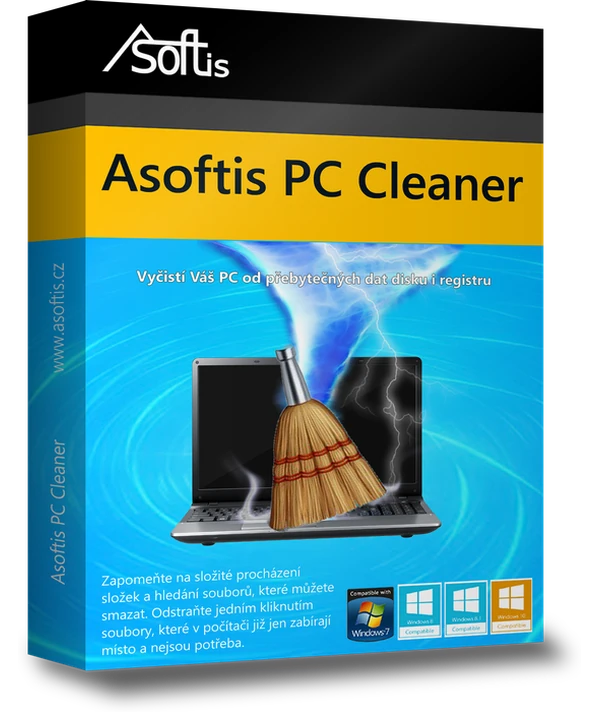
Asoftis PC Cleaner 2026 is a Windows maintenance tool developed by Asoftis, a brand of Czech company PS Media s.r.o. It helps users remove unnecessary files, recover disk space, and clean selected entries from the Windows Registry. Instead of searching through different Windows folders and settings, you can review several cleanup categories from one interface. It is aimed at home users who want a straightforward way to manage accumulated files on their computers.
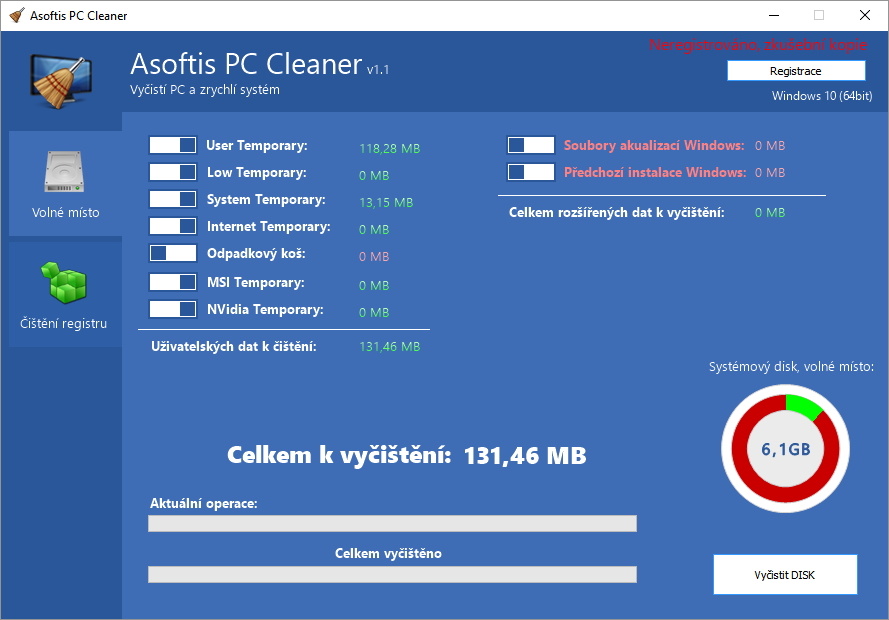
One of its main uses is removing temporary files and other data that can build up over time. It can clean browser caches, temporary program files, leftovers from software installations, Recycle Bin contents, old Windows update files, and previous Windows installation data such as the Windows.old folder. It also handles Windows Update cache files, error reports, CBS logs, and memory dumps. Before cleaning, the program shows how much space may be recovered from the selected categories, giving you a chance to review the results rather than deleting everything without checking.
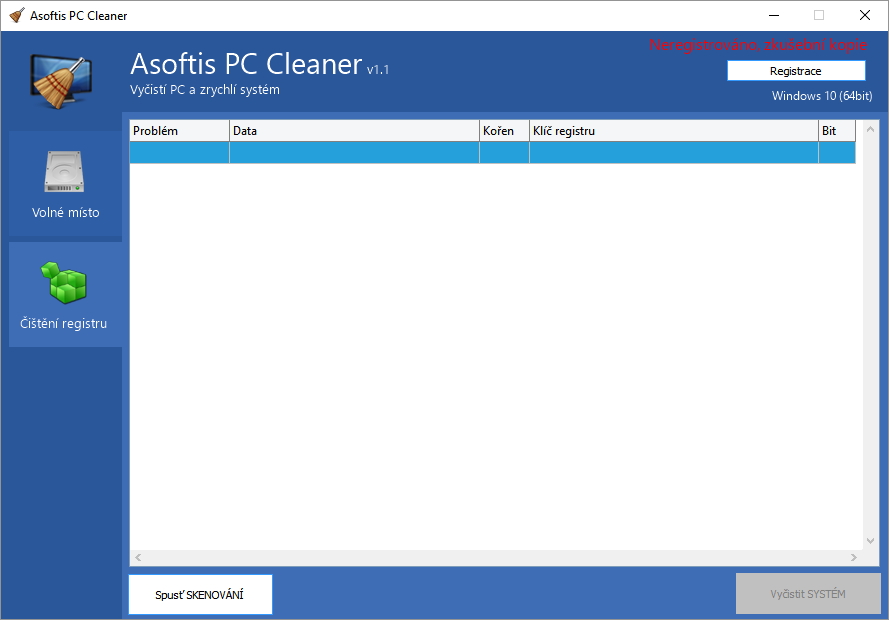
Asoftis PC Cleaner also includes a Registry cleaning section. It looks for selected invalid or outdated entries, including references to files and applications that are no longer present. The program creates a backup of the affected Registry entries before making changes and displays a risk level for detected items. This is a useful precaution, although Registry cleaning should not be treated as a guaranteed way to make Windows faster. It is better to review the findings carefully and avoid removing entries you do not understand. The software also includes a large-file finder to help identify files that are taking up considerable storage space.
The latest official download listing identifies version 1.4.1 and offers a 14-day trial. The program supports Windows 7, Windows 8 and 8.1, Windows 10, and Windows 11, including 32-bit and 64-bit systems. Its interface is available in English, Czech, Slovak, and Polish. Asoftis PC Cleaner is relatively simple compared with larger PC maintenance suites, but its focus is clear: removing unnecessary data and managing selected Registry entries. Keep in mind that deleting Windows.old or previous update files can remove the option to return to an earlier Windows installation, so check the selected cleanup categories before proceeding.
Key Features of Asoftis PC Cleaner 2026
- Temporary file cleaning:Removes unnecessary temporary files from Windows and supported applications.
- Browser cache cleanup:Clears selected cached data from supported web browsers.
- old removal:Deletes previous Windows installation files when they are no longer needed.
- Windows Update cleanup:Removes selected update cache files and leftover update data.
- Registry cleaning:Finds selected invalid or outdated Registry entries.
- Automatic Registry backup:Saves affected Registry entries before making changes.
- Risk level display:Shows the risk level of detected Registry items.
- Large file finder:Helps identify large files that are taking up disk space.
- Recycle Bin cleanup:Removes selected files from the Recycle Bin.
- Error report cleanup:Cleans Windows error reports, CBS logs, and memory dumps.
- One-click cleaning:Brings several cleanup options together in one interface.
- Storage preview:Shows the estimated space that can be recovered before cleaning.
- HDD and SSD support:Works with traditional hard drives, SSDs, and hybrid drives.
- Automatic updates:Provides automatic program update support.
Best Alternatives to Asoftis PC Cleaner 2026
- CCleaner
CCleaner is a popular Windows maintenance tool that helps remove temporary files, browser clutter, and unnecessary data. It also includes startup management, software updates, disk analysis, and scheduled cleaning options in its available editions.
Compared with Asoftis PC Cleaner, CCleaner offers a wider range of maintenance and privacy tools. Asoftis is more focused on disk cleanup and selected Registry entries, while CCleaner provides additional controls for managing installed applications and startup programs.
Choose CCleaner if you want a broader collection of Windows maintenance features.
- BleachBit
BleachBit is a free, open-source cleaning tool for Windows and Linux. It removes temporary files, browser caches, cookies, logs, and other unnecessary data. It also includes file shredding, free-space wiping, portable operation, and command-line support.
Its preview option lets you check which files will be removed before starting the cleanup. This makes it useful for users who prefer to review cleaning results rather than depend on automatic selections.
Choose BleachBit if you want a free cleaning tool with more control over file removal and privacy cleanup.
- Wise Disk Cleaner
Wise Disk Cleaner is a lightweight Windows utility focused on recovering storage space. It can scan for junk files, temporary data, browser leftovers, and other unnecessary files. It also includes disk defragmentation features for supported hard drives.
Compared with Asoftis PC Cleaner, Wise Disk Cleaner places more emphasis on disk cleanup and storage maintenance. It is a useful alternative for people who mainly want to remove unnecessary files without needing advanced Registry management.
Choose Wise Disk Cleaner if your main goal is to free up disk space with a simple Windows utility.
Conclusion
Asoftis PC Cleaner 2026 is a straightforward Windows cleanup application for users who want to remove temporary files, clear old update data, recover storage space, and review selected Registry entries. Its large-file finder, cleanup preview, and automatic Registry backup make it more useful than a basic file deletion tool.
However, cleaning the Windows Registry does not guarantee a noticeable improvement in computer speed. Users should also review Windows.old and update cleanup options carefully because removing these files can affect their ability to return to an earlier Windows version.
Overall, Asoftis PC Cleaner is worth considering for basic Windows storage maintenance. If you want more privacy tools or advanced cleanup controls, CCleaner and BleachBit are useful alternatives.
Asoftis PC Cleaner 2026 Technical Setup Details
- Software Full Name: Asoftis PC Cleaner 2026
- Setup File Name: Asoftis_PC_Cleaner_1.4.1.rar
- Setup Size: 3 MB
- Setup Type: Offline Installer / Full Standalone Setup
- Compatibility Mechanical: 32 Bit (x86) / 64 Bit (x64)
- Developers: Asoftis
System Requirements for Asoftis PC Cleaner 2026
- Operating System: Windows 7/8/10
- RAM: 1 GB
- Hard Disk: 200 MB
- Processor: Intel Dual Core or higher processor
Asoftis PC Cleaner 2026 Download
Download Asoftis PC Cleaner 2026 free latest full version offline direct download link for full offline setup by clicking the button below.