Download Nuro Audio Xrider 2026 for Mac Free. It is full Latest Version setup of Nuro Audio Xrider DMG for Mac OS X.
Review On Nuro Audio Xrider
XRider creates the ideal vocal level for your mix automatically. That goal encapsulates what Nuro Audio aimed to accomplish with XRider: a cutting-edge, perceptive vocal rider that maintains your vocals continuously present without compromising transparency or dynamics. XRider manages level balancing in real time with remarkable accuracy and clarity, as opposed to manually drawing automation or depending on strong compression.
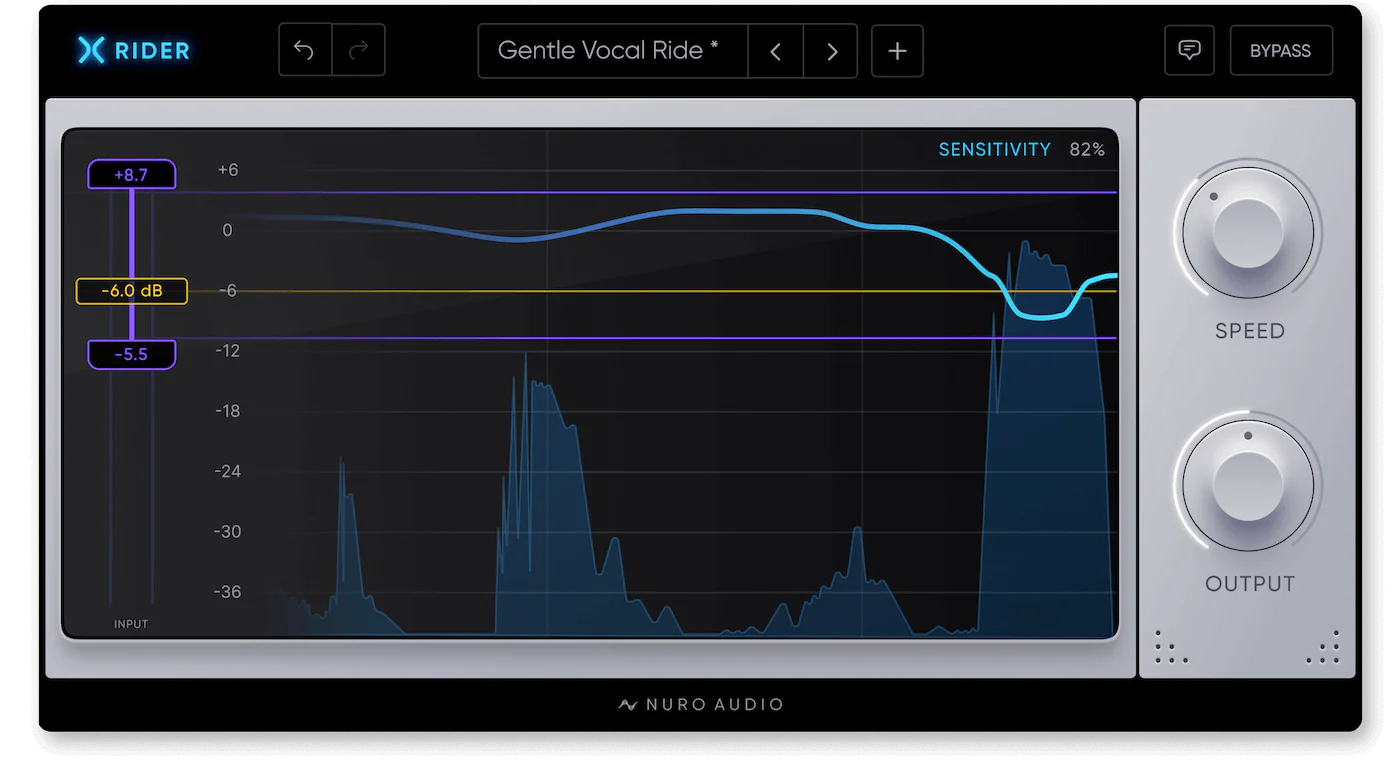
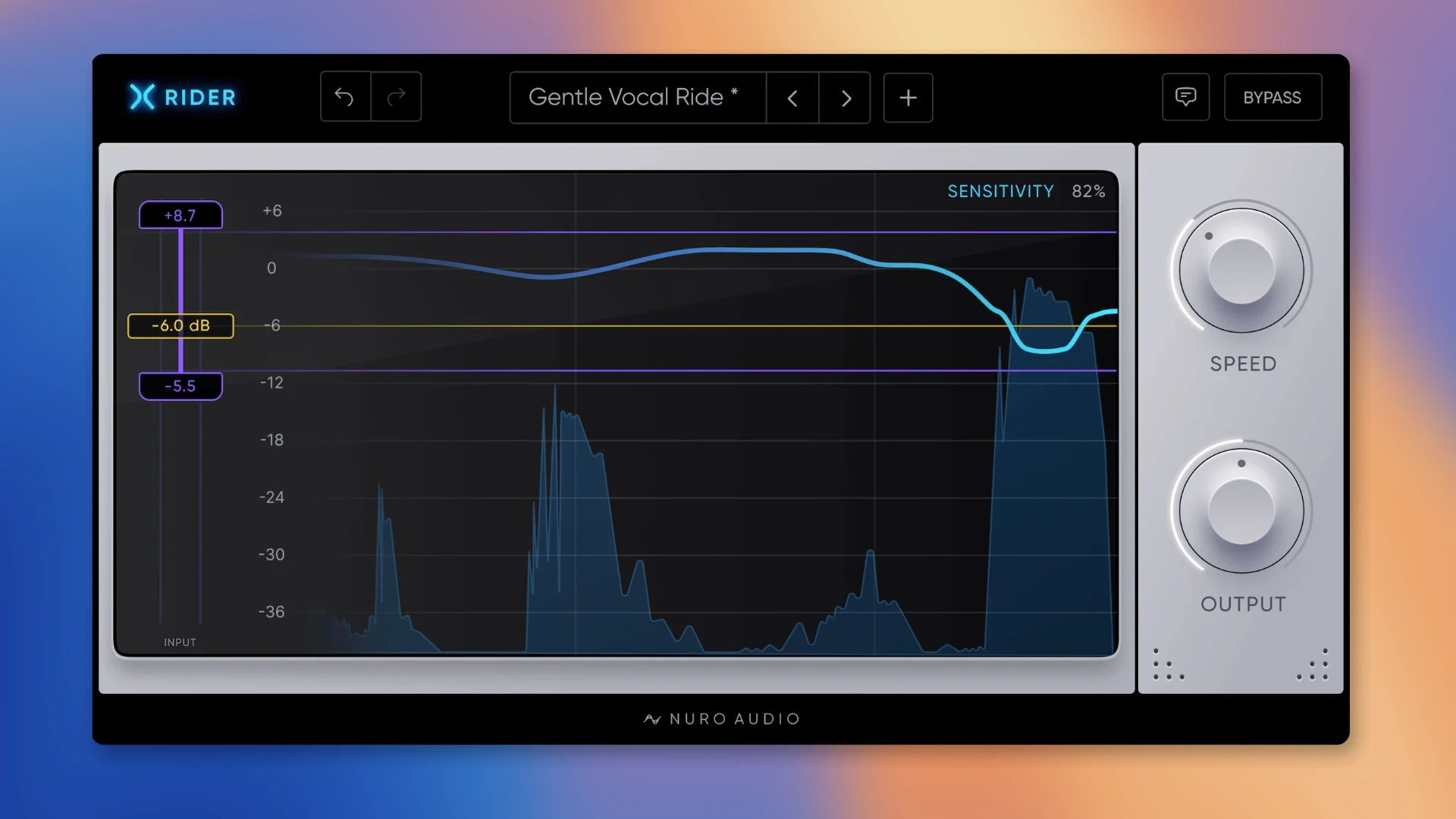
The core of XRider is an innovative, user-friendly interface that gives you all the details you need to know how it operates. One of its most notable features is the visual feedback system. Dialing in the ideal range for your vocal track is simple because you can see how your Target, Minimum, and Maximum settings interact directly with the audio waveform. The guesswork that is frequently connected to automatic gain control tools is eliminated by this transparency.
The TrueGain line, which tracks the precise history of your volume adjustments in real time, is one especially cutting-edge feature. You can see exactly how the plugin is riding the vocal level thanks to this visual representation, which guarantees organic movement rather than sudden or artificial shifts. The power of automation and user control are expertly balanced. Efficiency in performance is yet another important strength. When compared to similar plugins, XRider uses 50% less system resources because of the most recent DSP algorithms. This makes it ideal for lengthy sessions with lots of tracks, particularly when working on intricate mixes that already require a lot of processing power.
There is no noticeable lag when using XRider because it offers accurate volume control without any delay. In situations where timing and responsiveness are crucial, such as studio tracking and live monitoring, this zero-latency performance is crucial. XRider provides clear and transparent vocal level control, in contrast to many conventional compressors or vocal riders that may add pumping or tonal coloration. Without changing their inherent qualities, it maintains vocals at the forefront of the mix. It cleverly modifies gain rather than compressing dynamics, retaining expressiveness while ensuring balance and clarity.
XRider comes with professional presets that are always only a click away, further streamlining workflow. These presets offer a quick starting point for polished results whether you’re mixing pop, rock, podcast dialogue, or broadcast vocals. In conclusion, Nuro Audio XRider is a strong yet user-friendly vocal leveling tool that integrates real-time visualization, intelligent DSP, and effective performance into a simplified package. It enables engineers and producers to produce professional, mix-ready vocals more quickly without compromising musicality or control by transparently and accurately automating vocal balance.
Key Features
- To maintain vocal balance in the mix, automatic vocal level riding is used.
- Nuro Audio created it using cutting-edge DSP technology.
- Gain can be changed in real time without changing the tone.
- Revolutionary, simple interface with clear visual feedback.
- The interactive waveform display shows how the Target, Minimum, and Maximum settings affect audio.
- The TrueGain line is unique in that it tracks volume adjustment history in real time.
- Zero-latency processing means there is no delay while recording or monitoring.
- CPU consumption is 50% lower when compared to similar vocal rider plugins.
- Transparent processing eliminates pumping and compression artifacts.
- Keeps natural vocal dynamics while maintaining a consistent presence.
- Professional presets are built-in for instant, mix-ready results.
- Suitable for vocals, dialogue, podcasts, broadcast, and voiceovers.
- This reduces the need for manual volume automation.
- Works seamlessly with modern DAWs for both studio and live applications.
- Improves vocal clarity and keeps vocals at the forefront of the mix.
Technical Details
- Full Name: Nuro Audio Xrider
- Setup App File Name: Nuro Audio Xrider
- Full Application Size: 70 MB
- Setup Type: Type: AU, VST3
- Latest Version: 1.0.3
- Developers: Nuro Audio
System Requirements
- Operating System: macOS 11 (Big Sur) or later
- Memory (RAM): 4/8 GB
- Hard Disk Space: 94.7 MB
- Processor: Apple Silicon (M1-M4) and newer or Intel Core (64-bit)
Download Nuro Audio Xrider Latest Version Free
Click on the button below to start Nuro Audio Xrider Download for Mac OS X. This is completely Tested and Working Latest Version Mac OS App of Nuro Audio Xrider. It is offline installer and standalone setup for Nuro Audio Xrider for Apple Macintosh. We provide Resumeable single direct link Nuro Audio Xrider Download for Mac.