Download XnConvert 2026 full latest version program free setup for Windows. XnConvert 2026 is a cross-platform batch image processing application which allows you to automate repetitive photo editing and conversion tasks for hundreds of images simultaneously.
XnConvert 2026 Review:
XnConvert 2026 is a powerful batch image conversion and editing tool designed for users who regularly work with large numbers of photos and graphic files. Whether you are a photographer, content creator, web designer, blogger, or business user, the software simplifies repetitive image tasks by allowing users to process hundreds or even thousands of files at the same time. Instead of opening and editing images individually, XnConvert automates conversion, resizing, watermarking, and optimization tasks through a streamlined workflow. Its wide format support and easy-to-use interface continue to make it one of the most practical image processing solutions available.
One of the biggest strengths of XnConvert 2026 is its batch processing capability. Users can apply multiple actions to entire groups of images in a single operation. This becomes particularly useful when preparing website images, organizing photo collections, creating social media content, or optimizing images for online stores. Rather than repeating the same edits manually, users can create a workflow once and apply it automatically across large image collections.

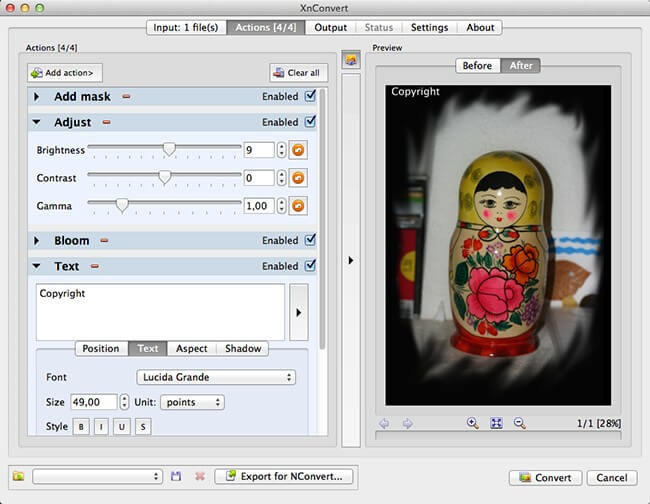
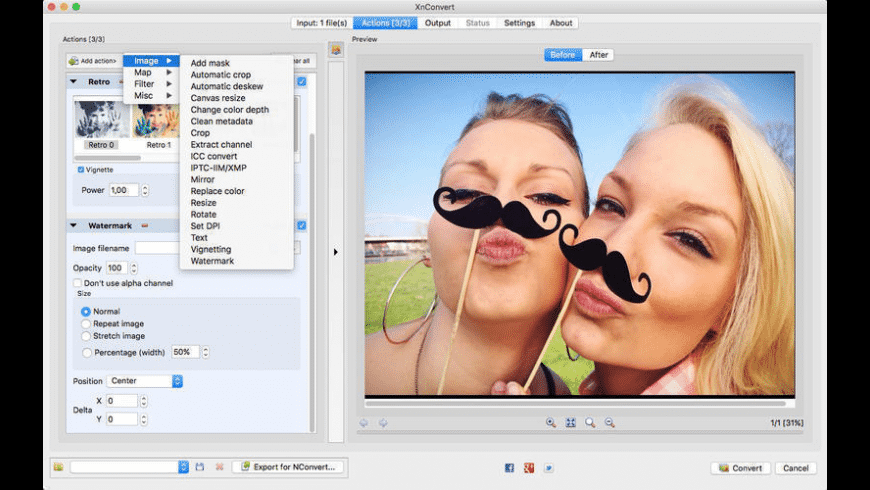
Another major advantage is the software’s broad compatibility with image formats. XnConvert supports more than 500 image formats for importing files and can export images into around 70 output formats. Support includes common file types such as JPG, PNG, TIFF, GIF, WebP, PSD, RAW files, HEIC, AVIF, and newer image standards. This flexibility makes the software suitable for users handling mixed image sources from cameras, mobile devices, websites, and design software. Image editing tools also add significant value to the platform. Instead of functioning as a simple converter, XnConvert provides over 80 actions that users can combine in custom workflows. Users can resize images, crop photos, rotate files, adjust brightness and contrast, sharpen details, apply filters, and add watermarks or text overlays. Community feedback frequently highlights how quickly the software handles repetitive editing tasks that would normally require several separate applications. Preset and automation features improve productivity even further.
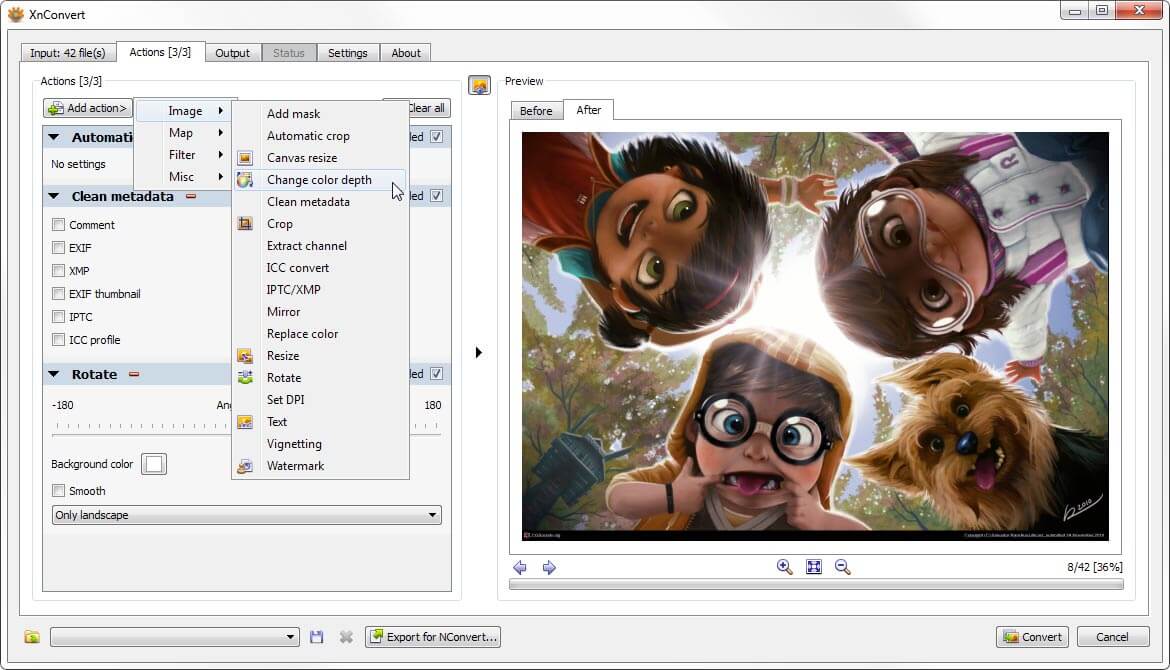
Users can save editing settings and reuse them for future projects. This helps maintain consistency across large batches of images and reduces setup time for recurring tasks. The software also supports watch folders that automatically detect and process new files placed into selected locations. The cross-platform support is another benefit. XnConvert works across Windows, macOS, and Linux systems, allowing users to maintain similar workflows regardless of their operating system. The interface remains simple enough for beginners while still offering enough flexibility for advanced users handling larger image projects. Overall, XnConvert 2026 stands out as a fast, reliable, and highly flexible image conversion solution. Its combination of batch editing tools, extensive format support, workflow automation, and lightweight design makes it useful for both casual users and professionals who need efficient image processing.
Key Features
- Batch processing for multiple images at once
- Supports more than 500 input image formats
- Exports files into around 70 output formats
- Resize images in bulk
- Crop and rotate multiple images simultaneously
- Adjust brightness, contrast, and saturation
- Add text and watermark overlays
- Apply filters and visual effects
- Supports RAW camera image files
- Convert HEIC, WebP, AVIF, PNG, JPG, and TIFF files
- Save reusable presets for repeated tasks
- Watch folders for automatic processing
- Metadata editing options included
- Rename files during conversion
- Drag-and-drop file support
- Supports animated and multipage images
Technical Details
- Software Full Name: XnConvert 2026
- Setup File Name: XnConvert_1.111.0.0.rar
- Setup Size: 27 MB
- Setup Type: Offline Installer / Full Standalone Setup
- Compatibility Mechanical: 32 Bit (x86) / 64 Bit (x64)
- Developers: XnConvert
System Requirements
- Operating System: Windows 7/8/10
- RAM: 512 MB
- Hard Disk: 100 MB
- Processor: Intel Dual Core or higher processor
XnConvert 2026 Free Download
Download XnConvert 2026 free latest full version offline direct download link for full offline setup by clicking the button below.