Download XnView 2026 full latest version program free setup for Windows.
XnView 2026 for Windows Review
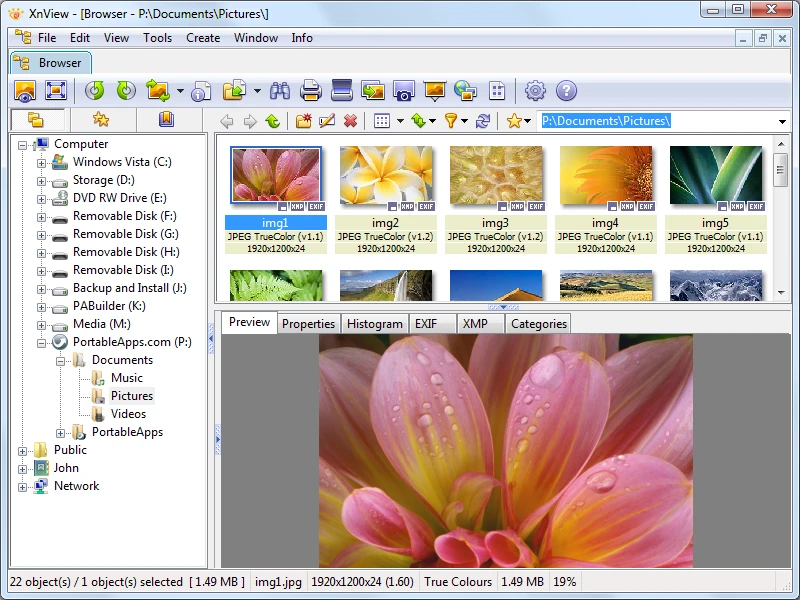
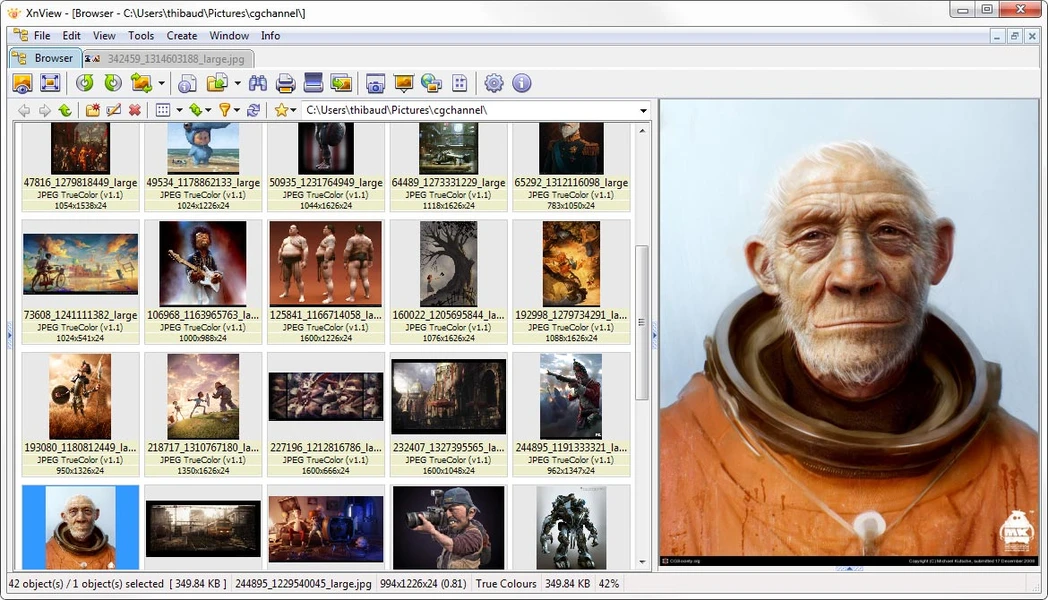
XnView 2026 is a Windows image viewer, organizer, and batch image utility designed for users who work with large collections of photos and graphics. The modern version is XnView MP, and the current Windows release is version 1.11.7, released on September 21, 2026. It supports Windows 7, 8, 10, and 11 and is available as both an installer and portable ZIP package. XnView MP is more than a simple photo viewer. It can browse, organize, search, compare, convert, resize, rename, and process images in batches. The software reads more than 500 image formats and can write to around 70 formats, including common formats such as JPEG, PNG, TIFF, WebP, AVIF, HEIC/HEIF, JPEG-XL, PSD, and many RAW formats. XnView MP is a practical choice for Windows users who need to browse a large number of images without opening each file separately. Its browser-style interface displays thumbnails and folders together, making it easier to move through photo collections and quickly find the files you need.

The built-in catalog is useful for larger libraries. XnView MP can index selected folders and store thumbnails, metadata, ratings, and labels in its SQLite-based catalog. Searches can use information such as keywords, ratings, dates, camera data, and other metadata. Metadata support is another strong part of the program. XnView MP can work with EXIF, IPTC, and XMP information, including hierarchical keywords. Its XMP support can also exchange ratings, color labels, and keywords with applications such as Adobe Lightroom Classic and Bridge. For photographers, RAW and modern image-format support makes XnView MP useful as a first-stage photo browser. It can display RAW files from many Canon, Nikon, Sony, Fujifilm, Olympus, Panasonic, and Pentax cameras. It also supports HEIC/HEIF, AVIF, JPEG-XL, WebP, PSD, and other formats.
The software also includes useful editing and batch tools. You can crop, rotate, resize, convert, rename, add text or watermarks, adjust images, and process many files together. JPEG lossless transformations can also be used for suitable rotation, flipping, and cropping operations. XnView MP is particularly useful for finding duplicate or similar photos. Its Find Similar function can compare files by properties such as name, size, date, binary content, or visual similarity. You can also compare up to four images side by side with synchronized zoom and navigation. The main limitation is that XnView MP is primarily a viewer and organizer, not a full RAW development application. It can display RAW files and manage their metadata, but users looking for advanced RAW adjustments, layers, masks, or professional photo compositing will need a more specialized editor.
Key Features
- View and browse large image collections
- Support for more than 500 image formats
- Write to around 70 image formats
- RAW image viewing
- HEIC, AVIF, WebP, JPEG-XL, PSD, and TIFF support
- Built-in SQLite photo catalog
- EXIF, IPTC, and XMP metadata support
- Hierarchical keyword management
- Lightroom-compatible XMP metadata
- Ratings, labels, categories, and tags
- Batch image conversion
- Batch resizing and renaming
- Watermarks and text overlays
- JPEG lossless transformations
- Duplicate and similar-image search
- Side-by-side image comparison
- Contact sheet creation
- Slideshow tools
- GPS and map support
- Color management and ICC profile support
- Multi-page image and document viewing
- Video thumbnail and playback support
- Portable Windows version
- No ads, adware, or bundled unwanted software from the official download
Alternatives
IrfanView is a lightweight Windows image viewer with strong batch-processing support. It is a good fit when speed and a small footprint matter more than a large catalog system.
FastStone Image Viewer combines image browsing, editing, conversion, batch tools, and contact-sheet features in one Windows application.
ImageGlass is more focused on fast image viewing and a modern Windows interface. It is useful if you mainly need a replacement for the default Windows image viewer.
ACDSee Photo Studio provides more extensive photo management and editing tools for users who need a larger photography workflow.
Adobe Lightroom Classic is aimed at photographers who need advanced RAW development, cataloging, metadata, and professional photo organization.
digiKam is a powerful open-source photo manager with cataloging, tagging, metadata management, RAW support, and advanced library tools.
Conclusion
XnView 2026, represented by the current XnView MP 1.11.7, remains focused on fast image browsing, organization, format compatibility, and batch processing. Its support for hundreds of image formats, RAW files, metadata, catalogs, duplicate detection, and portable use makes it suitable for managing large collections on Windows. Its biggest limitation is also clear: it is not intended to replace a full professional photo editor. For viewing, sorting, tagging, converting, comparing, and managing images, however, XnView MP provides a broad set of tools without the complexity of a full editing suite.
XnView 2026 Technical Setup Details
- Software Full Name: XnView 2026
- Setup File Name: XnView_2.52.7.rar
- Setup Size: 21 MB
- Setup Type: Offline Installer / Full Standalone Setup
- Compatibility: 32 Bit (x86) / 64 Bit (x64)
- Developers: XnView
System Requirements for XnView 2026
- Operating System: Windows 7/8/10
- RAM: 2 GB
- Hard Disk: 500 MB
- Processor: Intel Dual-Core or higher processor
XnView 2026 Download
Download XnView 2026 free latest full version offline direct download link for full offline setup by clicking the button below.