Download Gilder Audio GilderVox v1.0.7 for Mac free. It is the full latest version setup of GilderVox for macOS. GilderVox is an all-in-one vocal chain plugin. It is built for Mac producers who want a professional vocal sound without loading a large stack of plugins on every track.
Review of Gilder Audio GilderVox
GilderVox is a professional vocal processing plugin for Mac that replaces your entire vocal chain with a single plugin. It is made by Gilder Audio. The plugin combines multi-stage compression, EQ, dynamic EQ, de-essing, saturation, and delay into one clean interface. You get a polished vocal tone with just a few knob adjustments. Most Mac producers face the same problem. Mixing vocals takes too long. You stack compressors, EQs, de-essers, and reverbs. You spend 30 minutes on one vocal track and it still does not sit right. GilderVox solves this. It puts every tool you need in one place. You dial in a great vocal sound in seconds. The plugin runs natively on both Intel and Apple Silicon Macs. It supports Logic Pro through Audio Units. It also works with Pro Tools, Ableton Live, Cubase, and more. Whether you record rock vocals, pop, podcasts, or demos, GilderVox fits your session.
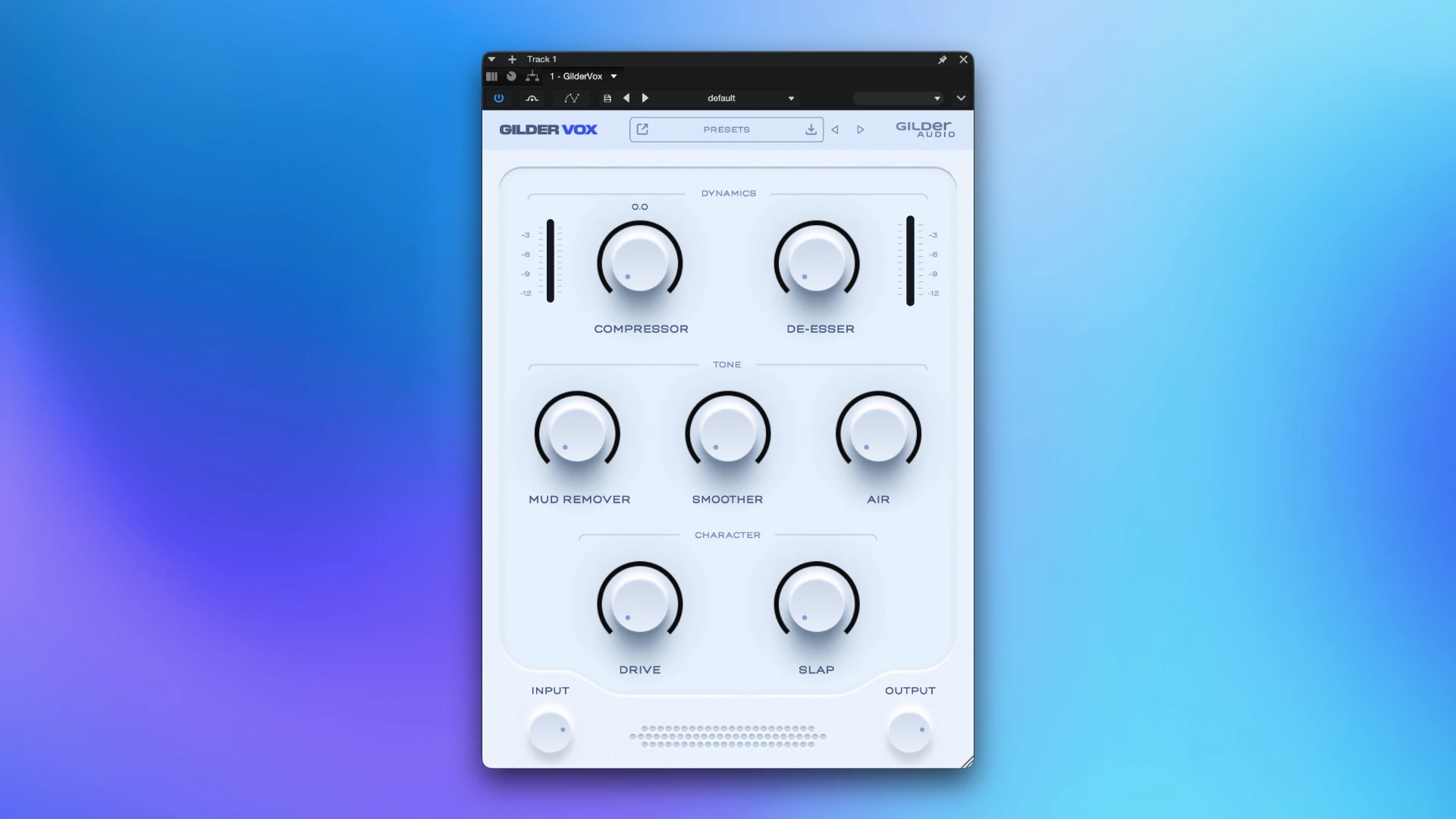
GilderVox is Gilder Audio’s flagship vocal plugin, designed from the ground up for speed and simplicity. Gilder Audio was founded by a music coach with over 15 years of experience helping musicians get better mixes. That teaching background shows in the plugin. Every control is simple. Every module works together. You do not need to understand signal chains to get a great result.
Dynamic Controls
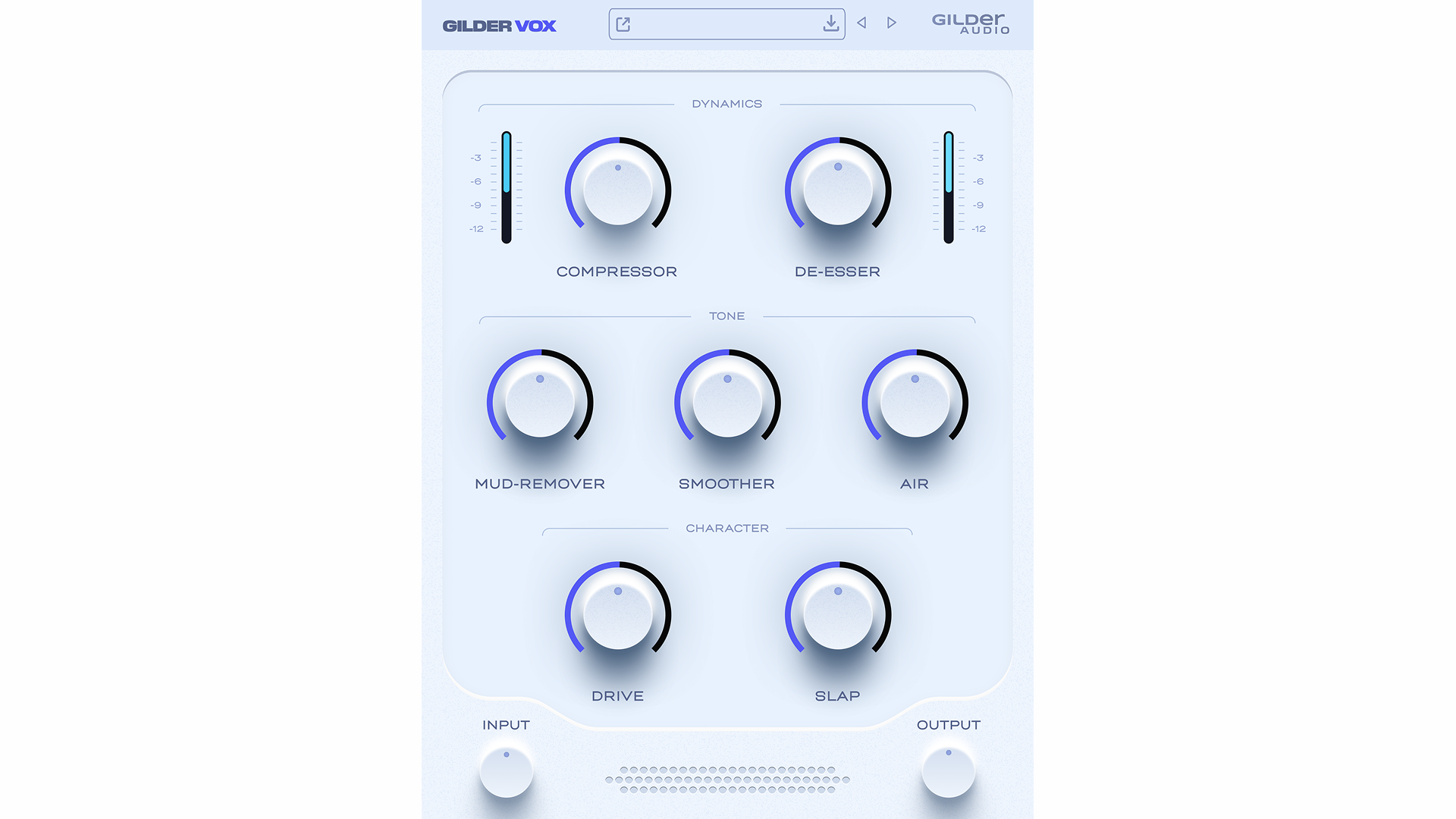
The Dynamic Controls section handles all compression and de-essing. A single Compression knob controls the full multi-stage compression amount. You do not need to set attack, release, ratio, or threshold separately. The compression character is warm and smooth. It is based on the GilderComp engine. This engine is designed to sound musical regardless of the input level. If sibilance becomes a problem, the one-knob De-Esser removes it cleanly. It does not over-darken the vocal. It just handles the harsh consonants and gets out of the way.
Polish and Shine
The Polish and Shine section handles tonal shaping. It includes musical high and low shelves. These add air at the top and body at the bottom of the vocal frequency range. High-pass and low-pass filters remove low-end mud and unwanted harshness. A dynamic EQ stage targets boxiness in the midrange. The result is a vocal that cuts through the mix without sounding harsh or thin. You remove the problems and keep what sounds good.
Vocal Character
The Vocal Character section adds personality. A Saturation knob applies harmonic drive to the vocal. This adds warmth, grit, and energy to thin or dry recordings. A Delay knob adds a slap-back delay effect. This creates space and attitude in the vocal without needing a separate delay plugin. Both controls use a simple one-knob design. You can go from a clean and polished tone to a bold signature sound very quickly.
All-in-One Workflow
GilderVox replaces 5 to 8 separate plugins in a single insert slot. This reduces CPU load on your Mac. It also simplifies session recall. You open one plugin to see the full vocal chain state. This is especially useful in large Logic Pro or Ableton Live projects where vocal tracks multiply quickly. Brent Milligan, a producer who has worked with Steven Curtis Chapman and David Crowder Band, described GilderVox as a plugin that does everything he wants on a vocal, easily and with results.
Performance on Apple Silicon Mac
GilderVox runs as a Universal Binary plugin. It runs natively on M1, M2, and M3 Apple Silicon Macs. You do not need Rosetta 2. There is no translation layer and no added latency. The plugin is lightweight at approximately 68 MB. It loads quickly and performs well even in large sessions.
Conclusion
Gilder Audio GilderVox is a strong and focused vocal plugin for Mac. It solves the most common vocal mixing problem directly. You get a fast workflow, a natural and warm compression character, and enough control to shape any vocal performance. If you produce music, record podcasts, or mix vocals on a Mac, GilderVox is worth adding to your setup.
Key Features of Gilder Audio GilderVox for Mac
- All-in-one vocal chain combining compression, EQ, dynamic EQ, de-esser, saturation, and delay
- Single-knob compression control powered by the GilderComp engine
- One-knob De-Esser removes sibilance without darkening the vocal
- Musical high and low shelves for air and body shaping
- High-pass and low-pass filters for clean frequency control
- Dynamic EQ stage removes boxiness and midrange mud
- Harmonic saturation adds warmth and energy to the vocal
- Slap-back delay adds space and attitude in one knob
- Native Apple Silicon support with Universal Binary (ARM + Intel)
- Compatible with Logic Pro, Ableton Live, Pro Tools, Cubase, Reaper, Studio One, and FL Studio
- Available as AU, VST3, and AAX plugin formats on Mac
Technical Details
- Full Name: Gilder Audio GilderVox
- Setup App File Name: Gilder Audio GilderVox
- Full Application Size: 69 MB
- Setup Type: AU, VST3
- Latest Version: 1.0.7
- Developers: Gilder Audio
System Requirements
- Operating System: macOS 10.13 (High Sierra) or later
- Memory (RAM): 4/8 GB
- Hard Disk Space: 128.9 GB
- Processor: Apple Silicon (M1-M5) and newer or Intel Core (64-bit)
Frequently Asked Questions
Does GilderVox work on Apple Silicon Mac?
Yes. GilderVox is a Universal Binary plugin. It runs natively on M1, M2, and M3 Apple Silicon Macs. You do not need Rosetta 2. The plugin installs and runs without any compatibility setup on all current Apple Silicon Mac hardware.
What does GilderVox include in its vocal chain?
GilderVox combines multi-stage compression, EQ shaping, dynamic EQ, de-essing, harmonic saturation, and delay into a single plugin. All processing stages are internally balanced. You shape the full vocal tone using a small set of macro-style knobs without building a plugin chain manually.
What is the minimum macOS version for GilderVox?
GilderVox requires macOS 10.15 Catalina or higher. It is compatible with all newer macOS versions including Ventura, Sonoma, and Sequoia. It runs on both Intel and Apple Silicon Macs.
Is GilderVox compatible with Logic Pro on Mac?
Yes. GilderVox includes the Audio Units (AU) format, which is the native plugin format for Logic Pro on Mac. Install the AU version and it appears in the Logic Pro plugin library. It also supports AAX for Pro Tools and VST3 for all other Mac DAWs.
What DAWs support GilderVox on Mac?
GilderVox works with Logic Pro, Ableton Live, Pro Tools, Cubase, Nuendo, Reaper, FL Studio, and Studio One on Mac. It supports AU, VST3, and AAX formats. This covers all major Mac DAWs used in home and professional studio setups.
Download Gilder Audio GilderVox v1.0.7 for Mac
Click the button below to start the Gilder Audio GilderVox download for Mac. This is the full latest version of GilderVox for macOS. It supports Intel and Apple Silicon processors.