Download Tokyo Dawn Labs TDR Infrasonic v1.1.2 for Mac free. It is the full latest version setup of TDR Infrasonic for macOS. TDR Infrasonic is a specialized low-frequency filter plugin. It is built for Mac engineers and producers who need precise control over the inaudible sub-sonic energy that silently damages their mixes.
Review of Tokyo Dawn Labs TDR Infrasonic
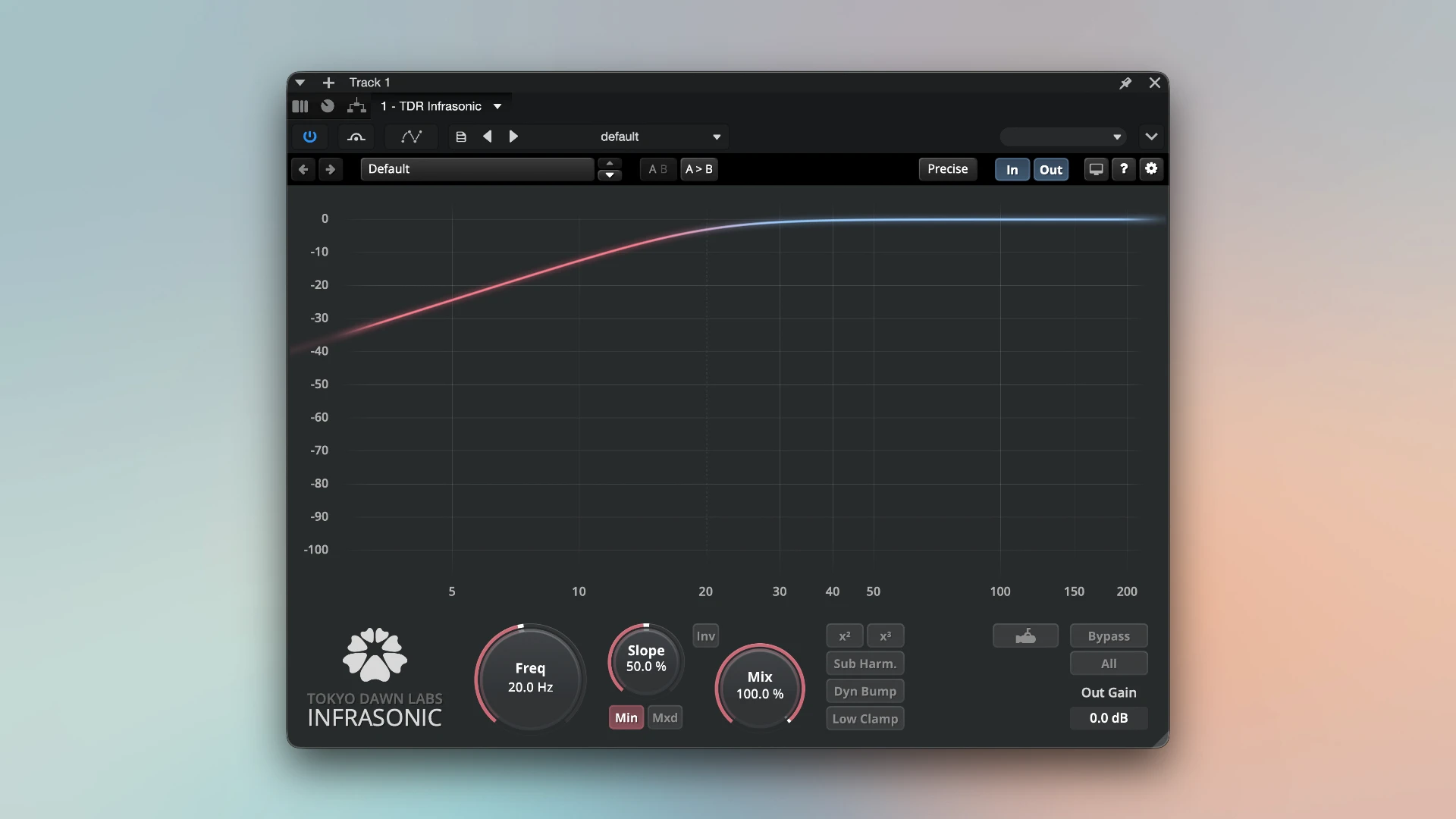
TDR Infrasonic is a professional low-frequency filter plugin for Mac that targets the inaudible sub-sonic regions of a mix. It is made by Tokyo Dawn Labs. The plugin filters energy below 20 Hz and compensates for any lost low-end impact with advanced energy recovery tools. You get tighter headroom, cleaner limiters, and better translation across all playback systems.
Most Mac producers and engineers share the same hidden problem. Their mixes have energy below 20 Hz that they cannot hear. This infrasonic energy wastes headroom. It causes pumping in master bus limiters. It distorts loudspeakers and causes mixes to translate poorly to streaming, broadcast, and PA systems. A standard high-pass filter removes the problem but also takes the warmth and punch with it. TDR Infrasonic solves this differently. It filters the infrasonic content and then replaces the lost energy with intelligent compensation. You remove the problem without losing the feel.
The plugin runs on macOS 10.9 or higher. It supports Logic Pro through Audio Units. It also works with Pro Tools, Ableton Live, Cubase, and more. Whether you are mastering for streaming, preparing a vinyl transfer, or cleaning up a recording session on a Mac, TDR Infrasonic gives you a level of low-frequency control that no standard EQ can match.
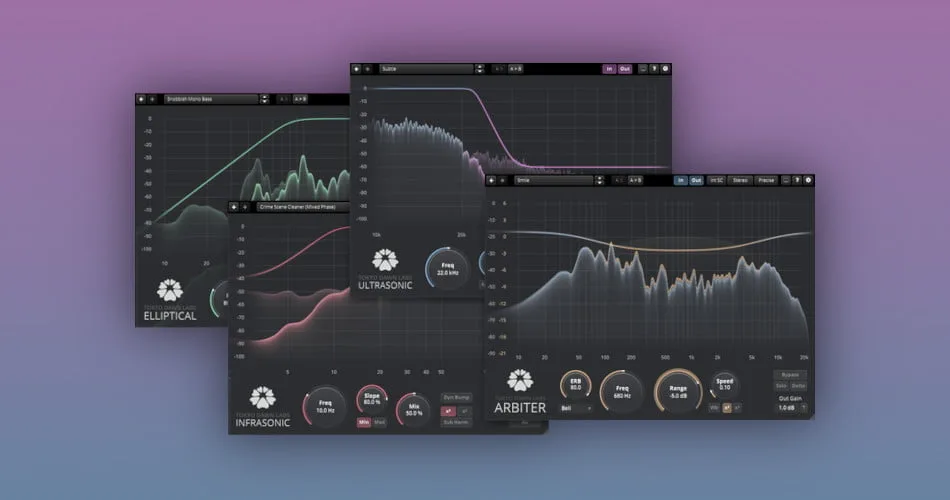
TDR Infrasonic is part of the Tokyo Dawn Labs Special Filters Bundle, alongside TDR Arbiter and TDR Elliptical. Tokyo Dawn Labs is the plugin division of Tokyo Dawn Records. They are known for highly technical and well-priced audio tools including the popular free plugins TDR Nova and TDR Kotelnikov.
Minimum Phase and Mixed Phase Filter
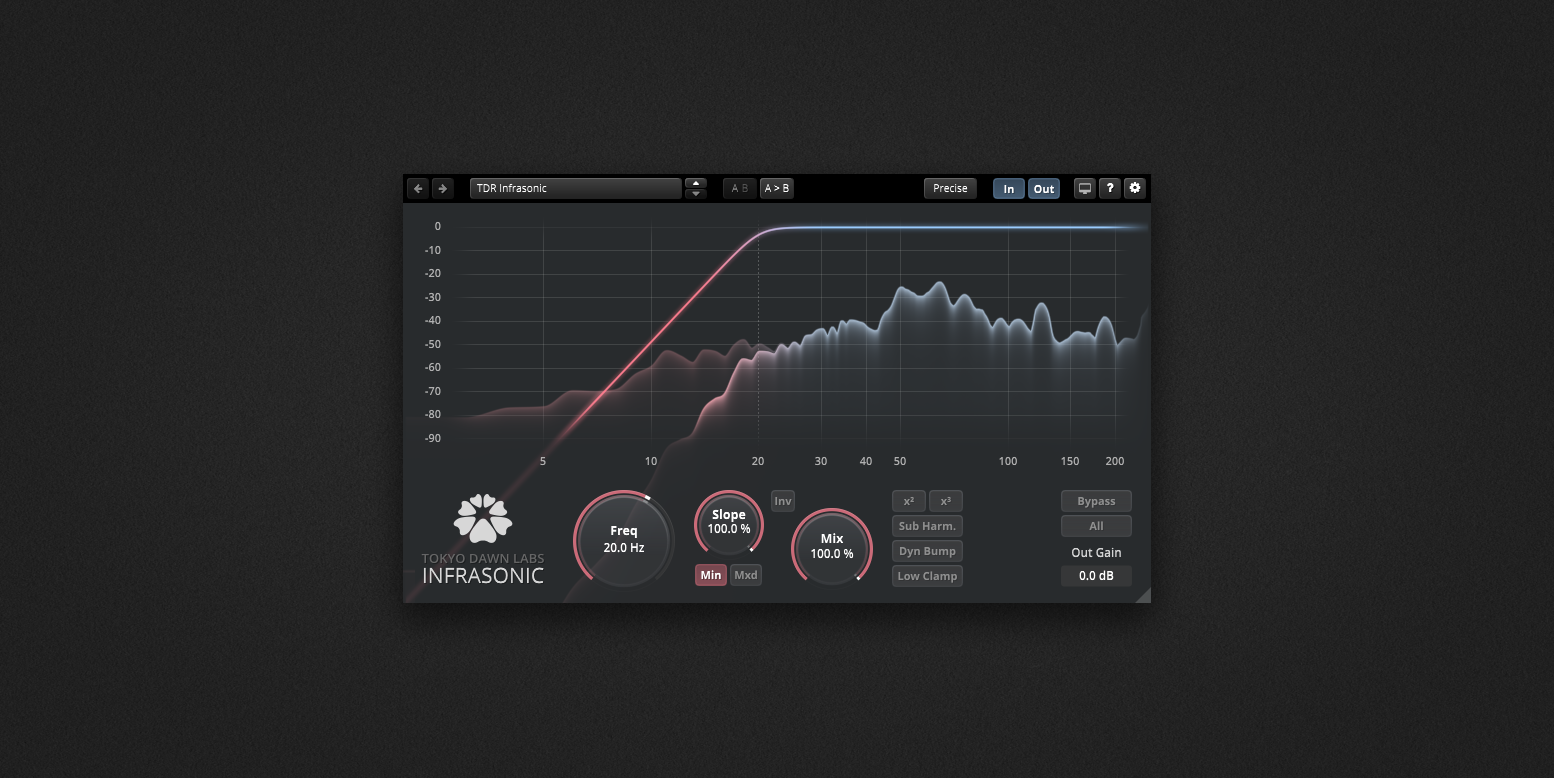
TDR Infrasonic operates in two filter modes. Minimum phase mode mirrors the behavior of analog filter designs. It cuts the low-frequency content and introduces phase shift at the cutoff point. Mixed phase mode reduces this phase shift for a more transparent result. This choice matters in mastering. Phase shift in the low end affects punch and transient clarity. Mixed phase mode gives you cleaner filtering when transparency is the priority.
Continuously Variable Filter Slope
Standard high-pass filters offer fixed slopes: 6 dB, 12 dB, or 24 dB per octave. TDR Infrasonic uses a continuously variable slope control. You set the exact steepness you need between the available range. This is important in mastering and mixing. A slope that is too steep removes warmth from kick drums and bass instruments. A slope that is too gentle leaves too much sub-sonic energy on the output. The variable control lets you find the precise point where the filtering is effective without audible damage.
Dynamic Bump Mode and Harmonic Generators
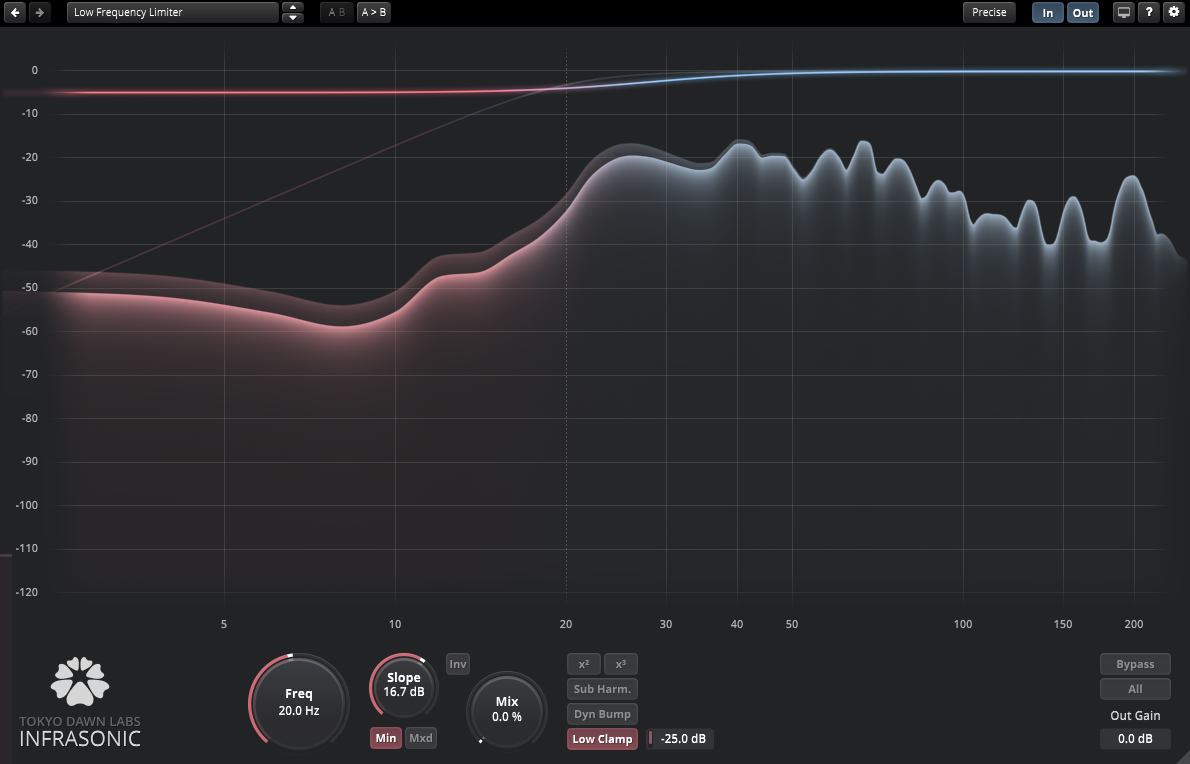
When you filter out infrasonic content, the mix can feel thinner and lighter. TDR Infrasonic includes two energy compensation tools to restore perceived low-end impact. The Dynamic Bump mode applies a controlled resonant boost just above the filter cutoff. It restores kick drum punch in the audible range without re-introducing the filtered sub-sonic content. The harmonic generators create upper harmonics of the removed low frequencies. These harmonics are audible on speakers that cannot reproduce the original sub-bass: phones, laptops, and small monitors. This is how TDR Infrasonic can make a mix sound fuller on small speakers after filtering, not thinner.
Inv Mode, Low Clamp, and ECO Mode
Version 1.1.0 added three significant features. Inv mode inverts the filter behavior into a low-pass filter. This is useful for isolating and monitoring the low-frequency content in isolation. Low Clamp is a distortion-shielded clipper acting on the low band. It prevents peak transients from re-introducing infrasonic energy after filtering has been applied. ECO mode reduces CPU load. This is useful in large mastering sessions on Mac where multiple instances of TDR Infrasonic run simultaneously across several tracks.
Subsonic Monitoring Mode
Version 1.1.2 added the Subsonic Monitoring Mode. This lets you listen to the filtered-out signal in isolation. You hear exactly what you are removing before committing to the filter settings. On Mac with Logic Pro or Ableton Live, this is a fast diagnostic workflow. Load the plugin, switch to monitoring mode, and hear the plosives, mic rumble, HVAC noise, or infrasonic content that was sitting undetected beneath your mix.
Low-Frequency Spectrum Analyzer
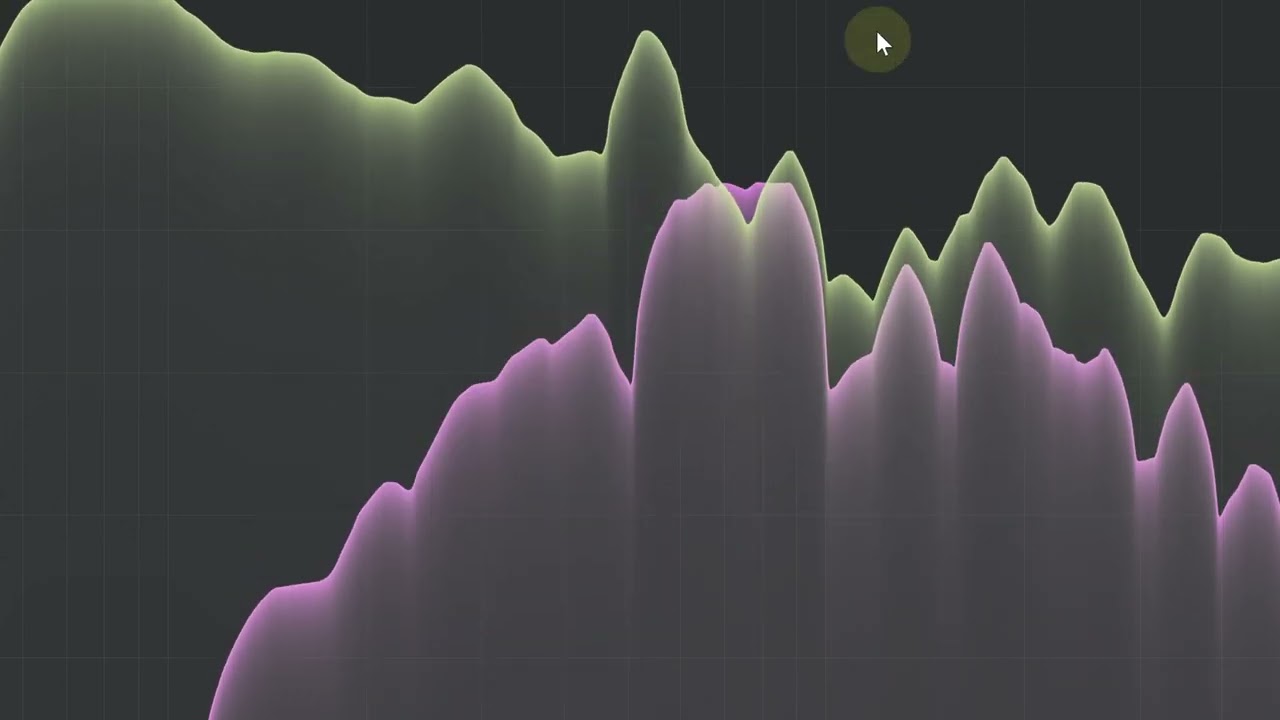
The built-in spectrum analyzer is designed specifically for the low-frequency region, down to DC at 0 Hz. This level of resolution in the analyzer display is rare in plugin tools. Most EQ spectrum views are designed for the mid and high frequency range. They compress the low-frequency view and make it hard to see what is happening below 40 Hz. TDR Infrasonic expands this region fully. The analyzer works as a diagnostic tool independently of the filter. You can use it to check infrasonic content before deciding whether filtering is needed at all.
Subwoofer Channel Creation and Dry Mix
The plugin includes a subwoofer channel creation mode. This routes the isolated low-frequency signal for dedicated subwoofer systems or LFE bus routing in surround setups. A dry mix control blends the filtered and unfiltered signal for parallel processing. The interface is freely resizable and full-screen capable. It uses hardware-accelerated OpenGL rendering on Mac for smooth real-time display performance.
Performance on Mac
TDR Infrasonic runs on macOS 10.9 and higher. The interface uses OpenGL, which is supported on all Mac systems within this range. Logic Pro users report clean and stable performance. Ableton Live runs the plugin well via both AU and VST3. Some Cubase users on Mac reported bypass and undo history quirks in earlier versions. These were addressed across several updates including v1.1.1, which fixed a bug affecting host undo history. Reaper users on Mac Monterey reported a dynamic latency sync issue when adjusting buffer size mid-session on a drum bus. This is a known community-reported edge case rather than a general stability issue.
Conclusion
Tokyo Dawn Labs TDR Infrasonic is the most capable specialized infrasonic filter plugin available for Mac at this price point. It does not just filter low-frequency content. It analyzes it, compensates for lost energy, and gives you diagnostic tools to hear what you are removing. If you master music on a Mac, mix bass-heavy electronic productions, or prepare recordings for broadcast and limited-bandwidth formats, TDR Infrasonic is a precise and affordable solution for a problem most producers do not even know they have.
Key Features of Tokyo Dawn Labs TDR Infrasonic for Mac
- Specialized low-frequency filter targeting inaudible infrasonic content below 20 Hz
- Minimum phase and mixed phase filter operation modes
- Continuously variable filter slope control for precise cutoff steepness
- Dynamic Bump mode restores kick drum punch after low-frequency filtering
- Harmonic generators create audible upper harmonics of filtered sub-bass content
- Inv mode inverts the filter into a low-pass filter for isolation and monitoring
- Low Clamp distortion-shielded clipper prevents re-injection of infrasonic peaks
- Individual level controls for bump, harmonics, subharmonics, and LF Clamp
- ECO mode reduces CPU load for multi-instance sessions
- Subsonic Monitoring Mode lets you hear the filtered signal in isolation (v1.1.2)
- Built-in low-frequency spectrum analyzer down to DC (0 Hz)
- Max cutoff frequency extended to 100 Hz for upper bass management
- Subwoofer channel creation mode for dedicated LFE bus routing
- Dry mix control for parallel processing
- Freely resizable, full-screen capable hardware-accelerated OpenGL interface
- Compatible with Logic Pro, Ableton Live, Pro Tools, Cubase, Reaper, Studio One, and more
- Available as VST2, VST3, AU, and AAX plugin formats on Mac
Technical Details
- Full Name: Tokyo Dawn Labs TDR Infrasonic
- Setup App File Name: Tokyo Dawn Labs TDR Infrasonic
- Full Application Size: 26 MB
- Setup Type: AU, VST3
- Latest Version: 1.1.2
- Developers: Tokyo Dawn Labs
System Requirements
- Operating System: OS X 10.9 (Mavericks) or later
- Memory (RAM): 4/8 GB
- Hard Disk Space: 25.7 MB
- Processor: Apple Silicon (M1-M5) and newer or Intel Core (64-bit)
Frequently Asked Questions
What does TDR Infrasonic do?
TDR Infrasonic is a specialized filter plugin that removes inaudible low-frequency and infrasonic content from a mix. It targets energy below 20 Hz that wastes headroom and causes poor translation. It also compensates for lost low-end impact using the Dynamic Bump mode and harmonic generators, so the mix stays warm and punchy after filtering.
Does TDR Infrasonic work on Mac?
Yes. TDR Infrasonic supports macOS 10.9 (Mavericks) or higher. It is available in AU, VST2, VST3, and AAX formats on Mac. AU and AAX formats are 64-bit only. The plugin requires OpenGL support, which is available on all compatible Mac systems. It runs in Logic Pro, Ableton Live, Pro Tools, and all major Mac DAWs.
Is TDR Infrasonic compatible with Logic Pro?
Yes. TDR Infrasonic includes the Audio Units (AU) format, which is Logic Pro’s native plugin format on Mac. Install the AU version and it appears in the Logic Pro plugin library. Logic Pro users report clean and stable performance with no known issues on current macOS versions.
What is the Dynamic Bump Mode in TDR Infrasonic?
Dynamic Bump Mode is an energy compensation feature. When TDR Infrasonic filters out infrasonic content, it can make a mix feel thinner. Dynamic Bump Mode creates a controlled resonant boost just above the filter cutoff frequency. This restores the perceived punch of kick drums and bass instruments without re-introducing the filtered sub-sonic energy.
What macOS version does TDR Infrasonic require?
TDR Infrasonic requires macOS 10.9 (Mavericks) or higher. It is compatible with all newer macOS versions including Big Sur, Monterey, Ventura, Sonoma, and Sequoia. OpenGL support is also required and is present on all Mac systems within this range.
What plugin formats does TDR Infrasonic support on Mac?
TDR Infrasonic supports VST2, VST3, AU, and AAX formats on Mac. AU and AAX are available in 64-bit only. VST2 and VST3 are available in both 32-bit and 64-bit. All four formats install from the same Mac Package installer available at tokyodawn.net.
What is the difference between TDR Infrasonic and TDR Elliptical?
TDR Infrasonic targets the extreme low-frequency region below 20 Hz. It filters infrasonic and sub-sonic content and compensates for lost energy. TDR Elliptical is an elliptical EQ designed for stereo and mid-side low-frequency management for vinyl and broadcast compatibility. Both plugins are part of the TDR Special Filters Bundle and serve different stages of the low-frequency management workflow.
Download Tokyo Dawn Labs TDR Infrasonic v1.1.2 for Mac
Click the button below to start the Tokyo Dawn Labs TDR Infrasonic download for Mac. This is the full latest version of TDR Infrasonic for macOS..