Download Digiarty Aiarty Video Enhancer 3.7 full latest version program free setup for Windows. Aiarty Video Enhancer is an AI-powered video enhancement application from Digiarty Software that upscales, denoises, deblurs, and restores video footage to 4K quality using advanced GAN and Diffusion AI models.
Digiarty Aiarty Video Enhancer 2026 Review
Digiarty Aiarty Video Enhancer 2026 is a professional AI video enhancement tool developed by Digiarty Software. The company was founded in 2006 and is the same team behind the popular VideoProc brand. Aiarty is their latest flagship AI product line built on the principle of making digital content look its best. The software is designed for video editors, content creators, videographers, graphic designers, and everyday users who want to restore or improve video quality without advanced editing skills.
Most users face the same frustration. They have old home videos, noisy recordings, blurry clips, or compressed footage that looks poor on modern screens. Professional video restoration software is either too expensive or too complex to learn. Standard upscaling tools simply stretch pixels and produce a soft, artificial result. Aiarty Video Enhancer takes a different approach. It uses hybrid AI models based on Generative AI and Diffusion technology to reconstruct missing details and generate realistic output rather than just interpolating existing pixels.
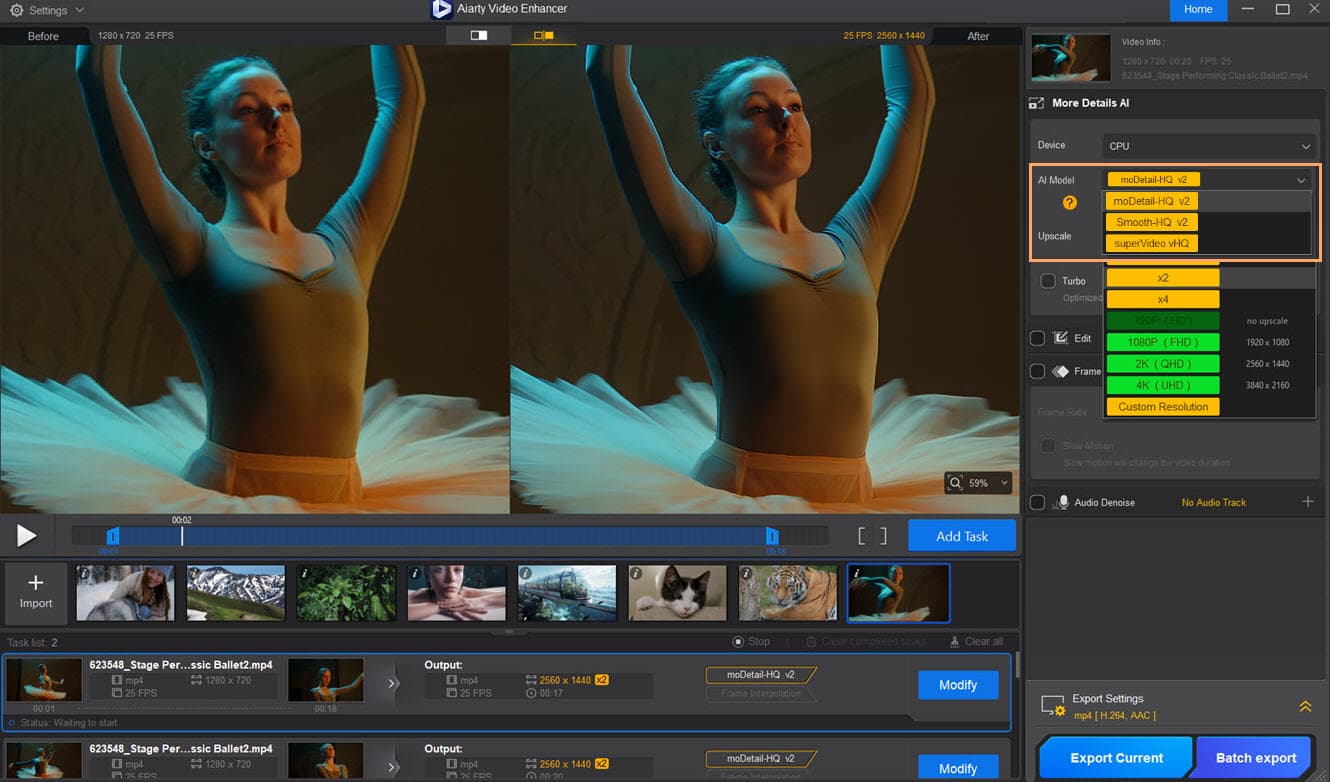
The software offers three specialized AI models. moDetail-HQ v2 is built for footage that needs sharpness and fine texture recovery. It reconstructs skin detail, hair, foliage, and fabric with natural clarity. Smooth-HQ v2 focuses on noise reduction and blur removal. It cleans up grain and compression artifacts without introducing halos or unnatural edges. superVideo vHQ handles the most challenging content including low-light recordings, high-noise environments, and heavily compressed clips. Each model analyzes the video frame by frame and applies targeted enhancement based on the content type.
Speed is one of the strongest points of this software. Turbo Mode allows the application to process video up to three times faster than traditional tools. The software uses GPU acceleration and achieves up to 95 percent GPU utilization during processing. It is optimized for NVIDIA, AMD, and Intel graphics cards. This means even mid-range hardware can handle the workload without slowing down the rest of the system. Batch processing is also supported so users can queue multiple video files and let the software work through them in sequence.
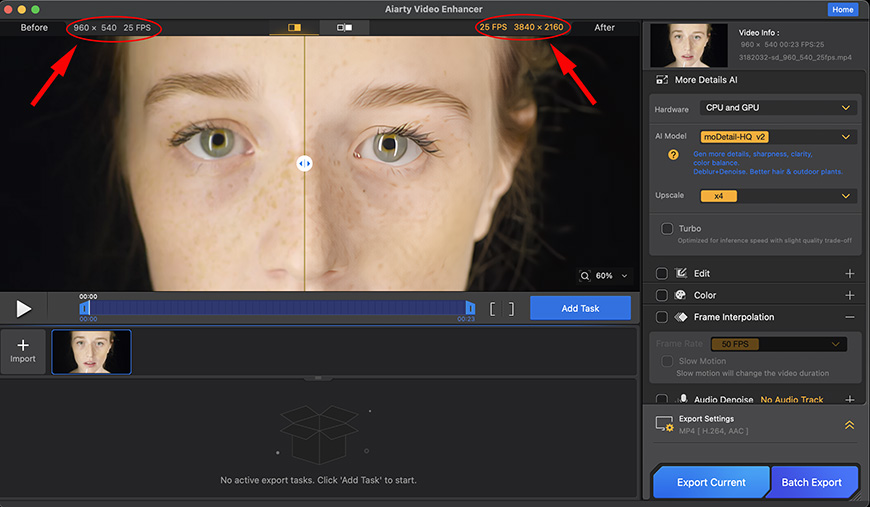
One feature that makes Aiarty Video Enhancer 2026 stand out is its SDR to HDR conversion. The software converts standard 8-bit video into 10-bit HDR content. This expands the color gamut and dynamic range. Old footage comes out with richer colors, smoother gradients, and greater visual depth on modern HDR displays. The software also includes a real-time side-by-side preview so users can compare the original and enhanced output before committing to the final export. All processing happens locally on the machine. No files are uploaded to any cloud server. This protects privacy and maintains full control over the footage.
There are a few limitations worth noting. The software runs only on Windows 10 and Windows 11 in 64-bit. A dedicated GPU is strongly recommended for best performance and processing speed. The free trial version outputs watermarked video and has limited export options. Full 4K output and batch processing require a paid license. Despite these points, Digiarty Aiarty Video Enhancer 2026 delivers professional-grade results that are difficult to achieve with any other tool at this price point.
The application includes an AI Background Remover that automatically detects and replaces video backgrounds with custom images or solid colors. Color correction tools let users adjust brightness, contrast, hue, saturation, highlights, and shadows. An audio denoise feature cleans up ambient background noise and improves the clarity of recorded speech or music. These tools work together inside one interface so users do not need to switch between multiple applications to finish a project.
Key Features
- AI upscaling from SD and 720p to 1080p and 4K using GAN and Diffusion models
- Three specialized AI models: moDetail-HQ v2, Smooth-HQ v2, and superVideo vHQ
- Video denoising to remove grain, compression artifacts, and digital noise
- Deblurring to recover sharpness from motion-blurred and defocused footage
- SDR to HDR10 conversion transforming 8-bit video into 10-bit HDR content
- Frame interpolation for smooth slow-motion effects and FPS boost to 60fps or 120fps
- Video stabilization to reduce camera shake in handheld footage
- AI background remover with custom background replacement
- Audio denoise to clean ambient noise and improve sound clarity
- Batch processing for multiple video files simultaneously
- Turbo Mode for processing speeds up to 3x faster than traditional tools
- Real-time side-by-side preview before final export
- Color correction tools for brightness, contrast, hue, saturation, highlights, and shadows
- 100 percent local processing with no cloud upload required
- GPU acceleration for NVIDIA, AMD, and Intel graphics cards
Digiarty Aiarty Video Enhancer 2026 Technical Setup Details
- Software Full Name: Digiarty Aiarty Video Enhancer 2026
- Setup File Name: Digiarty_Aiarty_Video_Enhancer_3.7.rar
- Setup Size: 399 MB
- Setup Type: Offline Installer / Full Standalone Setup
- Compatibility Mechanical: 32 Bit (x86) / 64 Bit (x64)
- Developers: Digiarty Aiarty
System Requirements for Digiarty Aiarty Video Enhancer 2026
- Operating System: Windows 7/8/10
- RAM: 4 GB
- Hard Disk: 2 GB
- Processor: Intel Dual Core or higher processor
Frequently Asked Questions
What is Digiarty Aiarty Video Enhancer 2026?
It is an AI-powered desktop video enhancement tool developed by Digiarty Software. It uses advanced GAN and Diffusion AI models to upscale video to 4K, remove noise, fix blur, convert SDR to HDR, and improve overall video quality. It runs fully offline on Windows and requires no cloud processing.
What AI models does Aiarty Video Enhancer use?
The software includes three AI models. moDetail-HQ v2 sharpens fine details and textures. Smooth-HQ v2 reduces noise and blur for cleaner output. superVideo vHQ handles challenging footage including low-light and high-noise recordings.
Does Aiarty Video Enhancer work without an internet connection?
Yes. All processing happens locally on your computer. No files are uploaded to any server. An internet connection is only needed for the initial activation of your license.
What video formats does Aiarty Video Enhancer support?
The software supports MP4, AVI, MKV, MOV, FLV, WMV, WEBM, TS, M2TS, MXF, VOB, MPEG, and several other common video formats.
Does Aiarty Video Enhancer have a free trial?
Yes. A free trial version is available for download. The trial processes and exports video with a watermark. Removing the watermark and accessing full 4K export requires a paid license.
Is Aiarty Video Enhancer good for restoring old home movies?
Yes. It is one of its best use cases. The software was trained on 120 hours of video and over 2 million images. It handles VHS digitization, old camcorder recordings, and compressed phone footage with strong results.
How fast is Aiarty Video Enhancer with Turbo Mode?
Turbo Mode processes video up to three times faster than traditional enhancement tools. The software achieves up to 95 percent GPU utilization during Turbo Mode processing.
What GPU does Aiarty Video Enhancer support?
The software is optimized for NVIDIA, AMD, and Intel dedicated graphics cards. A dedicated GPU is strongly recommended for best performance. The software also makes use of the CPU for batch processing tasks.
Digiarty Aiarty Video Enhancer 2026 Free Download
Download Digiarty Aiarty Video Enhancer 2026 free latest full version offline direct download link for full offline setup by clicking the button below.