Download VovSoft Tree Notes 2026 full latest version program free setup for Windows. VovSoft Tree Notes is a hierarchical note-taking and personal information management application that lets users organize notes in a tree structure with rich text editing, single-file storage, and complete offline privacy.
VovSoft Tree Notes 2026 Review
VovSoft Tree Notes 2026 is a lightweight note-taking application developed by Vovsoft. It is designed for writers, researchers, students, project managers, and professionals who need to organize large amounts of information in a structured and private way. The software uses a tree-like layout to arrange notes the same way Windows Explorer uses folders and subfolders. Version 2.8 was released on June 17, 2026, and is available in both Installer and Portable editions. They save notes as scattered text files across their desktop, downloads folder, and documents. Finding a specific note later means opening file after file. Cloud-based apps solve the search problem but raise new concerns about privacy and require an active internet connection.
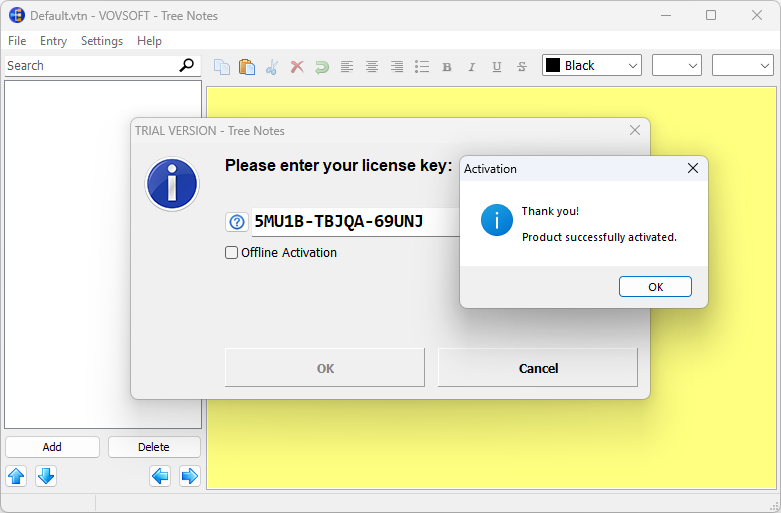
VovSoft Tree Notes solves both problems at once. It stores every note in a single local file. Nothing is uploaded. No account is needed. All notes stay on your machine. The core of the software is its tree structure. Users create parent notes and nest child notes underneath them. This creates a clear and logical hierarchy for any type of content. Research notes can sit under project headings. Study notes can be grouped by subject and chapter. Story outlines can be broken into acts, scenes, and beats. The structure can go as deep as needed with no limit on parent or child levels. Each note opens in a full editing panel on the right side of the screen.
The editor supports rich text formatting. Users can apply bold, italic, underline, custom font sizes, text color, and standard bullet points. Images in JPG, PNG, and BMP formats can be inserted directly into any note. This makes it practical for attaching screenshots, diagrams, reference photos, or visual content alongside written notes. The formatting tools are straightforward and accessible without any learning curve. Finding specific content inside a large note collection is handled by the built-in search. Users type a keyword or phrase and the software locates matching notes within the tree instantly. Password protection adds a security layer for sensitive content. Individual nodes or the entire tree can be locked with a password. Import and export support covers DOCX, HTML, RTF, and TXT formats. This gives users full control over how they bring content in and how they share or archive it.
There are a few limitations to consider. VovSoft Tree Notes does not support cloud synchronization. Notes cannot be accessed from a mobile device or a second computer without manually copying the single storage file. The software does not place sticky notes on the desktop either. It is designed to be focused and simple rather than feature-heavy. Users who need cross-device access or real-time cloud sync will need to look at other tools. For everyone else who wants a fast, private, and well-organized offline note system, Tree Notes is a reliable and affordable choice. VovSoft Tree Notes 2026 is available in two editions. The Installer edition sets up the software on the system through a standard Windows installation process. The Portable edition requires no installation and leaves no trace in the Windows registry. The Portable edition is ideal for users who work on multiple computers or carry their tools on a USB drive.

All notes are stored in a single file regardless of which edition is used. This design makes backup simple. Users copy one file to an external drive or cloud folder and all their notes are preserved. Moving to a new computer is equally straightforward. The software launches quickly and has a clean, minimal interface that stays out of the way while users focus on writing and organizing.
Key Features
- Organize notes in an unlimited hierarchical tree structure with parent and child notes
- Rich text editing with bold, italic, underline, custom fonts, text colors, and bullet points
- Insert images in JPG, PNG, and BMP formats directly into notes
- Fast keyword search to locate specific notes within large collections
- Password protection for individual nodes or the entire note tree
- Single file storage for all notes enabling easy backup and portability
- Import notes in DOCX, HTML, RTF, and TXT formats
- Export notes in DOCX, HTML, RTF, and TXT formats
- Available as both Installer and Portable editions
- Portable version has zero impact on the Windows registry
- Runs entirely offline with no internet connection required
VovSoft Tree Notes Technical Setup Details
- Software Full Name: VovSoft Tree Notes 2026
- Setup File Name: VovSoft_Tree_Notes_2.8.rar
- Setup Size: 4.9 MB
- Setup Type: Offline Installer / Full Standalone Setup
- Compatibility Mechanical: 32 Bit (x86) / 64 Bit (x64)
- Developers: VovSoft
System Requirements for VovSoft Tree Notes 2026
- Operating System: Windows 7/8/10
- RAM: 750 MB
- Hard Disk: 50 MB
- Processor: Intel Dual Core or higher processor
Frequently Asked Questions
What is VovSoft Tree Notes 2026?
It is a hierarchical note-taking application for Windows developed by Vovsoft. It lets users organize notes in a tree structure with unlimited parent and child levels. All notes are stored in a single local file.
What is the difference between the Installer and Portable editions?
The Installer edition installs the software on the Windows system through a standard setup process. The Portable edition requires no installation and writes nothing to the Windows registry. The portable edition is suitable for USB drives and for users who work on multiple computers.
Can VovSoft Tree Notes work without an internet connection?
Yes. The software runs entirely on the local machine. No data is uploaded to any server. No internet connection is needed at any point during normal use.
Does VovSoft Tree Notes support password protection?
Yes. Users can apply password protection to individual nodes within the tree or to the entire note tree. This keeps sensitive information private and secure.
What file formats can VovSoft Tree Notes import and export?
The software supports import and export in DOCX, HTML, RTF, and TXT formats. This covers Microsoft Word documents, web pages, rich text files, and plain text files.
Can I insert images into VovSoft Tree Notes?
Yes. Images in JPG, PNG, and BMP formats can be inserted directly into any note. This is useful for screenshots, diagrams, reference photos, and visual content.
Who is VovSoft Tree Notes best for?
It is best for writers, researchers, students, and project managers who need to organize large amounts of interconnected information in a private and structured way. It suits anyone who prefers offline tools over cloud-based platforms.
Does VovSoft Tree Notes support cloud sync?
No. The software does not have built-in cloud synchronization. All notes are stored in a single local file. Users can manually copy this file to a cloud storage folder for backup purposes, but there is no automatic sync feature.
What Windows versions does VovSoft Tree Notes support?
The software supports Windows XP, Vista, 7, 8, 8.1, 10, and 11 in both 32-bit and 64-bit versions.
VovSoft Tree Notes 2.8 Free Download
Download VovSoft Tree Notes 2026 free latest full version offline direct download link for full offline setup by clicking the button below.