Download Mors Pocket Candy for Mac Free. It is full Latest Version setup of Mors Pocket Candy DMG for Mac OS X. Pocket Candy is a free creative FX plugin from Mors built for Mac producers who want to build ear candy effects, transitions, drops, and glitch textures using 8 selectable FX modules with full automation control in AU, VST3, and AAX formats.
Review of Mors Pocket Candy for Mac
Mors Pocket Candy is a free creative multi-FX plugin for Mac developed by Mors. It is designed for music producers, beatmakers, and sound designers who need a fast and flexible tool for building ear candy effects, transitions, and automated sound design inside any Mac DAW. The plugin gives you 8 FX modules to choose from. Each module has its own parameter controls and a min and max range. You automate the entire plugin from a single main knob that sweeps from 0 to 100.
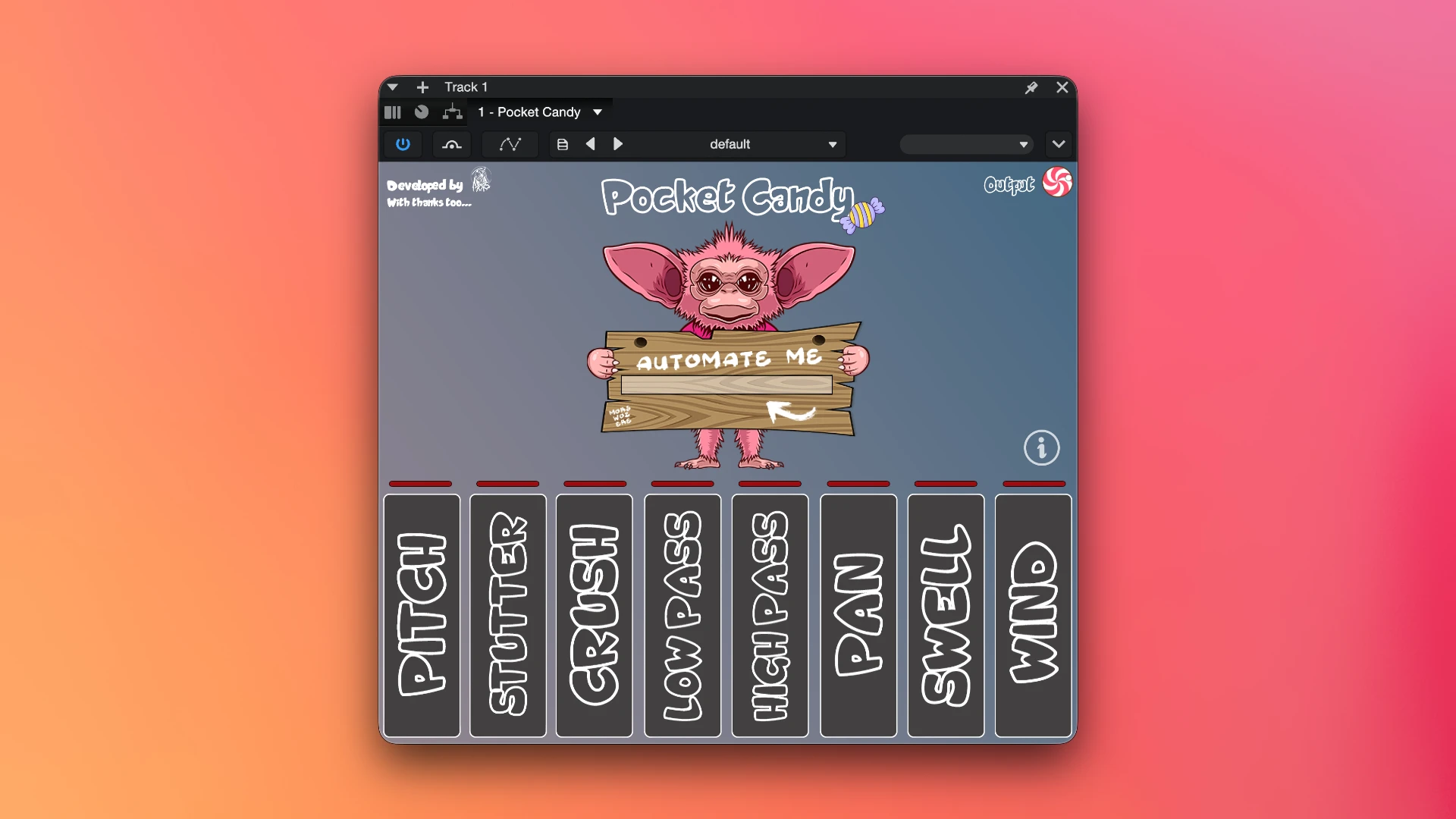
Most Mac producers face the same problem. Building ear candy and transitions manually takes time. It requires separate automation lanes for every effect, multiple stock plugins, and careful routing inside the DAW. Fast creative sessions slow down whenever a producer needs to build a complex build-up or drop effect from scratch. Mors Pocket Candy solves this directly. It puts 8 effects inside one plugin with one automation knob controlling all of them. You set the min and max range for each effect, draw one automation line, and the entire transition runs exactly as designed. Effects that used to take several minutes to build now take seconds.
The plugin is available on Mac in AU, VST3, and AAX formats. AU is the native Mac format and works in Logic Pro, GarageBand, and MainStage. VST3 works in Ableton Live, Cubase, Studio One, and Bitwig. AAX works in Pro Tools. Installation uses a PKG installer included in the ZIP download. Run the PKG file on Mac and the plugin registers automatically across all three formats. No manual file copying is needed. The same ZIP also contains the Windows VST3 and AAX files for Windows users.
The Single Knob Automation System
The entire plugin runs from one main knob. This knob sweeps from 0 to 100. When you automate this knob, every active module responds based on its own min and max range settings. One automation lane in your DAW controls every active effect simultaneously. This is the core design decision that makes Pocket Candy fast and practical in a real session.
There are three ways to use the system. The first is standard modulated automation. Set the min and max range for each active module and draw automation on the main knob. Every module sweeps through its range as the knob moves. This creates smooth and precise multi-effect transitions. The second method is locking an effect. Set the min and max of a module to the same value. That module stays fixed regardless of where the main knob sits. You can lock Panning to a fixed offset while letting Pitch and Stutter sweep freely on the same automation line. The third method is random switching. Let effects switch on and off at random. This creates unpredictable glitch textures and chaotic sound design without any manual automation drawing required.
What Pocket Candy Sounds Like in Use
Pocket Candy works on any audio source in the session. On vocals it creates pitch sweep transitions, stutter build-ups, and filter sweeps. On synths it adds movement and rhythmic texture through the Stutter and Panning modules. On drums it builds rhythmic gating and crush effects. On one-shot samples it extends tails and creates evolving sound design textures. On full busses it can be used to create DJ-style transition effects across groups of tracks.
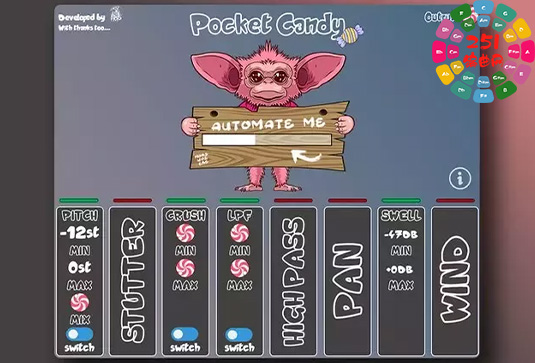
The stacking feature is where the plugin becomes most powerful. Layering Swell with Highpass Filter and Panning on a vocal bus creates a build-up that sweeps in frequency, pans across the field, and rises in volume from one automation line. Each of these would require separate setup in a standard DAW workflow. Pocket Candy collapses it all into one plugin and one lane.
Key Features of Mors Pocket Candy for Mac
- 8 selectable FX modules: Pitch, Stutter, Crush, Lowpass Filter, Highpass Filter, Panning, Swell, and Wind
- Use any combination of modules simultaneously for layered multi-effect results
- Each module has independent parameter controls plus min and max range values
- Automate the entire plugin from a single main knob sweeping from 0 to 100
- Lock any effect by setting min and max to the same value for a fixed static effect
- Use the main knob without automation for standard non-modulated FX applications
- Enable random effect switching for glitchy and unpredictable textures
- Works natively in Logic Pro, GarageBand, MainStage, Ableton Live, Pro Tools, Cubase, and Studio One
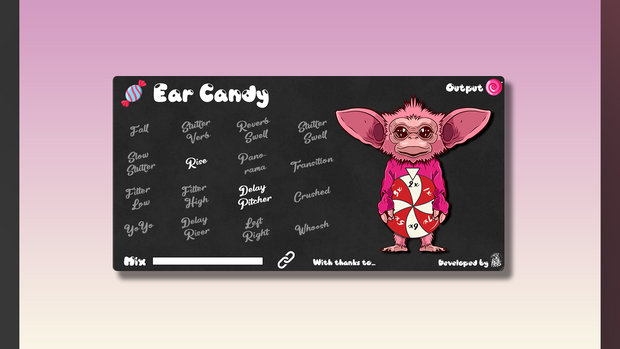
- Part of the Mors plugin family alongside Demon Delays, Elixir, Ear Candy, Demon Time, and Pedals
Technical Details
- Full Name: Mors Pocket Candy for Mac
- Setup App File Name: Mors – Pocket Candy.zip
- Full Application Size: 89.0 MB
- Setup Type: PKG Installer (Mac) / AU, VST3, AAX
- Latest Version: 1.0.0
- Developer: Mors
System Requirements
- Operating System: macOS (modern macOS versions supported)
- RAM: 4/8 GB minimum recommended
- Hard Disk Space: 200 MB free space
- Processor: Intel or Apple Silicon Mac
Download Mors Pocket Candy v1.0.0 for Mac
Click on the button below to start Mors Pocket Candy Download for Mac OS X. This is completely Tested and Working Latest Version Mac OS App of Mors Pocket Candy. It is offline installer and standalone setup for Mors Pocket Candy for Apple Macintosh. We provide a resumable single direct link to download Mors Pocket Candy for Mac.