Download CoolUtils Total Audio Converter 2026 full latest version program free setup for Windows. Total Audio Converter is a batch audio conversion tool. It converts MP3, WAV, FLAC, OGG, AAC, and 30+ other formats in one run. It also rips CDs, splits CUE files, and keeps your metadata tags intact.
CoolUtils Total Audio Converter 2026 Review
CoolUtils Total Audio Converter 2026 is a desktop tool built for people with large audio collections. Music fans, archivists, and podcast editors often hit the same wall. Files arrive in mixed formats, and converting each one by hand takes forever. Total Audio Converter solves this by converting whole folders or full albums in a single pass. The format list is one of its biggest strengths. It handles common formats like MP3, WAV, FLAC, OGG, AAC, and WMA. It also supports lossless formats such as APE and OPUS, plus rare ones like TTA, NIST, and MIDI. This wide range means one tool can replace several smaller converters.
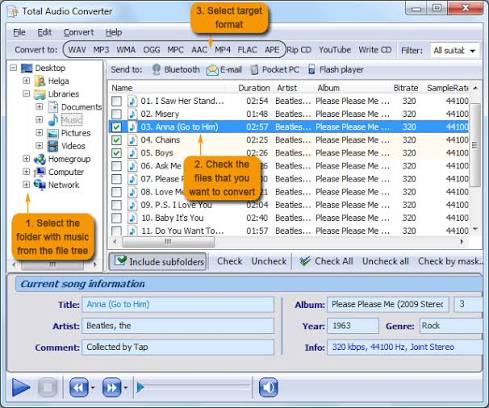
Metadata handling is built in, not an afterthought. When files convert, ID3 tags, Vorbis tags, and album art carry over automatically. This matters for anyone with a large music library. Losing track names and artwork during conversion is a common problem with basic tools, and this software avoids it. CD ripping is another useful feature. Users can rip an audio CD straight to MP3, FLAC, or WAV without a separate ripping tool. For vinyl rips and live albums split across one long file, the CUE splitting feature breaks tracks apart cleanly, using the CUE sheet as a guide.
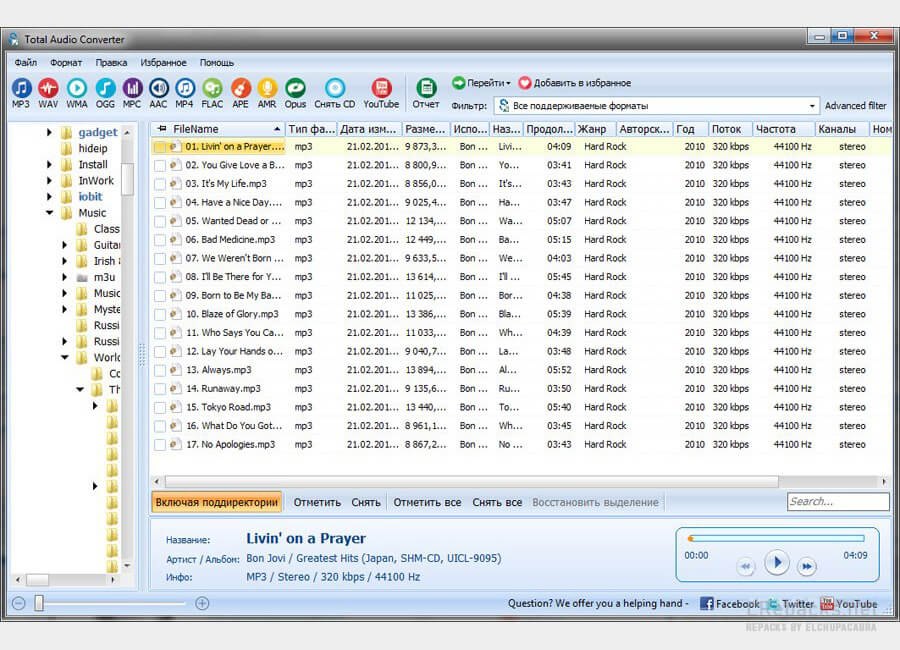
Bitrate and quality control are simple to adjust. Users can set the exact bitrate, sample rate, and channel mode, or let the built-in wizard pick sensible defaults. This helps beginners avoid guesswork while still giving advanced users full control. The software can also merge several tracks into one file, and pull audio from YouTube videos by pasting a link. For teams with repeat jobs, command line support allows full automation. Radio archives, universities, and media companies use this to run scheduled batch conversions without opening the app each time. One limitation is platform support. The interface also looks dated next to some modern apps, though it stays simple to use once the basic layout is learned.
Key Features
- Converts MP3, WAV, FLAC, OGG, AAC, WMA, and 30+ formats
- Rips audio CDs directly to MP3, FLAC, or WAV
- Splits FLAC and APE files using CUE sheets
- Preserves ID3, Vorbis, and APE metadata tags
- Keeps album art during conversion
- Adjustable bitrate, sample rate, and channel settings
- Combines multiple tracks into one audio file
- Extracts audio from YouTube video links
- Command line support for automated batch jobs
- Batch converts full albums or folders in one run
CoolUtils Total Audio Converter 2026 Technical Setup Details
- Software Full Name: CoolUtils Total Audio Converter 2026
- Setup File Name: CoolUtils_Total_Audio_Converter_6.1.0.302.rar
- Setup Size: 120 MB
- Setup Type: Offline Installer / Full Standalone Setup
- Compatibility: 32 Bit (x86) / 64 Bit (x64)
- Developers: CoolUtils
System Requirements for CoolUtils Total Audio Converter 2026
- Operating System: Windows 7/8/10
- RAM: 1 GB
- Hard Disk: 200 MB
- Processor: Intel Dual Core or higher processor
CoolUtils Total Audio Converter 2026 Free Download
Download CoolUtils Total Audio Converter 2026 free latest full version offline direct download link for full offline setup by clicking the button below.