Download Orra Audio Orra Filter for Mac Free. It is full Latest Version setup of Orra Audio Orra Filter DMG for Mac OS X.
Orra Audio Orra Filter for Mac Review 2026
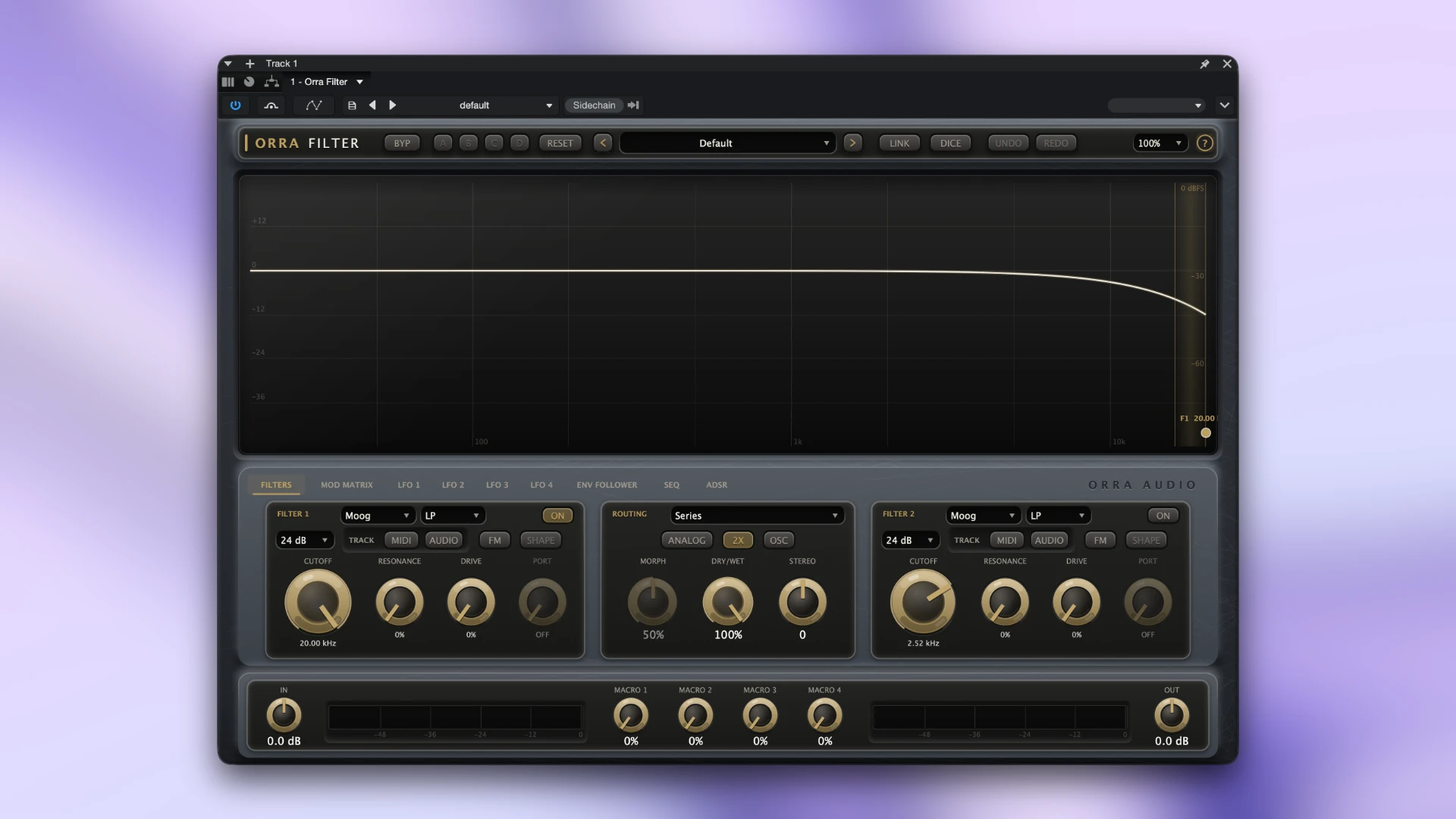
Orra Audio Orra Filter is a creative filter plugin for Mac users who want more than a basic low-pass or high-pass filter. It combines two independent filter cells with eight different filter circuits, six routing modes, and a large modulation matrix. You can use it to shape bass, synths, vocals, drums, guitars, and other audio tracks. Each filter cell can use a different circuit, including Moog-style ladder, state-variable, comb, formant, diode ladder, MS-20-style, resonator, and a drawable Spectral filter. The two cells can run in series, parallel, Mid-Side, Stereo Split, or Morph modes. This gives Orra Filter a much wider range of sound-shaping options than a conventional single-filter plugin.
Powerful Modulation System
Orra Filter goes beyond static filtering with a large modulation system. You get four LFOs, an envelope follower, a 16-step sequencer, ADSR, MIDI velocity, tracked input pitch, four macros, and Orra Link sources. These sources can control cutoff, resonance, drive, FM amount, morph, dry/wet, output gain, and other available parameters. You can create a modulation route directly from the modulation matrix or drag a source onto a knob. This keeps the workflow relatively fast even when you are building more complicated patches.
Four LFOs
The four LFOs can run freely or synchronize to the project tempo. They include seven shapes, including a drawable custom curve. You can also control feel, swing, phase, and one-shot behavior. This makes them useful for slow filter sweeps, rhythmic movement, stereo animation, and repeating electronic effects.
16-Step Sequencer
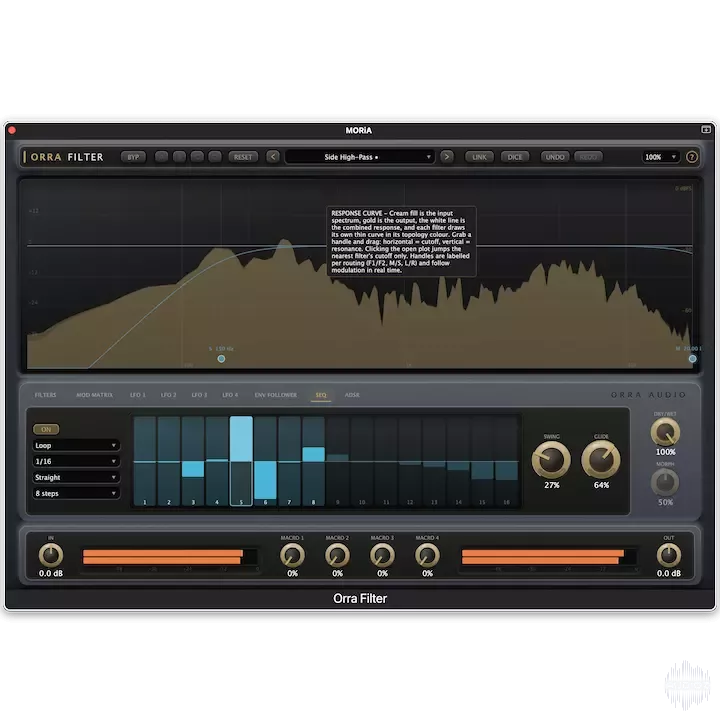
The built-in 16-step sequencer adds rhythmic movement to the filter. It can synchronize with the project grid and includes per-step probability, unusual pattern lengths for creating polyrhythmic movement, and glide between steps. This is useful for creating repeating filter patterns without manually drawing every automation movement in the DAW.
Envelope Follower
The envelope follower allows the filter to respond to incoming audio. It can listen to the current track, the host sidechain, or another track through Orra Link. For example, you could make a synth filter open whenever a kick hits. You can also band-limit what the follower hears, which gives you more control over how the source audio affects the filter.
ADSR and Audio Triggering
Orra Filter includes an ADSR envelope that can be triggered by MIDI or by audio transients. This means you can create filter movements without needing a MIDI sequence. A drum hit, vocal phrase, or other transient can trigger the envelope and move the filter. For sound design, this can be a useful way to turn ordinary loops into more dynamic sounds.
Audio-Rate Filter FM
Orra Filter also includes audio-rate FM for the filter cutoff. The cutoff can be modulated from an internal oscillator or from the input audio. This goes beyond conventional filter automation and can produce more complex tones and movement. It is particularly useful for experimental sound design and electronic music.
Drive and Analog Controls
Each filter cell includes a drive stage that can add more character before the filter circuit. The product page lists drive up to +24 dB into a tanh-based shaper. There is also an Analog option that adds slow cutoff drift and a small noise floor. When Analog is turned off, Orra Audio describes the processing as bit-exact. This gives you the option of keeping the filter clean or adding subtle analog-style variation.
DICE Patch Generator
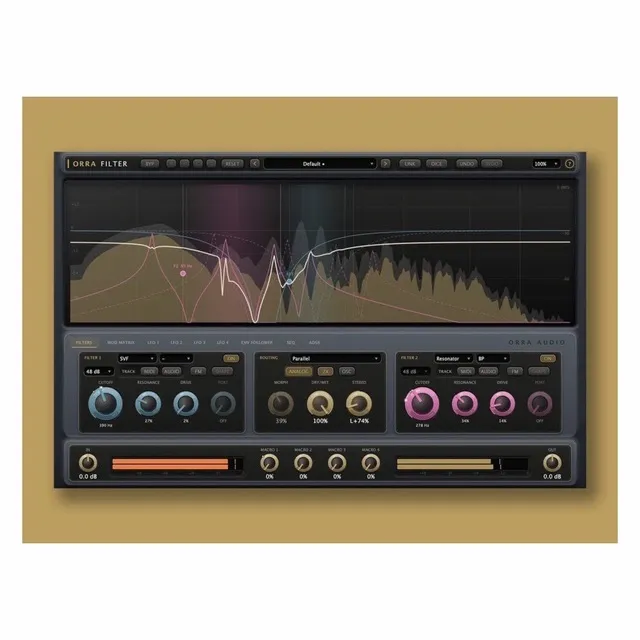
One of the more unusual features is DICE. Instead of manually creating every modulation route, DICE can build a complete filter patch using one of six musical recipes. The available recipes include Pluck, Talker, Rhythmic, Dub Sweep, Drift, and Chaos. The generator can change the filters, routing, LFOs, sequencer, ADSR, envelope follower, and macros. You can then edit the generated patch yourself. This is useful when you want a starting point quickly or simply want to discover sounds you might not create manually.
Orra Link 2
Orra Filter includes support for Orra Link 2, the developer’s free companion sender. You can place Orra Link on another track and make that track available as a modulation source inside Orra Filter without setting up traditional host routing. For example, a kick track can control the filter on a synth or bass track. Up to four Link sources can be selected by name, and they can be used by the envelope follower or directly in the modulation matrix. When a Link source is active, the plugin adds one host buffer of latency and reports it to the host for compensation.
Latency and Oversampling
Orra Filter can run without added latency when oversampling is turned off. The 2x oversampling mode adds exactly 49 samples, while 4x adds 91 samples. The Spectral filter adds around 17 ms because of its linear-phase processing. Orra Audio reports these values to the host, allowing the DAW to compensate for the additional delay. This is useful to know when using Orra Filter on tracks that need to stay tightly synchronized.
Key Features of Orra Audio Orra Filter
- Two independent filter cells
- Eight filter circuits per cell
- Six routing modes
- Moog-style ladder filter
- State-variable filter
- Comb filter
- Formant filter
- Diode ladder filter
- MS-20-style filter
- Resonator bank
- Drawable Spectral filter
- Four LFOs
- Envelope follower
- 16-step sequencer
- ADSR envelope
- MIDI velocity and audio pitch tracking
- Four performance macros
- Audio-rate filter FM
- Orra Link 2 support
- DICE patch generator
- 44 factory presets
- A/B/C/D snapshot banks
- 2x and 4x oversampling
- Apple Silicon and Intel support
- VST3, AU, and AAX formats
Orra Filter Alternatives
Soundtoys FilterFreak
Soundtoys FilterFreak is a strong alternative for producers who want analog-style resonant filtering. It includes two separate plugins, FilterFreak 1 and FilterFreak 2. The second version provides two filters that can run in series or parallel. It also includes envelope follower effects, sample-and-hold, rhythmic sequencing, custom LFO shapes, and seven analog saturation styles.
Best for: Producers who want classic analog filter sounds with strong rhythmic modulation.
Arturia Filter MS-20
Arturia Filter MS-20 is a filter and distortion plugin based on the character of the Korg MS-20. It combines resonant low-pass and high-pass filtering with distortion, stereo offset, envelope following, a function generator, and a 16-step sequencer. The current Mac version supports macOS 11 and later.
Best for: Users who want an aggressive analog-style filter with distortion and modulation.
Soundtoys Effect Rack
Soundtoys Effect Rack takes a broader approach. Instead of focusing on one filter, it lets you build chains from Soundtoys effects and treat the entire chain as one effect. It supports Apple Silicon and Mac OS X 10.15 or later, with AU, VST3, and AAX formats.
Best for: Producers who want to combine filtering with delays, distortion, modulation, and other Soundtoys effects.
Final Words
Orra Audio Orra Filter is an impressive option for Mac users who want a filter that can do much more than basic frequency shaping. Its two filter cells, eight circuits, six routing modes, and deep modulation system give it enough flexibility for both normal production and experimental sound design. The strongest part is the combination of filtering and modulation. You can use LFOs, envelopes, sequencing, audio tracking, MIDI velocity, pitch tracking, macros, and another track through Orra Link to keep the filter moving. The DICE system also gives beginners an easier way to discover sounds without building every modulation route manually. For electronic music, bass, synths, vocals, drums, transitions, and sound design, Orra Filter offers a lot in a relatively focused plugin. Mac users also get native Intel and Apple Silicon support, along with VST3, AU, and AAX formats.
Technical Details
- Full Name: Orra Audio Orra Filter
- Setup App File Name: Orra Audio Orra Filter
- Full Application Size: 29 MB
- Latest Version: 1.0.0
- Setup Type: AU, VST3
- Developers: Orra Audio
System Requirements
- Operating System: macOS 10.13 (High Sierra) or later
- Memory (RAM): 4/8 GB
- Hard Disk Space: 100 MB
- Processor: Apple Silicon (M1-M6) and newer or Intel Core (64-bit)
Download Orra Audio Orra Filter Latest Version Free
Click on the button below to start Orra Audio Orra Filter Download for Mac OS X. This is completely Tested and Working Latest Version Mac OS App of Orra Audio Orra Filter. It is offline installer and standalone setup for Orra Audio Orra Filter for Apple Macintosh. We provide Resumeable single direct link Orra Audio Orra Filter Download for Mac.