Download dbdsp NeuralOutboard for Mac Free. It is full Latest Version setup of dbdsp NeuralOutboard DMG for Mac OS X.
dbdsp NeuralOutboard for Mac Review 2026
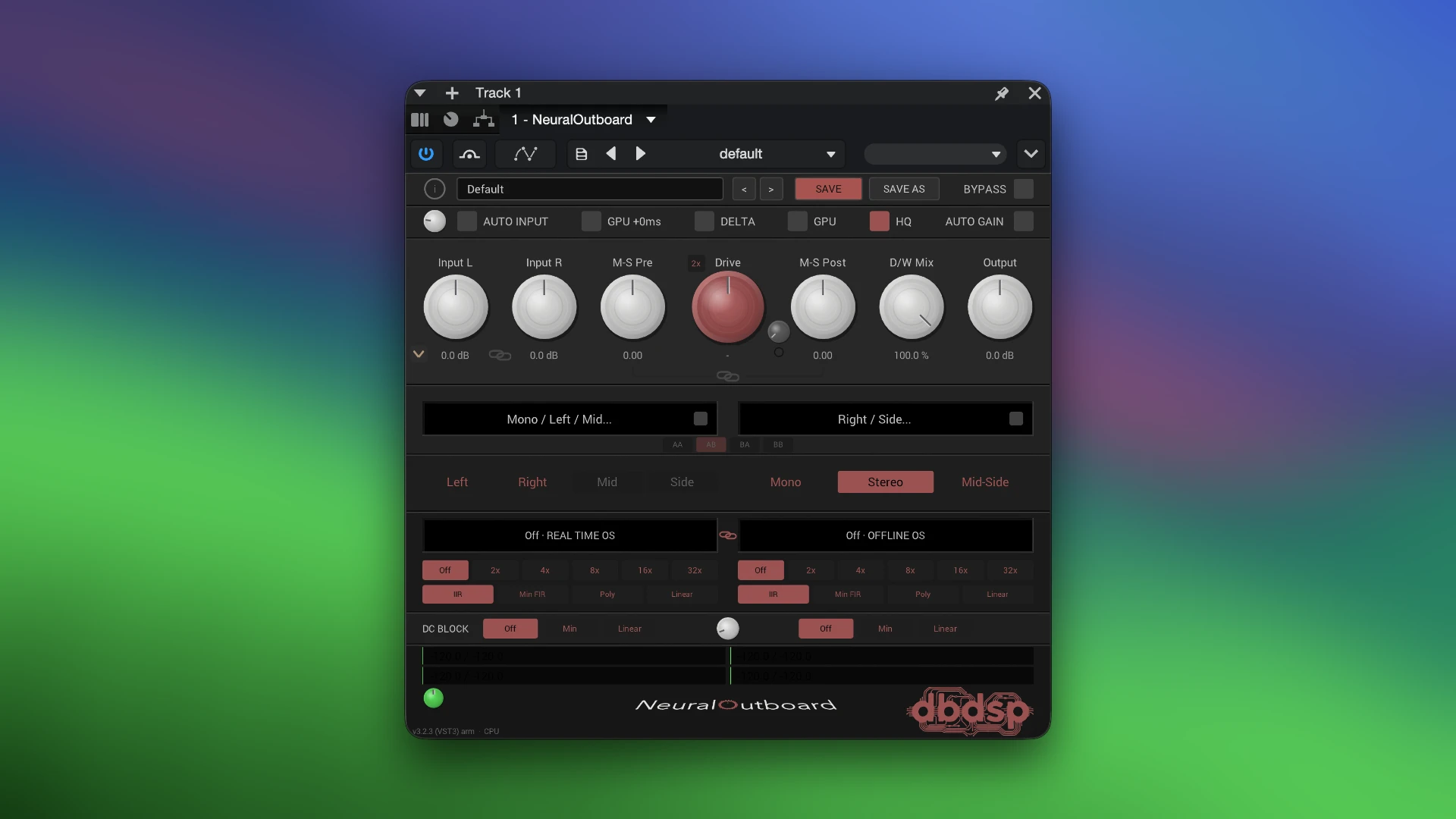
dbdsp NeuralOutboard is a neural audio processing plugin designed to bring the character of analog outboard gear into a modern DAW. Instead of requiring physical hardware, it uses NAM captures to reproduce saturation, harmonics, and tonal color from captured analog equipment. You can use it on vocals, drums, bass, synths, guitars, buses, or even a complete mix. For Mac users, NeuralOutboard supports both Intel and Apple Silicon computers. The current version is 3.2.3 and is available in Audio Unit, VST3, and AAX formats. Its main strength is the combination of neural capture processing, two independent capture slots, Mid-Side control, oversampling, and GPU acceleration. This makes it more than a basic saturation plugin and gives producers a flexible way to work with NAM hardware captures.
Dual Neural Capture Slots
One of the most useful parts of NeuralOutboard is its two independent capture slots. You can load a different NAM capture into each slot and process them together. This allows you to combine the character of two pieces of captured equipment inside a single plugin instance. For example, one slot can provide subtle saturation while another adds stronger harmonic color. You can then adjust the overall drive and blend the processed signal with the original. This dual-slot design gives NeuralOutboard more flexibility than a basic NAM player that loads only one model at a time.
Support for NAM A1 and A2 Models
NeuralOutboard supports both legacy A1 NAM models and the newer A2 architecture. A2 is the newer NAM model architecture introduced in 2026. It was designed as a new standard for modeling guitar and bass amplifiers, while also becoming part of the wider NAM ecosystem. For NeuralOutboard users, this means the plugin can work with both existing compatible NAM captures and newer A2 models.
NAM Sets and Morph Control
NeuralOutboard also adds a useful system called NAM Sets. A single preset can contain a series of related captures. For example, you could store captures of the same hardware at different drive settings. The Morph control can then move between those captures. This gives you a smooth way to change the character of the processing instead of manually replacing the model. Morph movements can also be automated in a DAW, making the feature useful for evolving effects and changing processing throughout a song.
GPU Acceleration
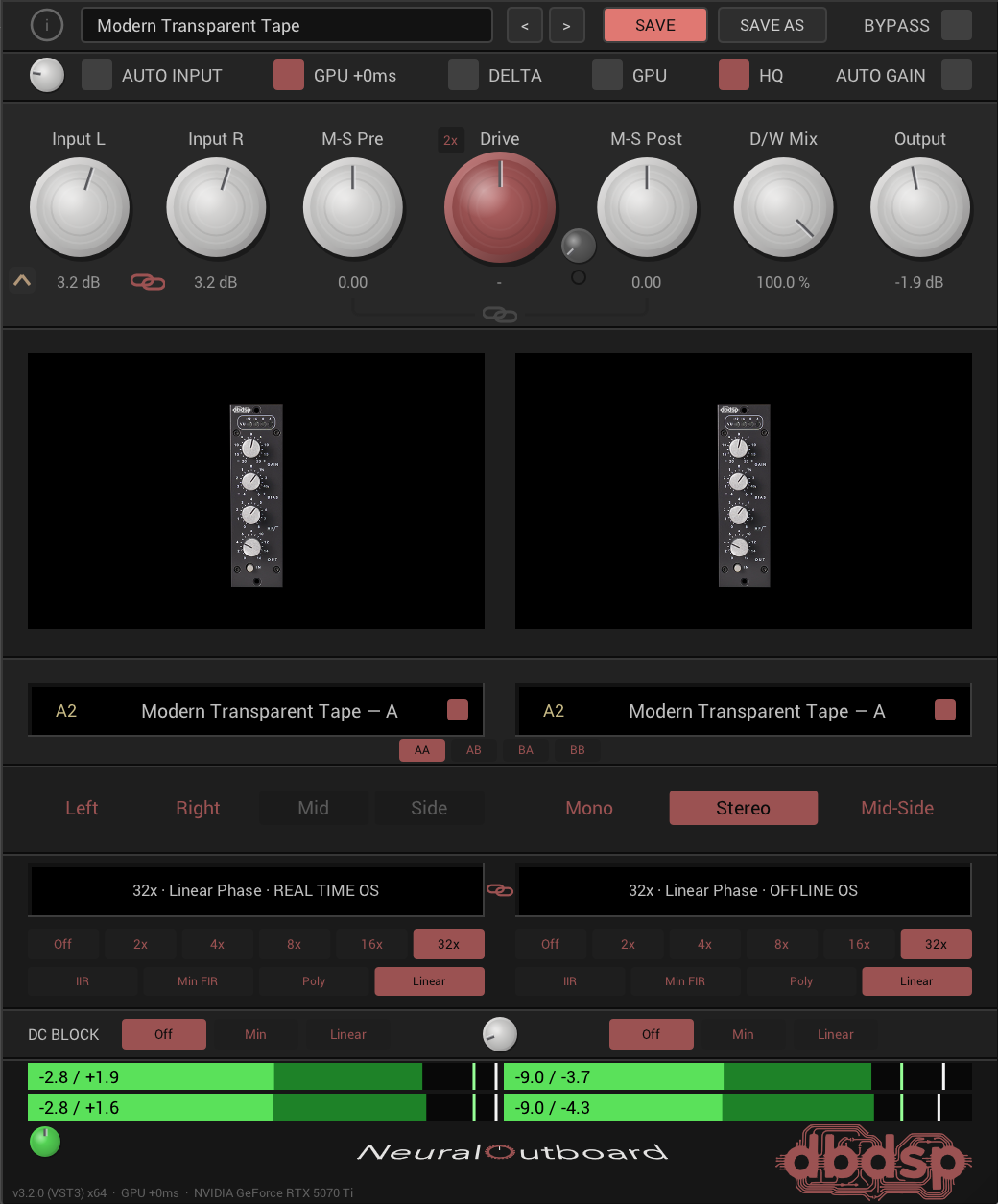
GPU processing is one of the standout features of NeuralOutboard. Instead of running the neural model entirely on your CPU, the plugin can use the computer’s graphics processor. On macOS, it uses Apple’s Metal technology for GPU processing. This can be especially useful when using high oversampling settings or multiple instances of the plugin. The developer gives a specific example showing that a MacBook Pro with an M3 Max can run six instances at 32x oversampling in a situation where CPU-only processing would not fit an instance. This does not mean every Mac will achieve the same performance. GPU performance depends on the Mac model and available graphics resources.
Zero-Latency GPU Mode
NeuralOutboard also provides a separate zero-latency GPU mode. Standard GPU processing can introduce latency that needs to be compensated for during playback. The zero-latency mode is designed for tracking and monitoring situations where immediate response is more important. It can run fewer instances than the standard GPU mode, but it removes the processing latency. This makes the feature particularly useful when recording vocals, guitars, bass, or other live sources through the plugin.
Oversampling
Oversampling is available when you want cleaner processing at higher rates. NeuralOutboard supports high oversampling factors, including up to 32x. Higher oversampling can be useful when pushing nonlinear saturation because it gives the processor more room to handle the extra harmonics created by the effect.The downside is higher processing demand. This is where the GPU option becomes useful for compatible Macs. For normal mixing, you do not necessarily need to use the highest setting. Lower settings can provide a better balance between sound quality and CPU/GPU usage.
Stereo and Mid-Side Processing
NeuralOutboard is not limited to simple stereo processing. It also provides Mid-Side processing, giving you more control over how the neural capture affects the center and side information of a stereo signal. This can be useful on stereo buses and complete mixes where you want to add character without treating the center and sides in exactly the same way. It can also help when using saturation as part of a broader mixing chain.
Drive and Dry/Wet Mix
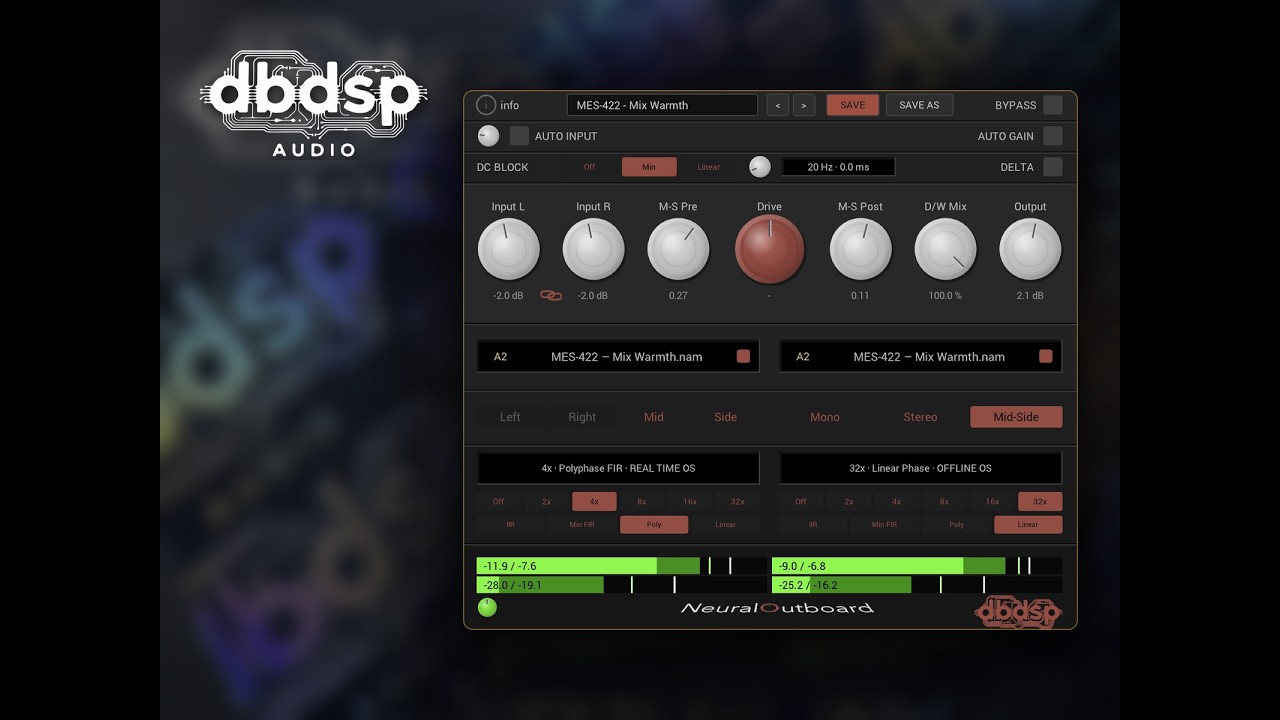
The Drive control determines how strongly you push the neural capture. Lower settings can add subtle warmth and harmonic density. Higher settings can create more obvious saturation and analog-style grit. The Dry/Wet control lets you blend the processed signal with the original. This is useful when the full processed signal feels too strong. For example, you can drive a vocal or drum bus harder and then reduce the wet level to keep the original detail while retaining some of the added character.
Gain Matching and Delta Monitoring
NeuralOutboard includes tools that make it easier to judge the processing. Gain matching can help prevent louder output from making the processed signal seem automatically better. Delta monitoring lets you focus on what the plugin is adding or changing. These controls are useful when working with subtle saturation, where the differences can otherwise be difficult to judge accurately.
NeuralOutboard for Vocals
NeuralOutboard can add harmonic character to clean vocal recordings. A subtle hardware capture can give the vocal more density without requiring an obvious distortion effect. You can increase the drive for a more aggressive sound or use the Dry/Wet control for parallel-style processing. The two capture slots also allow you to combine different types of coloration in one chain. For modern pop, electronic music, rock, and other vocal-heavy productions, this can be useful when the recording needs more character.
Key Features of dbdsp NeuralOutboard
- Neural processing for analog hardware captures
- Loads NAM .nam capture files
- Two independent capture slots
- Supports NAM A1 and newer A2 models
- NAM Sets for storing multiple captures
- Morph control for moving between compatible captures
- GPU acceleration
- Zero-latency GPU mode
- Up to 32x oversampling
- Stereo processing
- Mid-Side processing
- Drive control
- Dry/Wet mix control
- Gain matching
- Delta monitoring
- Ten free factory capture packs
- Audio Unit support on Mac
- VST3 support
- AAX support for Pro Tools
- Intel and Apple Silicon Mac support
- Apple-signed and notarized macOS installer
dbdsp NeuralOutboard Alternatives
Neural Amp Modeler
Neural Amp Modeler, often called NAM, is the open-source platform behind the capture format used by NeuralOutboard. The official NAM project provides a free plugin for loading and playing neural models. It is particularly focused on amplifiers and pedals and has a large community around creating and sharing models. According to NeuralOutboard, the basic NAM ecosystem is not designed specifically as a dual-slot analog outboard mixing processor.
Best for: Users who want a free and open-source way to explore NAM amp and pedal captures.
Black Box Analog Design HG-2
Black Box Analog Design HG-2 from Plugin Alliance is a dedicated analog saturation and tube-processing plugin. It models a hardware unit built around tube stages and includes separate controls for pentode and triode processing, parallel saturation, Air, Density, Calibration, Input Gain, and Dry/Wet Mix. It is a better fit if you want a dedicated modeled hardware processor rather than a system based around user-loaded NAM captures.
Best for: Producers who want polished tube-style saturation with a dedicated hardware model.
Softube Tape
Softube Tape focuses specifically on tape-style saturation and coloration. It is designed for adding tape character, warmth, and movement to individual tracks, buses, and mixes. It provides a more focused workflow than NeuralOutboard because you work with tape-inspired processing instead of loading different NAM hardware captures.
Best for: Users who want straightforward tape saturation without managing NAM models.
NAM 9000
NAM 9000 is another newer option for Mac users working with neural models. Its Mac build is universal for Intel and Apple Silicon and supports AU, VST3, and standalone operation. The software can work with amp captures and includes additional rig and capture features. Its Pro version also adds dual-amp and dual-cab workflows.
Best for: Guitarists and producers who want a broader NAM-based amp and rig environment.
Conclusion
dbdsp NeuralOutboard is an interesting option for Mac producers who want to bring neural-captured analog hardware into their DAW. Its biggest advantage is flexibility. Instead of being limited to one modeled piece of equipment, you can load different NAM captures and combine them using two independent slots. The GPU acceleration is another major strength, especially for Mac users working with high oversampling or several neural-processing instances. The zero-latency GPU mode also makes the plugin more practical for tracking and monitoring. The addition of A2 support, NAM Sets, Morph control, Mid-Side processing, and ten free factory capture packs gives NeuralOutboard a useful feature set for 2026. It is more advanced than a simple saturation plugin, but that also means new users may need some time to understand the NAM ecosystem.
Technical Details
- Full Name: dbdsp NeuralOutboard
- Setup App File Name: dbdsp NeuralOutboard
- Full Application Size: 96 MB
- Latest Version: 3.2.3
- Setup Type: AU, VST3
- Developers: dbdsp
System Requirements
- Operating System: macOS 11 (Big Sur) or later
- Memory (RAM): 4/8 GB
- Hard Disk Space: 200 MB
- Processor: Apple Silicon (M1-M6) and newer or Intel Core (64-bit)
Download dbdsp NeuralOutboard Latest Version Free
Click on the button below to start dbdsp NeuralOutboard Download for Mac OS X. This is completely Tested and Working Latest Version Mac OS App of dbdsp NeuralOutboard. It is offline installer and standalone setup for dbdsp NeuralOutboard for Apple Macintosh. We provide Resumeable single direct link dbdsp NeuralOutboard Download for Mac.