Download Text Editor Pro 2026 full latest version program free setup for Windows.
Text Editor Pro 2026 for Windows Review
Text Editor Pro 2026 is a free Windows text and code editor designed for users who need more than a basic Notepad-style application. It supports programming languages and scripts with syntax highlighting, code folding, multi-caret editing, file comparison, search tools, Markdown preview, and many customization options. It can also handle formats such as JSON, XML, SQL, HTML, and other text-based files. The current release is Text Editor Pro 37.1.0, released on September 19, 2026. Recent 2026 updates have added features such as AI Chat, Markdown HTML/PDF export, new language highlighters, partial file loading, Windows on ARM support, BSON/JSON conversion, and improvements to search, code folding, scaling, and file handling. Text Editor Pro is aimed at both programmers and users who regularly work with large numbers of text files.
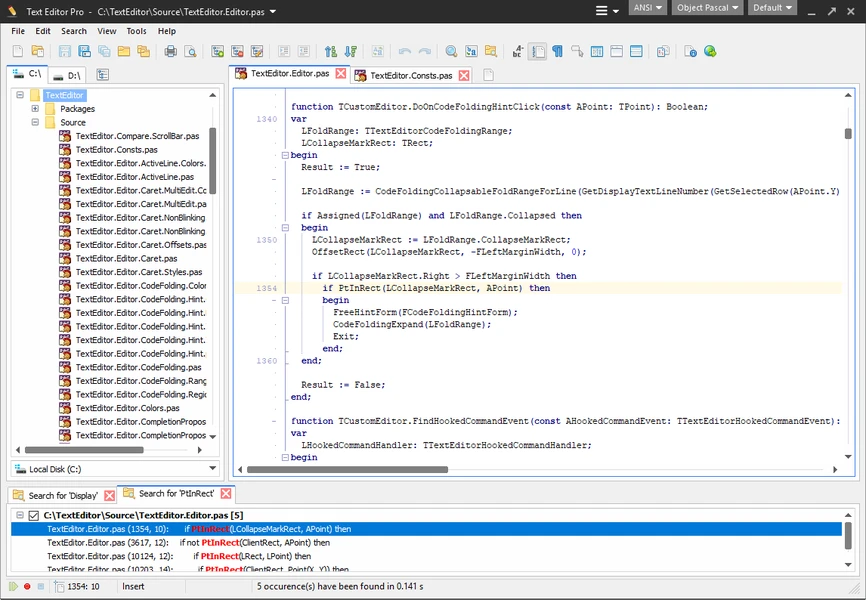
Its syntax highlighting supports a wide range of programming languages and scripts, making it useful for editing source code, configuration files, scripts, HTML, XML, and other structured text. The editor supports multi-caret and synchronized editing, which can save time when the same type of change needs to be made in several locations. Code and text folding also help keep longer files easier to read by allowing sections of content to be collapsed.
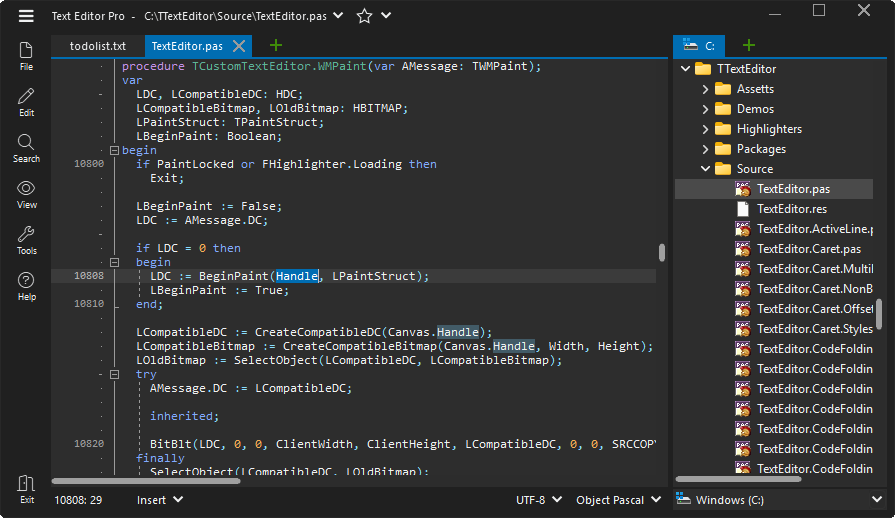
Search is another strong part of the application. Text Editor Pro can search through multiple directories and results, while its file comparison tools can help identify differences between two text files. Wildcards and regular expressions are also available for more advanced searches. The editor is highly customizable. The official site lists more than 600 customization options and over 100 ready-made skins. Users can change the appearance, editor behavior, fonts, interface elements, and other parts of the application. This is useful if you want to create a workspace around a particular type of coding or writing task.
Text Editor Pro also goes beyond ordinary source-code editing. It includes Markdown, RTF, SVG, image, and PDF viewing, along with JSON, SQL, and XML formatting. The 2026 releases added Markdown HTML and PDF export, giving users another way to turn Markdown documents into shareable formats. The application also includes an AI Chat feature. It appeared in the 2025/2026 development history and received fixes in early 2026. This gives users an integrated way to work with AI-assisted text or code tasks without treating the editor purely as a traditional text tool.
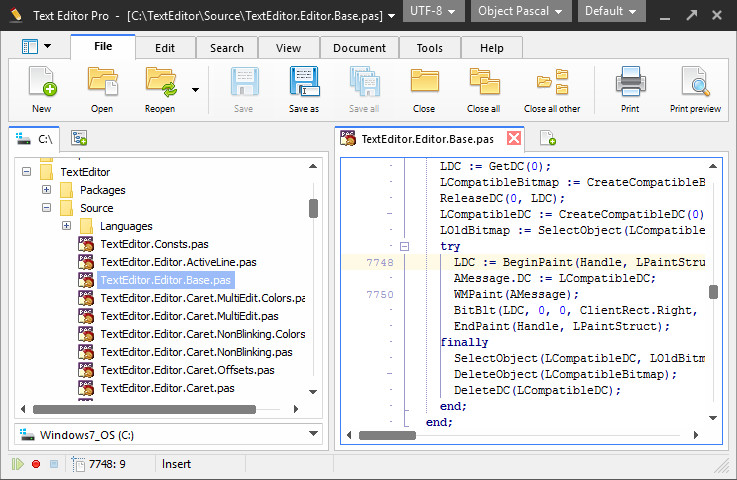
For developers, the number of supported tools is quite broad. The editor includes a character map, numerical unit conversion, spell checking, file execution, macros, hotkeys, and formatting utilities. It can also connect to SFTP through an additional package, which is useful when editing files stored on a remote server. Another useful addition in the 2026 releases is partial file loading. This can be helpful when working with very large files because you do not always need to load the entire document into the editor at once.
The software also added an option to generate a directory tree and improvements to file searching and loading. Windows compatibility is broad. The official download page provides separate 32-bit and 64-bit packages, plus an ARM64 build for Windows on ARM. The developer currently recommends the regular 64-bit build on Windows ARM because it is faster, while the ARM64 build is available for native ARM use. One limitation is that the large number of options can make the application feel busy compared with simpler editors. Users who only need quick note-taking may not need its extensive coding, formatting, search, and customization features. For developers and advanced text users, however, that larger feature set can be useful.
Key Features
- Free Windows text and code editor
- Current 37.1.0 release
- 32-bit, 64-bit, and ARM64 Windows builds
- Syntax highlighting for many programming languages
- Multi-caret editing
- Synchronized editing
- Code, tag, and text folding
- More than 600 customization options
- More than 100 ready-made skins
- AI Chat
- Markdown preview
- Markdown HTML and PDF export
- RTF and SVG preview
- PDF and image viewing
- JSON formatter
- SQL formatter
- XML formatter
- JSON and XML conversion
- BSON to JSON and JSON to BSON conversion
- Text and file comparison
- Wildcard and regular-expression search
- Multiple-directory search
- SFTP support
- Spell checker
- Character map
- Numerical unit converter
- Macro recording and playback
- File execution
- Partial file loading
- Directory tree generation
- Code completion
- Zoom and word-wrap controls
- Custom language files
- Windows on ARM support
Alternatives
Notepad++ is one of the most straightforward alternatives for Windows users who want a lightweight editor with syntax highlighting, tabs, plugins, and support for many programming languages. It is particularly suitable for quick code and configuration-file editing.
Visual Studio Code is a better fit when you need a larger development environment with extensions, debugging, Git integration, terminals, and language-specific tools. It requires more setup than Text Editor Pro but can grow into a full coding workspace.
Sublime Text focuses on fast editing and a clean interface. It provides multi-cursor editing, syntax highlighting, search tools, and a large package ecosystem while keeping the interface relatively simple.
PSPad is another Windows-focused editor that combines source-code editing, syntax highlighting, search tools, macros, and other utilities. It can be useful for users who prefer a traditional Windows text-editor workflow.
UltraEdit is designed for users who regularly work with large files and advanced text-processing tasks. It offers powerful search, file comparison, scripting, and development features, although it follows a different licensing model from the free Text Editor Pro.
Geany is a lightweight open-source editor and IDE that provides syntax highlighting, code navigation, build tools, and a simple development environment. It can be useful when you want more programming features without moving to a large IDE.
For users who want a free Windows editor with a very large collection of built-in tools, Text Editor Pro is broader than a simple code editor. Its combination of text editing, file comparison, formatting, previews, conversion tools, customization, and scripting features makes it suitable for more than basic source-code editing.
Conclusion
Text Editor Pro 2026 is a feature-heavy but free Windows editor for users who regularly work with code, scripts, structured text, Markdown, and large collections of files. The latest 37.1.0 release shows that development is still active, with recent work focused on interface customization, search, code folding, language support, Windows ARM, Markdown, and file handling. Its biggest strength is the number of tools included in one application.
Syntax highlighting, multi-caret editing, file comparison, advanced search, Markdown and PDF features, formatters, AI Chat, SFTP, and extensive customization give it a wider scope than a basic text editor. For Windows users who want a free alternative to larger development tools without giving up advanced text-editing features, Text Editor Pro 2026 is worth considering. Users who prefer a minimal interface or need a complete IDE with integrated debugging may find Notepad++ or Visual Studio Code a better fit for their particular workflow.
Text Editor Pro 2026 Technical Setup Details
- Software Full Name: Text Editor Pro 2026
- Setup File Name: Text_Editor_Pro_2026.rar
- Setup Size: 9 MB
- Setup Type: Offline Installer / Full Standalone Setup
- Compatibility: 32 Bit (x86) / 64 Bit (x64)
- Latest Version Release Added On: 18th Sep 2026
- Developers: Text Editor Pro
System Requirements for Text Editor Pro 2026
- Operating System: Windows 7/8/10
- RAM: 512 MB
- Hard Disk: 50 MB
- Processor: Intel Dual Core or higher processor
Text Editor Pro 2026 Download
Download Text Editor Pro 2026 free latest full version offline direct download link for full offline setup by clicking the button below.