Download Hitek AbleFTP 2026 full latest version program free setup for Windows.
Hitek AbleFTP 2026 for Windows Review
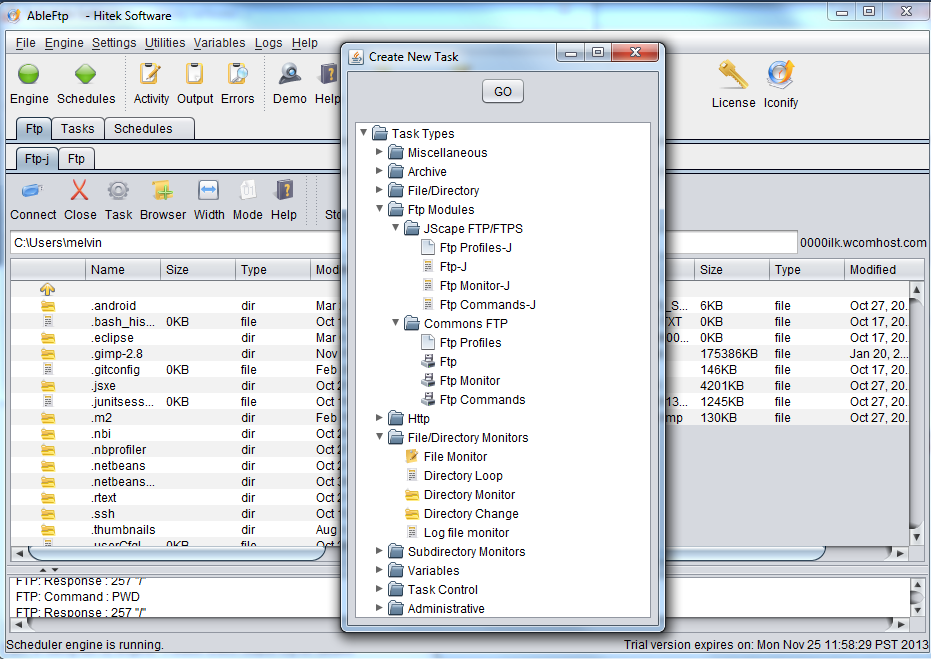
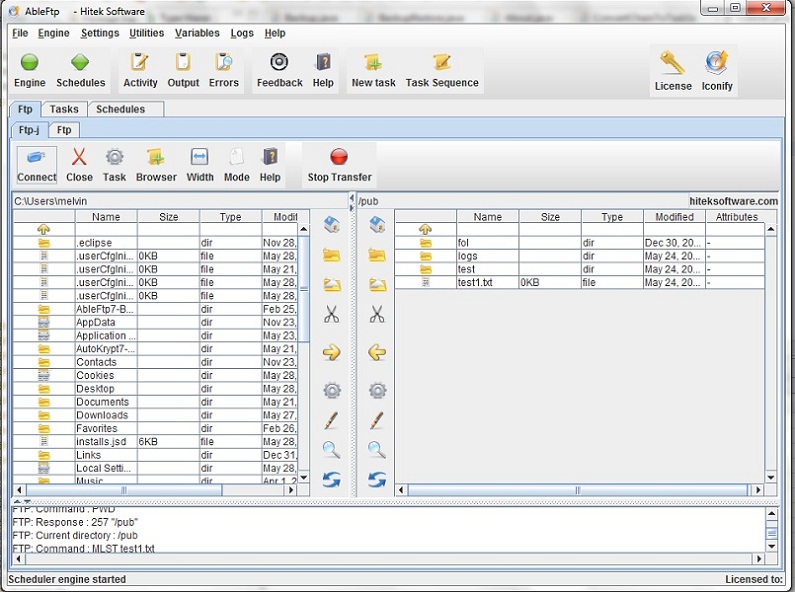
Hitek AbleFTP 2026 is a Windows FTP client designed for automated file transfers. Instead of requiring users to manually connect to an FTP server and move files each time, AbleFTP lets them create scheduled FTP tasks, monitor folders, transfer files automatically, and combine multiple operations into repeatable workflows. The current Windows listing shows version 11.16, updated in May 2026. The software is aimed at businesses, administrators, developers, and other users who handle recurring FTP transfers. It can run large numbers of FTP tasks, monitor local and remote directories, trigger actions when files change, and perform related copy, ZIP, and backup operations. AbleFTP’s main strength is automation. You can create FTP tasks and either run them immediately or schedule them for specific times. This is useful for regular uploads, downloads, backups, website files, reports, and other recurring transfers where manual work would become repetitive.
The task scheduler supports recurring jobs, while task chaining allows several operations to run in sequence. For example, a workflow can transfer files and then perform additional local file operations. This makes AbleFTP more suitable for routine business processes than a simple drag-and-drop FTP program. AbleFTP also supports wildcard-based file selection. This allows users to target multiple files without manually selecting every item. Subdirectories can be included in transfers, which is useful when working with large folder structures. Folder monitoring adds another level of automation. The software can monitor local directories and remote FTP locations for changes and trigger tasks when conditions are met. It can also check factors such as file size, file count, and modification dates.
The software can perform more than straightforward FTP transfers. Its supported task set includes FTP operations alongside copying, ZIP and unzip operations, deletion, and other workflow actions. Backup-oriented tasks can therefore be incorporated into an automated process instead of requiring a separate application for every step. AbleFTP supports multiple connections and simultaneous transfer threads. This can be useful when a workflow involves many files or repeated transfers. The software also allows multiple FTP browser windows to be opened, which is practical when working with several locations.
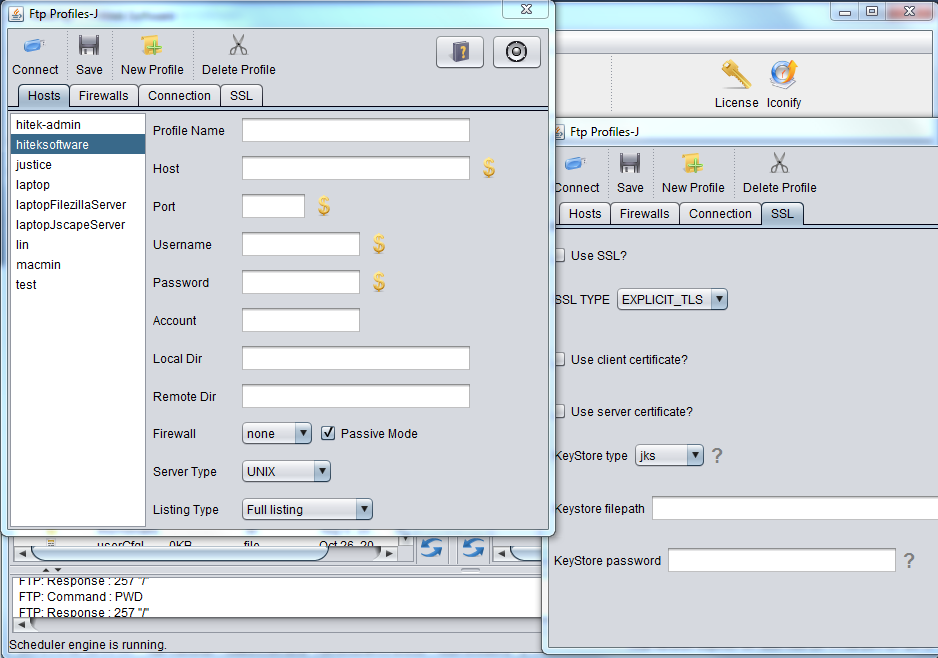
For network environments with restrictions, AbleFTP supports several proxy types, including SOCKS4, SOCKS4A, SOCKS5, and HTTP proxies. Firewall-related configuration is also supported. Email notifications can report task failures based on task exit codes. This is particularly useful for unattended jobs because users can be alerted when an automated transfer does not complete successfully instead of having to check every task manually. The main limitation is that AbleFTP is specialized. Users who only need occasional FTP uploads may find a simpler FTP client easier to use. Its real advantage appears when transfers need to happen repeatedly and with minimal manual involvement.
Key Features
- Automated FTP client for Windows
- Current listed version 11.16
- Scheduled FTP tasks
- Immediate or scheduled task execution
- Task chaining
- Local directory monitoring
- Remote FTP directory monitoring
- Wildcard file selection
- Subdirectory transfers
- Multiple simultaneous connections
- Multiple FTP browser windows
- Automatic file naming using date and time
- Copy, ZIP, unzip, and delete tasks
- Automated backup workflows
- File-size and file-count monitoring
- File modification-date monitoring
- Email notifications for failed tasks
- SOCKS4, SOCKS4A, SOCKS5, and HTTP proxy support
- Firewall-friendly network configuration
- No programming required for standard workflows
- Suitable for high-volume recurring FTP tasks
Hitek AbleFTP Alternatives
FileZilla is a good choice for users who want a widely used FTP, FTPS, and SFTP client with a familiar two-panel interface. It is better suited to manual file transfers than complex automation.
WinSCP is useful when secure file transfers are more important than traditional FTP. It supports SFTP, SCP, FTP, WebDAV, and other protocols and also provides scripting and automation options.
Core FTP is another Windows option for FTP and secure transfers. It offers scheduling and automation features while keeping a traditional desktop FTP workflow.
Cyberduck provides a simpler interface for users who work with FTP, SFTP, WebDAV, and cloud storage services. It is a better fit when ease of use and broad storage support matter more than large-scale task automation.
CuteFTP is a long-established Windows FTP client with scheduling, synchronization, and automation tools. It can be considered by users who want a more traditional commercial FTP application.
Automize is worth considering when FTP is only one part of a larger automated workflow. It provides broader task automation capabilities and can handle many operations beyond file transfers.
Conclusion
Hitek AbleFTP 2026 is best suited to Windows users who need automated FTP workflows rather than occasional manual transfers. Its scheduling, folder monitoring, task chaining, multiple connections, wildcard transfers, backup operations, and failure notifications make it useful for recurring business and administrative tasks. Its biggest advantage is reducing repetitive FTP work. Once a task is configured, AbleFTP can handle transfers and related operations automatically according to the defined schedule or file conditions. For occasional uploads, a simpler FTP client may be easier. But for users managing frequent transfers, scheduled backups, monitored folders, or unattended FTP jobs, AbleFTP provides a more automation-focused Windows workflow.
Hitek AbleFTP 2026 Technical Setup Details
- Software Full Name: Hitek AbleFTP 2026
- Setup File Name: Hitek_Software_AbleFTP_14.06.rar
- Setup Size: 71 MB
- Setup Type: Offline Installer / Full Standalone Setup
- Compatibility Mechanical: 32 Bit (x86) / 64 Bit (x64)
- Developers: Hitek
System Requirements for Hitek AbleFTP 2026
- Operating System: Windows 7/8/10
- RAM: 2 GB
- Hard Disk: 200 MB
- Processor: Intel Dual Core or higher processor
Hitek AbleFTP 2026 Download
Download Hitek AbleFTP 2026 free latest full version offline direct download link for full offline setup by clicking the button below.