Download ASCOMP Secure Eraser Professional 2026 full latest version program free setup for Windows.
ASCOMP Secure Eraser Professional 2026 for Windows Review
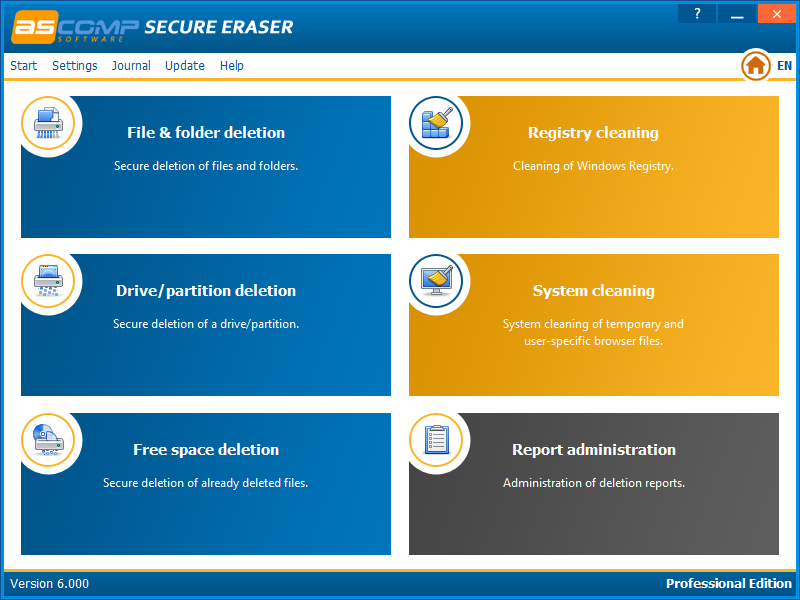
ASCOMP Secure Eraser Professional 2026 is a Windows data deletion tool designed to help users remove sensitive files and reduce the chance of recovering deleted information. Normal deletion usually removes a file’s reference rather than immediately removing all its contents. Secure Eraser uses data-erasure methods to overwrite supported storage areas and offers options for files, folders, drives, partitions, and previously deleted data. This software can be useful when you want to dispose of confidential documents, clean an old computer before selling it, or remove personal information from a storage device. It also includes system-cleaning options. However, secure deletion depends on the storage type, so users should understand its limitations before wiping important data.
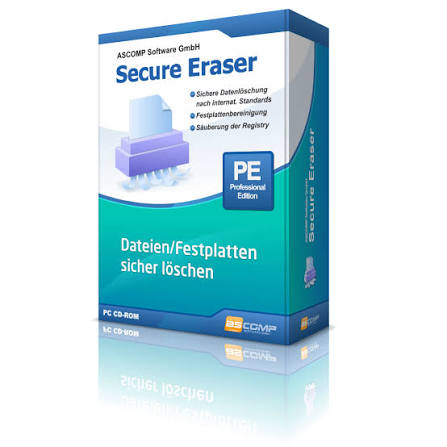
ASCOMP Secure Eraser Professional focuses on secure data removal rather than general PC optimization. Its main advantage is that it brings several deletion tasks into one Windows application. Instead of relying on the Recycle Bin or ordinary file deletion, users can select supported files or folders for secure erasure. The software also offers drive and partition wiping, along with free-space erasure for data that was deleted previously. The program includes several deletion methods, such as random-data overwriting, US Department of Defense methods, the German BSI-VSITR method, and the Peter Gutmann method. It also states that its approach follows NIST SP 800-88 guidelines. More overwrite passes do not automatically make every deletion more secure, so the right method depends on the storage device and the purpose of the erasure.
The Professional Edition is intended for users who need business-use rights and an experience without information windows. ASCOMP also offers a Standard Edition for personal use and evaluation. This makes it worth checking the edition details before installation, especially if you plan to use the software in a workplace. One important limitation concerns SSDs. Solid-state drives manage storage differently from traditional hard drives, and software cannot always overwrite the exact physical locations that previously held a file. For sensitive data on an SSD, use a suitable manufacturer-supported secure erase or sanitize feature when available. Secure Eraser is more appropriate for supported overwriting tasks than as a universal guarantee that every type of storage has been completely sanitized.
What Can You Use Secure Eraser For?
Removing confidential files: If you regularly work with private documents, customer records, or financial information, secure deletion can help reduce the risk of recovery from supported storage.
Preparing a computer for sale: Before passing a computer to another person, back up the information you need and use an appropriate method to sanitize the storage device. Deleting files individually is not the same as wiping an entire drive.
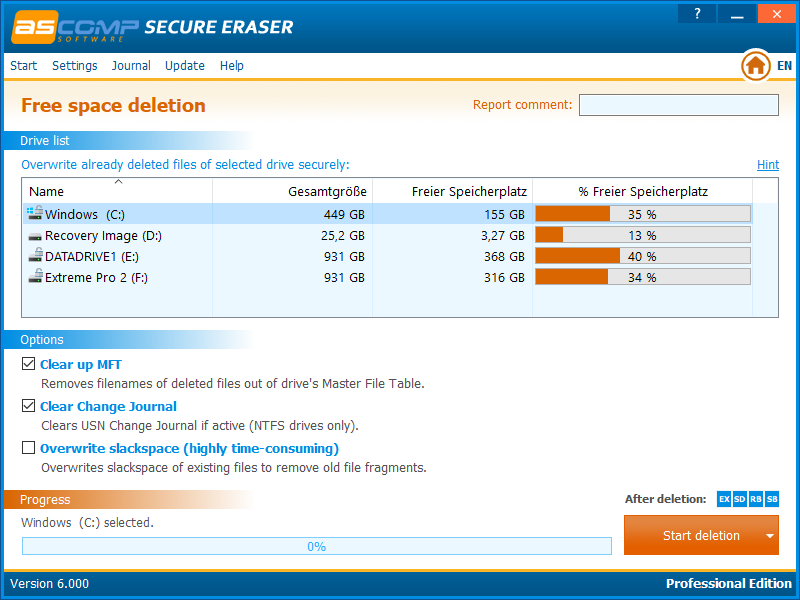
Cleaning previously deleted data: Free-space erasure can target remnants of files that were removed through normal deletion. This is particularly relevant when using traditional hard drives.
Business data handling: The Professional Edition may suit organizations that need business-use rights for routine data-erasure tasks. Organizations with formal compliance requirements should confirm that the chosen process meets their policies and applicable standards.
Key Features of ASCOMP Secure Eraser Professional
- Secure file deletion: Overwrite supported files to make ordinary recovery more difficult.
- Folder erasure: Remove sensitive folders using a secure deletion method.
- Drive and partition wiping: Erase supported storage areas when preparing a device for reuse or disposal.
- Free-space erasure: Target space left behind by files that were previously deleted.
- Multiple deletion methods: Choose among supported overwrite methods, including DoD and Gutmann options.
- NIST SP 800-88 guidance: The software advertises data-erasure methods aligned with this guidance.
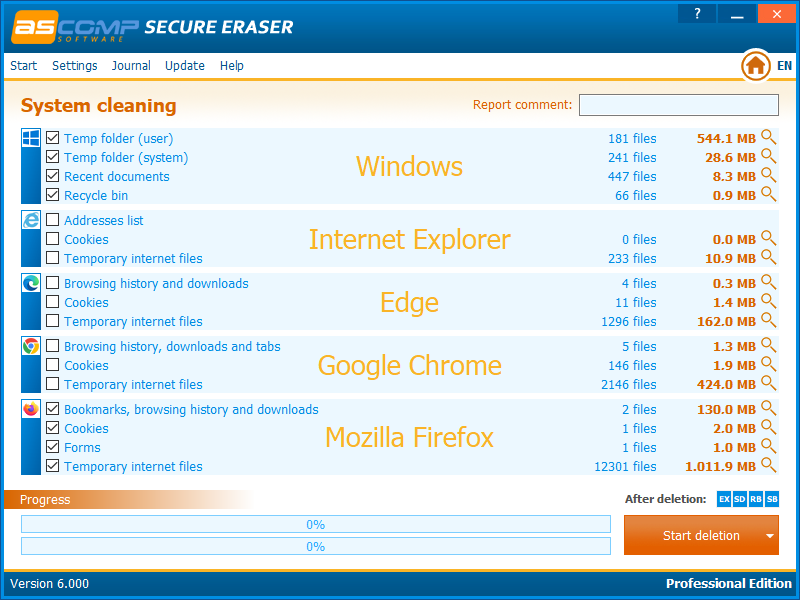
- System cleaning: Includes options for cleaning certain system areas and the registry.
- Business-use option: The Professional Edition permits business use and removes information windows.
- Windows compatibility: Supports a range of Windows desktop and Windows Server versions.
- Operation logs: Secure-erasure processes can be logged when requested.
Best Alternatives to ASCOMP Secure Eraser Professional
- BleachBit
BleachBit is a free, open-source Windows and Linux cleaner. It removes temporary files, browser traces, and other unnecessary data. It also supports file shredding and free-space wiping, making it a useful option for people who want privacy-cleaning tools without purchasing a Professional Edition.
- Eraser
Eraser is a Windows utility focused on securely overwriting files and other supported data. It may suit users who mainly need file-shredding functions rather than a broader system-cleaning interface. Check its current documentation for supported Windows versions and storage limitations.
- Microsoft Windows built-in tools
Windows includes storage-management and disk-management utilities for ordinary cleanup and drive preparation. These tools can be useful for routine maintenance, but standard file deletion or formatting should not automatically be treated as secure data sanitization.
- Manufacturer-provided SSD erase tools
For users who need to sanitize an SSD, the drive manufacturer’s supported utility or firmware-based secure erase function may be more appropriate than repeated file overwriting. Check the exact drive model and instructions before starting because the process may erase all data.
Conclusion
ASCOMP Secure Eraser Professional 2026 is worth considering if you need a dedicated Windows tool for secure file deletion, free-space erasure, and supported drive-wiping tasks. Its selection of deletion methods and business-use edition can make it useful for individuals and organizations handling sensitive information. However, it is not a replacement for a complete data-sanitization plan. SSDs, backups, cloud copies, and other storage locations require separate consideration. Back up important files before using any erasure function, verify the selected target carefully, and choose a suitable sanitization method for the storage device.
ASCOMP Secure Eraser Professional 2026 Technical Setup Details
- Software Full Name: ASCOMP Secure Eraser Professional 2026
- Setup File Name: Secure_Eraser_Professional_7.105.rar
- Setup Size: 9.5 MB
- Setup Type: Offline Installer / Full Standalone Setup
- Compatibility Mechanical: 32 Bit (x86) / 64 Bit (x64)
- Developers: ASCOMP
System Requirements for ASCOMP Secure Eraser Professional 2026
- Operating System: Windows 7/8/10
- RAM: 2 GB
- Hard Disk: 200 MB
- Processor: Intel Dual Core or higher processor
ASCOMP Secure Eraser Professional 2026 Download
Download ASCOMP Secure Eraser Professional 2026 free latest full version offline direct download link for full offline setup by clicking the button below.