Download Roxio Creator NXT Pro 2026 full latest version program free setup for Windows.
Roxio Creator NXT Pro 2026 for Windows Review
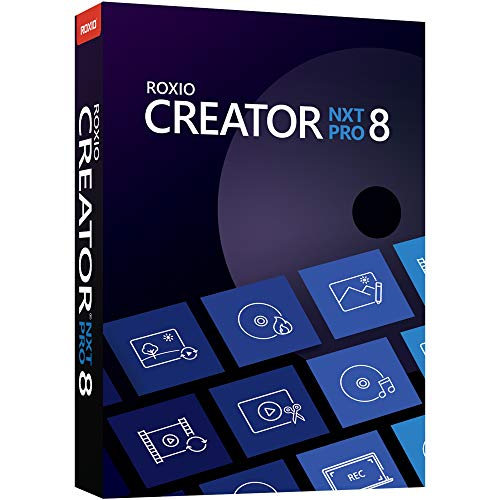
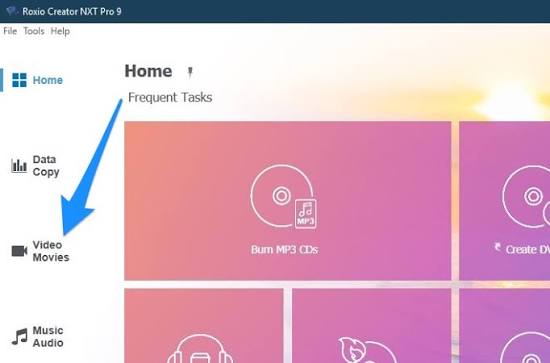
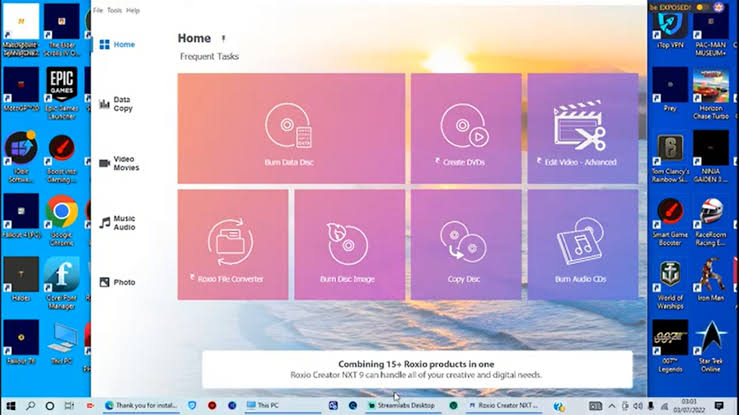
Roxio Creator NXT Pro 2026 is a multimedia software suite for Windows that brings video editing, photo enhancement, audio recording, file conversion, and disc burning tools together. It is designed for users who want to manage different types of media without installing several separate applications. You can capture videos, edit home movies, create slideshows, record your screen, prepare DVDs, and organize digital files from one collection of tools.
One important version detail is worth knowing: Roxio’s official website currently lists Creator NXT Pro 9 as its newest Pro edition. There is no separately listed Creator NXT Pro 2026 release. This review covers the current NXT Pro 9 product under the 2026 search keyword. It includes more than 25 Roxio applications and additional tools such as PaintShop Pro 2021, PhotoMirage Express, and WinZip Secure Burn 5.
Video Editing and Screen Recording
Roxio Creator NXT Pro includes VideoWave for editing and creating videos. Users can trim clips, adjust colors, add titles, apply filters, create picture-in-picture effects, and arrange multiple video tracks. It also supports split-screen layouts, motion tracking, and green-screen effects for more creative projects.
MultiCam Capture is another useful addition. It can record synchronized video and audio from multiple devices, making it suitable for tutorials, software demonstrations, presentations, and product videos. Users can then move their recordings into the editing tools to finish the project.
Photo Editing and Animation
The Pro edition includes Corel PaintShop Pro 2021 for photo correction and graphic design. It provides tools for cropping, straightening, removing unwanted objects, adjusting colors, working with layers, and applying creative effects. Corel AfterShot 3 is also included for organizing and editing photo collections, including RAW images.
PhotoMirage Express adds a different creative option by turning still pictures into animated images. Users can create movement in selected areas while keeping other parts of a photograph relatively still. These tools make the suite useful for photographers and content creators who work with both images and video.
Audio Recording and Editing
Creator NXT Pro also includes tools for capturing and editing audio. Users can import recordings from different sources, digitize LPs and cassette tapes with compatible hardware, and prepare audio for sharing or disc creation.
The audio editor provides noise reduction, time stretching, pitch scaling, and multichannel mixing. These options are useful for cleaning up recordings, adjusting audio length, and preparing music or voice content. It also supports several common formats, including MP3, WAV, WMA, AAC, and FLAC.
Disc Burning and DVD Authoring
Disc creation remains one of the main reasons to consider Roxio Creator NXT Pro. Users can burn and copy CDs and DVDs, create audio discs, and prepare DVDs with custom menus. MyDVD includes more than 100 menu templates, while its Template Designer lets users customize menu layouts, thumbnails, titles, and chapter arrangements. The Pro edition also includes WinZip Secure Burn 5 for encrypting files on discs and USB drives. This is useful when sharing personal or business files that need password protection. Blu-ray authoring requires a separate plug-in purchase, so it is not included as a standard feature.
File Conversion and Media Management
The included file converter can change video, audio, and image files into popular formats. Users can also convert video into audio or select profiles for particular devices. This is helpful when preparing media for playback, sharing, or uploading. Roxio Genie provides additional file-management tools for finding unnecessary files, organizing folders, renaming files in batches, and managing storage. The suite covers many everyday media tasks, although users who only need one specific function may find a dedicated application simpler and less demanding.
Key Features of Roxio Creator NXT Pro
- Video Editing:Edit HD videos with VideoWave, titles, filters, transitions, and picture-in-picture effects.
- Screen Recording:Capture desktop activity and create tutorials or demonstrations.
- MultiCam Capture:Record synchronized video and audio from multiple devices.
- Photo Editing:Use PaintShop Pro 2021 for image correction, graphic design, and creative effects.
- RAW Photo Management:Organize and edit photo collections with Corel AfterShot 3.
- Photo Animation:Create animated images with PhotoMirage Express.
- Audio Editing:Clean recordings with noise reduction, time stretching, and pitch scaling.
- Media Conversion:Convert video, audio, and image files into supported formats.
- DVD Authoring:Create DVDs with customizable menus, chapters, and more than 100 templates.
- CD and DVD Burning:Burn, copy, and organize supported discs.
- Secure File Burning:Protect files on discs and USB drives with WinZip Secure Burn 5.
- File Management:Use Roxio Genie to organize files and identify unnecessary data.
- Multiple Media Formats:Work with common video, audio, and image formats.
Best Alternatives to Roxio Creator NXT Pro
- Nero Platinum
Nero Platinum is a multimedia suite that combines video editing, photo management, disc burning, media conversion, and file organization. It is a suitable alternative for users who want several creative and media tools in one package. Its workflow is similar to Roxio’s all-in-one approach, although the included applications and editing features differ.
- CyberLink PowerDirector
PowerDirector is a stronger choice for users whose main priority is video editing. It provides timeline editing, effects, transitions, motion tools, and options for producing videos for online platforms. It does not offer the same complete collection of audio, photo, and disc-management tools as Roxio Creator NXT Pro, but it is more focused on video production.
- Ashampoo Burning Studio
Ashampoo Burning Studio is a practical alternative for users who mainly need disc burning, copying, backups, and disc-image management. It supports common CD, DVD, and Blu-ray tasks and offers a simpler experience than a large multimedia suite. However, it does not replace Roxio’s full collection of video, photo, and audio editing applications.
Conclusion
Roxio Creator NXT Pro 2026 for Windows is a broad multimedia package for users who want video editing, photo tools, audio recording, file conversion, and disc creation in one place. Its combination of VideoWave, MultiCam Capture, PaintShop Pro 2021, AfterShot 3, and WinZip Secure Burn 5 makes it useful for home creators, photographers, and people who regularly work with different media formats.
Its biggest advantage is the variety of tools included in one suite. However, some components are older versions, the interface may feel less modern than dedicated creative applications, and Blu-ray authoring requires an additional plug-in. If you want an all-in-one Windows media package with traditional disc-burning features, Roxio Creator NXT Pro 9 remains worth considering.
Roxio Creator NXT Pro 2026 Technical Setup Details
- Software Full Name: Roxio Creator NXT Pro 2026
- Setup File Name: Roxio_Creator_NXT_Pro_9_v22.1.244.0.rar
- Setup Size: 3.3 GB
- Setup Type: Offline Installer / Full Standalone Setup
- Compatibility Mechanical: 32 Bit (x86) / 64 Bit (x64)
- Developers: Roxio
System Requirements for Roxio Creator NXT Pro 2026
- Operating System: Windows 7/8/10
- RAM: 2 GB
- Hard Disk: 4 GB
- Processor: Intel Dual Core or higher processor
Roxio Creator NXT Pro 2026 Free Download
Download Roxio Creator NXT Pro 2026 free latest full version offline direct download link for full offline setup by clicking the button below.