Download iZotope Photon for Mac Free. It is full Latest Version setup of iZotope Photon DMG for Mac OS X.
iZotope Photon for Mac Review
iZotope Photon is an audio separation and cleanup application designed for music producers, sound editors, podcasters, and video professionals. It can take a finished audio recording and separate it into individual parts, such as vocals, drums, bass, music, dialogue, and sound effects. It can also reduce unwanted background noise and improve speech clarity.
Unlike a traditional audio editor, Photon uses machine learning models to identify different sounds within a recording. You do not need the original recording session or separate instrument tracks. You can import a finished mix, select the model that matches your task, preview the result, and export the processed audio.
Photon is available as a standalone application and an ARA2 plugin for compatible digital audio workstations. Its processing runs locally on your Mac rather than uploading recordings to a cloud service. This makes it useful for people working with private interviews, unreleased music, client recordings, and other sensitive audio material.
AI Stem Separation for Finished Music
One of Photon’s main features is its ability to separate a complete song into individual audio parts. This is helpful when you receive a finished mix but need more control over certain elements.
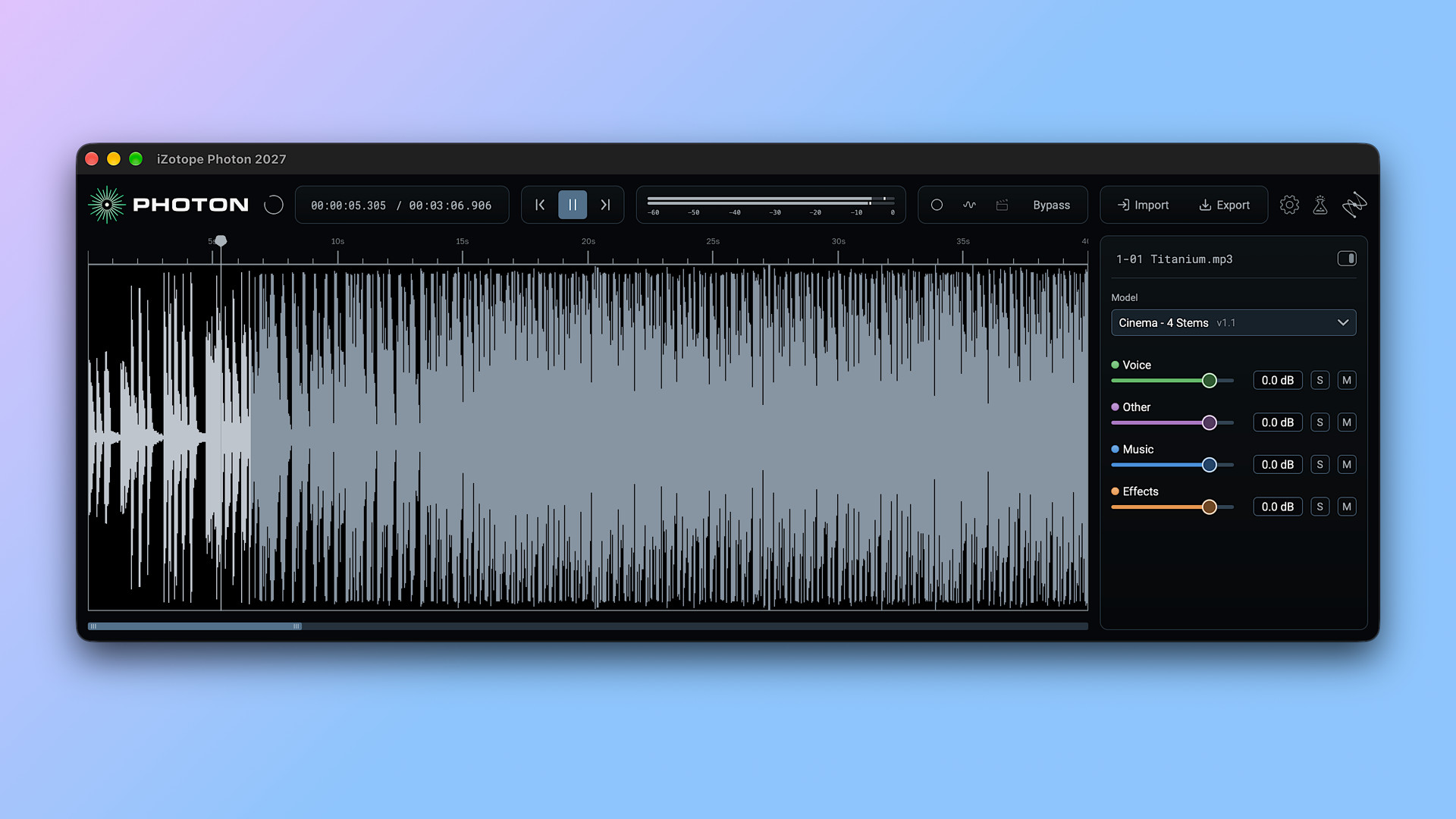
The Music 4 Stems model separates a recording into vocals, drums, bass, and other instruments. You can use these separate parts to adjust a music bed, prepare a remix, create an instrumental version, or work with individual elements without returning to the original recording session.
Photon also includes Music 4 Stems Ultra. This model is designed for situations where you need cleaner separation, particularly when a single stem will be used on its own. For example, it can help when preparing vocals for a remix or extracting an instrument for sampling.
The results still depend on the source recording. Complex arrangements, overlapping instruments, and heavily processed sounds can make separation difficult. However, having two music separation models gives you more flexibility when choosing between speed and separation quality.
Separate Drums and Individual Speakers
Photon is not limited to separating complete music mixes. Its Drums 5 Stems model divides a drum recording into kick, snare, hi-hat, toms, and cymbals.
This can be useful for producers who want to adjust a drum performance without having access to the original multitrack session. You can also extract individual drum sounds for sampling or replace parts that do not fit the rest of a production.
Another useful feature is Voice Separator. It can separate up to six speakers from a single recording and provide control over room tone and background noise. This is particularly relevant for interviews, group discussions, podcasts, and recorded meetings.
Instead of treating several people as one continuous audio track, you can work with their voices separately. That makes it easier to adjust individual speakers and prepare recordings for further editing.
Cinema 4 Stems for Video and Film Audio
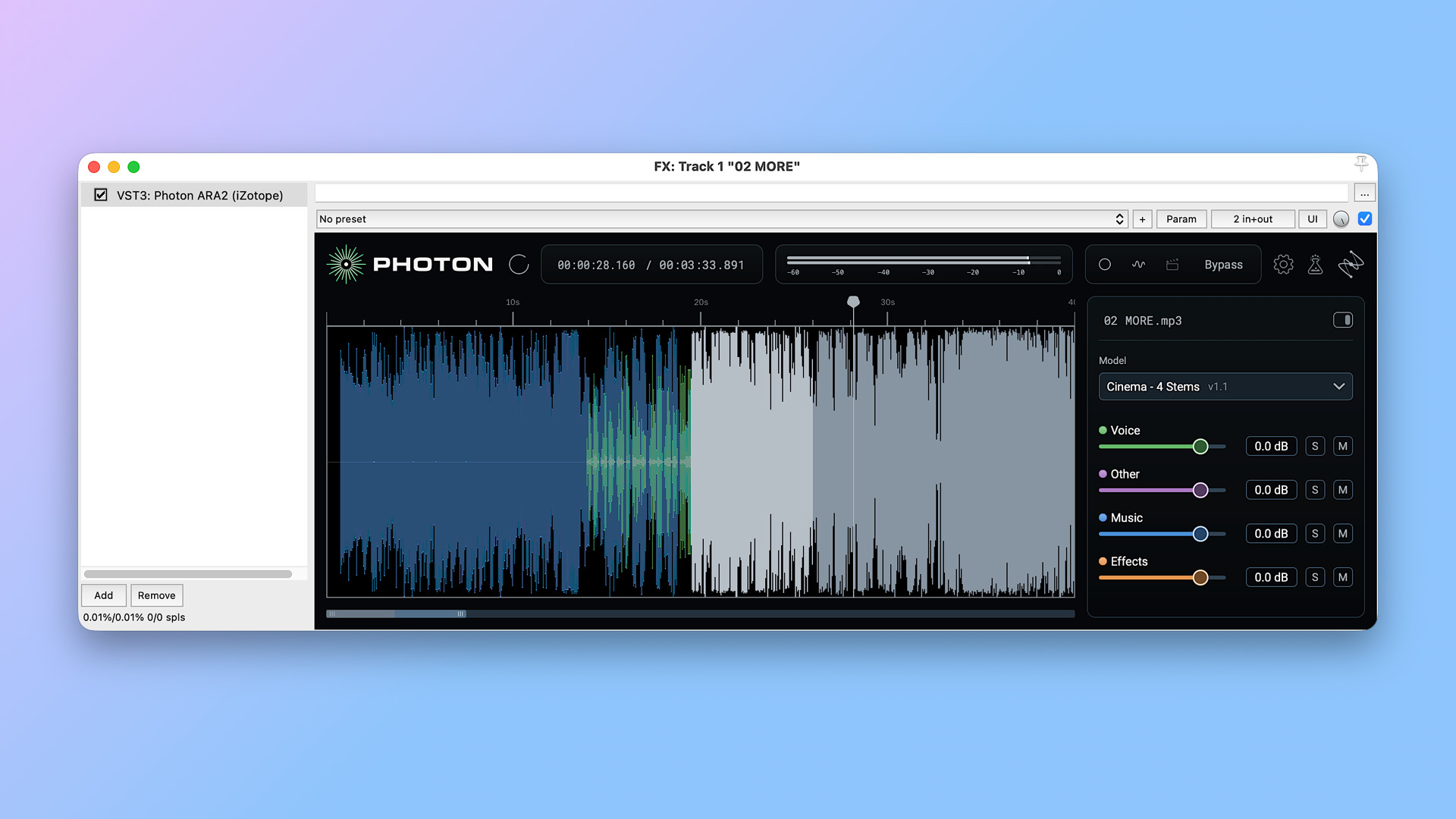
Cinema 4 Stems is designed for audio and video post-production. It separates a finished recording into dialogue, music, sound effects, and other audio elements.
This can save time when working with existing video footage. For example, an editor may need to lower background music while keeping dialogue clear, replace music in a scene, or prepare separate audio elements for a localized version of a video.
Photon can also work directly with video files. You can import supported video formats, process the audio, and export the result while keeping the original video stream. This reduces the need to move between multiple applications for basic audio adjustments.
It is not a replacement for a complete professional film mixing setup, but it provides a convenient way to access separate audio elements from a finished scene.
Voice 2 Stems for Quick Vocal Separation
Sometimes you do not need several separate tracks. You only need the vocals or instrumental part of a song. Photon includes the Voice 2 Stems model for this purpose.
It separates a recording into voice and music, making it useful for creating karaoke versions, preparing vocal practice tracks, and reducing background music under spoken content.
The workflow is straightforward. Import a recording, select Voice 2 Stems, preview the separation, and adjust the balance between the two parts. You can then export the result for use in another audio application. This model is especially useful when a full four-stem separation would be unnecessary for the task.
Denoise Models for Cleaner Recordings
Background noise is a common problem in interviews, podcasts, outdoor videos, and online recordings. Photon includes several models designed for different recording environments.
Voice Restore focuses on improving speech while addressing noise, uneven levels, microphone tone, and echo. It can help when a speaker sounds distant, muffled, or difficult to understand.
The Indoor model is intended for recordings affected by room noise and echo. Indoor Noisy is designed for more difficult indoor environments, such as busy halls or spaces with operating equipment.
For outdoor recordings, Photon offers separate Outdoor, Outdoor Traffic, and Outdoor Wind models. These target general outdoor noise, traffic sounds, and wind affecting the microphone.
Having different models for different recording conditions makes it easier to choose a suitable starting point. You do not have to rely on one general noise-removal setting for every recording.
ARA2 Plugin for Compatible DAWs
Photon can run as a standalone application, but it also offers an ARA2 plugin for supported digital audio workstations. ARA allows the plugin to access the full audio clip rather than processing only a small section in real time. This gives Photon more context when separating sounds and cleaning recordings.
The plugin is useful for producers and editors who prefer to work inside their existing projects. You can use Photon alongside your DAW timeline and compare processing results without repeatedly moving files between applications.
Supported Mac workflows include compatible ARA2 hosts such as Pro Tools, REAPER, and Cubase. However, ARA2 support depends on the DAW version and its plugin implementation, so it is worth checking compatibility before purchasing.
Local GPU Processing and Privacy
Photon runs its machine learning models locally on your computer. It uses Apple Core ML on supported Apple silicon Macs, rather than sending audio files to an online processing service. This has two practical advantages. First, your recordings remain on your device during processing. Second, you do not need to wait for cloud uploads or depend on online processing queues.
The software also includes a Model Manager. It lets you download additional models when they become available, without reinstalling the entire application. Internet access is required for the Model Manager, but the actual audio processing takes place locally.
Audio and Video Import and Export
Photon supports several common audio and video formats. You can import WAV, MP3, FLAC, AIFF, AAC, M4A, MP4, MKV, MOV, MXF, and MPG files. For audio projects, available export formats include WAV, FLAC, and MP3. When working with video, Photon can export the processed result in the source video format while keeping the original picture stream. This flexibility makes it useful for people who work across music production, podcast editing, and video post-production. You can process a recording and then move the exported files into another editing or mixing application.
Key Features of iZotope Photon
- AI-powered stem separation and audio cleanup.
- Music 4 Stems and Music 4 Stems Ultra models.
- Drums 5 Stems for separating individual drum elements.
- Voice Separator for isolating up to six speakers.
- Cinema 4 Stems for dialogue, music, and sound effects.
- Voice 2 Stems for separating vocals and music.
- Voice Restore for improving speech clarity.
- Separate noise-removal models for indoor and outdoor recordings.
- ARA2 plugin for compatible DAWs.
- Local processing using Apple Core ML on supported Macs.
- Model Manager for downloading new processing models.
- Audio and video import and export support.
Best Alternatives to iZotope Photon
- iZotope RX 12
iZotope RX 12 is a professional audio repair and restoration suite. It offers tools for removing unwanted noise, repairing damaged recordings, and improving dialogue and other audio material.
Unlike Photon, RX 12 focuses more on detailed audio repair. It is a better choice when you need to work on specific recording problems and want more control over the repair process. It also supports Intel and Apple silicon Macs, making it an option for users with older Intel systems.
- Steinberg SpectraLayers Pro 13
Steinberg SpectraLayers Pro 13 provides visual audio editing and source separation tools. It allows users to work with different sound layers and make detailed changes to individual parts of a recording.
It is worth considering if you prefer a visual editing workflow and want to work directly with separated audio layers. Photon focuses on a simpler model-based process, while SpectraLayers provides a more hands-on approach to editing.
- Hit’n’Mix RipX DAW
RipX DAW is an audio editing and separation application for musicians, producers, and remix creators. It can separate recordings into individual parts and gives users tools for editing notes and sounds within those layers.
It is a useful alternative if your main goal is to work with music, extract instruments, or change parts of an existing recording. RipX also supports older macOS versions than Photon, which may make it more suitable for some Intel Mac users.
Which Alternative Should You Choose?
The right option depends on the type of audio work you handle. iZotope RX 12 is a strong choice for detailed recording repair and restoration. SpectraLayers Pro 13 is worth considering if you prefer visual editing and direct control over separated audio layers. RipX DAW is more suitable for music-focused editing, remixing, and working with individual musical parts. Photon is a better fit when you want a straightforward workflow for separating music, cleaning speech, and processing video audio. Its collection of dedicated models covers several common production and post-production tasks in one application.
Conclusion
iZotope Photon is a useful addition to the audio production and post-production market. Its main strength is bringing stem separation, speaker isolation, and noise reduction into one straightforward application. Music producers can extract vocals, bass, and drums, while video editors and podcasters can work on dialogue and background noise without needing the original recording sessions. The standalone application makes it accessible for quick jobs, while the ARA2 plugin provides a way to use its processing inside compatible DAWs. Local processing is another advantage for users who prefer to keep their recordings on their own computers.
However, Photon is not suitable for every Mac user. It requires macOS 14 or later and an Apple silicon processor, which rules out Intel Macs. Its automated results may also need additional editing when recordings contain complex overlapping sounds. Overall, iZotope Photon is worth considering if you regularly separate finished mixes, clean dialogue, or prepare audio for video projects. It is particularly appealing to users who want several AI-powered audio tools in one application rather than managing separate programs for each task.
Technical Details
- Full Name: iZotope Photon
- Setup App File Name: iZotope Photon
- Full Application Size: 2 GB
- Latest Version: 2027.0.10
- Setup Type: AU, VST3
- Developers: iZotope
System Requirements
- Operating System: macOS 11 (Big Sur) or later
- Memory (RAM): 8 GB
- Hard Disk Space: 3.54 GB
- Processor: Apple Silicon (M1-M6 or newer) and Intel Core (64-bit)
Download iZotope Photon Latest Version Free
Click on the button below to start iZotope Photon Download for Mac OS X. This is completely Tested and Working Latest Version Mac OS App of iZotope Photon. It is offline installer and standalone setup for iZotope Photon for Apple Macintosh. We provide Resumeable single direct link iZotope Photon Download for Mac.