Download Sonic Time Decade for Mac Free. It is full Latest Version setup of Sonic Time Decade DMG for Mac OS X.
Sonic Time Decade for Mac Review
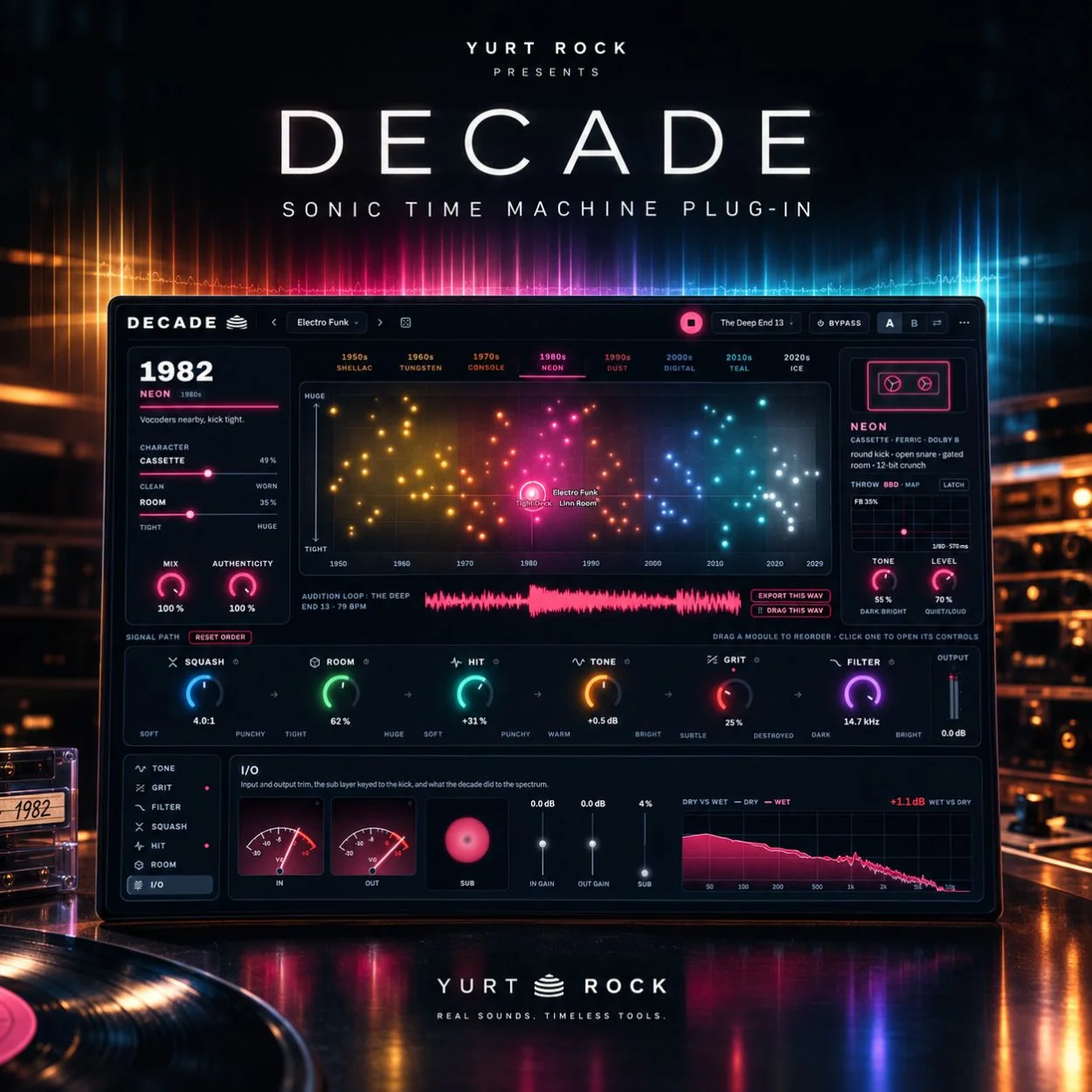
Sonic Time Decade, officially marketed as DECADE: The Sonic Time Machine by Yurt Rock, is an audio effect plugin designed to change the character of drum recordings. It lets music producers move through the sound of different recording eras, from the 1950s to modern music, using a single timeline.
Rather than simply adding a vintage filter, DECADE changes several parts of the sound together, including tone, saturation, compression, transient response, room character, and playback-format effects. This makes it useful for producers who want their drums to sound as though they belong to a particular period in music history.
The plugin is designed for Mac and works with compatible music production software. You can use it on individual drums, loops, complete drum buses, and other audio material. Its main attraction is the ability to explore different recording styles without manually building a long chain of effects.
A Timeline That Changes the Sound
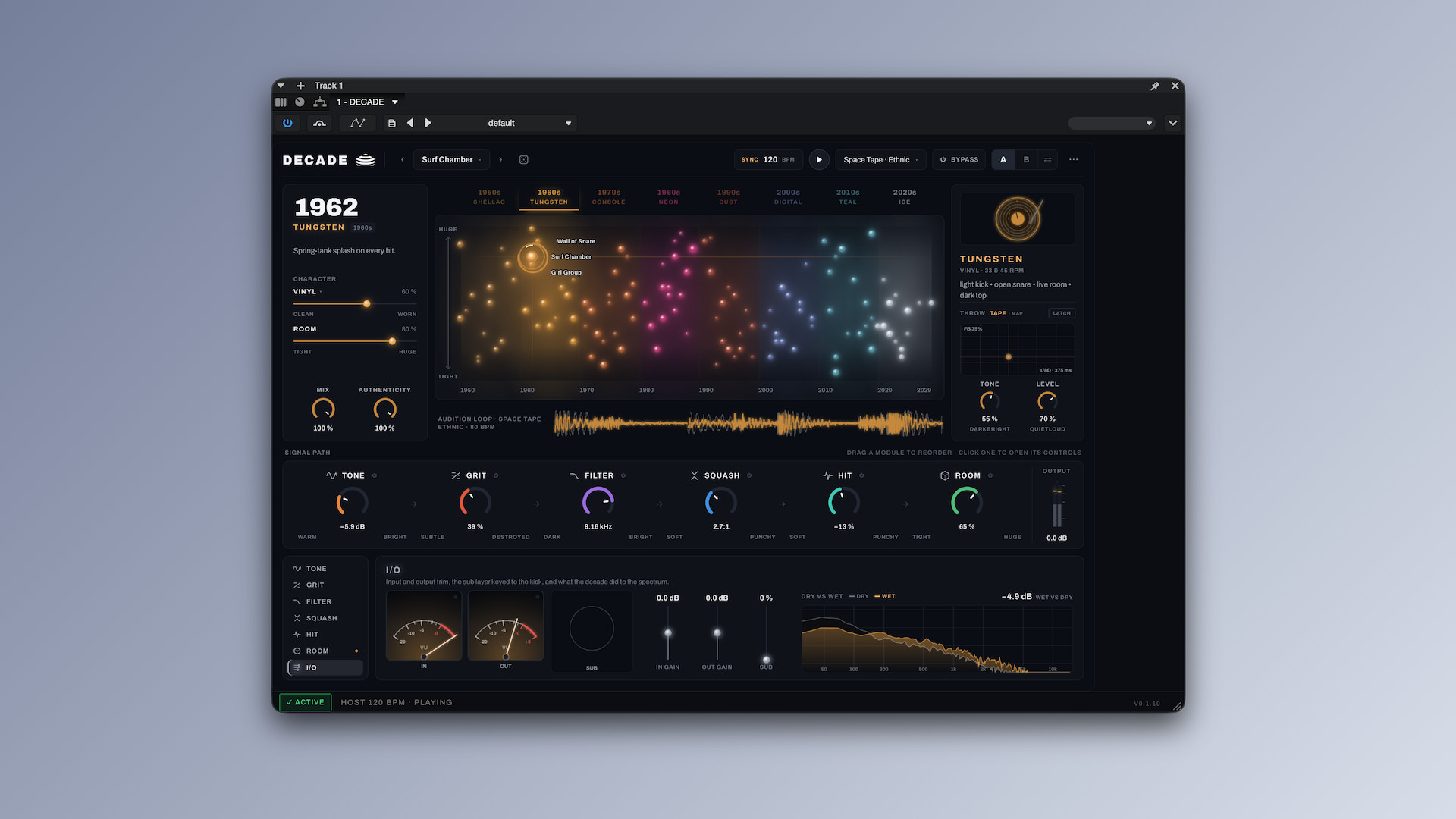
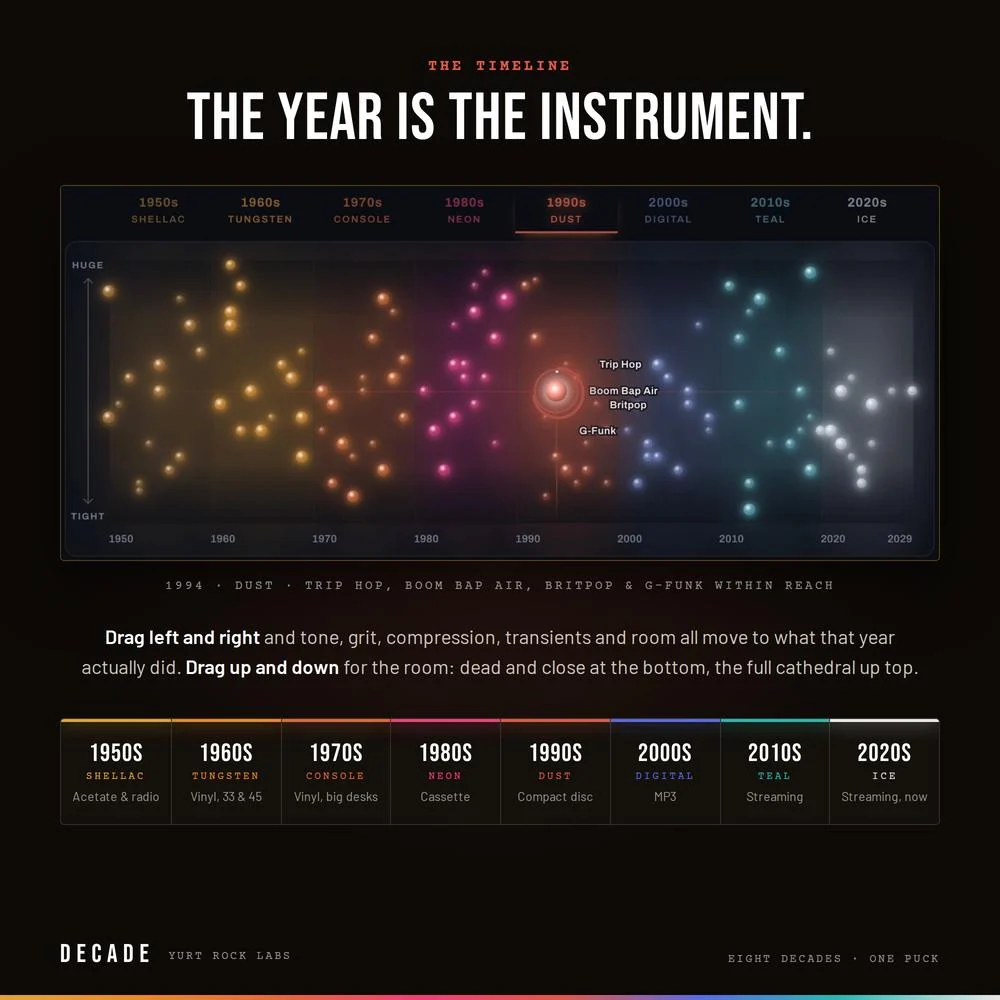
The main feature of DECADE is its timeline, which runs from 1950 to the present. Moving along it changes the processing to reflect the selected period. A drum sound associated with the 1960s can have a different character from one shaped to resemble the 1980s or early digital era.
This approach makes sound selection more interactive than browsing a collection of unrelated presets. You can move between years, listen to the differences, and choose a sound that suits your track.
For example, a clean modern drum loop can be given a warmer, older recording character, while another setting can produce a tighter, more modern sound. The result depends on the original recording and the settings, but the timeline provides a quick way to explore different directions.
Eight Decades of Drum Character
DECADE covers eight decades of recording styles. Each period combines different processing characteristics to represent how studios and listeners experienced recorded music during that time.
The plugin can alter saturation, filtering, compression, and transient shaping as you move through the timeline. These changes can affect the weight of a kick drum, the attack of a snare, and the overall texture of a loop.
This makes DECADE useful for hip-hop, boom bap, funk, pop, electronic music, and sample-based production. Producers can use it to give modern recordings a vintage character or add a specific era-inspired texture to programmed drums.
It is worth remembering that the plugin creates a modeled interpretation of recording history rather than reproducing every detail of an actual historical studio. The benefit is a practical creative tool that makes these different sounds easier to explore.
Playback-Format Emulation
DECADE also models the formats through which people heard music in different periods. Its six playback-format models cover characteristics associated with older media and modern digital playback, including vinyl, cassette, compact disc, MP3, and streaming-era sound.
Depending on the selected format, the processing can introduce effects such as noise, crackle, pitch instability, dropouts, or reduced digital detail. These elements can make a clean recording feel less polished or give a drum loop the texture of an older recording.
The playback format generally follows the selected year, but you can separate the two when you want to experiment. For example, you can combine a modern drum sound with the character of an older playback medium.
This is especially useful for producers who want more than basic distortion or a simple low-pass filter. The format layer helps create a more complete lo-fi effect.
Room Control for More Depth
DECADE includes a room control that changes the perceived acoustic space around the drums. You can move from a tight, close sound toward a larger and more reverberant room character.
This helps you shape the atmosphere of a drum recording without opening a separate reverb plugin for every adjustment. A small, controlled room can work well for punchy drum parts, while a larger space can add depth and drama.
The room setting also works alongside the timeline, so the overall sound reflects the selected era. However, it should not be treated as a full replacement for a dedicated room simulator when precise acoustic control is required.
An Editable Eight-Stage Processing Rack
Although the timeline provides a fast way to change the sound, DECADE also gives you direct access to its processing stages. Its eight-module rack lets you adjust individual processors and change their order.
This is important because different drum recordings respond differently to saturation, filtering, compression, and transient shaping. If the automatic settings are close to what you want but not quite right, you can refine the result manually.
You can also blend the era-based processing with the original sound using the available mix controls. This helps preserve some of the original drum attack while adding vintage character.
The combination of automatic processing and manual controls makes DECADE suitable for both quick results and more detailed sound shaping.
Presets and Visual Feedback
DECADE includes 120 presets spread across its timeline, along with an experimental collection for more unusual effects. The presets provide starting points for different styles, from vintage-inspired drum sounds to modern, heavily processed textures.
A live analyzer compares the original and processed signals. This helps you see how the plugin changes the sound rather than relying only on what you hear.
The presets are useful when you want to start quickly, while the editable rack gives you room to develop your own settings. This balance makes the plugin accessible without limiting it to preset-based use.
Workflow and Everyday Use
DECADE is designed primarily for drum processing, so its controls are organized around changing the character of an existing recording. You do not need to load a special drum library or replace your existing samples. You can insert the plugin on a single snare, a loop, or a complete drum bus and explore the timeline until you find a suitable character. It can also be used creatively on other audio sources, although its main design focus is drums. The main limitation is that its range of effects is centered on era-based processing. If you need a large collection of different guitar amplifiers, complex reverbs, or general-purpose effects, you will still need other plugins.
Key Features of Sonic Time Decade
- Timeline-based sound processing from 1950 to the present.
- Eight decades of recording-inspired drum character.
- Six playback-format models for different media styles.
- Adjustable room character, from close and dry to large and spacious.
- Eight editable and reorderable processing modules.
- Saturation, filtering, compression, and transient shaping.
- 120 presets across different eras, plus experimental options.
- Mix controls for balancing processed and original audio.
- Live analyzer for comparing dry and processed signals.
- AU, VST3, AAX, and standalone formats for supported systems.
Best Alternatives to Sonic Time Decade
- XLN Audio RC-20 Retro Color
RC-20 Retro Color is a strong alternative for producers who want to add vintage character, noise, wobble, distortion, and other imperfections to audio. It is useful for drums, samples, keyboards, and complete musical parts.
Unlike DECADE, RC-20 focuses on combining several types of retro processing through dedicated effect modules rather than mapping a timeline to recording eras. It is a good option if you want direct control over individual effects and enjoy building lo-fi textures by hand.
- iZotope Vinyl
iZotope Vinyl is a useful option for adding the character of old records to audio. It focuses on vinyl-style noise and imperfections, making it suitable for dusty drum loops, sampled instruments, and vintage-inspired beats.
It is simpler and more specialized than DECADE. If your main goal is to add record noise and a worn vinyl character, Vinyl may be enough. However, it does not offer DECADE’s complete timeline-based processing of different recording eras.
- Baby Audio Super VHS
Super VHS is designed to add the character of vintage digital and analog-style equipment to audio. Its effects can help create lo-fi textures, softened sounds, and nostalgic production styles.
It is worth considering for synths, keys, drums, and other musical elements that need a deliberately imperfect character. Compared with DECADE, Super VHS takes a more effect-focused approach and does not organize its processing around a timeline covering eight decades.
Which Alternative Should You Choose?
Choose Sonic Time Decade if you want to explore recording eras through one timeline and apply coordinated processing to your drums. Choose RC-20 Retro Color for flexible retro effects, iZotope Vinyl for a focused vinyl sound, or Baby Audio Super VHS for lo-fi textures inspired by older electronic equipment.
Conclusion
Sonic Time Decade is a creative drum-processing plugin for Mac producers who want to explore the sound of different recording eras without assembling a complicated effects chain. Its timeline, playback-format models, room control, editable processing rack, and preset library make it useful for vintage-inspired beats, lo-fi production, and modern drum sound design. Its biggest advantage is the way several processing stages respond together to the selected era. Its main limitation is that it is specialized for drum and audio processing rather than serving as a complete production suite. If you want to reshape your existing drums with the character of different decades, DECADE is worth considering. If you only need vinyl noise or a few lo-fi effects, a simpler alternative may be sufficient.
Technical Details
- Full Name: Sonic Time Decade
- Setup App File Name: Sonic Time Decade
- Full Application Size: 155 MB
- Latest Version: 0.1.10
- Setup Type: AU, VST3
- Developers: Sonic Time
System Requirements
- Operating System: macOS 11 (Big Sur) or later
- Memory (RAM): 4/8 GB
- Hard Disk Space: 209.4 MB
- Processor: Apple Silicon (M1-M6 or newer) and Intel Core (64-bit)
Download Sonic Time Decade Latest Version Free
Click on the button below to start Sonic Time Decade Download for Mac OS X. This is completely Tested and Working Latest Version Mac OS App of Sonic Time Decade. It is offline installer and standalone setup for Sonic Time Decade for Apple Macintosh. We provide Resumeable single direct link Sonic Time Decade Download for Mac.