Download AI Upscaler Studio 2026 full latest version free setup for Windows. AI Upscaler Studio 2026 is a powerful image enhancement tool that uses AI to increase image resolution, restore sharpness, and improve the clarity of blurry, pixelated, or low-resolution images with precision.
AI Upscaler Studio 2026 Review
Low-resolution images are a common problem. A photo looks fine on your phone screen. But the moment you try to print it on a poster or banner, it falls apart. The edges get soft. The details disappear. Traditional resizing tools make this worse. They simply stretch the existing pixels. The result is a blurry, unusable image. Online upscalers seem like a quick fix. But they come with serious drawbacks. You have to upload your private images to a remote server. File size limits apply. Quality is often inconsistent. For photographers, designers, and print sellers, none of that is acceptable. AI Upscaler Studio 2026 solves this problem directly. It runs entirely on your own computer. No uploads. No internet required for processing. Your files stay private and fully under your control.
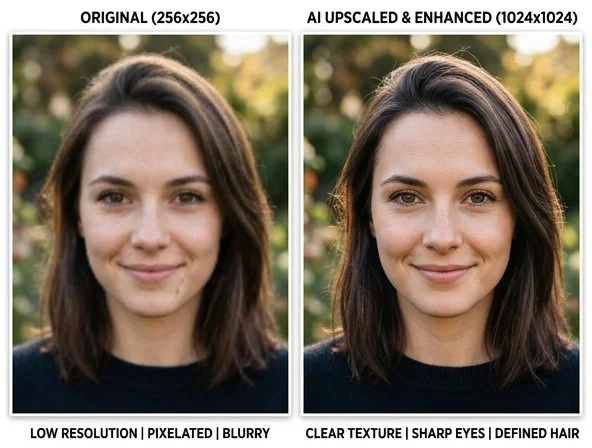
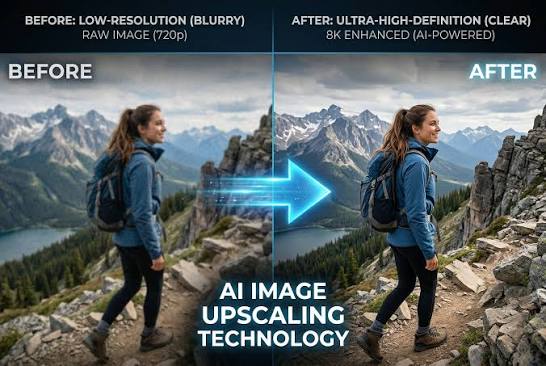
The software uses AI to analyze image content deeply. It does not just stretch pixels. It predicts what the missing details should look like. It then reconstructs realistic edges, skin textures, and fine details. The result is a clean, sharp image at up to 4x the original resolution. What makes AI Upscaler Studio 2026 stand out is its content-aware AI models. It does not apply one generic filter to every image. It offers dedicated models for photography, digital art, anime, and text. Each model is trained for that specific content type. This means a product photo is processed differently from an anime illustration or a scanned document. The software is also built for print. It upscales artwork to exact print dimensions. It embeds the correct DPI information directly into the output file.
This makes it ready for posters, stickers, banners, and large-format printing without any extra steps.Transparent PNG files are handled cleanly too. Most tools damage the alpha channel during upscaling. AI Upscaler Studio 2026 processes it separately. Logos, icons, and stickers keep their clean edges and stay professional quality after upscaling.For users with large image collections, batch processing removes the bottleneck. You can queue hundreds or thousands of images at once. The software processes them all and saves you hours of manual effort. AI Upscaler Studio 2026 is built for photographers who need print-ready output, designers working with logos and transparent files, digital artists upscaling illustrations, content creators preparing visuals for large displays, and print sellers who need consistent high-resolution results at scale.
AI Upscaler Studio 2026 Key Features
- Increases image resolution up to 4x using deep AI analysis and detail reconstruction
- Dedicated AI models for photography, digital art, anime, and text content types
- Restores realistic edges, skin textures, and fine details in low-resolution or blurry images
- Processes the alpha channel separately to keep clean edges in transparent PNG files
- Upscales artwork to exact print dimensions with correct DPI embedded in the output file
- Batch processing support to upscale hundreds or thousands of images in one run
- Built-in image editor with cropping, filters, finetune, annotation, stickers, and frames
- Supports JPEG, PNG, GIF, WEBP, HEIC, and other popular image formats
- Fully offline and local — no uploads, no account, no internet required
- Simple interface suitable for beginners and professional users alike
AI Upscaler Studio 2026 Technical Setup Details
- Software Full Name: AI Upscaler Studio 2026
- Setup File Name: AI_Upscaler_Studio_v1.0.3.rar
- Setup Size: 2.5 GB
- Setup Type: Offline Installer / Full Standalone Setup
- Compatibility Mechanical: 32 Bit (x86) / 64 Bit (x64)
- Developers: AI Upscaler
System Requirements for AI Upscaler Studio 2026
- Operating System: Windows 7/8/10
- RAM: 8 GB
- Hard Disk: 4 GB
- Processor: Intel Core i5 or higher processor
Frequently Asked Questions
What is AI Upscaler Studio 2026?
AI Upscaler Studio 2026 is a desktop image enhancement tool for Windows. It uses AI to increase image resolution up to 4x. It restores sharpness, reconstructs fine details, and supports dedicated models for photos, digital art, anime, and text. Everything runs locally with no uploads required.
Does AI Upscaler Studio work without internet?
Yes. The software runs fully offline on your own computer. No files are sent to any server. No account or internet connection is needed during processing. Your images stay completely private.
What image formats does it support?
AI Upscaler Studio 2026 supports JPEG, PNG, GIF, WEBP, and HEIC. It covers most popular image formats used by photographers, designers, and content creators.
Can it process multiple images at once?
Yes. AI Upscaler Studio 2026 includes batch processing. You can queue hundreds or thousands of images in a single run. This saves significant time for users working with large collections or high-volume print orders.
Is it good for print output?
Yes. The software is designed with printing in mind. It upscales images to exact print dimensions and embeds the correct DPI information into the output file. This makes the result ready for posters, banners, stickers, and large-format printing without extra steps.
Does it handle transparent PNG files?
Yes. AI Upscaler Studio 2026 processes the alpha channel separately during upscaling. Logos, icons, stickers, and other transparent artwork keep their clean edges and professional quality after the upscale.
Who is AI Upscaler Studio 2026 for?
It is built for photographers, graphic designers, digital artists, content creators, and print sellers. Anyone who needs sharp, high-resolution output from low-quality or compressed source images will benefit from this tool.
AI Upscaler Studio 2026 Free Download
Download AI Upscaler Studio 2026 free latest full version for Windows by clicking the button below. Full offline installer standalone setup for 32-bit and 64-bit Windows.