Download ChapterForge 2026 full latest version free setup for Mac and Windows. ChapterForge 2026 is a powerful audiobook creation tool that converts MP3 files into clean, chapter-based M4B audiobooks with embedded metadata, cover art, and full chapter navigation support.
ChapterForge 2026 Review
Managing an audiobook collection is frustrating when files are split across dozens of loose MP3 folders. There are no chapters. No metadata. No cover art. And playing them on Apple Books or Audiobookshelf feels broken. Most users try online converters, but those require uploading private audio to a remote server. Others try FFmpeg or m4b-tool, but that means learning terminal commands and writing configuration files. Neither option is practical for regular use. ChapterForge 2026 solves this problem directly. It is a native desktop application for Mac and Windows. It takes a folder of MP3 files and builds a single M4B audiobook file from them. The output includes proper chapter markers, embedded metadata, and cover art. It plays correctly in Apple Books, Audiobookshelf, and any MPEG-4 audio player that supports chapter navigation. Everything stays on the user’s machine.
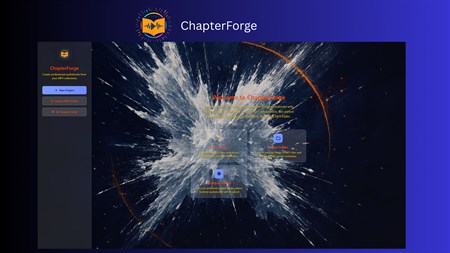
ChapterForge does not upload audio, require an account, or depend on a cloud service. FFmpeg is bundled inside the application. There is nothing extra to install or configure. Users import their files, review chapters, edit metadata, and export a finished audiobook in a few clicks. ChapterForge 2026 is built for audiobook collectors with large MP3 libraries, independent authors and narrators producing audiobook releases, podcast archivists consolidating episode series, students organizing lecture recordings, and content creators building permanent local libraries. If the workflow involves repeated file intake, batch conversion, or large-scale library management, ChapterForge is designed for exactly that type of work.
The batch queue is one of the strongest features in this release. Users can process up to 4 audiobook projects at the same time. Priority levels control which projects convert first. The queue survives app closures and system reboots. Crash recovery means a power outage does not lose work in progress. For serious collectors converting hundreds of files, this level of control makes a real difference in both speed and reliability.
ChapterForge 2026 Key Features
- Converts MP3 folders into chapter-based M4B audiobooks with metadata and cover art
- Merges multiple M4B files into one continuous audiobook without re-encoding source audio
- Smart Auto-Import scans libraries, groups files by tags and folder structure automatically
- Batch queue processes up to 4 audiobook projects simultaneously with priority control
- Precision Chapter Editor for drag-and-drop reordering and per-chapter metadata editing
- Bulk metadata editor applies changes to selected chapters or all chapters in one pass
- Find-and-replace tool cleans up chapter titles across the entire project instantly
- Watch folder workflow monitors a folder and auto-imports new audio files (Mac)
- Six preset bitrate options from 64k to 320k, plus Copy mode to preserve original quality
- Saves projects with all edits, chapter order, output settings, and folder paths intact
- Audio validation flags problem files before conversion rather than failing silently
- Built-in audio player to preview chapters inside the app before exporting
- Embeds cover art from source files or folder images into the finished M4B automatically
ChapterForge 2026 Technical Setup Details
- Software Full Name: ChapterForge 2026
- Setup File Name: ChapterForge_v1.0.23.1.rar
- Setup Size: 711 MB
- Setup Type: Offline Installer / Full Standalone Setup
- Compatibility Mechanical: 32 Bit (x86) / 64 Bit (x64)
- Developers: ChapterForge
System Requirements for ChapterForge 2026
- Operating System: Windows 7/8/10
- RAM: 4 GB
- Hard Disk: 1 GB
- Processor: Intel Dual Core or higher processor
Frequently Asked Questions
What is ChapterForge 2026?
ChapterForge 2026 is a desktop application for Mac and Windows that converts folders of MP3 files into chapter-based M4B audiobooks. It also merges multiple M4B files into a single continuous file with no audio quality loss.
Does ChapterForge work on Windows?
Yes. ChapterForge 2026 is available on Windows 10 and Windows 11 via the Microsoft Store. It includes Smart Auto-Import, batch queue processing, and concurrent conversion support.
Does ChapterForge work on Mac?
Yes. ChapterForge is available on macOS via the Apple App Store. The Mac version includes watch folder automation and lossless M4B merge workflow.
Does ChapterForge upload my audio files?
No. ChapterForge processes everything locally on the device. No audio is uploaded. No account is required. No cloud service is involved at any point.
Does ChapterForge require FFmpeg to be installed separately?
No. FFmpeg ships bundled inside the ChapterForge application. There is nothing extra to download or configure.
What format does ChapterForge output?
ChapterForge outputs M4B files in QuickTime-compatible chapter format. These play natively in Apple Books, Audiobookshelf, and any MPEG-4 audio player that supports chapter navigation.
Can ChapterForge merge M4B files without losing quality?
Yes. When merging existing M4B files, ChapterForge preserves the original audio without re-encoding. Source quality is kept completely intact.
How many audiobooks can ChapterForge process at once?
The batch queue supports concurrent processing of up to 4 audiobook projects at the same time. Priority levels control the order. The queue persists through app closures and system reboots.
ChapterForge 2026 Free Download
Download ChapterForge 2026 free latest full version for Mac and Windows by clicking the button below.