Download Wittytool Data Recovery 8 full latest version free setup for Windows. Wittytool Data Recovery 2026 is a reliable data recovery application that restores deleted, formatted, corrupted, or lost files from a wide range of storage media, with no cloud upload required.
Review of Wittytool Data Recovery 2026
Wittytool Data Recovery 2026 is a complete file recovery tool for Windows. It runs entirely on your own computer. The software scans your storage device, finds recoverable files, and lets you restore them to a safe location. Most people lose files in simple, painful ways. A folder gets deleted by mistake. A memory card gets formatted before the photos are backed up. A drive turns RAW and will not open at all. A virus wipes out a project folder overnight. These moments cause real stress, especially when the files cannot be replaced. Wittytool Data Recovery 2026 is built to solve exactly these problems. It supports internal drives, external hard drives, USB flash drives, SD cards, and even BitLocker-encrypted volumes. It works across all major Windows file systems, so the type of drive or its format rarely becomes a blocker. The software is read-only during scanning, so it never writes over your existing data while it searches for lost files.
Two Scan Modes for Different Situations
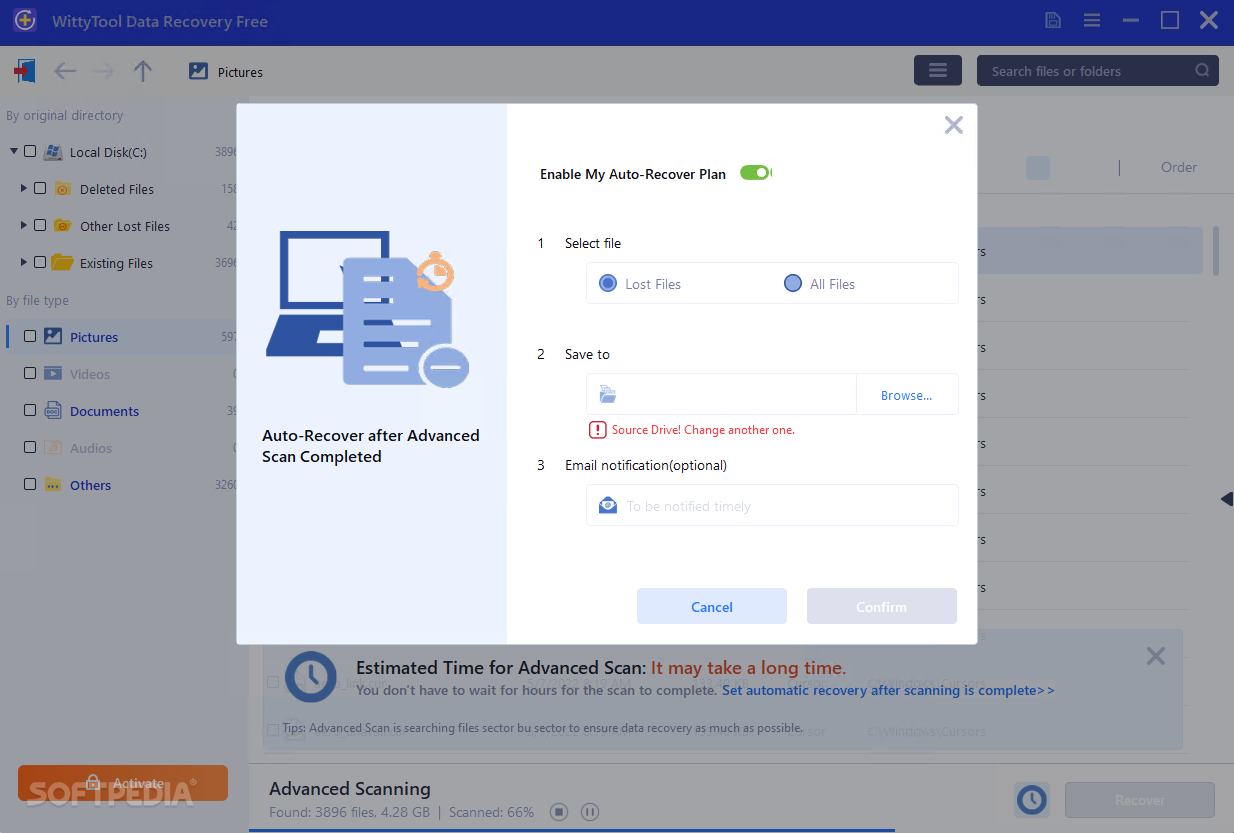
Wittytool Data Recovery 2026 offers two scan modes. Standard Scan is the fast option. It quickly locates and recovers files that were deleted or lost recently. Advanced Scan is the deeper option. It performs a sector-by-sector scan of the entire drive to recover files that were lost a long time ago or even overwritten. Choosing the right mode saves time. Use Standard Scan first for a quick win. Switch to Advanced Scan if the files you need are not found right away.
Recovers Over 1,000 File Types
The software detects more than 1,000 file types during a scan. This includes RAW photos, complex video formats, office documents, emails, and compressed archives like ZIP and RAR. Whether you lost family photos, a work document, or an entire folder of project files, the scanning engine is built to find and rebuild them.
Works With RAW and Inaccessible Drives
A drive that has turned RAW is one of the most stressful data loss situations. Windows cannot open it. It asks you to format it just to use it again. Wittytool Data Recovery can recover data from drives that have become RAW due to partition corruption or other errors, without requiring a format first.
NAS and BitLocker Support
Wittytool Data Recovery also supports NAS data recovery, and it can do this without requiring physical disassembly of the storage device. This is useful for users who rely on network storage for backups and shared files. The software also supports BitLocker-encrypted and accidentally formatted drives, recovering data with proper authentication.
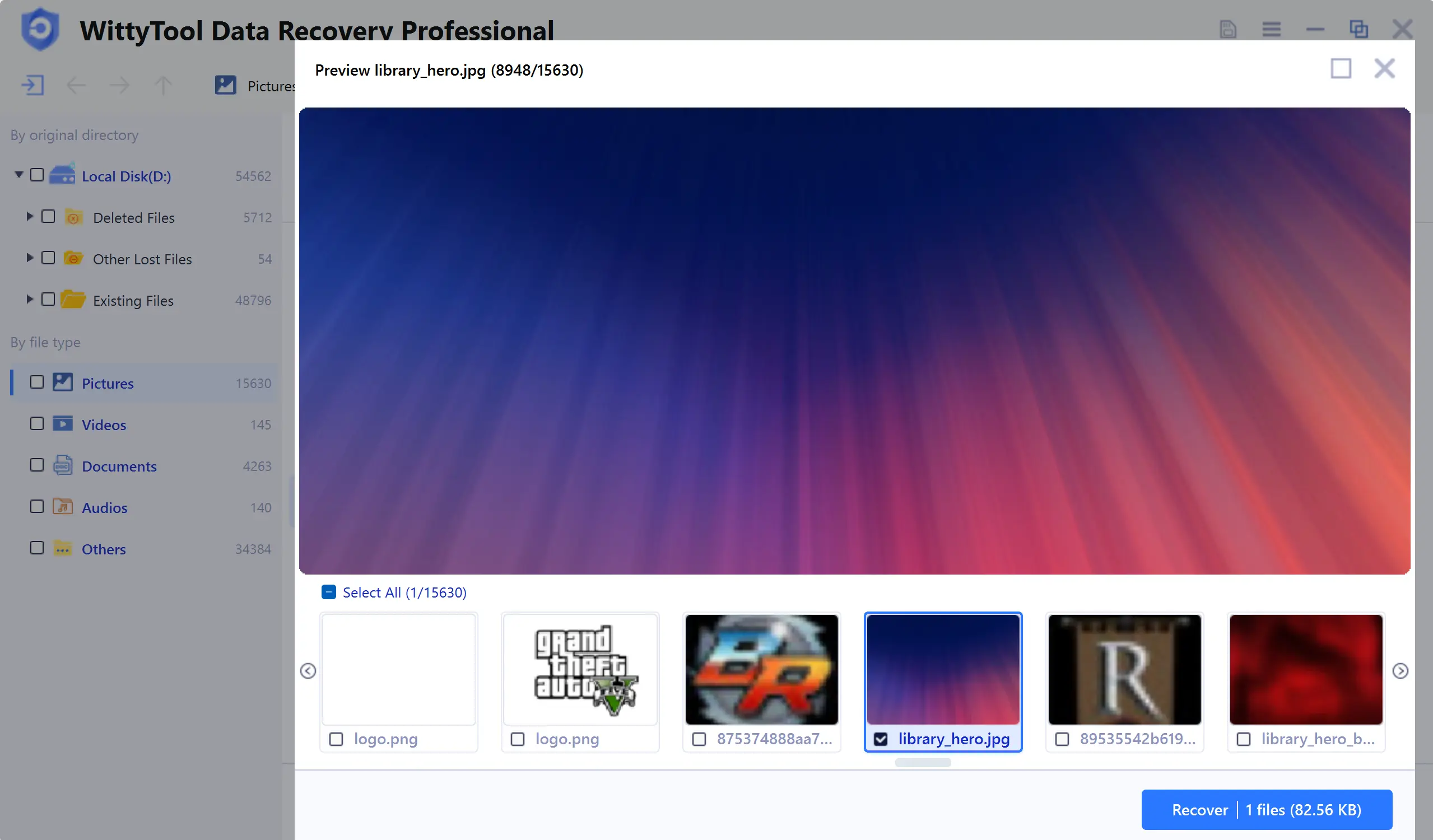
Preview Files Before You Recover
Before committing to a recovery, you can preview the files the scan has found. This confirms you are recovering the right files before using any storage space. The software also lets you filter results by file type, size range, creation date, or keyword, which cuts down the time spent digging through a large scan result.
Pause, Resume, and Export Scan Results
Large drives can take time to scan fully. Wittytool Data Recovery allows users to pause and resume scans, and to import or export scan results. This is useful if you need to stop a scan partway through and continue later without starting over.
Built-In Disk Repair Tools
Beyond recovering files, the software includes disk repair utilities. These help fix disk errors, improve drive health, and resolve issues like a drive not showing up at all. This means Wittytool Data Recovery can often fix the underlying drive problem at the same time it recovers your files.
Simple Workflow for All Skill Levels
The software follows a three-step workflow: select the location, scan, and recover. The interface is clean and guided, so beginners can complete a recovery within minutes. At the same time, the filtering options and dual scan modes give more experienced users the control they need for harder recovery cases.
Key Features of Wittytool Data Recovery 2026
- Recovers deleted, formatted, corrupted, or lost files from a wide range of storage media
- Two scan modes: Standard Scan for quick recovery and Advanced Scan for deep sector-by-sector scanning
- Detects more than 1,000 file types including RAW photos, videos, documents, emails, and archives
- Supports FAT16, FAT32, exFAT, NTFS, NTFS5, EXT2, EXT3, and EXT4 file systems
- Recovers data from inaccessible RAW drives caused by partition corruption
- Works with internal drives, USB drives, SD cards, external HDDs, virtual disks, and BitLocker-encrypted volumes
- Supports NAS data recovery without physical disassembly of the device
- Preview recoverable files before restoring, with filters by type, size, date, and keyword
- Pause and resume scans, and import or export scan results
- Read-only recovery process that does not overwrite existing data
- Built-in disk repair tools to fix drive errors during recovery
- Runs smoothly even on legacy hardware with minimal RAM or storage
Technical Setup Details for Wittytool Data Recovery 2026
- Software Full Name: Wittytool Data Recovery 2026
- Setup File Name: Wittytool_Data_Recovery_v8.0.rar
- Setup Size: 63 MB
- Setup Type: Offline Installer / Full Standalone Setup
- Compatibility Mechanical: 32 Bit (x86) / 64 Bit (x64)
- Developers: Wittytool
System Requirements for Wittytool Data Recovery 2026
- Operating System: Windows 7/8/10
- RAM: 1 GB
- Hard Disk: 200 MB
- Processor: Intel Dual Core or higher processor
Frequently Asked Questions
Is Wittytool Data Recovery 2026 free?
A free version is available and allows up to 500 MB of recovery. The Pro plan removes this limit and provides unlimited restoration along with additional features.
What file types can Wittytool Data Recovery find?
The scanning engine detects more than 1,000 file types. This includes RAW photos, complex video formats, office documents, emails, and compressed archives such as ZIP and RAR files.
Can Wittytool Data Recovery fix a RAW drive?
Yes. It can recover data from drives that have become RAW due to partition corruption or other errors, without requiring you to format the drive first.
Does Wittytool Data Recovery work with BitLocker drives?
Yes. It supports BitLocker-encrypted volumes and can recover data from BitLocker-encrypted or accidentally formatted drives with proper authentication.
Will scanning overwrite my existing files?
No. The recovery process is read-only. This ensures no existing data is overwritten while the software scans your drive for recoverable files.
Which Windows versions are supported?
Wittytool Data Recovery supports Windows 7, Windows 8, Windows 10, Windows 11, and Server editions.
Can it recover files from a NAS device?
Yes. The software supports NAS data recovery without requiring physical disassembly of the storage device.
Does it also repair disk errors?
Yes. Built-in disk repair tools help fix disk errors, improve drive health, and resolve issues like a drive not showing up, alongside the file recovery process.
Download Wittytool Data Recovery 2026 Free
Click the button below to start the Wittytool Data Recovery 2026 download. This is the full latest version offline installer for 32-bit and 64-bit Windows.