Download Fast Video Cutter Joiner 7.12 full latest version free setup for Windows. Fast Video Cutter Joiner 2026 is a lightweight tool for cutting, trimming, splitting, and joining video files. It is built for users who need quick edits without opening a full video editing suite.
Review of Fast Video Cutter Joiner 2026
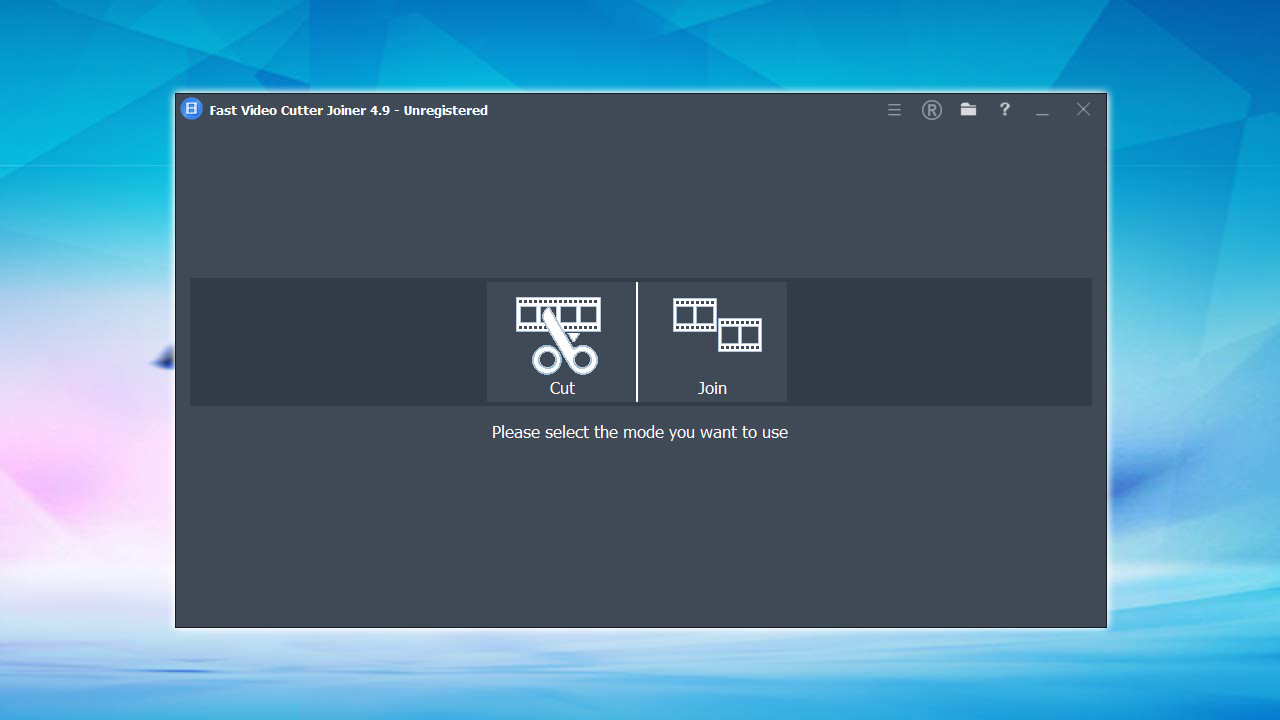
Fast Video Cutter Joiner 2026 is a 2-in-1 video tool made by XiangJi Software Studio. It cuts and trims video files, and it joins multiple clips into one file. The program uses hardware-accelerated H.264 encoding through NVIDIA, Intel, and AMD GPUs. This makes cutting and joining videos fast, even on longer files. Most people do not need a full editing suite for everyday video tasks. You may have a long screen recording, a Zoom call, or a phone video. You just want to remove the boring parts or join a few clips together. Opening Premiere Pro or DaVinci Resolve for this is slow and overkill, especially on an older PC. Fast Video Cutter Joiner solves this. It gives you a small, focused tool for exactly this job.
The program supports Windows 7, 8, 10, and 11. It works with AVI, MP4, MOV, M4V, MKV, MPEG, VOB, FLV, WMV, TS, and 3GP files. It is available as a standard installer and as a portable version that needs no installation. It is also listed on Steam, which adds an extra layer of trust for users who want a verified source. Fast Video Cutter Joiner 2026 is built around two core jobs: cutting video and joining video. Both tools live in one simple interface. The current version is 7.1.3 for the portable build and 7.1.2 for the installer, released between May and June 2026.

Cutting and Trimming Tools
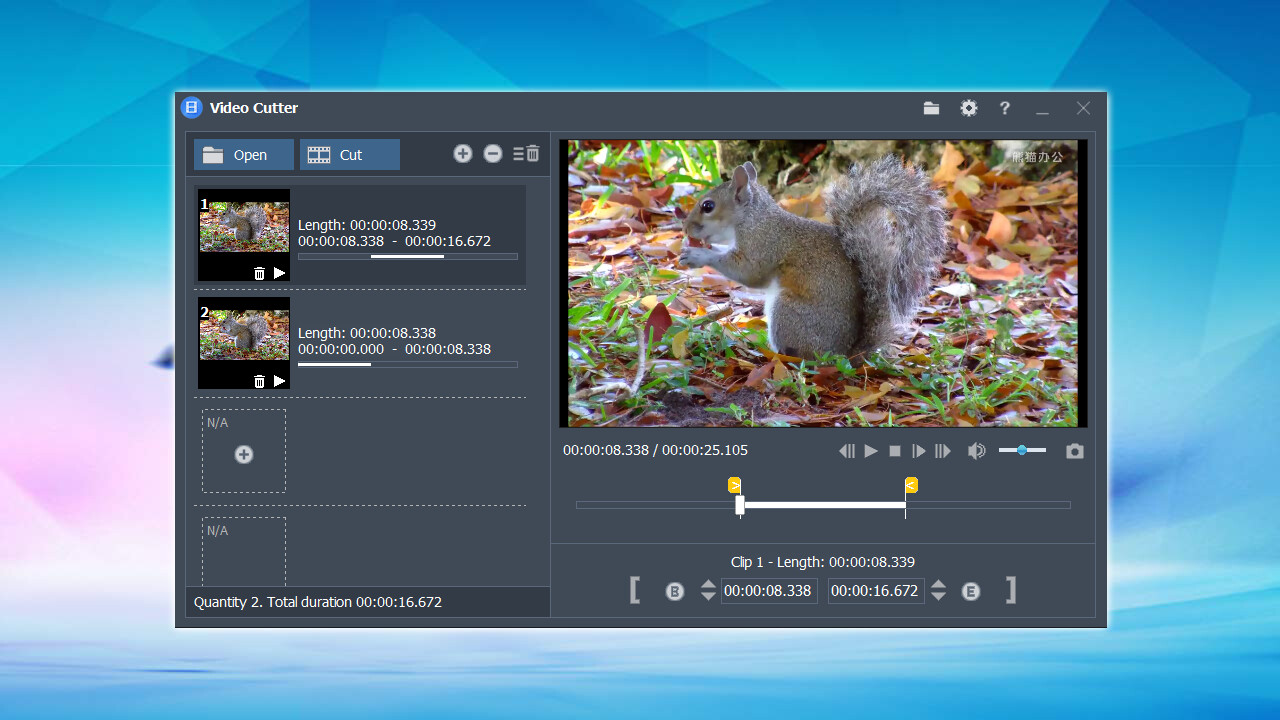
The cutting tool lets you mark a start point and an end point on the video timeline. A real-time preview shows you exactly what will be kept before you export. The biggest advantage here is lossless cutting. When the output format matches the source format, the trimmed clip keeps the exact same quality as the original. No re-encoding happens, so there is no quality loss and the export is much faster
Splitting Long Videos into Smaller Clips
The split tool breaks one large video into several smaller files. This is useful when you have a long recording and want to remove ads, intros, or dead time. It is also useful when you need to upload a long video to a platform with a file size or duration limit. You can keep only the parts you need and discard the rest.
Joining and Merging Multiple Clips
Hardware-Accelerated Encoding
Fast Video Cutter Joiner uses your graphics card to encode H.264 video instead of relying only on the CPU. It supports NVIDIA, Intel, and AMD GPUs. This speeds up joining and converting, especially for longer or higher-resolution files. On a PC with a dedicated GPU, exports finish much faster than on CPU-only tools.
Wide Format Support
The program supports AVI, MP4, MOV, M4V, MKV, MPEG, VOB, FLV, WMV, TS, and 3GP. You can cut a clip in one format and export it in another. This is helpful when you have footage from different cameras or phones and want to standardize everything into one format before joining.
Quality Enhancement Tools
Fast Video Cutter Joiner includes a few enhancement options that are unusual for a tool this small. You can increase the resolution of low-quality footage. You can adjust brightness and contrast. You can reduce video noise and reduce shakiness. You can also rotate a video 90 degrees clockwise or counterclockwise, which is useful for fixing phone footage recorded in the wrong orientation
Simple Interface with Real-Time Preview
The interface is built for users with no editing experience. There are no complex timelines, layers, or effect panels. The real-time preview window shows your cut points and adjustments as you make them, so you can check the result before exporting.
How to Cut and Join Videos with Fast Video Cutter Joiner
Cutting a Video
Open your video file in Fast Video Cutter Joiner. Use the timeline to find the point where you want the clip to start, and mark it. Then move to the point where you want it to end, and mark that too. Use the preview window to check the selection. If your output format matches the source format, choose lossless mode. This keeps the original quality and makes the export much faster. Then export your trimmed clip.
Joining Multiple Clips
Add the clips you want to merge to the join list. You can add clips in different formats without converting them first. Arrange them in the order you want them to play. Choose your output format and select your GPU for hardware-accelerated encoding. Start the merge. The program will combine all the clips into a single video file in the format you chose.
Fast Video Cutter Joiner vs Free Video Cutter Joiner
These two names look almost the same, but they are different programs. Fast Video Cutter Joiner is made by XiangJi Software Studio. It is the program covered in this article. It supports hardware-accelerated encoding, multi-format joining, and quality enhancement tools like resolution upscaling, noise reduction, and rotation. It is available as an installer, a portable version, and on Steam.
Free Video Cutter Joiner is a different, older program made by DVDVideoMedia. It is much smaller, around 12.7 MB, and focuses only on lossless cutting and joining. It does not include quality enhancement tools, rotation, or output format and quality options. If you want more flexibility and built-in editing extras, Fast Video Cutter Joiner is the better choice. If you only need a very small, no-frills tool for basic cutting and joining, the DVDVideoMedia program may be enough. Make sure you download the correct one for your needs.

Key Features of Fast Video Cutter Joiner 2026
- Lossless cutting and trimming with no quality loss when formats match
- Split large videos into smaller clips
- Join any number of clips into one file
- Multi-format joining for clips in different formats and resolutions
- Hardware-accelerated H.264 encoding via NVIDIA, Intel, and AMD GPUs
- Wide format support: AVI, MP4, MOV, M4V, MKV, MPEG, VOB, FLV, WMV, TS, 3GP
- Increase video resolution for low-quality footage
- Adjust brightness, contrast, and reduce noise
- Rotate video 90 degrees clockwise or counterclockwise
- Real-time preview window for cuts and adjustments
- Simple interface suitable for beginners
Technical Details for Fast Video Cutter Joiner 2026
- Software Full Name: Fast Video Cutter Joiner 2026
- Setup File Name: Fast_Video_Cutter_Joiner_v7.1.2.rar
- Setup Size: 23 MB
- Setup Type: Offline Installer / Full Standalone Setup
- Compatibility Mechanical: 32 Bit (x86) / 64 Bit (x64)
- Developers: Fast Video Cutter
System Requirements for Fast Video Cutter Joiner 2026
- Operating System: Windows 7/8/10
- RAM: 1 GB
- Hard Disk: 200 MB
- Processor: Intel Dual Core or higher processor
Frequently Asked Questions
Is Fast Video Cutter Joiner 2026 free to use?
Yes. Fast Video Cutter Joiner 2026 is free to download and use. It is available as a full installer, a portable version that needs no installation, and on Steam. There is no license fee for the standard features.
Does Fast Video Cutter Joiner reduce video quality when cutting?
No, not when the output format matches the source format. Fast Video Cutter Joiner uses lossless cutting in this case, which means no re-encoding happens and the trimmed clip keeps the exact same quality as the original file.
What video formats does Fast Video Cutter Joiner support?
Fast Video Cutter Joiner supports AVI, MP4, MOV, M4V, MKV, MPEG, VOB, FLV, WMV, TS, and 3GP. You can cut a video in one format and export it in another, which makes it easy to standardize footage from different sources.
Can Fast Video Cutter Joiner join videos in different formats?
Yes. Fast Video Cutter Joiner supports multi-format joining. You can add clips that are in different formats or resolutions to the join list, and the program merges them into a single output file in the format you choose.
Is Fast Video Cutter Joiner the same as Free Video Cutter Joiner?
No. Fast Video Cutter Joiner is made by XiangJi Software Studio and includes hardware acceleration, multi-format joining, and quality enhancement tools. Free Video Cutter Joiner is a separate, smaller program by DVDVideoMedia that focuses only on basic lossless cutting and joining.
Does Fast Video Cutter Joiner work on Windows 11?
Yes. Fast Video Cutter Joiner supports Windows 7, 8, 10, and 11 in both 32-bit and 64-bit. It runs on most modern PCs and works best with a dedicated NVIDIA, Intel, or AMD GPU for hardware-accelerated encoding.
Is there a portable version of Fast Video Cutter Joiner?
Yes. Fast Video Cutter Joiner is available as a portable version, currently at v7.1.3. The portable version does not need installation. You can run it directly from a folder or a USB drive on any compatible Windows PC.
Download Fast Video Cutter Joiner 2026
Click the button below to start the Fast Video Cutter Joiner 2026 download. This is the full latest version for Windows 7, 8, 10, and 11.