Download Coolutils Total Excel Converter 2026 full latest version program free setup for Windows. Total Excel Converter is a batch spreadsheet conversion tool. It converts XLS, XLSX, XLSM, and ODS files to PDF, DOC, CSV, and 20+ other formats. It works offline, with no need for Microsoft Excel to be installed.
CoolUtils Total Excel Converter 2026 Review
CoolUtils Total Excel Converter 2026 is a desktop tool made for people who handle many spreadsheets at once. Finance teams, IT staff, and office admins often face the same issue. They receive dozens of Excel reports and need them in PDF or another format for sharing. Doing this file by file takes too much time. Total Excel Converter fixes this by converting whole folders in one run. The software reads almost every spreadsheet format in use. This includes XLS, XLSX, XLSM, XLSB, XLT, and older Excel 2003 XML files. It also opens OpenOffice ODS files, plus legacy formats like DBF and WK2. Output options are just as wide. Users can save files as PDF, DOC, HTML, TXT, CSV, SQL, DBF, or even LaTeX. This range removes the need for several small tools to handle one job.
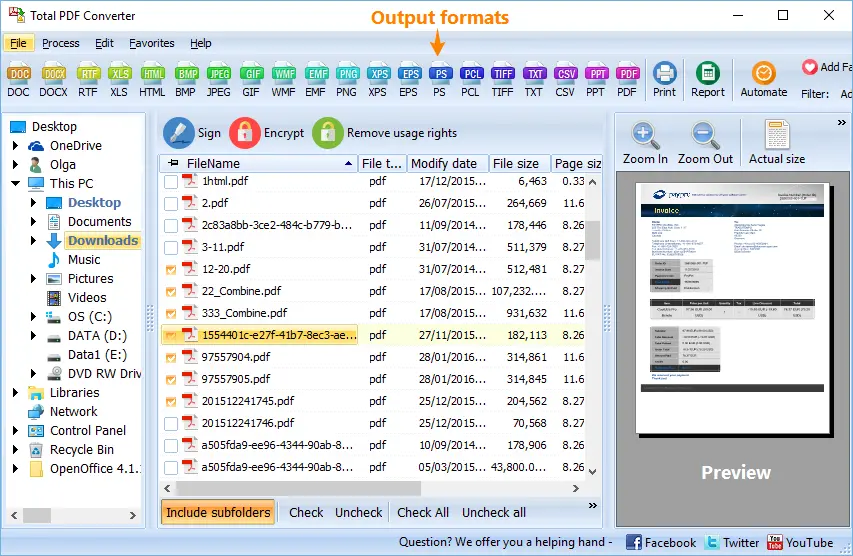
Security features are built into the PDF export. Users can add a password, set user permissions, or apply a digital signature during conversion. This matters for finance and legal teams. They often send reports to auditors or clients and need to stop unwanted edits or copying. The software also supports PDF/A output, which is useful for long-term archiving. Automation is another strong point. Total Excel Converter runs from the command line, so IT teams can schedule nightly conversions without opening the app. A folder can be watched for new files, and each new spreadsheet gets converted on its own. This fits well with ERP and CRM systems that export reports on a set schedule.
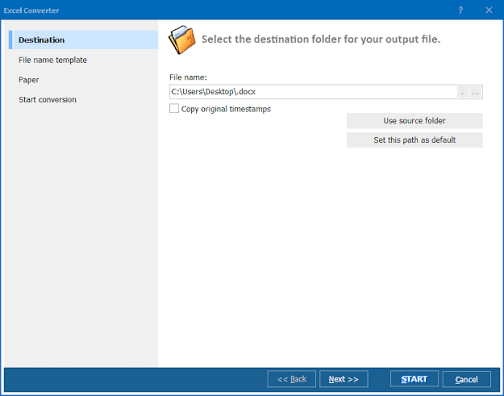
Everyday extras save time too. The built-in file renamer adds a date, counter, or sheet name to each output file. Users can split a workbook so each sheet becomes its own file. Original timestamps can be kept, so file history stays accurate after conversion. One limitation is platform support. The software runs on Windows only, so Mac and Linux users need another option. The interface is functional, not modern. Users who want a slick design may find it plain. But for teams who need steady, repeatable batch conversion, this is a small trade-off against the time saved.
Key Features
- Converts XLS, XLSX, XLSM, ODS, DBF, WK2, and more
- Exports to PDF, DOC, HTML, TXT, CSV, SQL, DBF, and LaTeX
- Password protection and digital signatures for PDF output
- Set user permissions on exported PDF files
- Split each spreadsheet page into a separate file
- Combine multiple spreadsheets into one PDF or TIFF file
- Built-in file renamer with date and counter options
- Keeps original file timestamps
- Command line support for scheduled automation
- Folder-watch option for recurring conversions
Coolutils Total Excel Converter 2026 Technical Setup Details
- Software Full Name: Coolutils Total Excel Converter 2026
- Setup File Name: Coolutils_Total_Excel_Converter_7.1.0.138.rar
- Setup Size: 70 MB
- Setup Type: Offline Installer / Full Standalone Setup
- Compatibility Mechanical: 32 Bit (x86) / 64 Bit (x64)
- Developers: Coolutils
System Requirements for Coolutils Total Excel Converter 2026
- Operating System: Windows 7/8/10
- RAM: 4 GB
- Hard Disk: 1 GB
- Processor: Intel Dual Core or higher processor
CoolUtils Total Excel Converter 2026 Free Download
Download Coolutils Total Excel Converter 2026 free latest full version offline direct download link for full offline setup by clicking the button below.