Download VMware Workstation Pro 2026 full latest version program free setup for Windows. It is a cross-platform application that allows users to run multiple operating systems as virtual machines (VMs) on a single Windows or Linux computer.
VMware Workstation Pro 2026 for Windows Review
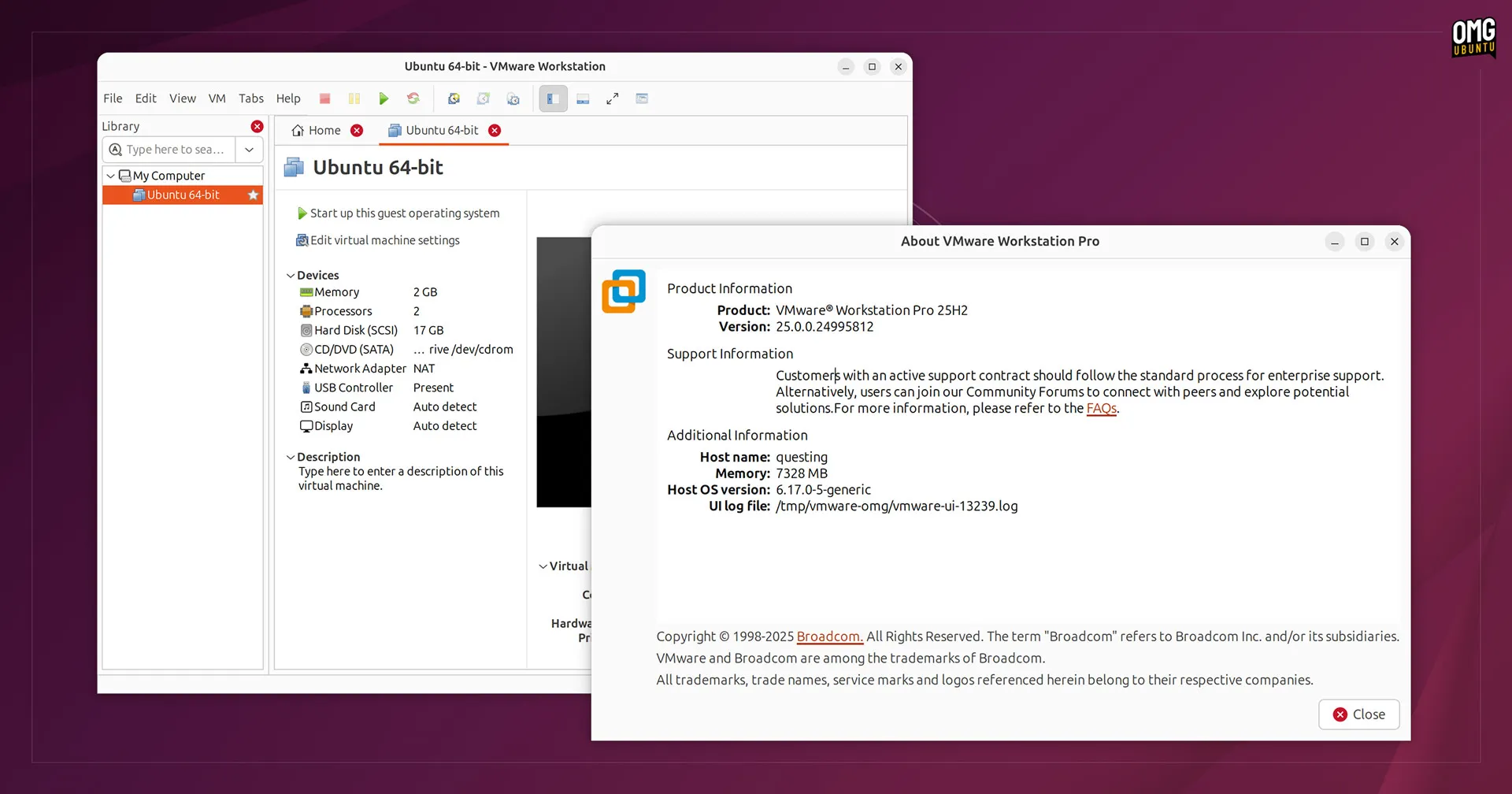
VMware Workstation Pro 2026 is desktop virtualization software for Windows that lets you create and run virtual machines on a physical PC. A virtual machine works like a separate computer inside your existing computer, allowing you to install Windows, Linux, and other supported operating systems without replacing your main Windows installation. The 2026 release is part of VMware Workstation Pro 26H1, which introduced calendar-based versioning and several changes to the Windows application. VMware says Workstation Pro 26H1 is now a 64-bit application, with updated support for modern hardware and operating systems.
Workstation Pro is useful for developers, IT administrators, students, testers, and advanced Windows users. You can use it to test software in an isolated environment, run Linux alongside Windows, create development labs, test different operating systems, or keep an older application environment separate from your main PC. Unlike a normal application, a virtual machine needs its own portion of your computer’s RAM, processor power, and storage. This means the experience depends heavily on your PC hardware and how many virtual machines you run at the same time.

One of the main reasons people use VMware Workstation Pro is isolation. You can install another operating system without creating a separate physical computer. For example, a Windows developer can create an Ubuntu virtual machine and use it alongside Windows applications. This is also useful for testing. If you’re unsure how a program behaves after changing a setting, you can perform the test inside a virtual machine instead of experimenting directly on your main Windows installation. Snapshots make this workflow easier. Before making a major change, you can save the virtual machine’s current state. If the experiment goes badly, you can return to the earlier state instead of rebuilding the machine.
VMware Workstation Pro 2026 for Windows Virtual Machines
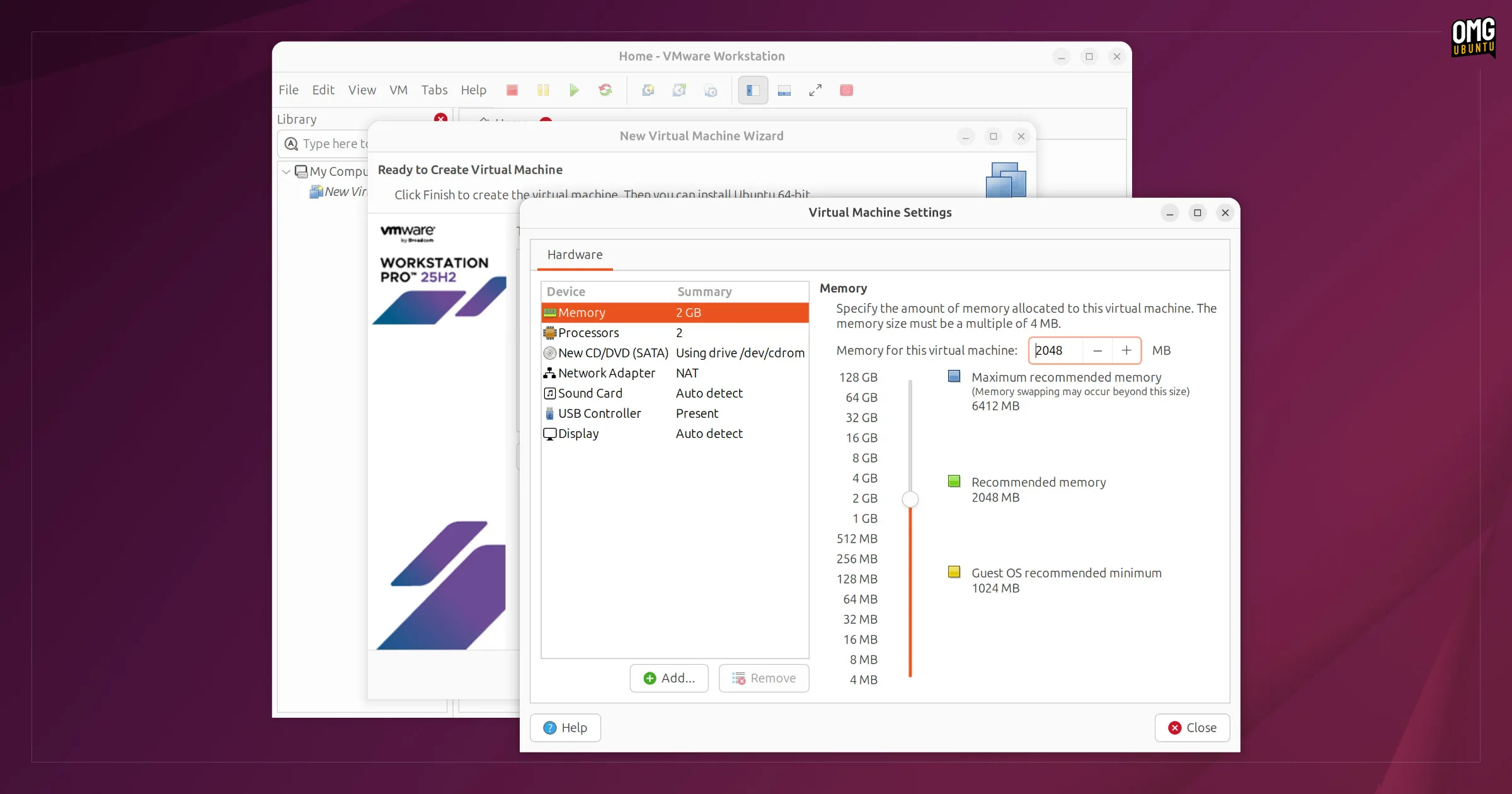
The main purpose of Workstation Pro is to run complete operating systems inside Windows. You can create a new virtual machine, assign it virtual CPU cores and RAM, select storage, and install an operating system from an ISO file. The guest operating system then runs in its own virtual environment. This is useful when you need two operating systems at the same time. You don’t have to restart the physical computer every time you want to switch between Windows and Linux. The performance won’t normally be identical to running the guest operating system directly on physical hardware. The virtual machine shares resources with the host, so assigning too much RAM or too many processor cores to a VM can actually make the host Windows system less responsive. A balanced setup is usually better than simply giving the virtual machine every available resource.
VMware Workstation Pro 2026 for Windows 11
Windows 11 can be installed as a guest operating system in VMware Workstation Pro. Windows 11 requires TPM support, and VMware provides documentation covering Windows 11 installation in Workstation Pro. This makes Workstation Pro useful for testing Windows 11 without changing the physical operating system. For example, developers can test an application against a clean Windows 11 installation. IT students can practice Windows administration without risking their main installation. Businesses can also use virtual machines to reproduce software environments for testing. A virtual machine should still be treated as a real operating environment. It needs updates, security settings, storage, and appropriate user permissions just like a physical Windows installation.
VMware Workstation Pro 2026 for Software Testing
Workstation Pro is well suited to software testing because virtual machines can be separated from the main Windows environment. You can create a clean Windows installation, install the software you want to test, and keep the rest of your computer unchanged. This is especially useful when testing installers, development builds, system utilities, or applications that require specific Windows versions. Snapshots can also make repeated testing faster. After preparing a clean test machine, you can return to that state after each test instead of reinstalling Windows. The main limitation is hardware access. A virtual machine doesn’t always provide the same hardware behavior as a physical computer, so hardware-specific testing should still be performed on real hardware when necessary.
VMware Workstation Pro 2026 for Developers
Developers can use Workstation Pro to create separate environments for different projects. For example, one virtual machine can contain an older development stack while another uses a newer version. This reduces the need to constantly change software installed on the main Windows system. Linux development is another common use. A developer working primarily on Windows can keep an Ubuntu or another Linux distribution open in a virtual machine. This approach is also useful for testing different versions of databases, web servers, development tools, and other software.
VMware Workstation Pro 2026 for IT Students
Students learning Windows Server, Linux administration, networking, or cybersecurity can use virtual machines to build practice environments. Instead of buying several physical computers, a single powerful PC can host several virtual machines. For example, a student can create multiple machines and use them to practice networking, user management, server configuration, and other administrative tasks. The advantage is that mistakes inside the virtual environment don’t normally affect the physical Windows installation in the same way as making those changes directly on the host.
Key Features of VMware Workstation Pro 2026
- Create and run multiple virtual machines.
- Run Windows and Linux guest operating systems.
- Create isolated testing environments.
- Use snapshots to save a virtual machine’s current state.
- Clone existing virtual machines.
- Create virtual networks between machines.
- Share files between the host and guest systems.
- Support USB devices inside virtual machines.
- Use virtual disks for guest operating systems.
- Connect virtual machines to physical networks.
- Support modern Windows and Linux host systems.
- Support 64-bit x86 hardware.
- Support Intel VT-x and AMD-V hardware virtualization.
- Provide virtual machine encryption features.
- Support 3D graphics acceleration for supported workloads.
- Import supported virtual machine formats.
- Connect to selected VMware infrastructure.
- Provide command-line and automation options.
- Run several virtual machines at the same time.
- Use virtual machines for software testing.
- Use virtual machines for development labs.
- Support Windows 11 guest installations with the required virtual security features.
- Available for Windows and Linux hosts.
VMware Workstation Pro 2026 Alternatives
Oracle VM VirtualBox
VirtualBox is one of the closest alternatives to VMware Workstation Pro. It supports Windows, Linux, and macOS hosts and is available as an open-source virtualization platform. It is a good choice if you want a simple desktop virtualization application and prefer an open-source option. Workstation Pro generally has an advantage in areas such as Windows guest graphics support and overall desktop integration, while VirtualBox remains attractive for users who want broad host support.
Microsoft Hyper-V
Hyper-V is Microsoft’s built-in virtualization platform for supported Windows editions. It is particularly useful for Windows administrators who already work with Microsoft’s server and management tools. Its main advantage is integration with Windows. The main limitation for ordinary Windows users is that the full Hyper-V feature isn’t available on Windows Home.
Proxmox VE
Proxmox VE is aimed more at dedicated virtualization servers than desktop use. It is a strong option when you want to run virtual machines on a separate server or build a home lab. For someone who simply wants to run Linux inside Windows on a desktop PC, Workstation Pro is generally easier.
QEMU
QEMU is a flexible virtualization and emulation platform that supports a wide range of systems and hardware architectures. It is particularly useful for advanced users who need scripting, automation, or unusual guest architectures. The trade-off is that QEMU can require considerably more technical knowledge than a desktop application such as Workstation Pro.
Parallels Desktop
Parallels Desktop is mainly relevant to Mac users rather than Windows users. It is included here because it is a major desktop virtualization product, but it isn’t a direct Windows-host replacement for Workstation Pro.
Conclusion
VMware Workstation Pro 2026 is one of the strongest desktop virtualization choices for Windows users. It is especially useful for developers, IT professionals, students, and anyone who needs several operating systems or isolated test environments on one PC. If your computer has enough RAM, a fast SSD, and a modern processor with virtualization support, Workstation Pro can turn a single Windows PC into a practical multi-system testing lab.
VMware Workstation Pro 2026 Technical Setup Details
- Software Full Name: VMware Workstation Pro 2026
- Setup File Name: VMware_Workstation_Pro_25H2u1_v25.0.1.25219725.rar
- Setup Size: 246 MB
- Setup Type: Offline Installer / Full Standalone Setup
- Compatibility: 32 Bit (x86) / 64 Bit (x64)
- Latest Version Release Added On: 27th Aug 2026
- Developers: VMware
System Requirements for VMware Workstation Pro 2026
- Operating System: Windows 7/8/10
- RAM: 2 GB
- Hard Disk: 1 GB
- Processor: Intel Dual Core or higher processor
VMware Workstation Pro 2026 Download
Download VMware Workstation Pro 2026 free latest full version offline direct download link for full offline setup by clicking the button below.