Download Classroom Spy Professional 2026 full latest version program free setup for Windows. Classroom Spy Professional 2026 is a reliable and effective network monitoring and management utility which allows administrators to view and manage the activities of computers connected to the same network from a central computer.
Classroom Spy Professional 2026 for Windows Review
Classroom Spy Professional 2026 is classroom management software for Windows that lets teachers and administrators monitor and manage school computers from one central console. It is designed for classrooms, computer labs, training rooms, and other environments where several computers need to be supervised at the same time. The software can show live student screens, let an authorized teacher control a computer remotely, share the teacher’s screen, block websites and applications, send messages, exchange files, and record computer activity. The current official release is Classroom Spy Pro 5.7.2. The Windows package supports both 32-bit and 64-bit versions of Windows 7, 8, 8.1, 10, and 11.
The software uses two main parts: a teacher console and an agent installed on the computers being managed. This setup makes Classroom Spy Professional different from ordinary screen-sharing software. It isn’t mainly designed for one-to-one remote support. Its focus is managing several student computers during a lesson while keeping the teacher in control of the classroom environment. The live screen view is one of the main reasons schools use Classroom Spy Professional. A teacher can see several student screens from one console instead of walking around the room to check each computer. The software can display screens as thumbnails and allow a teacher to enlarge a selected screen when closer inspection is needed.
Remote control is useful when a student needs technical help. An authorized teacher can take control of the student’s mouse and keyboard and demonstrate the required action without moving to the student’s desk. Screen sharing works in the opposite direction. A teacher can display their own desktop to student computers, which is useful when demonstrating software, explaining a process, or showing students where to find a particular option. Classroom Spy Professional also includes tools for controlling distractions. Teachers can block websites, restrict applications, lock computers, or blank screens when students need to focus on an explanation. These controls are particularly useful in computer labs where every student is working on a school-managed PC.
The software also provides reporting features. Depending on the settings enabled by the school, reports can include active and idle periods, application usage, visited websites, and other activity information. Some versions also provide keystroke reports. Because these features can collect sensitive student information, they should be enabled only when they are necessary, permitted by school policy, and handled according to applicable privacy rules.
Classroom Spy Professional 2026 Privacy and Responsible Use
Classroom monitoring software needs more care than ordinary classroom applications because it can collect information about students’ computer activity. Classroom Spy Pro provides options for monitoring application use, websites, screen activity, audio, and keystrokes. The official documentation also includes retention controls for stored reports. That doesn’t mean every school should enable every feature. A sensible deployment should collect only information that serves a defined educational or administrative purpose. Access should be restricted to authorized staff, records should not be kept longer than necessary, and students and parents should be informed according to the school’s policies and applicable laws. For organizations operating across different countries, privacy requirements can differ significantly. The software should therefore be evaluated alongside the school’s legal and data-protection requirements rather than treated as a technical-only decision.
Key Features of Classroom Spy Professional 2026
- View multiple student screens in real time.
- Enlarge an individual student screen.
- Control a student’s mouse and keyboard remotely.
- Share the teacher’s screen with students.
- Show one student’s screen to other students.
- Lock selected student computers.
- Blank student screens when attention is required.
- Record student desktops.
- Capture screenshots.
- Record microphone audio.
- Monitor application usage.
- Monitor visited websites.
- Block selected websites.
- Allow specific websites while restricting others.
- Block or stop selected applications.
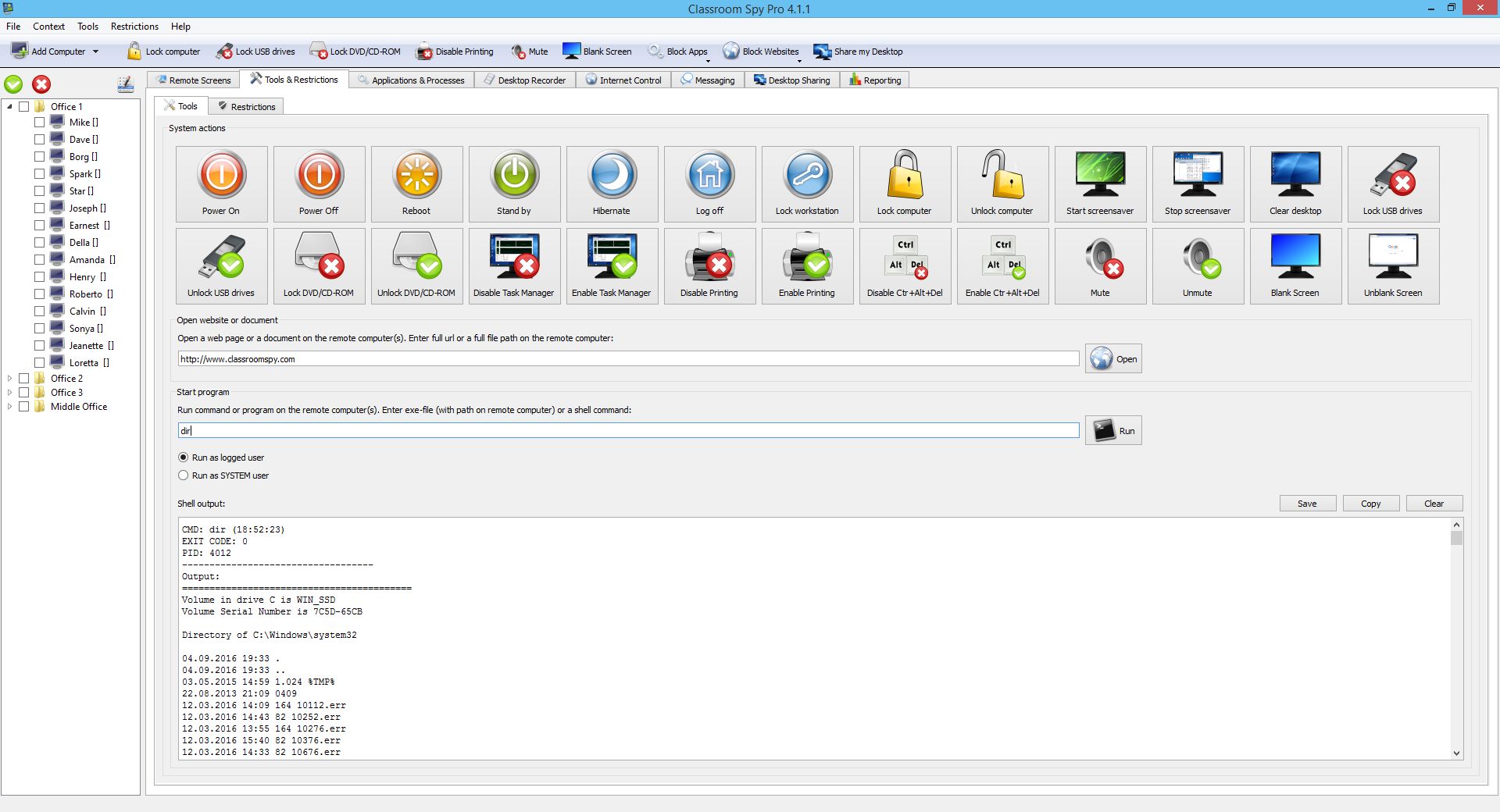
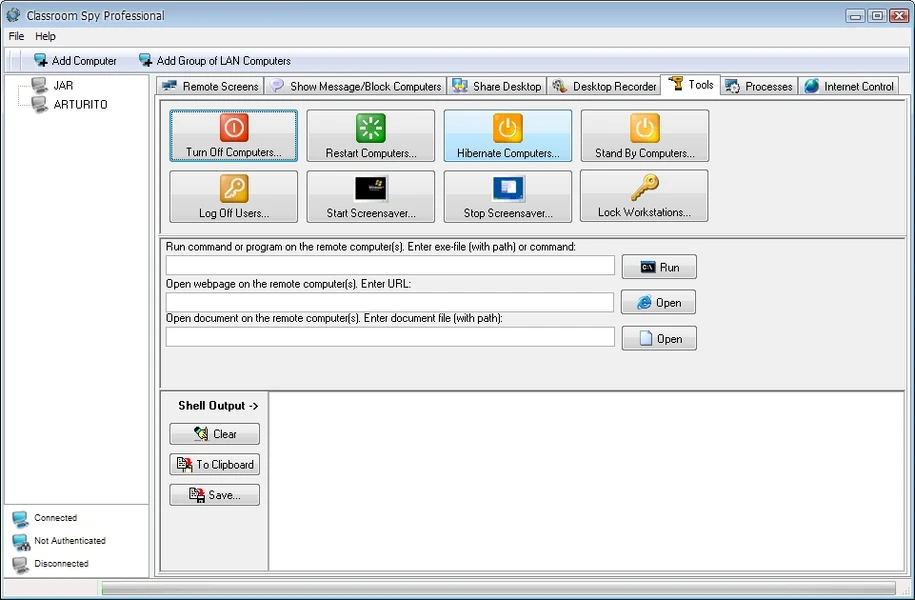
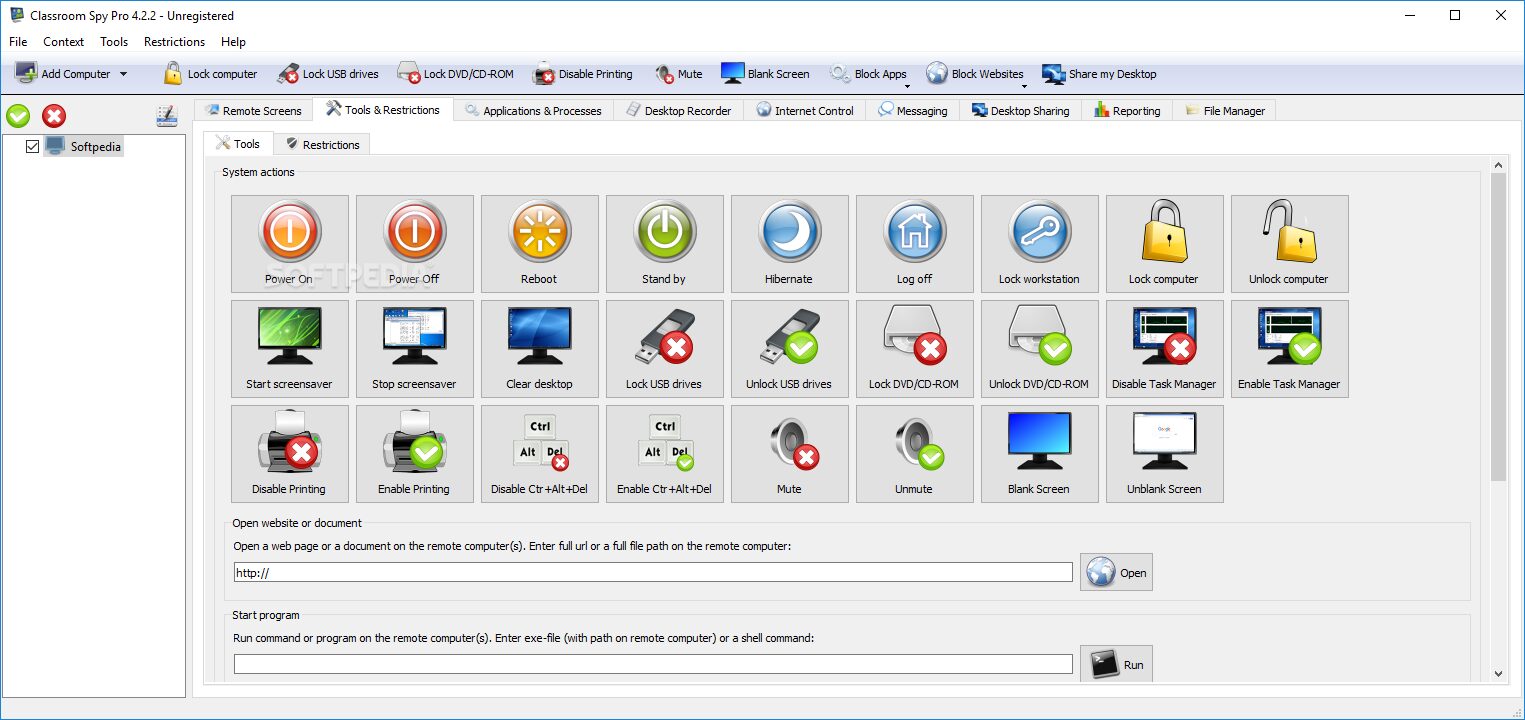
- Start programs remotely.
- Stop running processes.
- Send messages to individual or multiple computers.
- Send and collect files.
- Restart or shut down computers remotely.
- Hibernate or lock managed computers.
- Disable printing when required.
- Mute student computers.
- Control audio volume.
- Display system information.
- Run command-line tools remotely.
- Organize computers into classroom groups.
- Support multiple monitors.
- Support Remote Desktop and Terminal Services sessions.
- Support LAN, WLAN, VPN, and internet monitoring.
- Support cloud-based monitoring.
- Allow remote agent installation.
- Provide password protection for access.
- Offer reporting and activity logs.
- Support Windows 7 through Windows 11.
- Provide 32-bit and 64-bit Windows packages.
- Offer MSI packages for managed deployment.
Classroom Spy Professional 2026 Alternatives
Veyon
Veyon is an open-source classroom management solution that provides features such as screen monitoring, remote control, screen broadcasting, and classroom management. It is a strong option for schools that prefer open-source software and want more control over deployment. The main difference is licensing and administration. Classroom Spy Professional provides commercial support and several built-in management and reporting features, while Veyon may require more hands-on setup depending on the school’s environment.
NetSupport School
NetSupport School is another established classroom management product. It provides teacher monitoring, screen sharing, remote control, web restrictions, and classroom management tools. It is a close alternative for schools that need a full teaching-focused management system rather than simple remote desktop access.
LanSchool
LanSchool focuses on classroom visibility, screen monitoring, screen sharing, student interaction, and attention management. It is designed specifically for education environments and is widely used in computer-based classrooms. It may be a better fit for schools that want a dedicated classroom platform with a strong emphasis on teaching workflows.
Impero Classroom
Impero Classroom combines student monitoring with classroom controls, web filtering, application management, and teacher-led interventions. It is worth considering for schools that want classroom management and content-control features together.
Microsoft Intune for Education
Microsoft Intune for Education takes a different approach. It is primarily a device and application management platform rather than a live classroom monitoring tool. It can be a strong choice when a school needs centralized Windows device management, application deployment, configuration policies, and Microsoft ecosystem integration. It isn’t a direct replacement for Classroom Spy Professional’s live screen monitoring features.
Conclusion
Classroom Spy Professional 2026 is a capable Windows classroom management tool for schools, training centers, and computer labs that need centralized control over student computers. Its strongest features are live screen monitoring, remote assistance, screen sharing, website and application controls, and classroom-wide computer management. It may be more than a small classroom needs, but for a managed Windows lab with multiple student PCs, it provides a practical set of tools in one console.
Classroom Spy Professional 2026 Technical Setup Details
- Software Full Name: Classroom Spy Professional 2026
- Setup File Name: Classroom_Spy_Pro_5.7.2.rar
- Setup Size: 107 MB
- Setup Type: Offline Installer / Full Standalone Setup
- Compatibility: 32 Bit (x86) / 64 Bit (x64)
- Developers: Classroom Spy
System Requirements for Classroom Spy Professional 2026
- Operating System: Windows 7/8/10
- RAM: 512 MB
- Hard Disk: 200 MB
- Processor: Intel Dual Core or higher processor
Classroom Spy Professional 2026 Download
Download Classroom Spy Professional 2026 free latest full version offline direct download link for full offline setup by clicking the button below.