Download Auslogics SSD Optimizer Pro 2026 full latest version program free setup for Windows.
Auslogics SSD Optimizer Pro 2026 Review for Windows
If your Windows PC uses an SSD, regular drive maintenance can help you keep storage performance consistent and avoid unnecessary write activity. Auslogics SSD Optimizer Pro 2026 is a dedicated Windows utility built specifically for SSD maintenance. Instead of combining HDD defragmentation with SSD tools, it focuses on SSD optimization, drive health, storage analysis, cleanup, and scheduled maintenance. The current official release is version 2.2.0.6, released on April 29, 2026. It supports Windows 7, 8, 8.1, 10, and 11, including both 32-bit and 64-bit versions where supported by the operating system. Auslogics also offers a free edition, while the Pro version adds advanced optimization and maintenance features.
SSD Optimization
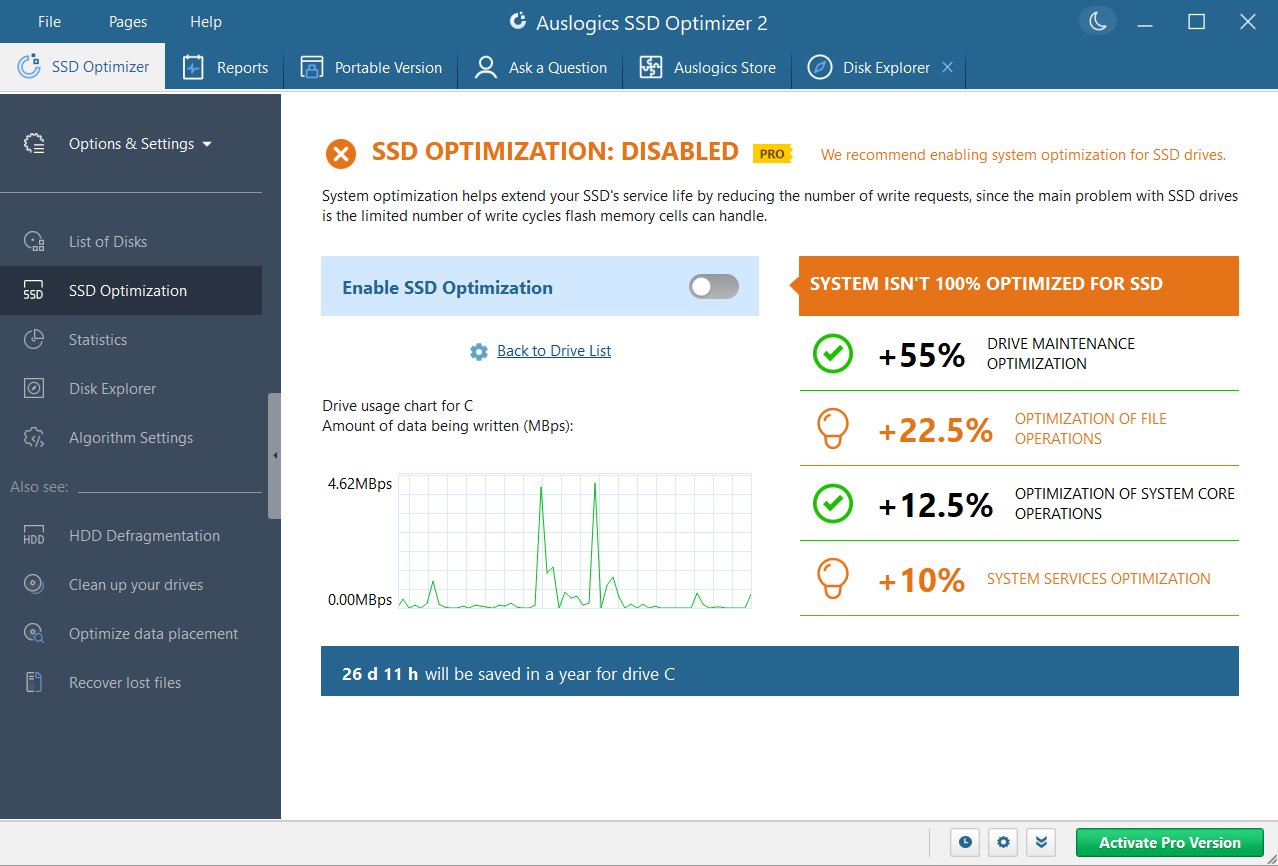
The main purpose of Auslogics SSD Optimizer is to maintain an SSD without treating it like a traditional hard drive. The software uses SSD-specific optimization methods and aims to reduce unnecessary write operations. This is important because SSDs work differently from HDDs. Traditional disk defragmentation is not the normal maintenance method for an SSD. Windows already provides SSD optimization through its built-in Drive Optimizer, while dedicated utilities can provide additional controls and monitoring. Auslogics separates its SSD Optimizer from its Disk Defrag product for this reason. SSD Optimizer is intended for solid-state drives, while Auslogics Disk Defrag is designed for traditional hard drives.
Advanced Optimization Controls
The Pro edition provides advanced optimization algorithms that go beyond the basic free version. These settings are designed to reduce unnecessary drive activity and help maintain consistent SSD performance. For users who simply want to click Optimize and finish the job, the default settings are easier to use. More experienced users can adjust the available optimization options according to their needs. This makes the program suitable for both casual Windows users and people who want more control over SSD maintenance.
SSD Health Monitoring
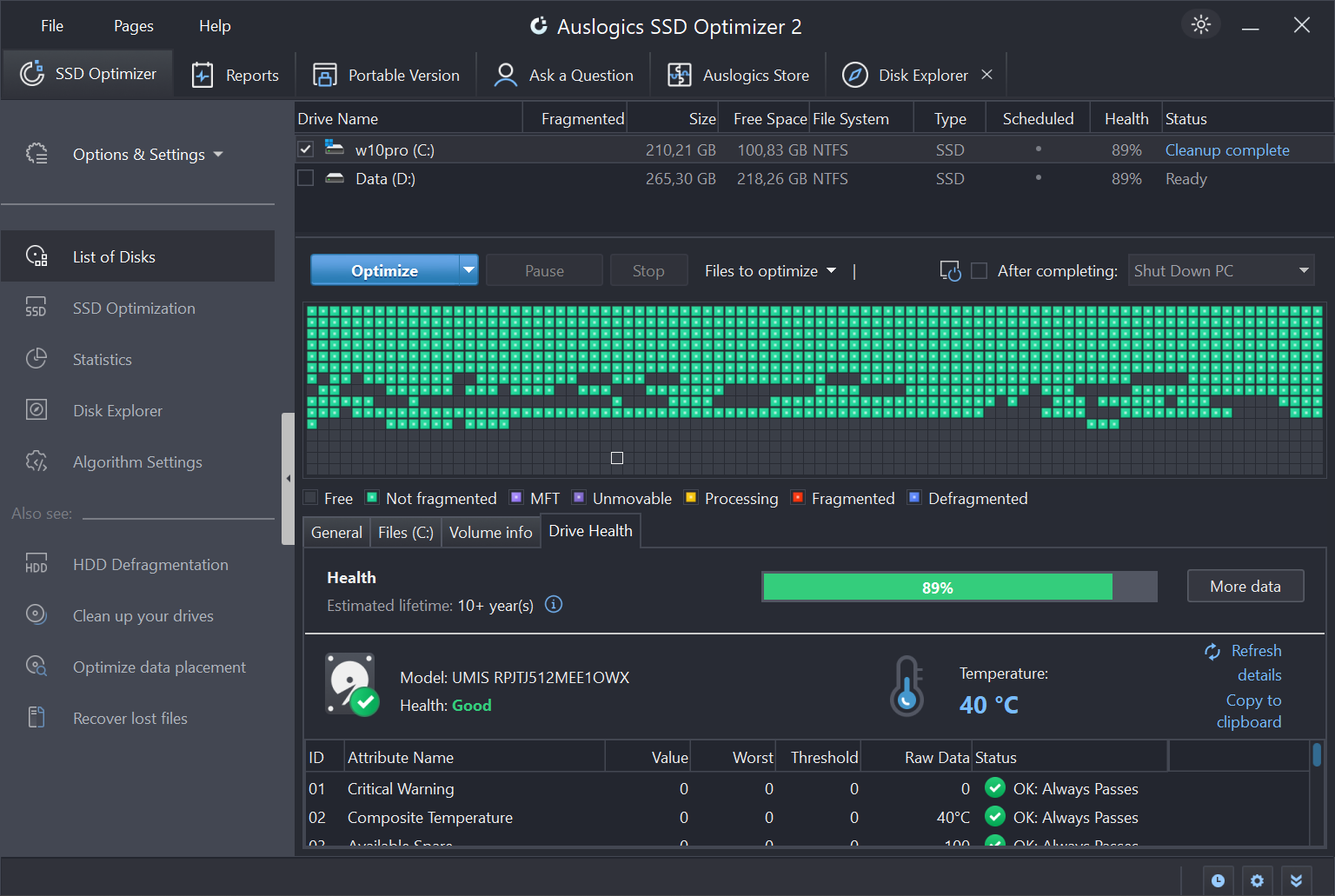
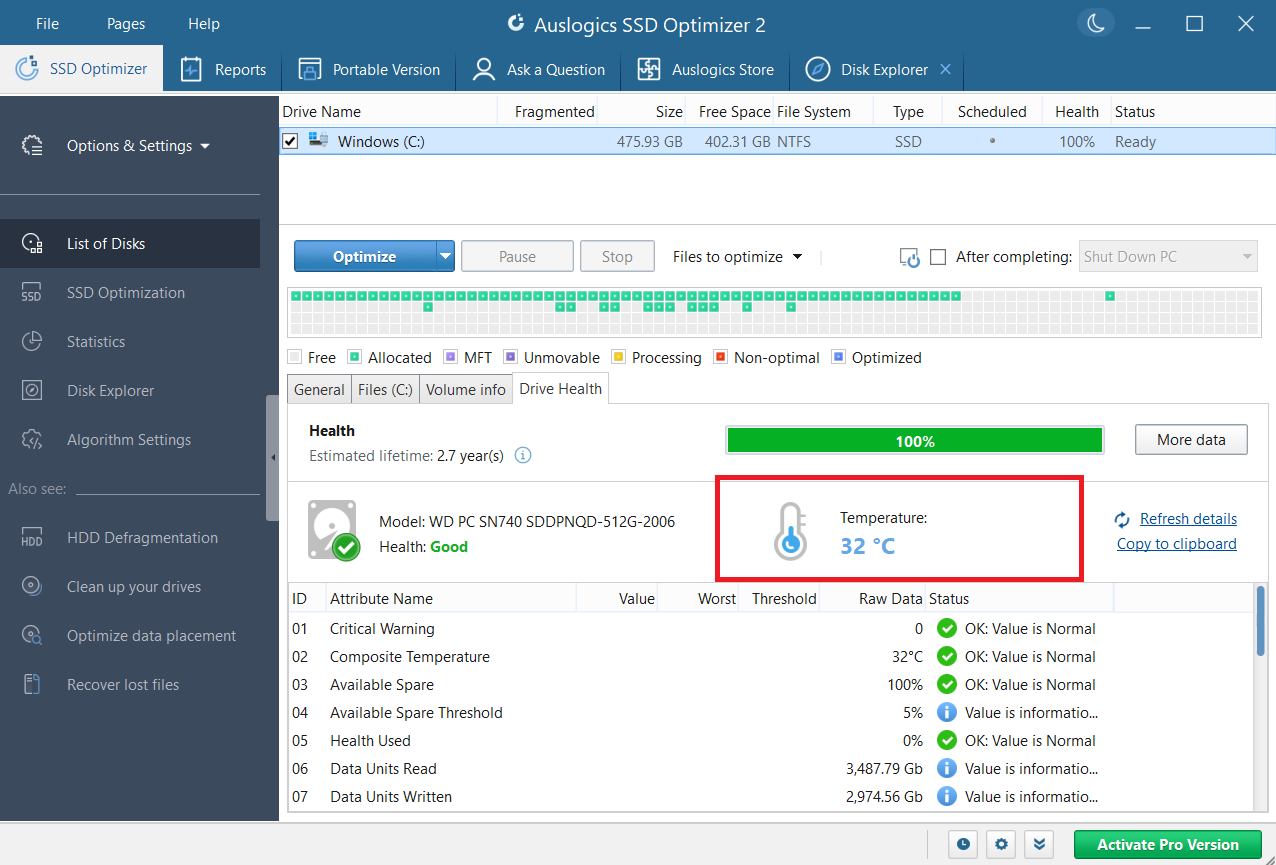
Auslogics SSD Optimizer is not only about optimization. It can also show information about the current condition and activity of your drive. The software can display SSD health information, temperature readings, read and write activity, drive usage, SMART information, and estimated service life when the required drive data is available. This can be useful when an SSD starts behaving differently. Instead of relying only on Windows performance, you can check drive-related statistics to look for possible problems.
Analyze SSD Storage Usage
Limited SSD space can affect how comfortably you manage your Windows PC. Auslogics SSD Optimizer includes a storage analysis feature that helps identify what is using space on the drive. You can use it to locate large files and folders that may no longer be needed. This makes it easier to decide which files should be removed or moved to another drive. The feature is especially useful on laptops and smaller SSDs where free storage can disappear quickly.
Automatic SSD Maintenance
One of the useful Pro features is scheduled optimization. You can select when the maintenance should run instead of manually opening the program every time. This is helpful for users who want regular SSD maintenance without remembering to perform it themselves. Auslogics allows the schedule to be customized according to your preferred timing. For most users, an automatic schedule is more practical than repeatedly running optimization without checking whether it is actually needed.
Disk Cleanup Before Optimization
Auslogics SSD Optimizer Pro can clean temporary and unnecessary files before optimization. This can reduce the amount of unnecessary data involved in the maintenance process.The Pro edition includes temporary file cleanup, while the free edition has more limited functionality. It also includes free-space wiping as an advanced option. The cleanup tools are useful if your SSD is running low on free space and you want to combine storage maintenance with optimization.
Check and Repair Drive Errors
The Pro version also provides drive error checking and repair features. This gives users another way to check their storage device when they suspect something is wrong. However, SSD optimization software should not be treated as a replacement for backups or professional hardware diagnostics. If an SSD is showing serious errors, unusual crashes, or rapidly declining health, important files should be backed up before performing additional maintenance.
Is Auslogics SSD Optimizer Pro 2026 Safe to Use?
For normal SSD maintenance, Auslogics SSD Optimizer is designed specifically to work with solid-state drives. It also automatically identifies the drive type. If it detects only HDDs, the software does not run its SSD optimization on them. That distinction is important. Users should not apply traditional HDD defragmentation methods to an SSD simply because a drive optimization program offers them. It is also a good idea to keep Windows updated and maintain backups of important files before making major storage changes.
User Interface and Ease of Use
Auslogics keeps the main workflow simple. You can identify your drive, check its condition, analyze storage, and start an optimization without dealing with complicated commands. The automatic scheduling option is particularly useful for people who do not want to perform maintenance manually. Advanced users also get more control over optimization algorithms and drive statistics, while beginners can stick to the default options.
Key Features of Auslogics SSD Optimizer Pro 2026
- Dedicated optimization for SSD drives
- Advanced SSD optimization algorithms
- Automatic scheduled optimization
- SSD health monitoring
- SMART information and drive statistics
- SSD temperature monitoring
- Drive usage and performance statistics
- Disk space analysis
- Large-file and space-hog detection
- Temporary file cleanup before optimization
- Free-space wiping
- SSD error checking and repair
- Custom optimization algorithm settings
- Ignore lists
- Portable version
- Optimization reports
- Support for Windows 7 through Windows 11
Auslogics SSD Optimizer Alternatives
O&O Defrag
O&O Software O&O Defrag is a broader drive optimization application that supports both HDD and SSD maintenance. Its current version includes SSD-specific procedures, automatic drive-type detection, health monitoring, and additional Windows optimization tools. It is a better choice for users who want one application for different types of storage.
Samsung Magician
Samsung Electronics Samsung Magician is designed specifically for Samsung SSDs. It provides drive health information, performance benchmarks, performance optimization, firmware updates, diagnostic tools, and over-provisioning features. If you own a Samsung SSD, Magician is one of the first tools worth considering because it provides manufacturer-specific features.
Windows Drive Optimizer
Windows Drive Optimizer is the built-in option and does not require additional software. It automatically distinguishes between HDD and SSD and uses the appropriate optimization process. It is the best choice for users who only need basic Windows drive maintenance.
Auslogics BoostSpeed
Auslogics BoostSpeed is a broader Windows optimization suite from the same developer. It includes SSD optimization alongside system cleanup, performance optimization, privacy tools, and other PC maintenance functions. It is more suitable if you want to maintain the entire Windows system instead of focusing only on the SSD.
Conclusion
Auslogics SSD Optimizer Pro 2026 is a focused SSD maintenance tool for Windows users who want more control than the standard Windows drive optimization utility provides. Its strongest features include SSD health monitoring, storage analysis, automatic scheduling, advanced optimization, cleanup, and drive error checking. The software is not essential for every Windows PC because Windows already provides basic SSD optimization. However, users who want a dedicated dashboard and additional maintenance tools may find the Pro edition useful. For a simple SSD maintenance setup, Windows Drive Optimizer remains enough for many users. For more detailed monitoring and control, Auslogics SSD Optimizer Pro is a practical option.
Auslogics SSD Optimizer Pro 2026 Technical Setup Details
- Software Full Name: Auslogics SSD Optimizer Pro 2026
- Setup File Name: Auslogics_SSD_Optimizer_Pro_2.1.0.1.rar
- Setup Size: 26 MB
- Setup Type: Offline Installer / Full Standalone Setup
- Compatibility: 32 Bit (x86) / 64 Bit (x64)
- Developers: Auslogics
System Requirements for Auslogics SSD Optimizer Pro 2026
- Operating System: Windows 7/8/10
- RAM: 2 GB
- Hard Disk: 200 MB
- Processor: Intel Dual-Core or higher processor
Auslogics SSD Optimizer Pro 2026 Download
Download Auslogics SSD Optimizer Pro 2026 free latest full version offline direct download link for full offline setup by clicking the button below.