Download 3DF Zephyr 2026 full latest version program free setup for Windows. 3DF Zephyr 2026 is a professional photogrammetry and 3D reconstruction program that can automatically reconstruct detailed three-dimensional models from photographs, video frames, and other supported data sources.
3DF Zephyr 2026 Review for Windows
3DF Zephyr 2026 is a Windows photogrammetry software designed to turn photographs, videos, UAV images, and other captured data into detailed 3D models. It uses automatic reconstruction to identify matching points between images, calculate camera positions, build point clouds, and generate textured 3D models. The software is developed by 3Dflow and is used across areas such as surveying, mapping, construction, mining, architecture, cultural heritage, VFX, gaming, agriculture, and 3D printing. Unlike simple 3D modeling software, Zephyr focuses on rebuilding real-world objects, buildings, and environments from captured images.
Automatic Photogrammetry Workflow
The biggest advantage of 3DF Zephyr is its automated reconstruction workflow. You start by adding photographs or supported video frames. Zephyr then analyzes the images and calculates camera information automatically. The software can use either incremental or global reconstruction pipelines, giving users more control over how the project is processed. After camera alignment, you can continue through the reconstruction process to create a point cloud, mesh, and texture. This workflow can save considerable time compared with manually building a 3D model from reference images.
Create 3D Models From Photos
The main reason to use 3DF Zephyr is its ability to convert ordinary photographs into 3D content. The quality of the final result depends heavily on the source photographs. Good lighting, sufficient image overlap, sharp images, and consistent camera movement can produce better reconstruction results. Once the reconstruction is complete, you can clean the result, generate a mesh, apply textures, and export the finished model for use in other software.
Point Clouds and Meshes
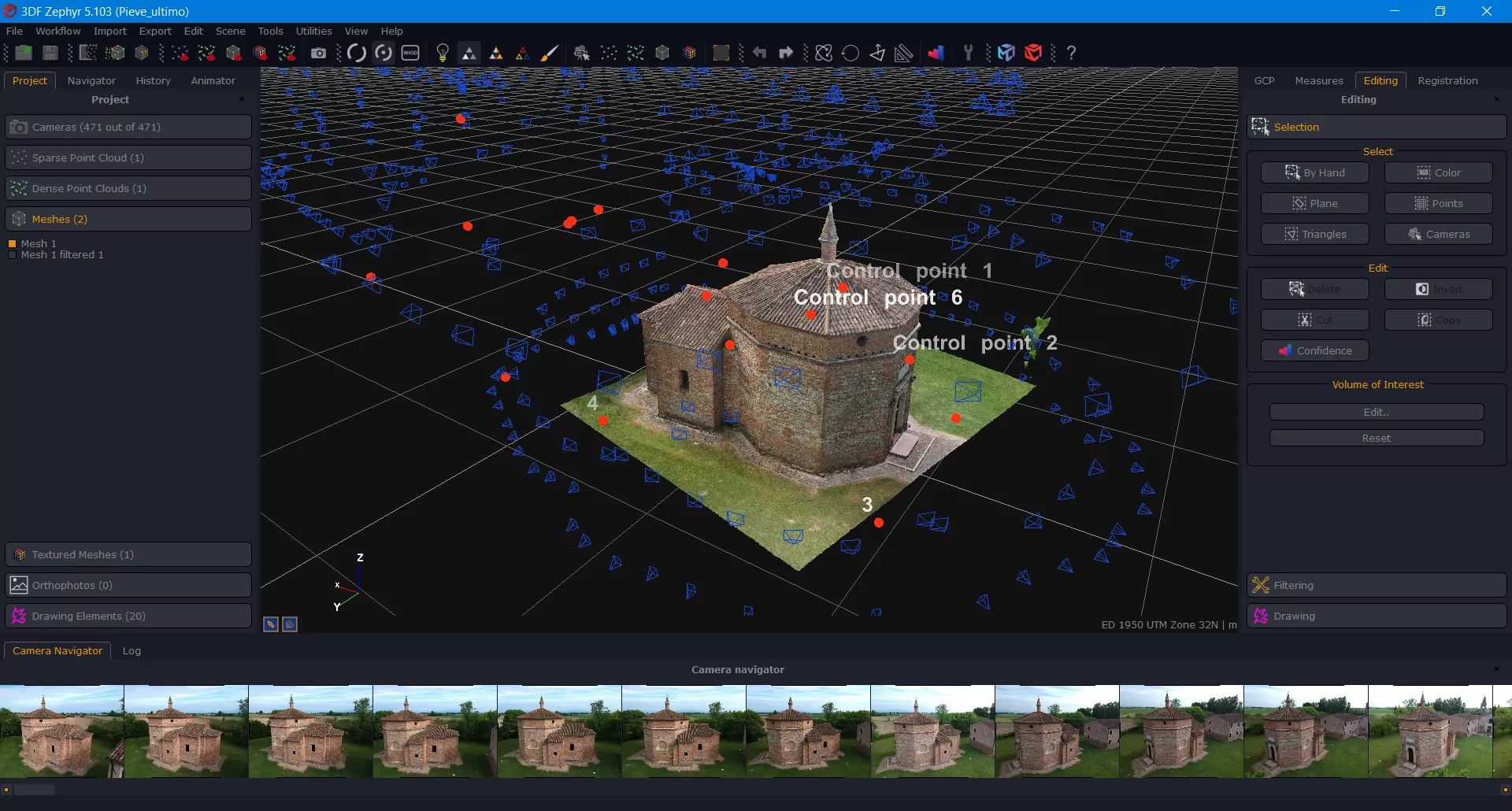
Zephyr can work through several stages of a photogrammetry project. After image alignment, users can generate point clouds and then create meshes from the reconstructed data. Point clouds are useful when you need to inspect captured geometry or perform measurements. Meshes provide a more complete surface representation and can be textured to resemble the original object or environment. The professional edition supports exporting dense clouds in formats such as PLY, XYZ, TXT, LAS, PTS, PTX, RCP, LAZ, NCN, and E57. Mesh export options include formats such as OBJ, STL, FBX, PLY, 3MF, and others.
Camera Calibration
Camera information is an important part of photogrammetry. 3DF Zephyr can automatically estimate internal and external camera parameters when the required information is not available from the images. This makes the workflow easier for users who do not want to manually configure every camera before starting a reconstruction. Zephyr also provides camera calibration management and can use available calibration information when appropriate.
Measurements and Control Points
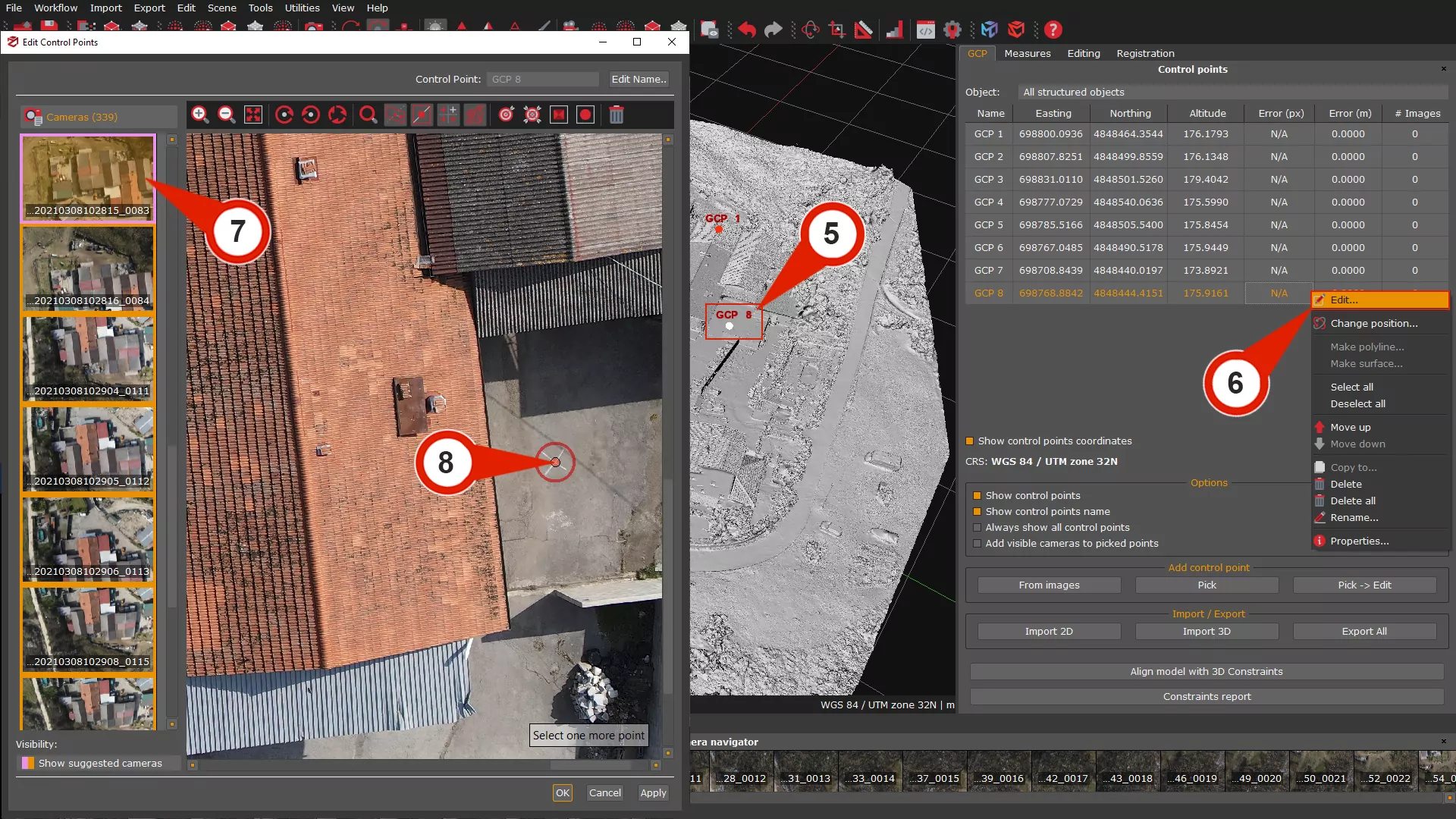
For professional projects, creating a 3D model is often only the first step. You may also need to measure distances, areas, volumes, and angles. The full version of 3DF Zephyr includes control points and measurement tools. These can be used to scale and georeference a reconstruction and calculate measurements directly inside the project. This makes the software more useful for surveying, architecture, engineering, archaeology, and construction workflows. The Free and Lite editions do not include the full set of distance and measurement functions.
Orthophotos and Orthomosaics
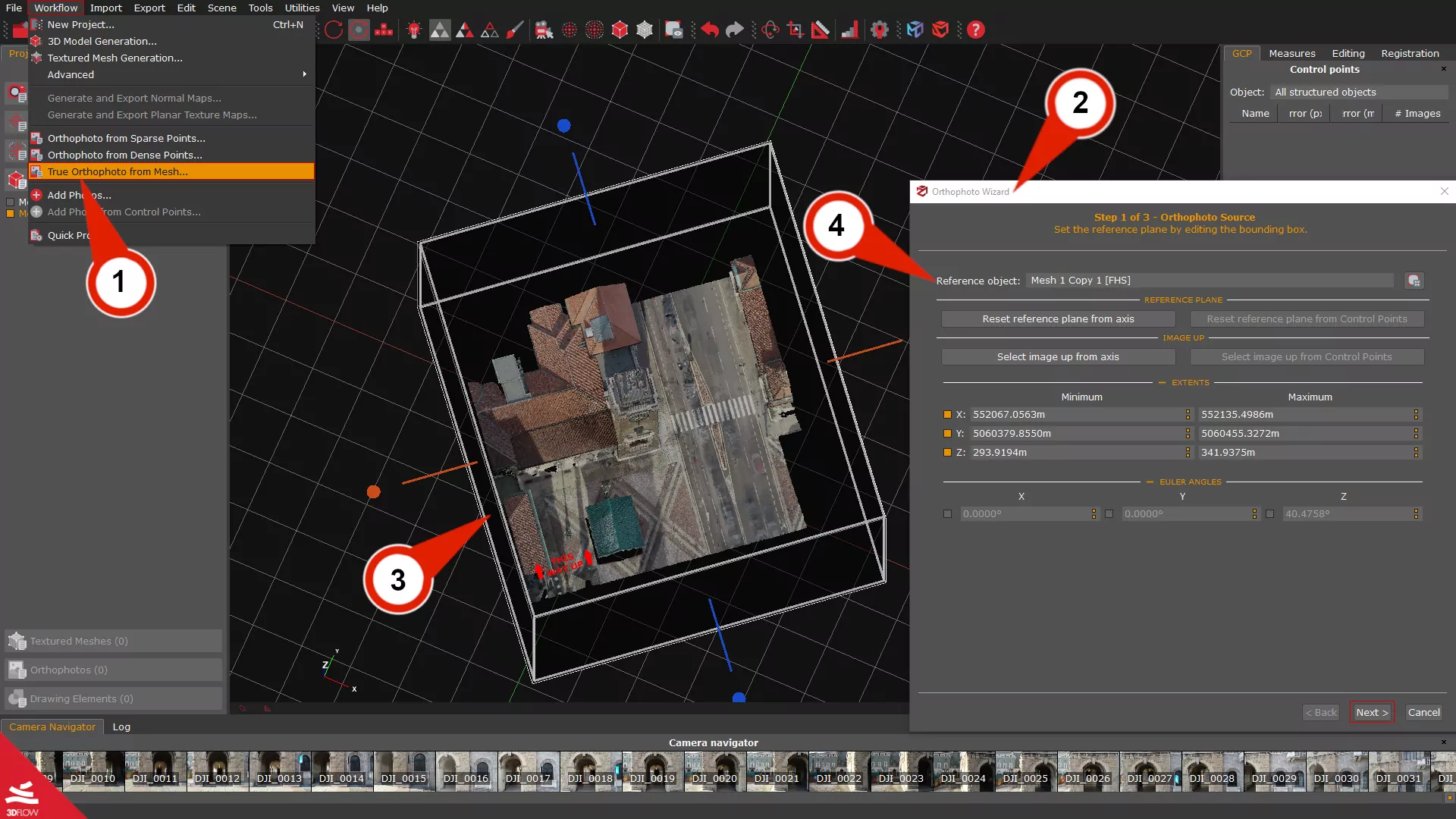
3DF Zephyr can generate orthophotos and orthomosaics from reconstructed data. An orthophoto is different from an ordinary photograph because its geometry is corrected so that measurements can be taken more accurately. Zephyr allows users to define the reference plane, set resolution using Ground Sample Distance, and export the resulting data in several formats. The full version supports formats such as GeoTIFF, PNG, JPG, BMP, and KML, along with options for scaled AutoCAD workflows. Large projects can also use tiled orthophotos.
DEM, DSM, and DTM Tools
For terrain and mapping work, 3DF Zephyr provides tools for generating and viewing elevation data. The software can create DSM and DTM files and open them through its DEM Viewer. Users can also view contour lines, export DEM images, measure distances and areas, and create elevation profiles. This makes Zephyr particularly useful for drone mapping and surveying projects where elevation information is required alongside the 3D reconstruction.
CAD and Survey Tools
The full version also includes CAD-style drawing features. Users can draw polylines, splines, surfaces, and points over 2D images or 3D reconstructions. Zephyr can also extract polylines, generate contour lines, create sections, and work with drawing elements. These tools help turn photogrammetry results into information that can be used in surveying and CAD workflows.
LiDAR and Laser Scan Support
3DF Zephyr is not limited to photographs. The professional version can import native laser scan formats and combine laser scanning data with photogrammetry. This can be useful for construction documentation, architecture, surveying, and other projects where photographic reconstruction alone may not provide enough information. The official feature comparison lists laser scan support and cloud-to-cloud registration among the professional capabilities.
Drone and UAV Photogrammetry
3DF Zephyr is well suited to drone-based mapping. Images captured by drones can be imported into a project, and GPS information stored in image EXIF data can be used during processing. From aerial images, users can generate 3D reconstructions, orthophotos, DSMs, DTMs, and elevation profiles. This makes the software useful for land surveys, construction monitoring, mining, agriculture, and mapping.
Multispectral Analysis
Agricultural and environmental users can also use Zephyr for multispectral workflows. The software can generate vegetation index maps such as NDVI, DVI, SAVI, and other channel-based outputs. These maps can be exported in GeoTIFF format for further analysis. This can help users inspect vegetation conditions from multispectral aerial imagery.
3D Model Editing
3DF Zephyr includes editing and filtering tools for cleaning reconstructed data. You can remove unwanted portions of a point cloud or mesh, work with bounding boxes, adjust reconstruction results, and prepare the model for export. The full edition provides advanced editing tools and additional filters, while the Free and Lite editions have more limited editing capabilities.
Key Features of 3DF Zephyr 2026
- Automatic 3D reconstruction from photographs
- Structure-from-Motion processing
- Dense point cloud generation
- Textured 3D mesh creation
- Camera calibration
- Photo and video frame processing
- UAV and drone image support
- LiDAR and laser scan integration
- Control points and georeferencing
- Distance, area, and volume measurements
- Orthophoto and orthomosaic generation
- DSM and DTM generation
- DEM viewer
- Elevation profiles
- Contour line generation
- CAD drawing tools
- Multispectral image analysis
- NDVI and vegetation index maps
- 3D model editing and filtering
- Multiple 3D export formats
- Video animation creation
- BIM integration
- GPU acceleration
- Free edition for personal use
3DF Zephyr Alternatives
Agisoft Metashape
Agisoft Metashape is a professional photogrammetry application that can process photographs and generate 3D spatial data. It is widely used for mapping, surveying, cultural heritage, and other reconstruction workflows. It is one of the closest alternatives to 3DF Zephyr for users who need professional photogrammetry rather than general 3D modeling.
RealityCapture
RealityCapture is another powerful photogrammetry and 3D reconstruction application. It is designed for creating detailed 3D models and large-scale reconstructions from photographs and scans. It can be a strong alternative for users who prioritize large datasets and fast reconstruction workflows.
Meshroom
Meshroom is an open-source photogrammetry application based on AliceVision. It can create 3D models from photographs and is an attractive option for users who want a free solution for learning photogrammetry. Its workflow is more technical than 3DF Zephyr, so beginners may need additional time to understand the available settings.
COLMAP
COLMAP is a free and open-source structure-from-motion and multi-view stereo pipeline. It is especially popular among researchers, developers, and advanced users who want greater control over the reconstruction process. It is powerful, but its interface and workflow can feel less approachable than a commercial application such as 3DF Zephyr.
Conclusion
3DF Zephyr 2026 is a powerful Windows photogrammetry solution for turning photographs and capturing data into usable 3D models and spatial information. Its automatic reconstruction makes the basic workflow accessible, while the professional edition adds tools for surveying, mapping, measurements, LiDAR integration, orthophotos, DEMs, CAD drawings, and multispectral analysis.
The Free edition is a good starting point for beginners because it allows personal users to learn photogrammetry without a time limit. For larger datasets, the Lite edition removes the small image limit, while the full version is designed for professional projects with advanced reconstruction and surveying requirements. If your goal is to create 3D models from photographs, process drone imagery, or build detailed survey data on Windows, 3DF Zephyr 2026 is one of the more complete photogrammetry applications to consider.
3DF Zephyr 2026 Technical Setup Details
- Software Full Name: 3DF Zephyr 2026
- Setup File Name: 3DF_Zephyr_9.011.rar
- Setup Size: 483 MB
- Setup Type: Offline Installer / Full Standalone Setup
- Compatibility Mechanical: 32 Bit (x86) / 64 Bit (x64)
- Developers: 3DF Zephyr
System Requirements for 3DF Zephyr 2026
- Operating System: Windows 7/8/10
- RAM: 16 GB
- Hard Disk: 1 GB
- Processor: Intel Core i5 or higher processor
3DF Zephyr 2026 Download
Download the 3DF Zephyr 2026 free latest full version offline direct download link for a full offline setup by clicking the button below.