Download Sysinternals Suite 2026 full latest version program free setup for Windows. Sysinternals Suite 2026 is an intelligent application for understanding, troubleshooting, monitoring, and administering Windows systems.
Sysinternals Suite 2026 for Windows Review
Sysinternals Suite 2026 is a collection of Windows tools from Microsoft designed for troubleshooting, system monitoring, security checks, process management, and advanced Windows administration. Instead of installing dozens of separate utilities, the Suite puts a large selection of Sysinternals tools in one package. It is useful for IT professionals, system administrators, developers, security researchers, and experienced Windows users who need more information than the standard Windows tools provide.
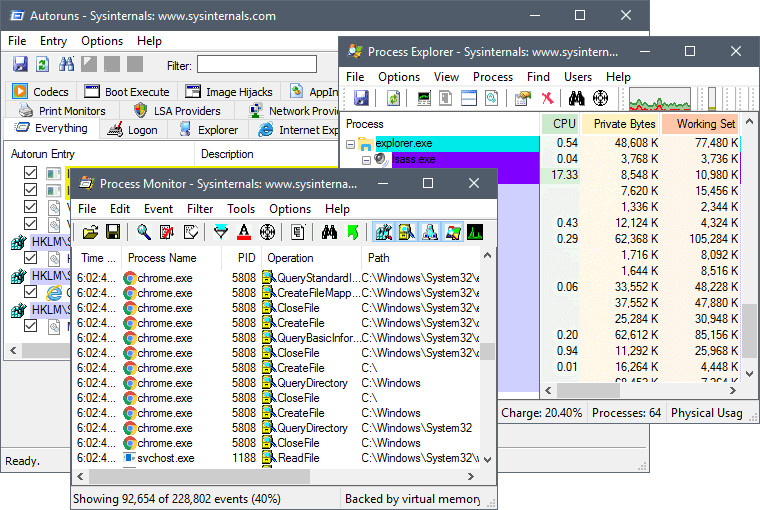
The Suite includes well-known utilities such as Process Explorer, Process Monitor, Autoruns, RAMMap, TCPView, PsExec, Sysmon, Disk2vhd, Sigcheck, and ZoomIt. Each tool handles a different task, so Sysinternals Suite is better understood as a toolbox rather than one single application. Microsoft describes it as a collection of troubleshooting utilities and help files.
The current 2026 release listed by Microsoft is Sysinternals Suite version 2026.8.1, updated on August 19, 2026. The downloadable Suite is about 192.3 MB, and Microsoft also provides separate packages for Nano Server and ARM64 systems. One of the biggest advantages of Sysinternals Suite is that the tools can help you see what Windows is actually doing. When a program is slowing down a computer, starting automatically, accessing files unexpectedly, using too much memory, or communicating over the network, the right Sysinternals utility can provide information that Task Manager or basic Windows settings may not show.
Sysinternals Suite 2026 for Windows Troubleshooting
Sysinternals Suite is especially useful when normal Windows tools don’t provide enough information. For example, suppose a file cannot be deleted because Windows says it is being used by another program. Process Explorer can help identify which process has the file open. You can then investigate that process instead of randomly closing applications. Another example is a computer that becomes slow after starting Windows. Autoruns can show which applications and services are configured to start automatically. You can then determine which entries are actually needed.
Process Monitor is useful when the problem is harder to reproduce. You can start a capture, reproduce the problem, and then filter the results to focus on a particular process or operation. This can reveal failed file accesses, Registry operations, or other activity that isn’t visible through normal Windows menus. The important point is that these tools show information rather than automatically fixing every problem. You still need to understand what the results mean before changing system settings.
Sysinternals Suite 2026 for Security
Sysinternals tools are also widely useful for Windows security investigations. Autoruns can help identify unfamiliar startup entries. Process Explorer can provide more detail about running programs. TCPView can show active network connections. Sigcheck can provide information about digital signatures and file versions. Sysmon can record detailed system activity for longer-term monitoring. These tools should not be treated as a complete antivirus or security suite. They provide visibility and investigation capabilities. A security professional can use that information alongside Windows security features and other security products.This distinction matters. Finding an unknown process doesn’t automatically mean the process is malicious. Some legitimate Windows components, drivers, software updaters, and security tools can look unfamiliar if you don’t know what installed them.
Sysinternals Suite 2026 for System Administration
System administrators can use several Sysinternals tools together when managing Windows computers. PsExec can run processes on remote computers. PsInfo can collect system information. PsLoggedOn can show logged-on users, while PsKill can terminate processes remotely. These tools can be useful when an administrator needs to work with multiple Windows systems without physically sitting in front of each machine. Disk2vhd is another practical utility. It can create a virtual hard disk from a physical Windows system, which can be useful for testing, migration, or virtualization workflows. The Suite also includes tools for Active Directory, permissions, storage, memory, processes, networking, and Windows internals. That range is one reason the package remains useful to experienced administrators.
Sysinternals Suite 2026 for Developers
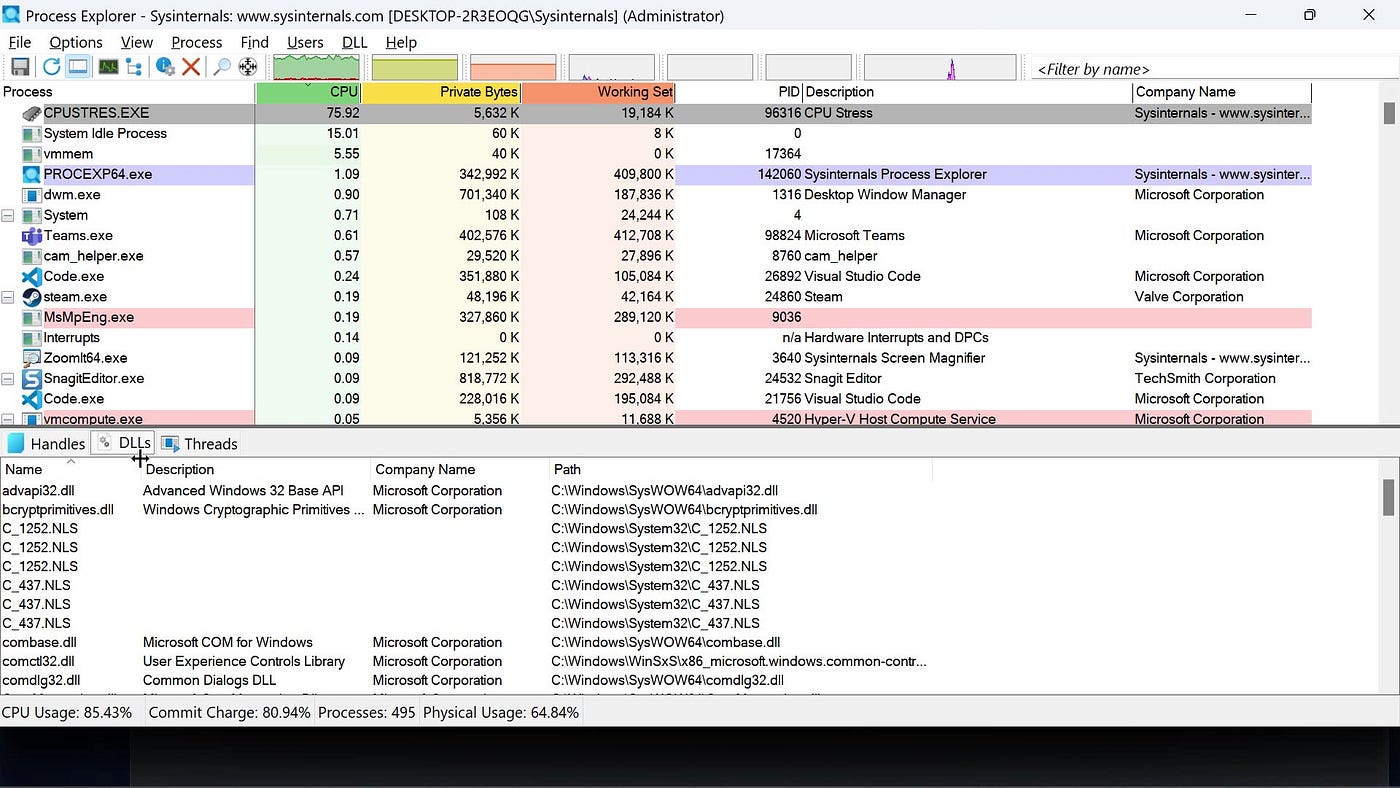
Developers can use Sysinternals tools to investigate applications that behave differently outside the development environment. Process Explorer can show process details and loaded DLLs. Process Monitor can reveal file and Registry activity. VMMap can help examine memory usage. DebugView can display debugging information generated by applications and system components. These tools are particularly useful when a problem doesn’t have an obvious error message. Instead of guessing, developers can inspect what the application is doing. The learning curve is higher than with ordinary Windows utilities, though. Sysinternals exposes information that is normally hidden from casual users. Beginners should start with one tool and one problem instead of trying to understand the entire Suite at once.
Key Features of Sysinternals Suite 2026
- Includes a large collection of Windows troubleshooting tools.
- Process Explorer for detailed process information.
- Process Monitor for real-time file, Registry, process, and thread activity.
- Autoruns for checking programs that start automatically.
- RAMMap for analyzing physical memory usage.
- TCPView for monitoring network connections.
- Sysmon for detailed system activity monitoring.
- PsExec for running processes on remote computers.
- Disk2vhd for creating virtual hard disk files from physical disks.
- Sigcheck for checking file signatures and version information.
- Strings for finding readable text inside files.
- Handle for finding open files and system objects.
- ListDLLs for viewing DLLs loaded by processes.
- VMMap for analyzing virtual and physical memory usage.
- WinObj for viewing Windows object manager information.
- AccessChk for checking permissions.
- AccessEnum for examining file and Registry access.
- AdExplorer for viewing Active Directory information.
- BgInfo for displaying system information on the desktop.
- Coreinfo for showing processor capabilities.
- Contig for working with file fragmentation.
- SDelete for securely deleting files.
- ZoomIt for screen zooming, annotation, and presentation work.
- PsTools collection for remote and local administration.
- Sysinternals Live for running tools directly from Microsoft’s service.
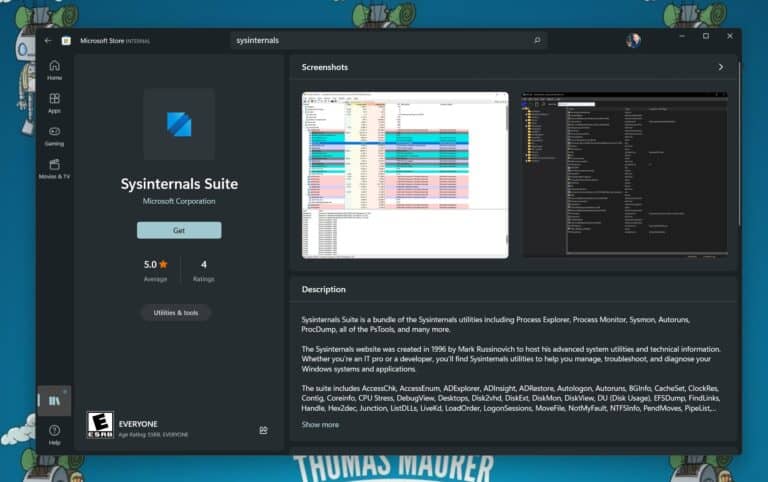
- Microsoft Store installation through an MSIX package.
- Separate ARM64 package.
- Nano Server package.
- Regular downloadable archive.
- Command-line and graphical utilities.
- Regular updates from Microsoft.
Sysinternals Suite 2026 Alternatives
NirSoft Utilities
NirSoft provides a large collection of small Windows utilities for system information, networking, passwords, browser data, and other administrative tasks. It can be a useful alternative when you want individual lightweight tools rather than Microsoft’s larger Sysinternals collection.
Windows Sysinternals Individual Tools
If you only need one specific utility, downloading an individual Sysinternals tool can be a better choice than installing the entire Suite. Microsoft provides separate downloads for tools such as Process Explorer, Process Monitor, Autoruns, ProcDump, and many others.
Process Hacker
Process Hacker, now associated with the System Informer project, is an alternative for users who mainly want detailed process and system information. It focuses more heavily on process inspection and system monitoring than the complete Sysinternals collection.
Process Explorer
Process Explorer itself can be considered an alternative when you don’t need the entire Suite. It is particularly useful for users whose main requirement is detailed process and file-handle information.
Windows Administrative Tools
Windows already includes several built-in tools such as Task Manager, Event Viewer, Resource Monitor, Services, and Performance Monitor. These are suitable for basic troubleshooting and don’t require an additional download.
Conclusion
Sysinternals Suite 2026 is an excellent Windows toolkit for users who need detailed information about processes, files, memory, networking, startup programs, system activity, and Windows administration. It isn’t the easiest software collection for beginners, but that isn’t its purpose. If you regularly troubleshoot Windows or manage computers, having Sysinternals Suite available can save time and replace many separate utilities. For simple everyday problems, Windows’ built-in tools may be enough. For deeper investigation, Sysinternals Suite is one of the strongest free options available.
Sysinternals Suite 2026 Technical Setup Details
- Software Full Name: Sysinternals Suite 2026
- Setup File Name: Sysinternals_Suite_2026.8.19.rar
- Setup Size: 179 MB
- Setup Type: Offline Installer / Full Standalone Setup
- Compatibility: 32 Bit (x86) / 64 Bit (x64)
- Latest Version Release Added On: 27th Aug 2026
- Developers: Sysinternals
System Requirements for Sysinternals Suite 2026
- Operating System: Windows 7/8/10
- RAM: 1 GB
- Hard Disk: 200 MB
- Processor: Intel Dual Core or higher processor
Sysinternals Suite 2026 Download
Download Sysinternals Suite 2026 free latest full version offline direct download link for full offline setup by clicking the button below.