Download Cutting Optimization Pro 2026 full latest version program free setup for Windows.
Cutting Optimization Pro 2026 Review
Cutting Optimization Pro 2026 is a Windows program for planning and optimizing material cuts. It can create cutting plans for sheets, boards, glass, metal, plastic, wood, pipes, tubes, bars, and profiles. It supports both 2D rectangular cutting and 1D linear cutting, making it useful for different workshop and manufacturing jobs. The main purpose of the software is to reduce material waste. You enter your available stock, required piece sizes, quantities, and cutting settings. Cutting Optimization Pro then calculates a suitable layout and shows how the material can be divided. This can help users plan jobs before cutting expensive materials. The biggest advantage of Cutting Optimization Pro is its support for both 1D and 2D cutting. Linear cutting can be used for pipes, tubes, bars, profiles, and other long materials. The 2D mode is designed for rectangular sheets and panels. This makes the software useful for furniture makers, fabricators, workshops, and small manufacturing businesses.
 The software provides several settings that help control the cutting process. You can define material sizes, blade thickness, waste limits, and other cutting conditions. These settings are important because a theoretical cutting plan may not work well in a real workshop if the saw blade or required waste space is ignored. Another useful part is its product and component system. You can create products made from several parts and calculate the required components. This can be helpful when producing furniture, cabinets, desks, shelves, lockers, or similar products repeatedly.
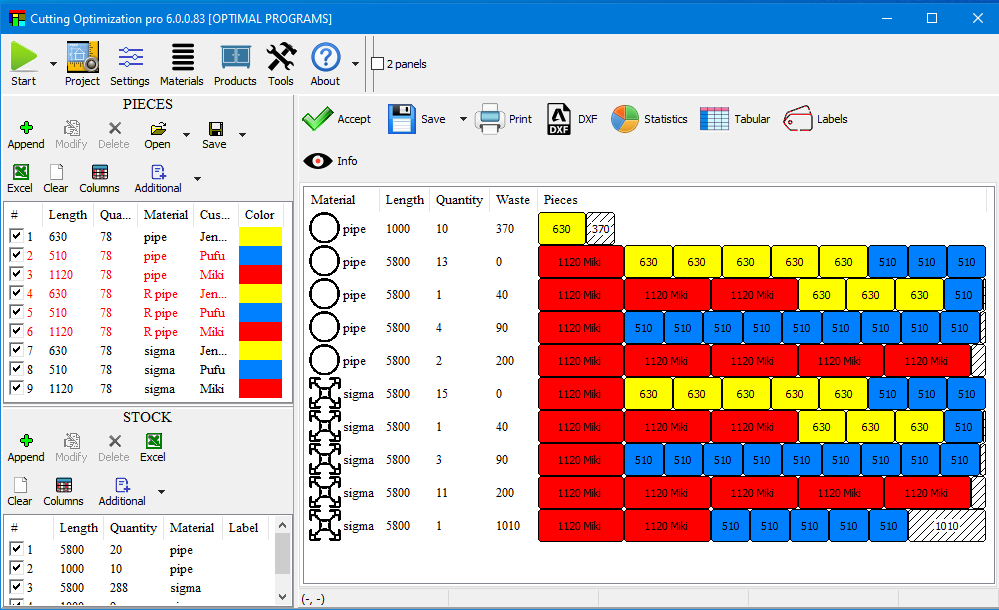
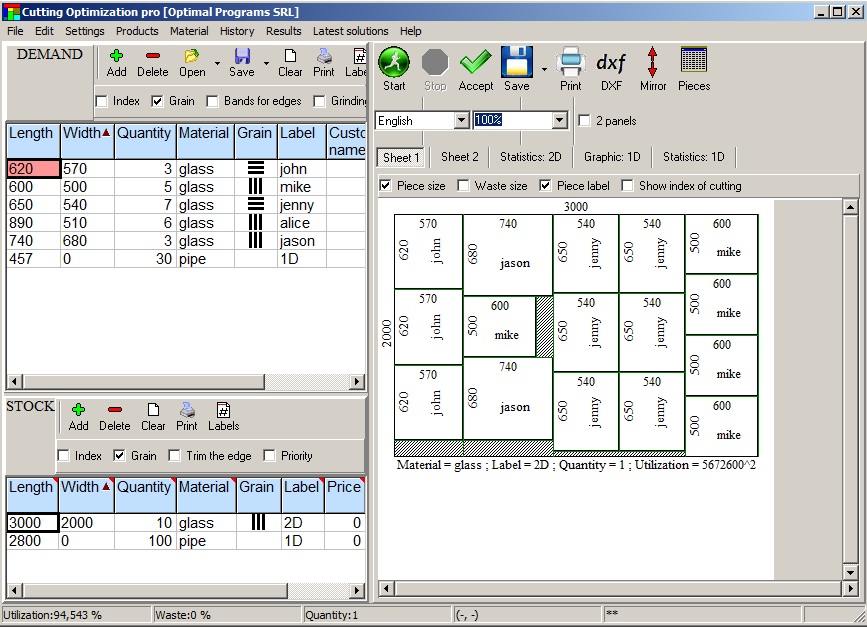
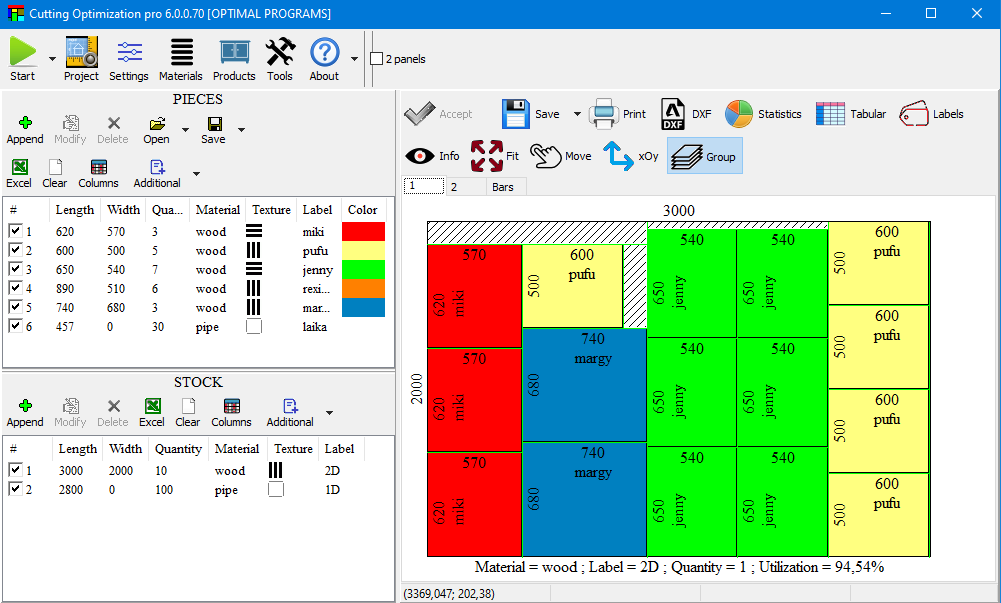
Cutting results are shown as visual layouts and lists, allowing you to check the planned cuts before starting the job. This is especially useful when several pieces have to be taken from the same sheet or bar. The software is also relatively lightweight compared with large CAD or manufacturing applications. Its main focus is cutting optimization rather than drawing or full product design. So, users who already create their designs in another program can use Cutting Optimization Pro mainly for the material planning stage. The main limitation is that it is primarily designed for rectangular and linear cutting. If you need advanced nesting for irregular shapes, complex CNC workflows, or detailed CAD-to-machine production, a specialized nesting or CAM application may be a better choice.
Key Features
- Supports 1D linear and 2D rectangular cutting
- Creates optimized cutting layouts
- Helps reduce material waste
- Works with sheets, boards, panels, pipes, tubes, bars, and profiles
- Supports wood, glass, metal, plastic, and other materials
- Allows users to define stock material sizes
- Supports cutting blade thickness settings
- Provides waste and cutting controls
- Displays cutting layouts visually
- Provides cutting lists for planned parts
- Supports products with multiple components
- Useful for furniture and cabinet production
- Suitable for workshops and manufacturing jobs
- Designed for Windows computers
- Lightweight compared with large CAD and manufacturing software
Alternatives
Cutting Optimization Pro is a good middle-ground option, but it is not the only choice for material cutting and nesting. Different software may be better depending on the type of material, shape, and production workflow you use.
Real Cut 1D is a suitable alternative for users who mainly work with linear materials. It focuses on cutting items such as bars, pipes, tubes, profiles, and similar stock. If your work rarely involves sheet materials, a dedicated 1D solution can be more focused than using a combined 1D and 2D application.
Simple Cutting Software is another option for users who want to plan rectangular sheet cuts without using a large manufacturing application. It can be useful for basic panel, board, and sheet cutting where the main goal is to organize pieces and reduce leftover material.
Next Nesting Software X is more suitable when irregular shapes are part of the workflow. Advanced nesting software can arrange different shapes together instead of being limited mainly to rectangular pieces. This makes it more appropriate for users working with complex parts and professional fabrication jobs.
Deepnest is worth considering for true-shape nesting. It is designed to arrange irregular 2D shapes efficiently and can be useful for CNC, laser cutting, plasma cutting, and similar workflows. Users who regularly cut non-rectangular parts may find this approach more suitable than a rectangular cutting optimizer.
CutList Optimizer is another practical choice for woodworking and panel-based projects. It focuses on creating cut lists and layouts for sheet materials, making it useful for cabinet makers, furniture projects, and DIY woodworking.
For larger manufacturing companies, professional nesting and CAM software can provide more advanced tools. These applications can connect cutting layouts with CNC machines, production workflows, CAD files, and machine-specific operations. They are usually more expensive and require more setup than Cutting Optimization Pro.
Conclusion
Cutting Optimization Pro 2026 is a practical Windows solution for users who need to plan material cuts and reduce unnecessary waste. Its support for both linear and rectangular cutting gives it more flexibility than basic cut-list tools. It is particularly useful for furniture makers, workshops, fabricators, and small manufacturers that work with sheets, boards, pipes, bars, or profiles. The interface may feel less modern than newer design software, but the program stays focused on the job it is built to do. If your work mainly involves rectangular or linear materials, Cutting Optimization Pro is worth considering.
Cutting Optimization Pro 2026 Technical Setup Details
- Software Full Name: Cutting Optimization Pro 2026
- Setup File Name: Cutting_Optimization_Pro_5.18.27.1.rar
- Setup Size: 2.3 MB
- Setup Type: Offline Installer / Full Standalone Setup
- Compatibility Mechanical: 32 Bit (x86) / 64 Bit (x64)
- Developers: Cutting Optimization Pro
System Requirements for Cutting Optimization Pro 2026
- Operating System: Windows 7/8/10
- RAM: 2 GB
- Hard Disk: 500 MB
- Processor: Intel Dual-Core or higher processor
Cutting Optimization Pro 2026 Download
Download Cutting Optimization Pro 2026 free latest full version offline direct download link for full offline setup by clicking the button below.