Download VoiceStudio 2026 full latest version program free setup for Windows. VoiceStudio 2026 is an AI-powered voice and audio production application.
VoiceStudio 2026 for Windows Review
VoiceStudio 2026 is an open-source AI voice application for Windows that focuses on local voice generation instead of requiring an online subscription or API account for its core workflow. It can clone voices, create new voices from text descriptions, generate speech, dub videos, transcribe audio, and create long-form audiobooks. The project supports a large language catalogue and multiple speech engines. The latest 2026 build is VoiceStudio 0.5.5, released on September 22, 2026. The Windows release is available as an x64 desktop package. VoiceStudio is still in active beta development, so features and workflows can change between releases. VoiceStudio is designed for users who want to create AI-generated speech directly from a Windows PC. It can be useful for YouTubers, video editors, audiobook creators, developers, educators, and content creators who need voice generation without sending their main workflow to a cloud service.
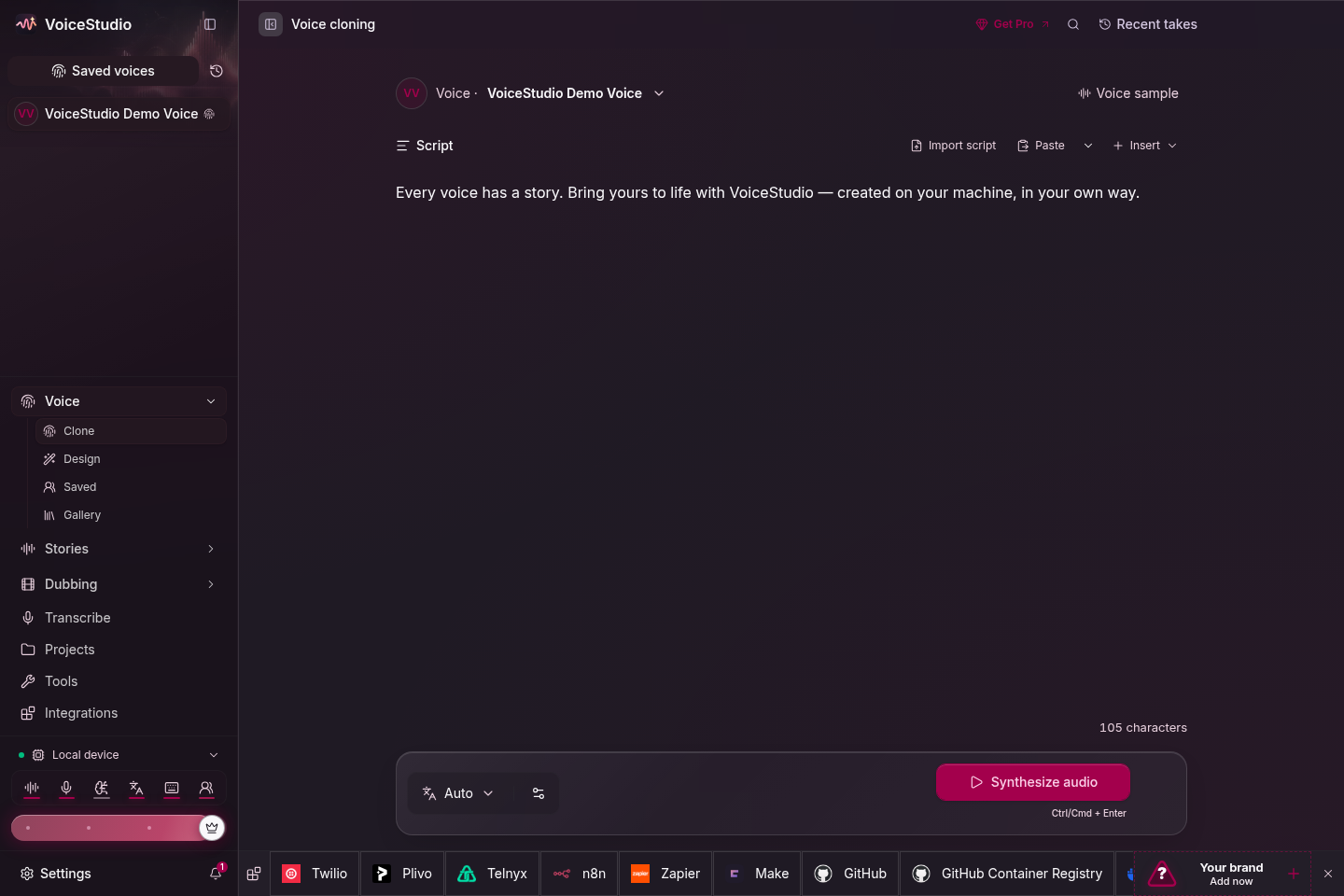
Its voice cloning feature lets users provide a short voice recording and generate speech using that voice. The official documentation says three seconds can be enough for a basic test, while a cleaner 5–15 second sample can provide a better prompt. Users can then enter text, select a language, and generate the result. VoiceStudio also includes voice design, which is different from cloning an existing speaker. Users can create a new voice based on characteristics such as gender, age, accent, pitch, and emotion. This is useful when a project needs a fictional narrator or character voice rather than a copy of an existing speaker.
For video creators, video dubbing is one of the more useful features. VoiceStudio can transcribe video, translate the text, generate new speech, and align the result with the original timing. The application is designed to keep speakers and dialogue organized during this process. The software is also built for longer projects. Its Stories workflow can handle multiple voices for character-based audio, while the Audiobook workflow can turn long scripts or EPUB files into chaptered audiobooks. This makes it more suitable for long-form projects than a basic text-to-speech utility.
VoiceStudio includes a Transcripts workspace for turning audio or video into editable and searchable text. This can be useful for interviews, recorded meetings, video production, subtitles, or preparing written material from spoken content. A major difference from many commercial AI voice services is its local-first approach. The project states that voices, projects, settings, and generated outputs stay on the machine by default. Its core workflow does not require an account, API key, subscription, or usage meter. However, the actual privacy and performance experience still depends on the selected speech and transcription engines.
VoiceStudio currently supports 16 TTS engines and 11 ASR engines. The project lists support for 646 TTS languages, although actual language coverage and output quality depend on the engine selected. Users can switch engines through the Model Catalogue. Hardware matters more with VoiceStudio than with a normal text editor because AI voice models can require significant processing power. On Windows, NVIDIA GPUs with CUDA are supported for acceleration. AMD GPU acceleration through ROCm is not supported on Windows, so AMD systems use the CPU instead.
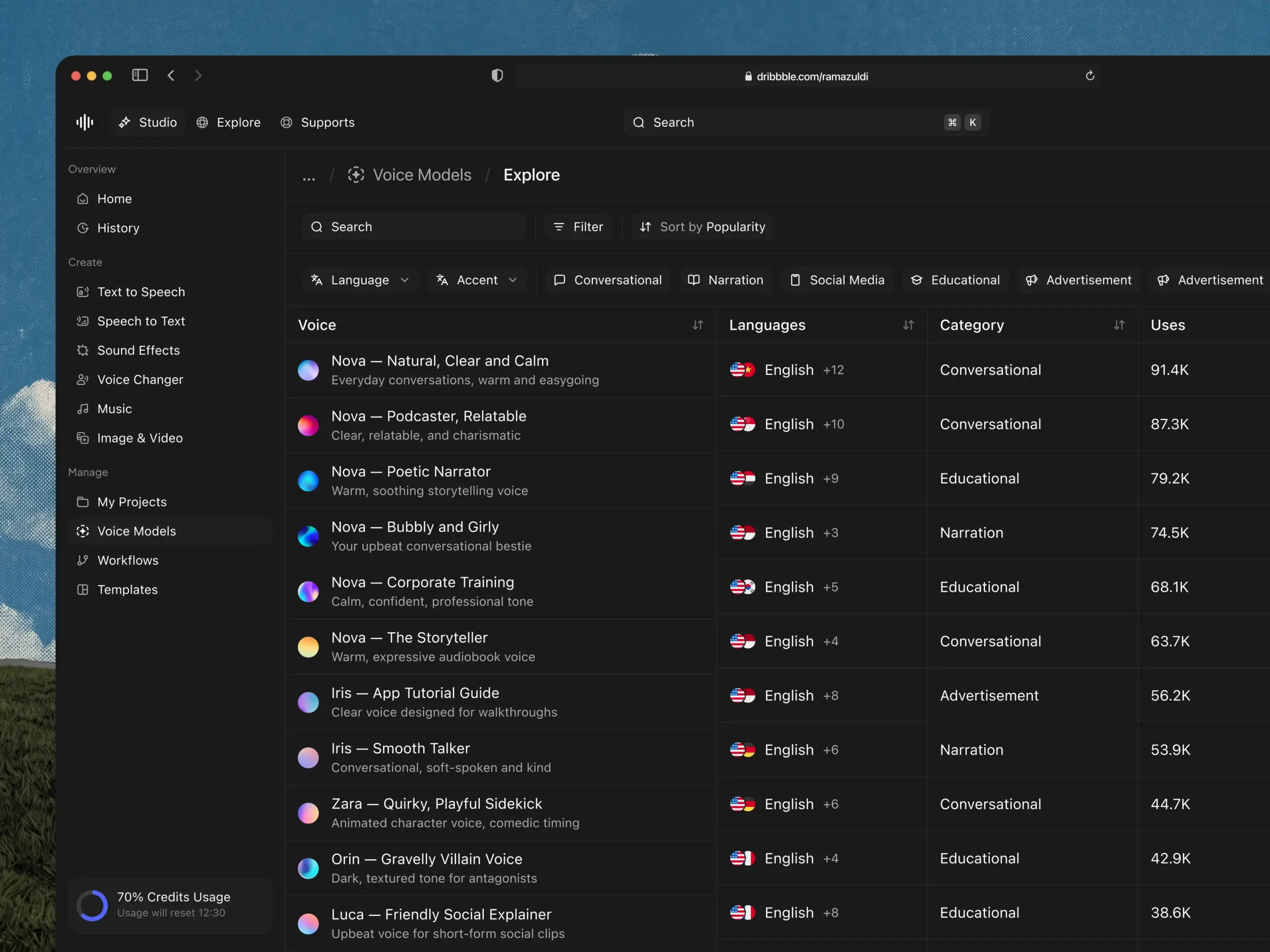
The application can run entirely on the CPU, but generation can be slower. Users with compatible NVIDIA hardware can therefore expect a different experience from users running the same models on a CPU-only system. Model size also affects storage and processing requirements because VoiceStudio downloads model files during setup. The Windows installer is available as an MSI package. There are both per-machine and current-user installation options. The current-user package does not require administrator privileges, which can be useful on systems where users do not have admin access. One limitation is that VoiceStudio is still a beta project. The feature set is developing quickly, and model compatibility, performance, and output quality can vary. Users should also check the licensing terms of individual voice models and engines when using generated audio commercially.
Key Features
- Local AI voice generation
- Voice cloning from short recordings
- Voice design from text descriptions
- Text-to-speech generation
- Video dubbing
- Audio and video transcription
- Dictation
- Multi-voice story creation
- Audiobook generation
- EPUB-to-audiobook workflow
- Voice Gallery
- Multiple TTS engines
- Multiple ASR engines
- 646-language TTS catalogue
- Local REST, SSE, and WebSocket API
- OpenAI-compatible audio API
- MCP Server
- Local-first data storage
- No account required for the core workflow
- No API key required for the core local workflow
- NVIDIA CUDA acceleration on Windows
- CPU processing support
- Windows 10 and 11 x64 support
- Model Catalogue for managing speech engines
- Project and output management
- Searchable transcripts
- Local voice and project storage
- Open-source AGPL-3.0 project
Alternatives
ElevenLabs is a cloud-based option for users who prioritize polished voice generation, voice cloning, dubbing, and a web-based workflow. It is easier to start with because the processing does not depend on the user’s local GPU.
Piper is a lightweight local text-to-speech option. It is better suited to users who mainly need fast offline speech synthesis rather than a complete voice-production workspace.
Coqui TTS is useful for developers and advanced users who want open-source text-to-speech models and more control over the technical side of voice generation. It is more developer-oriented than VoiceStudio.
Fish Speech is another open-source voice-generation project that can be considered when the main requirement is local speech synthesis and voice cloning. Its setup and model requirements can be more technical.
OpenVoice focuses on voice cloning and voice conversion. It can be useful for users who want to experiment with multilingual voice cloning without depending entirely on a commercial cloud platform.
XTTS is another option for local multilingual text-to-speech and voice cloning. It is particularly relevant for technical users who are comfortable working with AI models directly instead of using a complete desktop application.
VoiceStudio differs from these alternatives by combining several workflows inside one desktop interface. Instead of focusing only on TTS or cloning, it brings voice creation, dubbing, transcription, stories, audiobooks, projects, and model management into the same application.
Conclusion
VoiceStudio 2026 is a feature-rich local AI voice application for Windows users who want more control over voice generation and audio projects. Its combination of voice cloning, voice design, dubbing, transcription, audiobook creation, and multiple AI engines gives it a much wider scope than a basic text-to-speech tool. The local-first approach is one of its main differences. Users can keep their projects and generated files on their own PC, while NVIDIA CUDA support can provide hardware acceleration on compatible Windows systems. CPU operation is also available, although performance depends heavily on the selected model and hardware. For Windows users interested in local AI voice cloning, dubbing, transcription, and audiobook creation, VoiceStudio 2026 is a project worth watching. Its active beta development also means users should expect regular changes as new engines, models, and workflows are added.
VoiceStudio 2026 Technical Setup Details
- Software Full Name: VoiceStudio 2026
- Setup File Name: VoiceStudio-0.5.3.rar
- Setup Size: 172 MB
- Setup Type: Offline Installer / Full Standalone Setup
- Compatibility: 32 Bit (x86) / 64 Bit (x64)
- Developers: VoiceStudio
System Requirements for VoiceStudio 2026
- Operating System: Windows 7/8/10
- RAM: 8 GB
- Hard Disk: 10 GB
- Processor: Intel Core i5 or higher processor
VoiceStudio 2026 Download
Download VoiceStudio 2026 free latest full version offline direct download link for full offline setup by clicking the button below.