Download IObit Uninstaller Pro 2026 full latest version program free setup for Windows.
IObit Uninstaller Pro 2026 for Windows Review
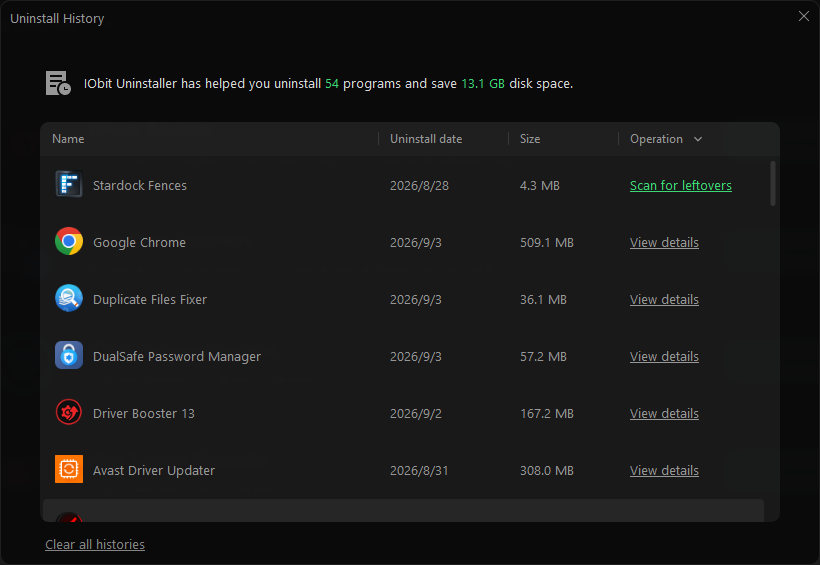
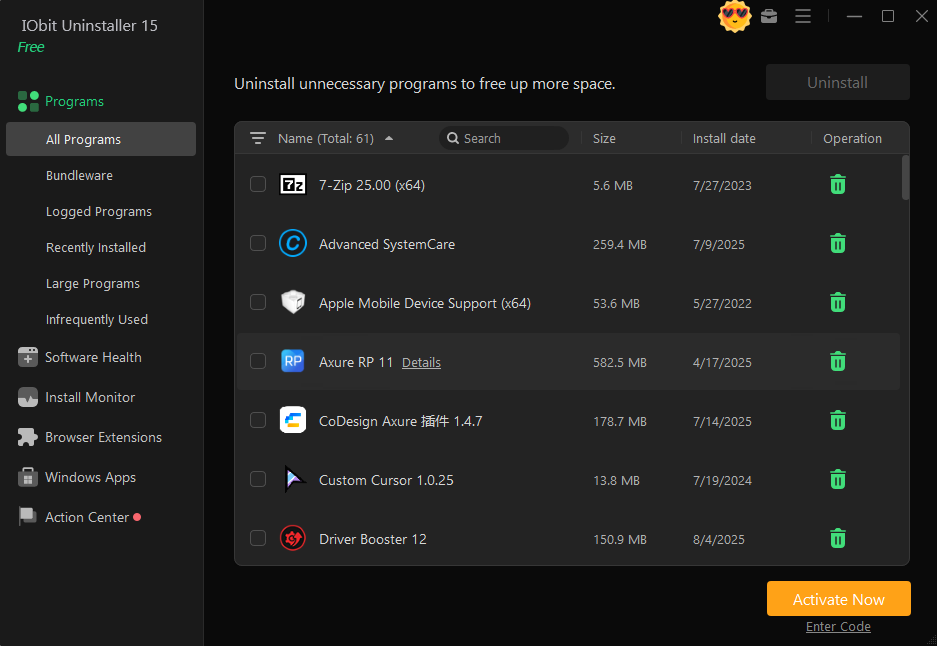
IObit Uninstaller Pro 2026 is a Windows utility for removing unwanted programs, leftover files, browser extensions, bundled software, and difficult-to-remove applications. It goes further than the standard Windows uninstall process by scanning for files, folders, and registry entries that can remain after a program is removed. The latest version is IObit Uninstaller 16.0.0, released on September 9, 2026. The 2026 release adds two notable tools: Software Relocator, which can move installed programs to another drive without reinstalling them, and Bloatware Remover, which can remove unwanted pre-installed Windows apps and system components. The update also brings a redesigned interface, improved Software Health and Powerscan features, and support for 39 languages. IObit Uninstaller Pro is mainly useful for Windows users who install and remove software regularly.

Developers, gamers, content creators, and users with limited SSD space can benefit from having more control over installed applications and their leftover data. The main feature is its Powerful Uninstall system. After the normal program uninstaller runs, IObit Uninstaller can scan for remaining files, folders, and registry entries. The Pro version adds deeper scanning and automatic cleanup of leftovers from uninstallations. For software that refuses to uninstall normally, Pro includes Force Uninstall. IObit says the tool can handle more than 4,000 stubborn applications and can create a system restore point before removal. This can be useful when an application’s own uninstaller is broken or the program no longer appears correctly in Windows.
Batch uninstalling is another practical feature. Instead of removing programs individually, users can select several unwanted applications and process them together. The software also supports Windows applications, Microsoft Store apps, and pre-installed software. The new Software Relocator is particularly useful when the system drive is running out of space. Instead of uninstalling a large application that you still need, the tool can move installed software and related data to another drive. IObit says it checks the destination drive and attempts to preserve application settings, login information, history, and shortcuts.
Bloatware Remover gives the 2026 release another practical use. It can remove selected pre-installed Windows applications and system components that may not be easy to manage through normal Windows settings. Users should still review what they are removing because some Windows components may be required by other features. The Pro version also includes real-time installation monitoring. It can track changes made when new software is installed, giving the uninstaller more information when that application is later removed. Software Health also analyzes installed software and leftover data.
Browser cleanup is included as well. IObit Uninstaller can display browser extensions and toolbars and help remove unwanted or potentially harmful extensions. This is useful when an extension changes browser behavior or remains after its main application has been removed. One thing to keep in mind is that IObit Uninstaller is more feature-heavy than the standard Windows uninstaller. Users who only remove a few applications each year may not need all these tools. The Pro version is more relevant for people who frequently install software, manage large applications, or need deeper cleanup.
Key Features
- Complete software uninstallation
- Deep leftover file and registry scanning
- Force Uninstall for stubborn programs
- Support for 4,000+ difficult-to-remove programs
- Batch uninstall
- Windows app and Microsoft Store app removal
- Pre-installed app and bloatware removal
- New Software Relocator
- Move installed applications to another drive
- Real-time installation monitoring
- Improved Software Health
- Improved Powerscan
- Automatic leftover cleanup
- System restore point before removal
- Browser extension and toolbar removal
- Bundleware detection
- Hunter Mode
- Hidden software detection
- Unused program detection
- Software update management
- Redesigned interface
- Dark and Light modes
- 39 supported languages
- Windows 11, 10, 8/8.1, and 7 support in the current release information
Alternatives
Revo Uninstaller is a major alternative for users who want deep leftover scanning after removing programs. Its workflow can create a restore point and scan for remaining files, folders, and registry entries.
HiBit Uninstaller is worth considering if you want a free Windows-focused tool with batch removal, forced uninstall, leftover scanning, Windows Store app removal, and a portable version.
Geek Uninstaller is a simpler option for users who prefer a lightweight approach. It focuses more directly on removing applications without the broader maintenance features found in IObit Uninstaller.
Bulk Crap Uninstaller (BCUninstaller) is useful when the main goal is removing many unwanted applications. It is especially suited to users who want a more open-source-oriented alternative and need batch removal.
Windows Apps & Features remains sufficient for basic uninstall tasks. It does not provide the same depth of leftover scanning and advanced removal tools, but it is already included with Windows and requires no additional software.
Conclusion
IObit Uninstaller Pro 2026 has developed beyond a simple program removal tool. The latest version 16.0.0 combines deep uninstall cleanup with software relocation, bloatware removal, browser extension management, installation monitoring, and software health tools. The new Software Relocator is particularly useful for PCs with a nearly full system drive, while Force Uninstall and deeper leftover scanning address problems that the normal Windows uninstall process may not handle well. For Windows users who frequently install software or want more control over applications and leftover data, IObit Uninstaller Pro 2026 provides a much broader set of tools than the default Windows uninstaller.
IObit Uninstaller Pro 2026 Technical Setup Details
- Software Full Name: IObit Uninstaller Pro 2026
- Setup File Name: IObit_Uninstaller_Pro_16.0.0.34.rar
- Setup Size: 39 MB
- Setup Type: Offline Installer / Full Standalone Setup
- Compatibility: 32 Bit (x86) / 64 Bit (x64)
- Developers: IObit
System Requirements for IObit Uninstaller Pro 2026
- Operating System: Windows 7/8/10
- RAM: 1 GB
- Hard Disk: 500 MB
- Processor: Intel Dual Core or higher processor
IObit Uninstaller Pro 2026 Download
Download IObit Uninstaller Pro 2026 free latest full version offline direct download link for full offline setup by clicking the button below.