Download LumaBooth 2026 full latest version program free setup for Windows.
LumaBooth 2026 for Windows Review
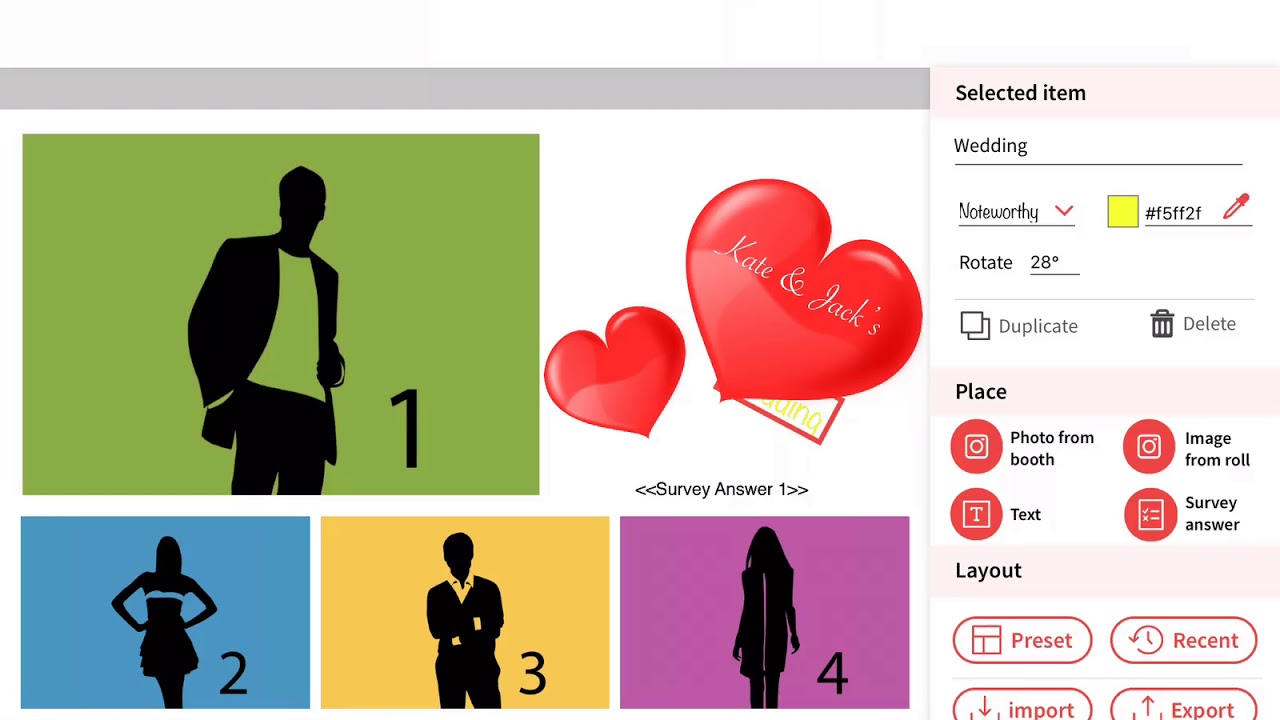
LumaBooth 2026 is professional photo booth software for Windows PCs and tablets. It was formerly known as dslrBooth, but the Windows version became LumaBooth with version 8 in 2026. It is designed for weddings, parties, corporate events, photo booth businesses, and other events where guests need to capture and share photos or videos. The software works with Canon, Nikon, Sony, GoPro, and many webcams. It can handle standard photos, GIFs, boomerangs, videos, and 360 experiences. It also includes tools for custom layouts, green screen effects, mirror booths, glam effects, sharing, and direct printing. The latest Windows release is version 8.4.0, released on September 21, 2026. LumaBooth is mainly built for people who want to run a complete photo booth from a Windows computer. You can connect a supported DSLR or mirrorless camera and let guests control the capture process through the booth interface.

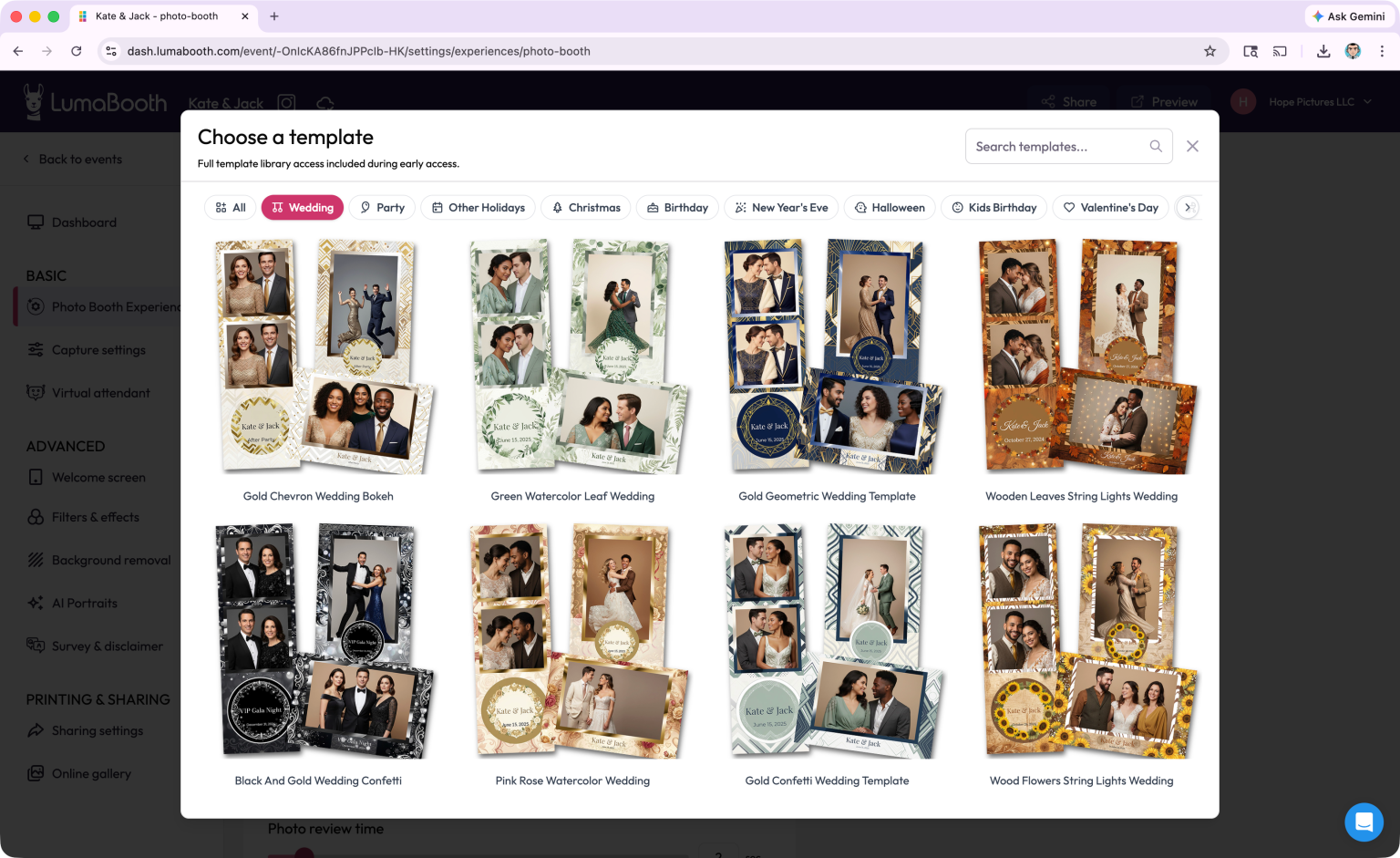
It also supports webcams and GoPro cameras, giving operators more flexibility when building different booth setups. The capture tools go beyond regular still photos. LumaBooth can create GIFs, boomerangs, videos, and 360 content. Version 8 also includes slow-motion features for compatible cameras, with high-frame-rate capture and controls for slowing down, speeding up, and reversing clips. This makes it useful for both traditional photo booths and video-focused event setups. Customization is another major part of the software. You can create print layouts, add images and text, customize welcome and capture screens, and adjust the booth experience for individual events.
The platform also provides pre-made layouts and overlays through its web-based dashboard. Sharing is built into the workflow. Guests can receive photos and videos through email, SMS, QR codes, Instagram, WhatsApp, and other supported options. The LumaShare companion app can also act as a sharing station for event media. For printing, LumaBooth includes a built-in layout designer and can print directly from the booth application. It also supports a wide range of photo booth printers. This is useful for event operators who want both instant physical prints and digital delivery from the same setup.
One thing to check before using it professionally is camera compatibility. LumaBooth supports many Canon, Nikon, Sony, GoPro, and webcam models, but support differs between models and capture modes. The developer recommends testing your camera with the free trial before an event. The hardware requirements are also higher for demanding features. The software can run with 4GB RAM, but 8GB is recommended. A modern Intel Core i5 or AMD Ryzen 5 processor is recommended, while a dedicated NVIDIA or AMD GPU with at least 4GB VRAM can significantly improve AI background processing. Windows 10 version 1903 or later and Windows 11 are supported.
Key Features
- Professional photo booth software for Windows
- Formerly known as dslrBooth
- Latest Windows release: version 8.4.0
- Supports Canon, Nikon, Sony, GoPro, and webcams
- Photo, GIF, boomerang, video, and 360 capture
- Slow-motion and high-frame-rate video support
- Custom welcome, capture, and sharing screens
- Built-in print layout designer
- Custom templates, overlays, images, and text
- Green screen and background removal
- Glam booth and mirror booth modes
- Video guestbook support
- Email, SMS, QR code, Instagram, and WhatsApp sharing
- Direct photo printing
- LumaShare companion sharing app
- Web-based event management and customization
- Support for multiple booth and event workflows
- Compatible with Windows 10 and Windows 11
Alternatives to LumaBooth
Darkroom Booth is a Windows photo booth option for users who prefer a traditional desktop setup and a perpetual license. It supports Canon and Nikon cameras, custom layouts, printing, and kiosk-oriented hardware.
SparkBooth is aimed at smaller operators and DIY photo booth setups. It supports Windows and Mac, webcams, Canon and Nikon cameras, GIFs, boomerangs, green screen effects, and offline workflows.
Breeze Booth is a Windows-based option from Breeze Systems with deeper camera and tethering controls. It can be a better fit for photographers who want more control over camera behavior and capture settings.
Snappic focuses more on modern event experiences, sharing, and business features. It is worth considering if your setup is centered around iPad-based booths and larger event operations.
Touchpix is another option for operators who need photo, video, and 360-style experiences across multiple platforms. Its broader platform support makes it useful for setups that are not limited to Windows.
Simple Booth is focused mainly on iPad photo booth setups and provides tools for event sharing, branding, and guest experiences. It is more suitable when Windows is not a requirement.
Conclusion
LumaBooth 2026 is a feature-rich Windows photo booth solution for event photographers and booth businesses. Its biggest strengths are broad camera support, multiple capture modes, customizable layouts, printing, digital sharing, green screen tools, and support for photo, video, GIF, and 360 experiences. The move from dslrBooth to LumaBooth also brings the Windows software into the same wider product family as its Mac, iPad, iPhone, and Android apps. For Windows users building a professional photo booth around Canon, Nikon, Sony, GoPro, or a supported webcam, LumaBooth provides most of the tools needed in one application. However, camera compatibility and PC performance should be tested before using the software at a live event.
LumaBooth 2026 Technical Setup Details
- Software Full Name: LumaBooth 2026
- Setup File Name: LumaBooth_8.4.0.0.rar
- Setup Size: 239 MB
- Setup Type: Offline Installer / Full Standalone Setup
- Compatibility Mechanical: 32 Bit (x86) / 64 Bit (x64)
- Developers: LumaBooth
System Requirements for LumaBooth 2026
- Operating System: Windows 7/8/10
- RAM: 8 GB
- Hard Disk: 4 GB
- Processor: Intel Core i5 or higher processor
LumaBooth 2026 Download
Download LumaBooth 2026 free latest full version offline direct download link for full offline setup by clicking the button below.