Download TweakNow RegCleaner 2026 full latest version program free setup for Windows. TweakNow RegCleaner 2026 is a reliable and effective registry maintenance utility.
TweakNow RegCleaner 2026 for Windows Review
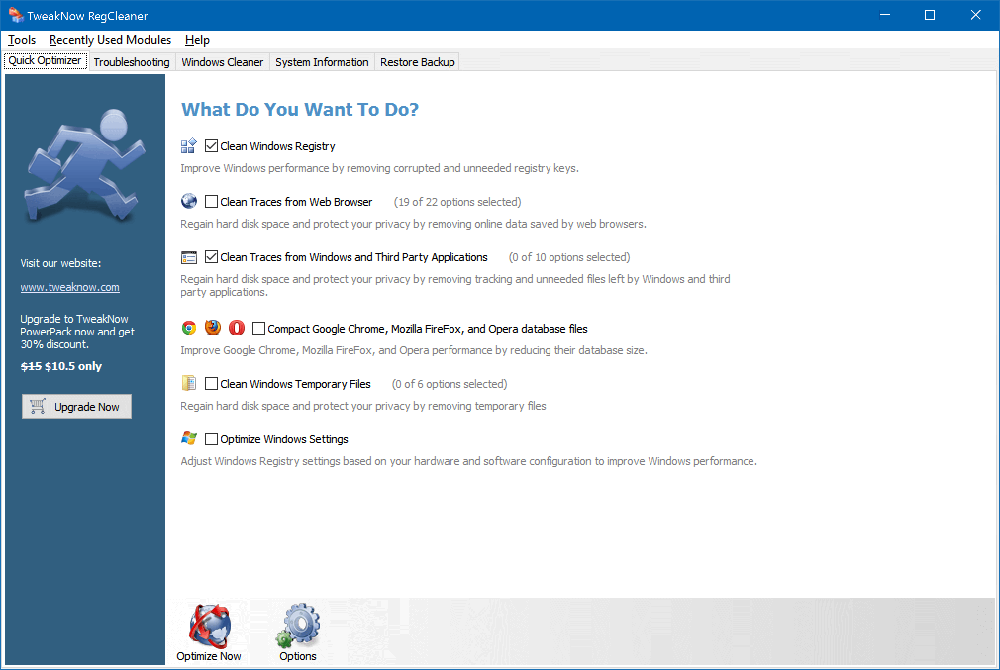
TweakNow RegCleaner 2026 is a free Windows utility designed to find and remove obsolete entries from the Windows Registry. It is aimed at users who regularly install and uninstall software and want a simple way to check for leftover registry entries. The current standalone version is 2.5.1 and it supports Windows 10 and Windows 11. The program focuses on one task rather than trying to be a complete PC optimization suite. It scans the Registry for entries that may no longer be needed and creates a backup before making changes. TweakNow also includes RegCleaner in its larger WinSecret Plus toolkit. TweakNow RegCleaner is built for users who want a straightforward registry-cleaning tool without a complicated interface. Its main job is to scan Windows Registry entries and identify obsolete data left behind by removed applications. The official software uses a high-performance scanning engine and is available as freeware.

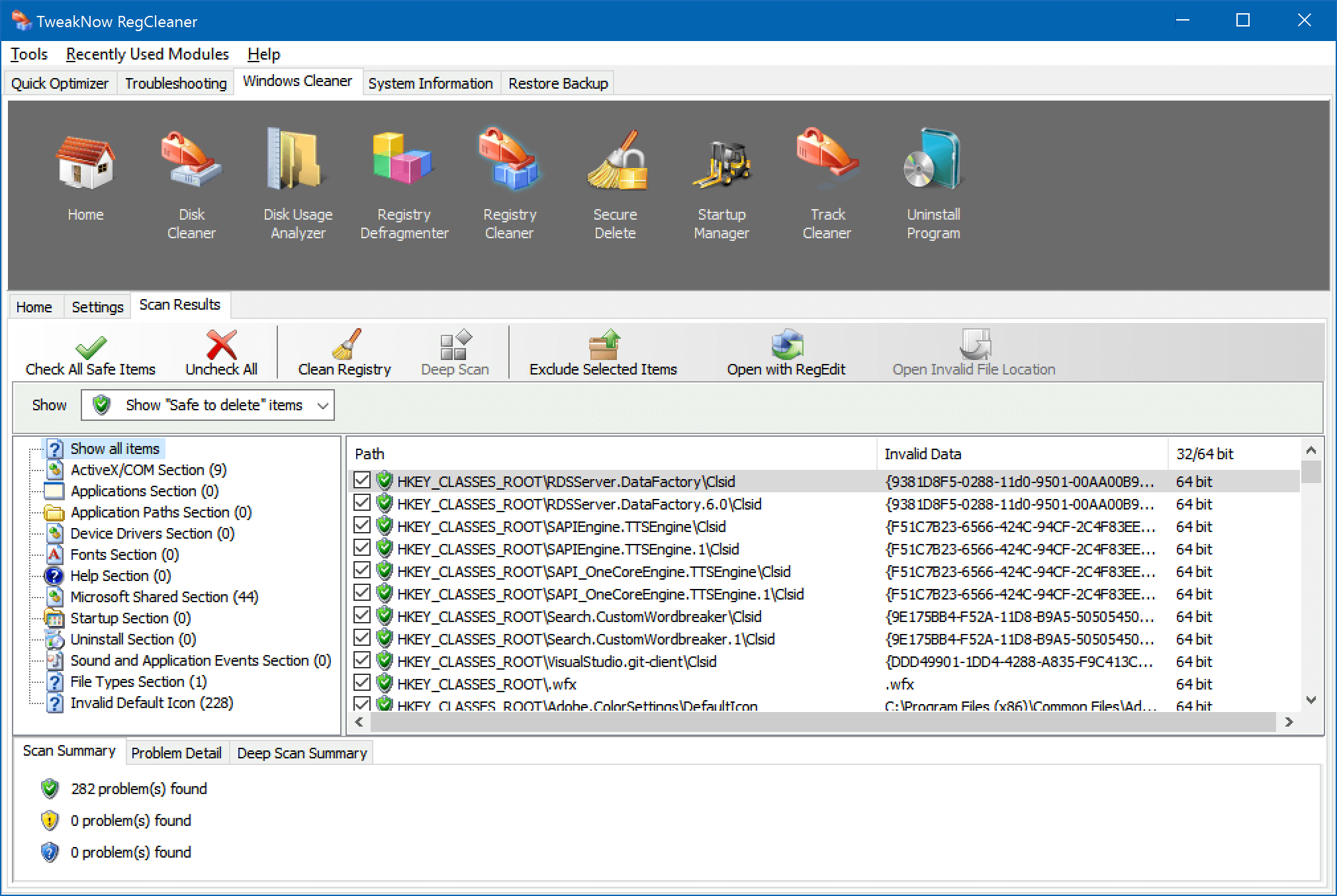
One useful feature is the automatic backup created before registry entries are removed. This gives you a way to restore changes if something goes wrong. Earlier independent testing also found that the application categorizes detected entries and provides a restore function, although its configuration options are relatively limited compared with larger optimization suites. The software is also lightweight compared with all-in-one PC cleaners. You do not get a large collection of unrelated maintenance tools here. That can be useful if your only requirement is checking the Registry rather than installing a full system-optimization package. However, registry cleaning should not be treated as a guaranteed way to make a modern Windows PC faster.
Independent 2026 guidance notes that there is no solid evidence that removing ordinary unused registry entries produces a noticeable performance improvement. Registry cleaners can also cause problems if important entries are incorrectly removed, so backups and careful review are important. Another limitation is that TweakNow RegCleaner is much narrower than modern PC maintenance suites. For example, it does not try to replace disk cleanup, software uninstallers, startup management, browser cleanup, or broader Windows optimization tools. If you need those functions, a more complete utility may make more sense. For users specifically looking for a free Registry-focused utility, however, TweakNow RegCleaner remains a simple option. Its Windows 10 and 11 support, backup-before-cleaning approach, and uncomplicated workflow make it easier to understand than many oversized optimization suites.
Key Features
- Free Registry cleaning utility
- Current standalone version 2.5.1
- Supports Windows 10 and Windows 11
- Scans for obsolete Registry entries
- Fast Registry scanning engine
- Creates a backup before cleaning
- Restore option for previous cleaning sessions
- Simple interface for less technical users
- Lightweight and focused on Registry maintenance
- Included with TweakNow WinSecret Plus
- Designed for leftover entries from removed applications
TweakNow RegCleaner Alternatives
Wise Registry Cleaner is a good option for users who want more control over Registry scanning, exclusions, backups, and related maintenance functions.
CCleaner combines Registry cleaning with broader tools for temporary files, browser data, startup items, and general PC maintenance.
Auslogics Registry Cleaner is another Registry-focused utility that can scan for invalid entries and provide a more dedicated cleaning workflow.
Ashampoo WinOptimizer is better suited to users who want Registry cleaning as part of a much larger Windows optimization package. It includes additional privacy, cleanup, uninstall, and system-maintenance tools.
jv16 PowerTools provides a broader collection of Windows maintenance and Registry-related tools for users who want more advanced control.
Revo Uninstaller is more useful when the main problem is leftover files and Registry entries from a specific application that was uninstalled. It focuses on software removal rather than general Registry cleaning.
Conclusion
TweakNow RegCleaner 2026 remains a simple, free Registry-cleaning tool for Windows 10 and 11. Its main strengths are an uncomplicated interface, focused scanning, and automatic backups before changes. It is better viewed as a maintenance utility than a guaranteed performance booster. If you specifically want to inspect obsolete Registry entries, it can be useful. For broader Windows cleanup, privacy maintenance, or software removal, a more complete alternative may be a better fit.
TweakNow RegCleaner 2026 Technical Setup Details
- Software Full Name: TweakNow RegCleaner 2026
- Setup File Name: TweakNow_RegCleaner-v261.rar
- Setup Size: 13 MB
- Setup Type: Offline Installer / Full Standalone Setup
- Compatibility Mechanical: 32 Bit (x86) / 64 Bit (x64)
- Developers: TweakNow
System Requirements for TweakNow RegCleaner 2026
- Operating System: Windows 7/8/10
- RAM: 512 MB
- Hard Disk: 200 MB
- Processor: Intel Dual Core or higher processor
TweakNow RegCleaner 2026 Download
Download TweakNow RegCleaner 2026 free latest full version offline direct download link for full offline setup by clicking the button below.