Download Enfocus PitStop Pro 2025 full latest version program with a free setup for Windows.
Enfocus PitStop Pro 2025 for Windows Review
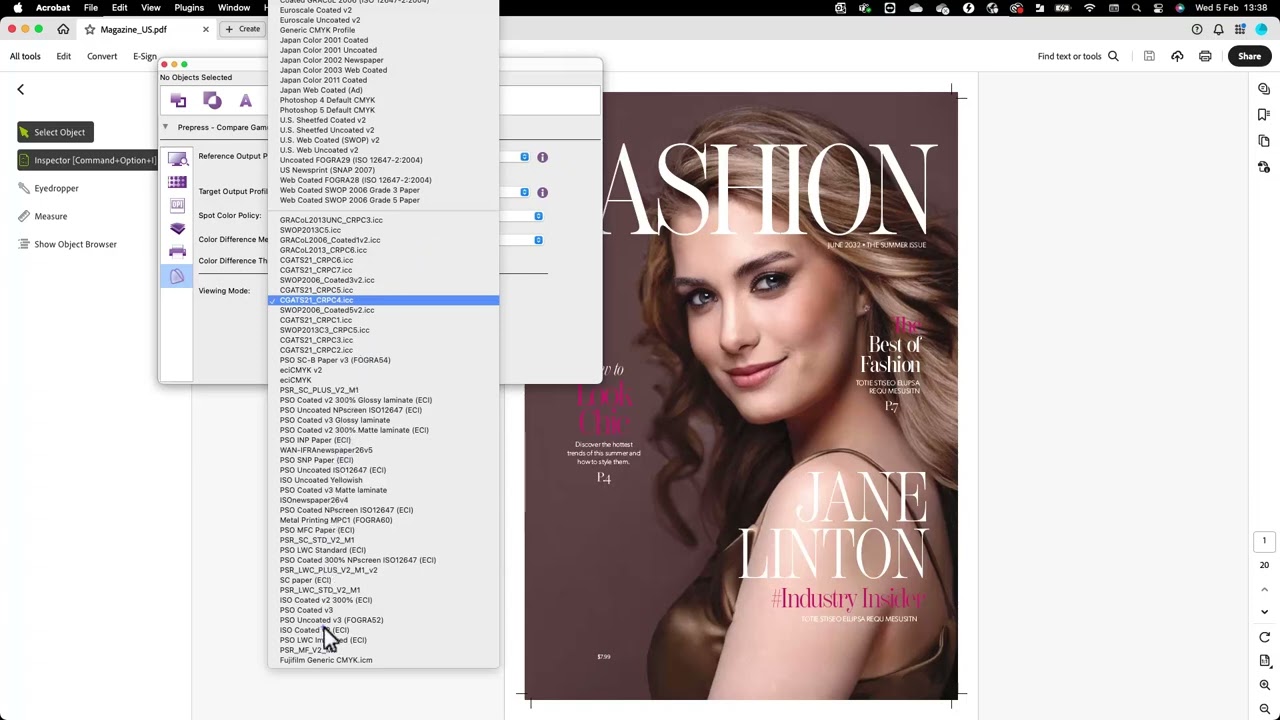
Enfocus PitStop Pro 2025 is a professional PDF preflight, editing, and correction plugin designed for Adobe Acrobat. Printers, prepress teams, publishers, packaging companies, and graphic professionals use it to check and fix PDF files before production. Unlike a general PDF editor, PitStop Pro focuses heavily on print quality, color, fonts, images, bleed, transparency, and PDF standards. The 2025 release received several updates throughout the year. Version 25.03 added gamut comparison and the ability to disable individual actions while debugging action lists. Version 25.07 improved multiline text and cut and crease line optimization. The 25.11 update added a new layer properties panel and improved detection of thin shapes and areas that could create printing problems.
PitStop Pro works inside Adobe Acrobat and adds tools that are aimed specifically at professional PDF production. You can inspect individual objects, edit text and images, change colors, adjust page dimensions, modify paths, manage layers, and make last-minute corrections without returning to the original design application. Its preflight system is one of its main strengths. A preflight profile checks a PDF against defined production rules and can identify problems such as missing fonts, low-resolution images, incorrect color spaces, excessive ink coverage, missing bleed, transparency issues, and document-size problems. It can also apply supported automatic fixes and create a detailed report.
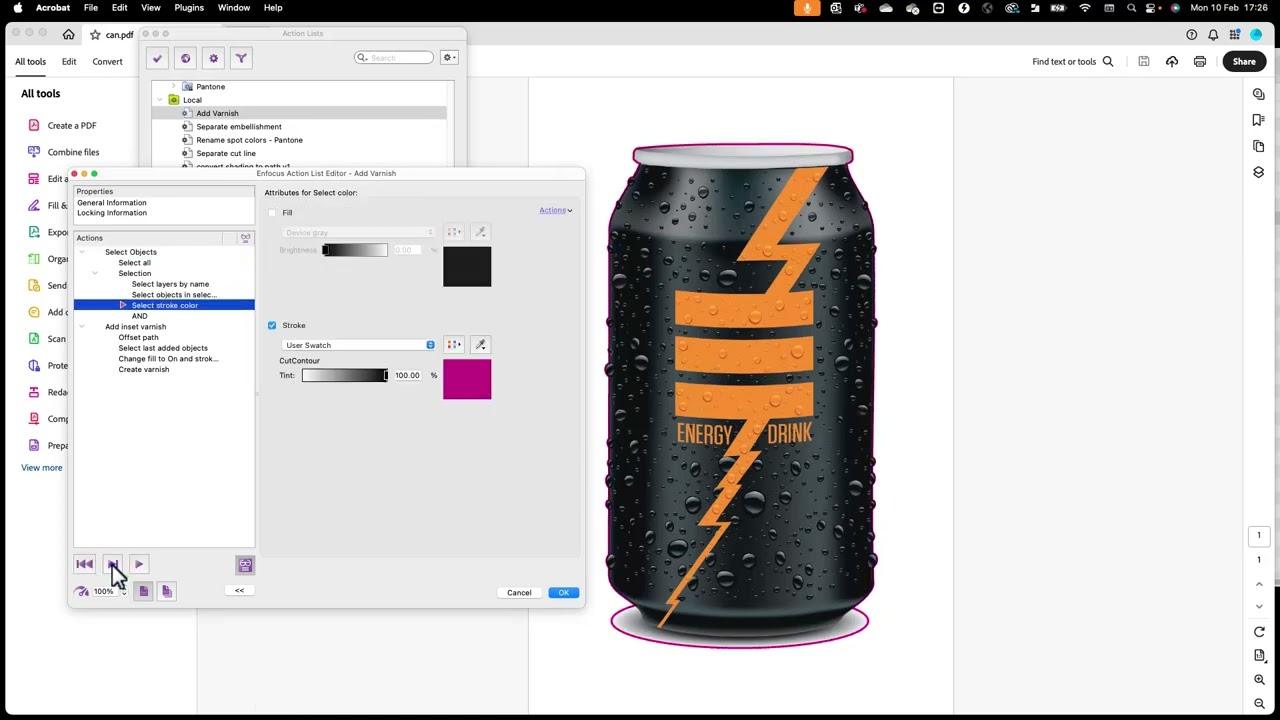
For print professionals, color handling is particularly important. PitStop Pro can check and convert color spaces, work with CMYK and spot colors, manage ink coverage, and compare color gamuts. The gamut comparison feature introduced in version 25.03 helps users identify possible color conversion problems before production. The Inspector gives users detailed information about PDF objects. It can be used to investigate fonts, image resolution, color modes, paths, and other object properties. This is useful when a PDF looks correct on screen but contains technical problems that could affect printing. Automation is another important part of PitStop Pro. Action Lists can combine multiple operations into repeatable workflows, while Global Changes and QuickRuns help apply common corrections more efficiently. This is especially useful when the same PDF fixes need to be performed across many files.
The 2025 updates also added practical production improvements. Version 25.07 introduced multiline text support for the Add Object action and improved cut and crease line optimization. Version 25.11 improved layer management and expanded thin-part detection to small shapes and areas, helping users identify elements that may create production problems. PitStop Pro is not a replacement for Adobe Acrobat itself. It runs as an Acrobat plugin, so Windows users need a supported version of Adobe Acrobat Standard or Pro. Adobe Acrobat Reader is not supported. For PitStop Pro 25, Enfocus lists Acrobat 2024 and 2025 updates as supported versions.
Key Features
- Professional PDF preflight and correction
- Works as an Adobe Acrobat plugin
- Object-level PDF editing
- Preflight Profiles for production checks
- Automatic PDF corrections
- Detailed preflight reports
- Inspector for examining PDF objects
- Font and image resolution checks
- CMYK, RGB, and spot-color checking
- Color conversion and ink-coverage checks
- Gamut comparison
- Bleed and page-size checking
- Transparency and overprint checks
- PDF/X and other standards validation
- Global Changes for repeated corrections
- Action Lists for workflow automation
- QuickRuns for common production tasks
- Layer management tools
- Multiline text support
- Cut and crease line optimization
- Thin-part detection
- Certified PDF and edit tracking features
Enfocus PitStop Pro 2025 Alternatives
Adobe Acrobat Pro is the most direct alternative for users who already work with Acrobat and need PDF editing and print-production tools without an additional PitStop plugin. Its Preflight system can check and fix many common print problems, while its Print Production tools include Output Preview, color conversion, object editing, and PDF standards support.
callas pdfToolbox is designed for professional PDF preflight, correction, and production workflows. It is worth considering for businesses that need automated PDF processing beyond a typical desktop editing workflow.
Adobe Acrobat Preflight is particularly useful for users who only need PDF quality checks and basic corrections. Acrobat Pro includes predefined profiles, custom profiles, fixups, reporting, and PDF/X compliance tools.
PitStop Server is suited to production environments that need automated PDF processing rather than manual correction inside Acrobat. It can be used as part of automated print workflows and supports Windows server environments.
veraPDF is a useful option for users focused on validating PDF/A documents and standards compliance. It is more specialized than PitStop Pro and does not provide the same object-level editing workflow.
Ghostscript is another option for technically oriented users who need command-line PDF processing, conversion, and automation. It is more technical and does not provide PitStop Pro’s visual editing interface.
Conclusion
Enfocus PitStop Pro 2025 is built for users who need more than basic PDF editing. Its combination of preflight checking, object-level corrections, color management, PDF standards validation, and workflow automation makes it particularly useful in professional print and prepress environments. The 2025 updates make the release more useful for production work, especially with gamut comparison, multiline text, cut and crease improvements, better layer handling, and expanded thin-part detection. The main limitation is that it depends on a supported Adobe Acrobat installation, so it is not a standalone PDF editor. For Windows professionals who regularly receive, inspect, correct, and prepare PDFs for printing, PitStop Pro 2025 provides a specialized workflow that goes well beyond ordinary PDF editing.
Enfocus PitStop Pro 2025 Technical Setup Details
- Software Full Name: Enfocus PitStop Pro 2025
- Setup File Name: Enfocus_PitStop_Pro_v25.11.1637955.rar
- Setup Size: 1.1 GB
- Setup Type: Offline Installer / Full Standalone Setup
- Compatibility Mechanical: 32 Bit (x86) / 64 Bit (x64)
- Latest Version Release Added On: 24th Sep 2026
- Developers: Enfocus
System Requirements for Enfocus PitStop Pro 2025
- Operating System: Windows 7/8/10
- RAM: 512 MB
- Hard Disk: 2 GB
- Processor: Intel Dual-Core or higher processor
Enfocus PitStop Pro 2025 Download
Download Enfocus PitStop Pro 2025 free latest full version offline direct download link for full offline setup by clicking the button below.