Download PowerISO 2026 full latest version program free setup for Windows. PowerISO 2026 is a professional application for creating, opening, editing, converting, mounting, extracting, burning, and managing ISO and other disc-image files.
PowerISO 2026 for Windows Review
PowerISO 2026 is an all-in-one Windows tool for working with ISO files, disc images, archives, optical discs, and bootable USB drives. It can create, edit, extract, compress, encrypt, split, convert, mount, and burn image files without needing several separate utilities. The current release is PowerISO 9.5, released on September 20, 2026. It is especially useful for users who regularly handle Windows installation ISOs, software images, backups, virtual drives, or CD/DVD/Blu-ray media. PowerISO can also create bootable USB drives and install Windows from an image, making it useful for system installation and recovery tasks. PowerISO’s biggest advantage is the number of image-related tasks it puts in one application. You can open an ISO, browse its contents, add or remove files, extract data, and save the modified image. It also works with several other disc image and archive formats, so you are not limited to standard ISO files.

The virtual drive feature is useful when you have an ISO but do not want to burn it to a physical disc. PowerISO can mount supported image files as virtual drives, allowing Windows to access their contents much like a physical CD or DVD. This is practical for software installers, operating system images, and archived discs. PowerISO is also strong for bootable media. It can create a bootable USB drive from an ISO and use that USB drive to install Windows, Linux, or another operating system. Recent versions added more flexibility, including the ability to create bootable USB drives from ZIP, RAR, and 7Z files. The 2026 releases also improved Windows installation customization. PowerISO 9.3 added more customization options when creating bootable Windows USB drives, while PowerISO 9.4 added support for creating bootable USB drives directly from compressed archives.
For physical media, PowerISO supports CD, DVD, and Blu-ray burning. It can copy discs to image files and also includes audio CD ripping and music-format conversion. This makes it useful for users who still work with optical media as well as modern ISO-based workflows. PowerISO also includes archive functions. It can create, edit, extract, and convert supported archives and image files. This gives it more flexibility than a basic ISO mounting or burning tool. One limitation is the unregistered version. You can use it for evaluation, but creating or editing image files larger than 300 MB is restricted until the software is registered. The current download page provides both 32-bit/64-bit and ARM64 Windows editions.
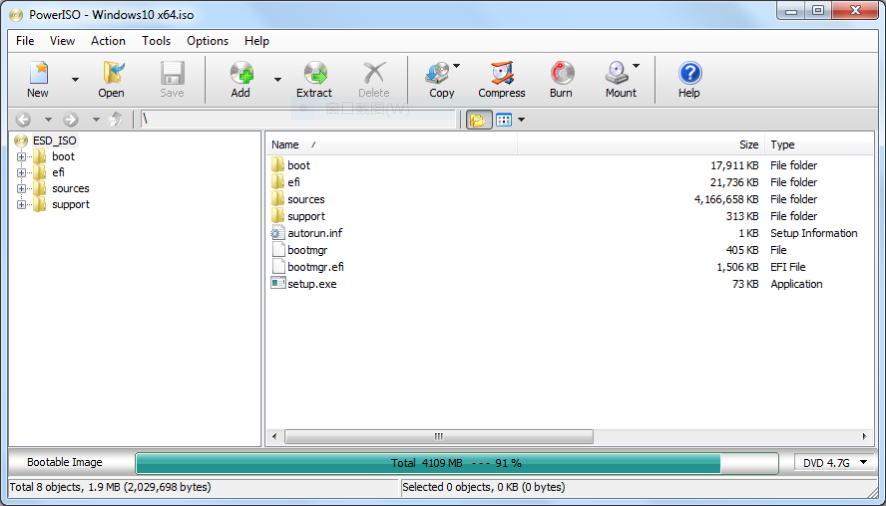
Key Features
- Create, edit, extract, and convert ISO files
- Mount ISO and other supported images as virtual drives
- Burn CD, DVD, and Blu-ray discs
- Copy discs to ISO and other image formats
- Create bootable USB drives
- Install Windows from a USB drive
- Create bootable USB drives from ZIP, RAR, and 7Z files
- Customize Windows installation media
- Create and manage archive files
- Compress and split image files
- Encrypt supported image files
- Audio CD ripping
- Music file format conversion
- USB drive to image backup
- Restore image files to USB drives
- GUI-based DISM tools
- Sector data viewer
- 32-bit, 64-bit, and ARM64 Windows editions
PowerISO 2026 Alternatives
Rufus is a better choice if your main requirement is creating bootable Windows or Linux USB drives and you do not need PowerISO’s wider image-editing features.
WinCDEmu is a lightweight option for users who mainly want to mount ISO files as virtual drives.
7-Zip is better for users who primarily need archive extraction and creation rather than disc burning or virtual drives.
AnyBurn is a useful alternative for users who want ISO creation, burning, copying, and bootable USB functions in a relatively simple interface.
UltraISO is a close alternative for users who need detailed ISO editing, bootable media creation, and image conversion.
ImgBurn remains useful for users focused mainly on creating and burning disc images rather than archive management and Windows USB customization.
Conclusion
PowerISO 2026 remains a versatile choice for Windows users who need more than a basic ISO utility. It combines ISO editing, virtual drives, disc burning, archive handling, bootable USB creation, and Windows installation tools in one application. The latest 9.5 release keeps the software current, while the 2026 updates have added useful improvements for bootable USB and Windows installation customization. It is a particularly good fit for technicians, Windows users, developers, and anyone who frequently works with installation images or archived discs. If you only need to create a bootable USB occasionally, a smaller tool such as Rufus may be simpler. For users who want one application to handle most ISO and disc-image tasks, PowerISO is still a strong option.
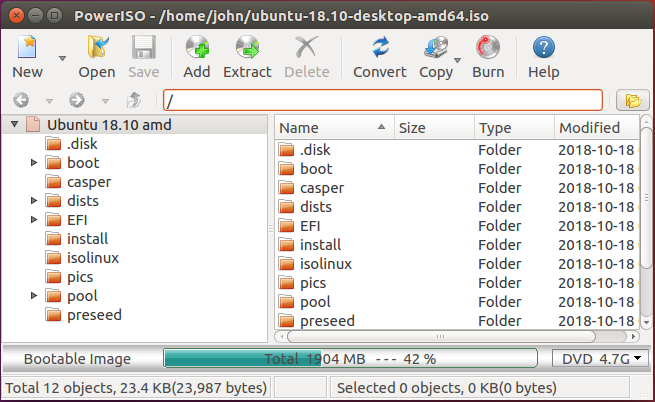
PowerISO 2026 Technical Setup Details
- Software Full Name: PowerISO 2026
- Setup File Name: PowerISO_9.5.rar
- Setup Size: 12 MB
- Setup Type: Offline Installer / Full Standalone Setup
- Compatibility Mechanical: 32 Bit (x86) / 64 Bit (x64)
- Developers: PowerISO
System Requirements for PowerISO 2026
- Operating System: Windows 7/8/10
- RAM: 512 MB
- Hard Disk: 150 MB
- Processor: Intel Dual Core or higher processor
PowerISO 2026 Download
Download PowerISO 2026 free latest full version offline direct download link for full offline setup by clicking the button below.