Download Ashampoo Photo Card 2026 full latest version program free setup for Windows.
Ashampoo Photo Card 2026 for Windows Review
Ashampoo Photo Card 2026 is a simple Windows application for turning personal photos into greeting cards, invitations, and other small photo-based designs. The current product is Ashampoo Photo Card 3, which focuses on making cards quickly instead of providing the large set of editing tools found in full photo editors. You can choose a photo from your PC or webcam, select a template, add text and clipart, make basic adjustments, and save or share the finished card. The software is aimed at home users, families, and anyone who wants to create a personalized card without learning Photoshop or a complicated publishing application. Ashampoo provides templates for occasions such as birthdays, weddings, and Christmas, while additional themes are available through in-app purchases. Recent customer reviews also highlight its simple workflow and fast results.
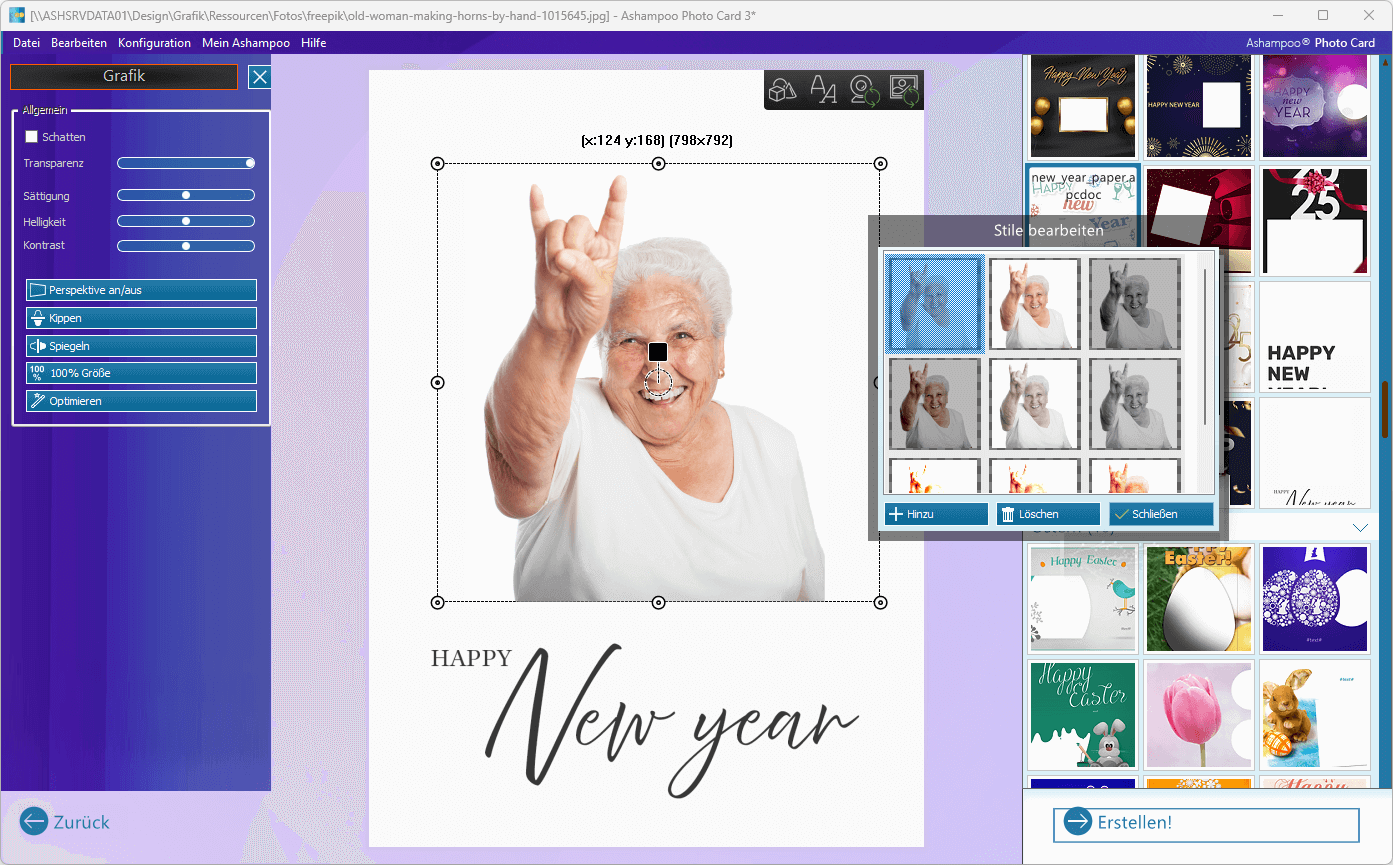
The main strength of Photo Card is its straightforward design process. After opening the application, you can select a picture from your computer or capture one with a webcam. You then choose a suitable frame or template and place the photo inside it. This keeps the process focused on creating a finished card rather than spending time learning complicated design tools. The built-in editing tools cover the adjustments most users need for a greeting card. You can change image size, brightness, contrast, saturation, and transparency. There are also options to mirror or flip an image and correct its perspective. A one-click optimization option can automatically improve basic color and contrast settings.
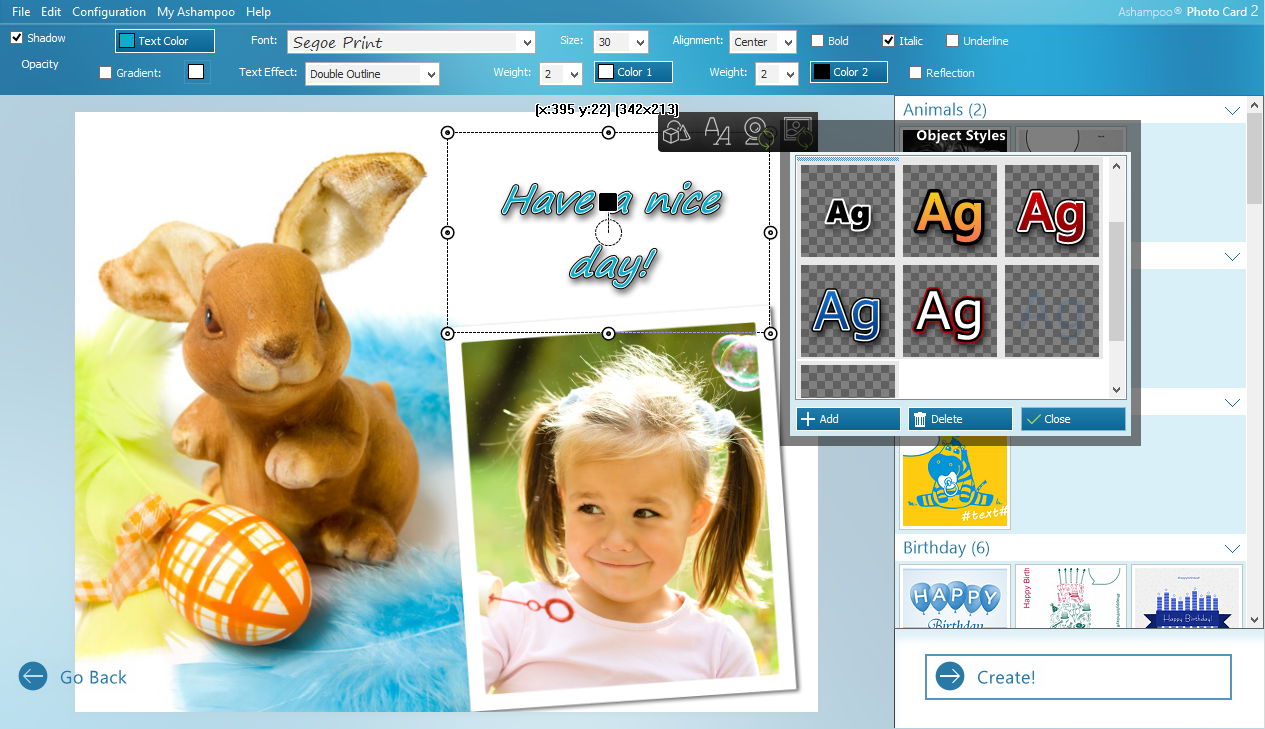
Text and clipart can be added directly to the card. This is useful for birthday messages, wedding greetings, invitations, thank-you cards, and similar projects. You can also adjust the appearance of text and objects rather than needing a separate graphics program for simple designs. Templates are an important part of the application. Photo Card groups templates by theme, which makes it easier to find a design for a particular occasion. The available themes cover common events, while Ashampoo also offers additional themes through in-app purchases.
One useful addition is webcam support. If you want to make a card using a new picture, you can capture the image directly inside the application instead of taking the photo first and importing it manually. This is a small feature, but it fits the software’s quick-card workflow well. Photo Card also gives you several ways to use the finished design. You can save the card for later, print it as a physical greeting card, or share it digitally. The manual documents email sharing and uploads to Ashampoo Web, Facebook, and Picasa. Some of these older sharing services may be less relevant today, so saving or printing the finished card is likely to be the more practical workflow for current users.
The biggest limitation is that Photo Card is intentionally focused. It is not designed to replace Photoshop, Affinity Photo, or a full desktop publishing application. You get quick photo adjustments and ready-made designs, but not the same level of free-form layout control. One recent customer specifically praised the speed and simplicity but noted that the template designs themselves cannot be changed extensively. This limited approach can actually be an advantage for casual users. If the goal is to make a nice-looking card quickly, having fewer tools can make the process easier. Users who want complete control over every element of a design will probably find the application restrictive.
Key Features
- Create personalized photo greeting cards
- Ready-made templates for different occasions
- Birthday, wedding, Christmas, and other themes
- Additional themes available through in-app purchases
- Import photos from the computer
- Capture photos through a webcam
- Add and style text
- Add clipart objects
- Adjust image size and transparency
- Change brightness, contrast, and saturation
- Mirror and flip photos
- Correct image perspective
- One-click image optimization
- Predefined color and style combinations
- Quick object selection and styling
- Save completed cards
- Print cards
- Share cards digitally
- Simple interface for beginners
Practical Uses
Ashampoo Photo Card is useful when you need a personalized design without spending a long time editing. For example, you can use a family photo to make a birthday card, create a wedding greeting with a personal message, prepare an invitation, or print a simple holiday card. It can also be useful for users who do not regularly work with graphics software. The workflow is much narrower than a professional image editor, so beginners can focus on choosing a design, adding their photo, and entering their message. For small businesses and home users, the invitation and coupon-style templates can also be useful. Ashampoo’s earlier Photo Card versions added categories specifically for invitations and coupons, expanding the software beyond traditional greeting cards.
Ashampoo Photo Card 2026 Alternatives
Canva is a better choice if you want a larger collection of modern templates and more flexible online design tools.
Adobe Express is useful for users who want browser-based card creation with broader graphic design features.
Microsoft Designer is worth considering when you want a simple modern design workflow with more flexibility than a dedicated greeting-card application.
GIMP is better for users who want detailed image editing and complete control over individual elements, although it requires more learning.
Affinity Photo is a stronger choice for users who want professional-level photo editing rather than a dedicated card maker.
Ashampoo Photo Optimizer is a better fit when your main goal is improving and preparing photos rather than creating greeting cards. It provides a broader set of photo enhancement tools.
Conclusion
Ashampoo Photo Card 2026 is best understood as a quick greeting-card creator rather than a full photo editor. Its simple workflow, templates, webcam support, basic photo adjustments, text, clipart, and printing options make it suitable for home users who want attractive cards without complicated design software. The software is particularly useful for birthdays, weddings, holidays, invitations, and personal greetings. Its main weakness is limited design freedom. If you want to modify every part of a template or create complex layouts from scratch, a general design application will give you more control. For users who value speed and simplicity over advanced editing, Ashampoo Photo Card 3 remains a practical Windows choice in 2026. Its current Windows 10 and 11 support and strong recent customer feedback also make it a reasonable option for straightforward card-making tasks.
Ashampoo Photo Card 2026 Technical Setup Details
- Software Full Name: Ashampoo Photo Card 2026
- Setup File Name: Ashampoo_Photo_Card_3.0.1.rar
- Setup Size: 440 MB
- Setup Type: Offline Installer / Full Standalone Setup
- Compatibility Mechanical: 32 Bit (x86) / 64 Bit (x64)
- Developers: Ashampoo
System Requirements for Ashampoo Photo Card 2026
- Operating System: Windows 7/8/10
- RAM: 2 GB
- Hard Disk: 500 MB
- Processor: Intel Dual Core or higher processor
Ashampoo Photo Card 2026 Download
Download Ashampoo Photo Card 2026 free latest full version offline direct download link for full offline setup by clicking the button below.