Download AI Audio Silence Remover Pro full latest version free setup for Windows. AI Audio Silence Remover Pro 2026 is an AI-powered audio cleaning application. It removes silence, dead air, and long pauses from recordings using local voice activity detection, with no cloud upload and no monthly subscription required.
Review of AI Audio Silence Remover Pro 2026
AI Audio Silence Remover Pro 2026 is a professional audio cleaning tool for Windows that runs entirely offline on your own computer. The software uses AI-based voice activity detection to scan every recording and identify exactly where speech starts and stops. Instead of manually scrubbing through a timeline to find dead air, the AI does the scanning for you and removes the silence automatically.
Most podcasters, YouTubers, and voice-over artists share the same problem. Long recordings are full of pauses, breaths, and dead air between sentences. Cutting all of it out by hand takes hours, especially on longer episodes and interviews. Cloud-based silence removers solve the manual labor problem but introduce a new one. They require an upload, often have file size or duration limits, and send your audio to an external server. This is a real concern for confidential interviews, client work, or any voice-over recording under an NDA. AI Audio Silence Remover Pro solves both problems at once. It processes everything locally on your machine, handles files of any duration, and removes the manual editing work using AI voice detection. The software supports MP3, WAV, M4A, FLAC, OGG, AAC, and WMA formats.
AI Audio Silence Remover Pro is built around one focused job: finding the difference between speech and silence, then cutting the silence cleanly. It does this using a neural network voice detection model, an adjustable decibel gate, batch folder processing, and a real-time statistics dashboard. The entire process happens on your machine, with no account needed and no internet connection required once the software is installed.
AI Voice Detection Engine
The core of AI Audio Silence Remover Pro is its voice detection engine. The software is powered by an advanced neural network model that specifically hunts for human vocal frequencies. This means it can tell the difference between a person speaking and background noise, room tone, or low-level hiss. The engine keeps your speech intact while removing everything that is not speech. This matters because a simple volume-based cut would also chop into quiet parts of your voice, like the trailing end of a soft word. A voice-aware engine avoids that problem because it is listening for the shape of human speech, not just the loudness of the signal.
Decibel Gating for Tight Cuts
Alongside the AI voice detection mode, the software includes a strict decibel-gating mode. This mode uses a mathematical loudness threshold to decide what counts as silence. Anything below the threshold gets cut. This produces fast, tight, modern jump-cuts that are popular in short-form content like TikTok clips, Reels, and YouTube Shorts. Decibel gating works differently from AI voice detection. It is faster and more aggressive, which makes it better suited to scripted content where pacing matters more than preserving every natural pause. Switching between the AI mode and the decibel gate mode lets you choose the right tool for the type of content you are editing.
Adjustable Silence Padding
Cutting silence too tightly makes speech sound rushed and unnatural. AI Audio Silence Remover Pro solves this with adjustable padding. Padding controls how much breathing room, measured in seconds, is left around each spoken clip after the cut. A small padding value creates fast, punchy pacing. A larger padding value keeps a more natural, conversational flow. This setting is what separates a professional-sounding edit from an obviously automated one. Most users find a padding value of a few hundred milliseconds keeps the audio sounding human while still removing the dead air.
Bulk Folder Processing
For anyone managing more than a single recording, the Bulk Folder mode is the most time-saving feature in the software. Instead of opening and processing one file at a time, you point the tool at a folder and it processes every audio file inside automatically. This is built for podcasters with weekly episodes, audiobook narrators with dozens of chapter files, and content teams handling a backlog of interviews. You can queue an entire folder, start the batch, and step away from your desk while the software works through every file in sequence.
Real-Time Statistics Dashboard
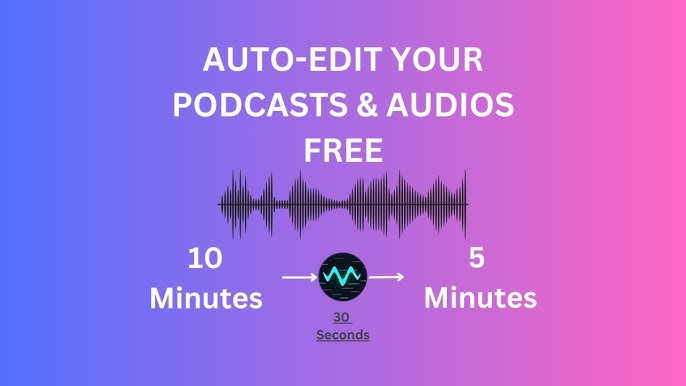
After processing, the software displays a real-time statistics dashboard. This shows the original file length, the processed file length, and the total time saved by removing silence. For creators who publish on a schedule, this dashboard gives a clear picture of how much editing time the tool is saving across a project or a full season of episodes. It is also useful for confirming that the silence removal settings are working as expected before committing to a final export.
Hardware-Accelerated Processing
AI Audio Silence Remover Pro automatically detects your GPU and uses hardware acceleration to speed up processing. This means the neural network voice detection runs faster on a system with a capable graphics card compared to relying on the CPU alone. For long recordings, such as a two-hour podcast or a full audiobook chapter, hardware acceleration noticeably cuts down the time needed to scan and process the file.
100 Percent Offline Processing
Every part of the workflow in AI Audio Silence Remover Pro happens locally on your computer. No audio file is uploaded to a server. No account or sign-up is required. No internet connection is needed once the software is installed. This is an important distinction from web-based silence removal tools, which require uploading audio to a third-party server before processing. For confidential recordings, client interviews, legal recordings, or any voice-over work covered by an NDA, offline processing keeps the audio data fully private and under your control at all times.
Conclusion
AI Audio Silence Remover Pro 2026 is a complete solution for anyone who spends hours manually cutting dead air out of recordings. The combination of AI voice detection, strict decibel gating, adjustable padding, and bulk folder processing covers both careful natural-sounding edits and fast modern jump-cuts. Because everything runs offline with no subscription, it fits naturally into the workflow of podcasters, YouTubers, audiobook narrators, and voice-over artists who want professional pacing without the manual labor or the privacy tradeoffs of a cloud-based tool.
Key Features of AI Audio Silence Remover Pro 2026
- AI-based voice activity detection that automatically finds and removes silence, pauses, and breaths
- Neural network voice detection engine that keeps human speech and drops background noise
- Strict decibel-gating mode for fast, modern jump-cuts
- Adjustable silence padding to control the natural pacing of the final audio
- Bulk Folder mode for processing hundreds of audio files in one click
- Real-time statistics dashboard showing original length, processed length, and time saved
- Hardware-accelerated processing that auto-detects your GPU for faster rendering
- 100 percent offline processing with no file uploads and no cloud server
- Wide format support: MP3, WAV, M4A, FLAC, OGG, AAC, and WMA
- No account, sign-up, or internet connection required after installation
- Suitable for recordings of any length, including long podcasts and full audiobook chapters
AI Audio Silence Remover Pro 2026 Technical Setup Details
- Software Full Name: AI Audio Silence Remover Pro 2026
- Setup File Name: AI_Audio_Silence_Remover_Pro_v1.0.0.rar
- Setup Size: 590 MB
- Setup Type: Offline Installer / Full Standalone Setup
- Compatibility Mechanical: 32 Bit (x86) / 64 Bit (x64)
- Developers: AI Audio Silence Remover Pro
System Requirements for AI Audio Silence Remover Pro 2026
- Operating System: Windows 7/8/10
- RAM: 4 GB
- Hard Disk: 2 GB
- Processor: Intel Dual Core or higher processor
Frequently Asked Questions
Is AI Audio Silence Remover Pro 2026 completely free?
AI Audio Silence Remover Pro 2026 is available as a free offline installer for Windows.
Does AI Audio Silence Remover Pro work without an internet connection?
Yes. The software processes all audio entirely offline on your local machine. No files are uploaded to any server. No internet connection is needed after the initial download and installation. No account or sign-up is required to use the software.
What is the difference between AI voice detection mode and decibel gating?
AI voice detection uses a neural network model to identify human speech and remove everything that is not speech, including background noise and room tone. Decibel gating uses a mathematical loudness threshold to cut anything below a set level. AI voice detection produces more natural-sounding results for conversational content like podcasts and interviews. Decibel gating produces faster, tighter jump-cuts that work well for short-form scripted content.
What audio formats does AI Audio Silence Remover Pro support?
The software supports MP3, WAV, M4A, FLAC, OGG, AAC, and WMA formats. Files can be processed directly without needing to convert them to a different format first.
Can I process multiple audio files at once?
Yes. The Bulk Folder mode lets you point the software at a folder of audio files and process all of them automatically in sequence. This is useful for podcasters with multiple episodes, audiobook narrators with multiple chapter files, and anyone working through a backlog of recordings.
Does the software work on long recordings like full podcast episodes?
Yes. AI Audio Silence Remover Pro can process audio files of any duration, including lengthy podcasts, interviews, and audiobook chapters. There is no length limit built into the local processing engine.
What is silence padding and why does it matter?
Silence padding controls how much breathing room, in seconds, is left around each spoken clip after silence is removed. Without padding, cuts can sound abrupt and unnatural. A small padding value creates fast, punchy pacing. A larger padding value preserves a more natural conversational flow. Adjusting this setting is the easiest way to control how aggressive the final edit sounds.
Does AI Audio Silence Remover Pro require a powerful computer?
No. The software runs on standard Windows hardware with an Intel Dual Core processor or higher. A GPU is not required but the software will automatically use one for hardware-accelerated processing if one is available, which speeds up processing on longer files.
Download AI Audio Silence Remover Pro 2026 Free
Click the button below to start the AI Audio Silence Remover Pro 2026 download. This is the full offline installer standalone setup for Windows, compatible with both 32 bit and 64 bit systems.