Download AVS Video ReMaker 2026 full latest version program free setup for Windows.
AVS Video ReMaker 2026 for Windows Review
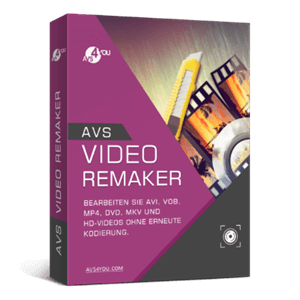
AVS Video ReMaker 2026 is a Windows video editing program developed by Online Media Technologies. It is designed for users who mainly want to cut unwanted scenes, remove sections, rearrange clips, and join video files without unnecessarily converting the entire video again. Unlike a full video editor focused on effects and complex projects, AVS Video ReMaker concentrates on making quick changes while preserving the original video quality. It is useful for cleaning up home recordings, editing camera footage, preparing video clips, and working with existing movie files.
One of its most important features is editing videos without reconversion. You can select unwanted sections, remove them, change the order of scenes, and save the result without processing the entire video again, where the format and editing points allow it. This can save time and help preserve the original quality. The program also supports merging several video files when they have compatible properties, such as frame size, frame rate, and codec. Its automatic scene detection can divide a recording into smaller sections, making it easier to find and remove unwanted parts.
AVS Video ReMaker supports a wide range of formats, including MP4, MOV, MKV, AVI, MPEG, WMV, VOB, M2TS, MTS, and AVCHD. It can work with footage recorded by smartphones, camcorders, and other video devices. The software also includes video capture options for webcams and DV cameras, along with a screen capture feature for recording desktop activity. These tools are useful when you want to bring recordings into the program and edit them without switching between several applications.
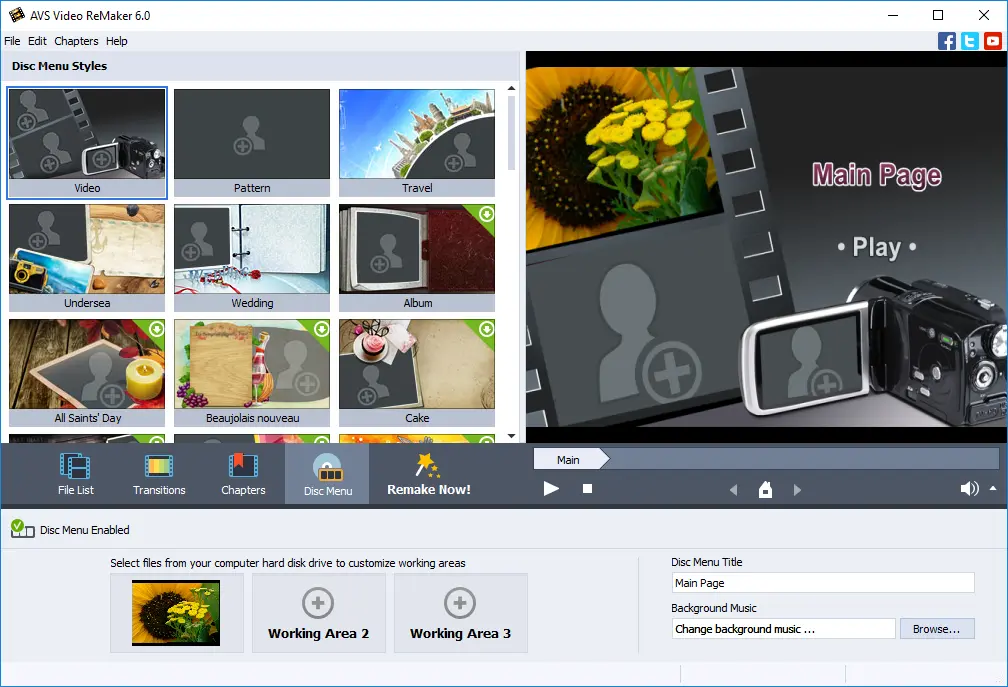
Another useful part of the software is its DVD and Blu-ray authoring support. You can divide videos into chapters, select menu templates, arrange content, and burn supported projects to discs using compatible hardware. The interface includes a media selection area, preview window, and timeline, so you can see the footage and choose the sections you want to edit. The official AVS4YOU download page lists version 26.0.2.17, released on February 19, 2026. Overall, AVS Video ReMaker is best suited to users who want straightforward video cutting, joining, capture, and disc creation rather than a complete professional editing environment.
Key Features of AVS Video ReMaker 2026
- Video editing without reconversion:Remove unwanted scenes while keeping the original quality where supported.
- Scene detection:Automatically divide recordings into smaller sections for easier editing.
- Video trimming:Select and remove unwanted parts of your recordings.
- Clip rearrangement:Change the order of scenes without rebuilding the entire project.
- Video merging:Join multiple files when their technical properties are compatible.
- Wide format support:Work with MP4, MOV, MKV, AVI, MPEG, WMV, VOB, MTS, M2TS, and other formats.
- HD video editing:Process AVCHD, Blu-ray, and MPEG-2 HD footage.
- Video capture:Import recordings from supported webcams and DV cameras.
- Screen capture:Record desktop activity for tutorials and demonstrations.
- DVD and Blu-ray menus:Create chapters and select menu templates.
- Disc burning:Create DVD and Blu-ray projects with compatible hardware.
- Preview window:Check your footage and editing results before saving.
- Timeline editing:Select video sections and manage scene positions visually.
Best Alternatives to AVS Video ReMaker 2026
-
Bandicut
Bandicut is a Windows video cutter and joiner designed for quick editing. It lets you trim clips, split recordings, combine multiple videos, and extract audio. Its High-Speed mode can cut and join compatible videos without fully re-encoding them, helping preserve the original quality.
Compared with AVS Video ReMaker, Bandicut focuses more on fast cutting and joining rather than DVD and Blu-ray menu creation or camera capture. It is a good option for users who mainly want to remove unwanted footage and combine clips. Choose Bandicut if you want a simple Windows tool for quick video trimming and joining.
-
LosslessCut
LosslessCut is a free, open-source video and audio editing tool available for Windows, macOS, and Linux. It can cut recordings, remove unwanted sections, merge compatible files, rearrange segments, and manage audio and subtitle tracks without re-encoding in supported situations.
It offers more control over individual segments and media tracks than AVS Video ReMaker. However, it does not provide traditional editing features such as animated titles, transitions, or DVD menu creation. Choose LosslessCut if you want a free tool for fast video cutting while keeping the original media quality.
-
Avidemux
Avidemux is a free video editing application for users who need basic cutting, encoding, filtering, and format conversion. It supports copy mode, which allows compatible video and audio streams to be saved without re-encoding. You can also apply filters when you need to resize footage, correct colours, or make other changes that require processing.
Compared with AVS Video ReMaker, Avidemux provides more flexibility for basic video processing but does not offer the same DVD and Blu-ray menu creation workflow. Its interface is also more technical for beginners. Choose Avidemux if you want a free tool for cutting, filtering, and converting video files.
Conclusion
AVS Video ReMaker 2026 is a useful Windows application for users who want to remove unwanted scenes, rearrange recordings, merge compatible clips, and create DVD or Blu-ray projects. Its ability to edit supported video files without full reconversion is its biggest advantage, especially when preserving the original quality and saving processing time are important.
It is particularly suitable for people working with home recordings, camcorder footage, and existing video collections. However, it is not a complete professional video editor, so users who need advanced effects, animated titles, or detailed colour editing should consider other software. Overall, AVS Video ReMaker is worth considering if your main requirements are quick video editing, scene removal, file joining, and disc creation on Windows.
AVS Video ReMaker 2026 Technical Setup Details
- Software Full Name: AVS Video ReMaker 2026
- Setup File Name: AVS_Video_ReMaker_26.0.3.6.rar
- Setup Size: 94 MB
- Setup Type: Offline Installer / Full Standalone Setup
- Compatibility Mechanical: 32 Bit (x86) / 64 Bit (x64)
- Latest Version Release Added On: 10th Nov 2026
- Developers: AVS
System Requirements for AVS Video ReMaker 2026
- Operating System: Windows 7/8/10
- RAM: 1 GB
- Hard Disk: 2 GB
- Processor: Intel Dual Core or higher processor
AVS Video ReMaker 2026 Free Download
Download AVS Video ReMaker 2026 free latest full version offline direct download link for full offline setup by clicking the button below.