Download HyperSnap 2026 full latest version program free setup for Windows. HyperSnap 2026 is a versatile screen capture, image editing, and annotation software which allows users to capture screenshots from desktop applications, web pages, games, videos, and other on-screen content.
HyperSnap 2026 Review
HyperSnap 2026 is a professional screen capture and editing tool for Windows. It is designed for users who need more than a basic screenshot utility. You can capture full screens, selected regions, scrolling windows, dropdown menus, and multi-monitor desktops. HyperSnap also includes OCR, image editing, annotations, and screen video recording. This makes it useful for technical writers, developers, IT support teams, trainers, and content creators. One of the biggest strengths of HyperSnap 2026 is its advanced screenshot capture. It can capture content that standard Windows screenshot tools may not handle well. This includes long web pages, scrolling settings panels, temporary menus, unusual interface elements, and complex multi-monitor layouts. The scrolling capture feature can combine content that extends beyond the visible screen into one image. This is useful for manuals, tutorials, support articles, and software documentation.
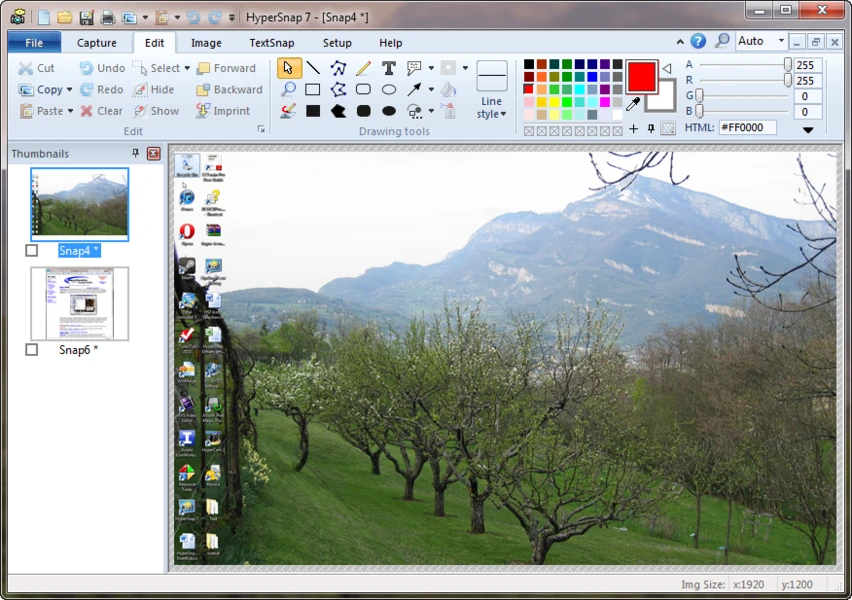
HyperSnap also works as an image editing and annotation tool. After taking a screenshot, users can add arrows, notes, highlights, frames, shapes, and other visual elements without opening another editor. This helps users create clear screenshots for guides, bug reports, training material, and technical documents. Hotkeys, automatic saving, clipboard integration, and quick export also help speed up repetitive screenshot tasks. Another important feature is built-in OCR. HyperSnap can recognize text from selected screen areas, screenshots, and image files. This is useful when normal copy and paste does not work. Users can extract editable text from applications, images, remote sessions, and other screen content. The OCR system uses the Tesseract engine and supports different language and accuracy settings.
HyperSnap 10 also introduced screen video recording. Users can record any area of the screen for software demonstrations, training videos, bug reports, and support tutorials. The built-in MP4 editor can trim unwanted sections, combine clips, add timed annotations, and export the finished video. This makes HyperSnap more useful for users who need both screenshots and short screen recordings in one application. For users searching for a HyperSnap 2026 free download, it is important to understand the license model. HyperSnap can be downloaded and used with all features available, but unlicensed screenshots and processed images include stamps.
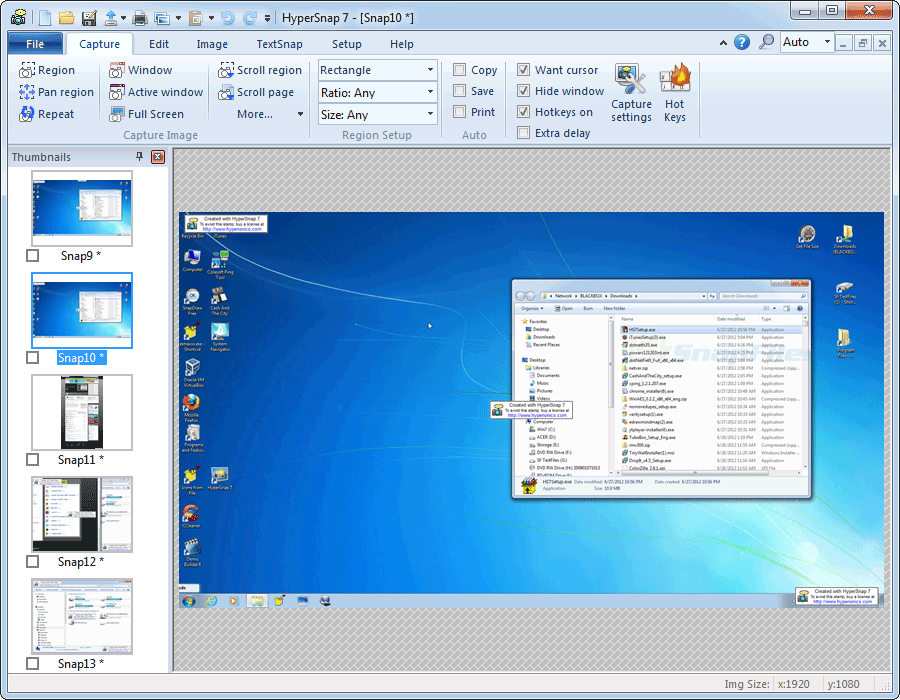
HyperSnap 2026 is focused on Windows. The current release supports Windows 10 and Windows 11. Users who need a Mac version should look for another screen capture application. For Windows users who regularly create technical documentation, tutorials, support content, or training material, HyperSnap offers a strong combination of capture, OCR, editing, annotation, and video recording tools. Overall, HyperSnap 2026 is a powerful screenshot and screen recording solution for Windows users. Its advanced capture modes solve many problems that basic screenshot tools cannot. The combination of scrolling screenshots, OCR, multi-monitor capture, annotations, and video editing makes it especially useful for professional documentation and support workflows.
Key Features of HyperSnap 2026
- Advanced Windows screen capture.
- Full-screen capture.
- Active-window capture.
- Selected-region capture.
- Scrolling screenshot capture.
- Long webpage screenshots.
- Dropdown menu capture.
- Delayed menu capture.
- Multi-monitor screenshot support.
- Non-rectangular capture options.
- Screen video recording.
- Built-in MP4 video editor.
- Video trimming and clip combining.
- Timed video annotations.
- Screen OCR.
- Editable text extraction from screenshots.
- OCR support for screen regions and image files.
- Tesseract-based OCR engine.
- Multiple OCR language options.
- Image editing tools.
- Screenshot annotation tools.
- Arrows and shapes.
- Text and notes.
- Highlights and frames.
- Image stamps.
- Shadows and cleanup tools.
- Clipboard integration.
- Automatic screenshot saving.
- Keyboard shortcuts and hotkeys.
- Quick image export.
- Support for multiple image formats.
- Useful for technical documentation.
- Useful for software tutorials.
- Useful for IT support and bug reports.
- Useful for training and demonstrations.
- Windows 10 support.
- Windows 11 support.
- Free download with all features available.
- Unlicensed output includes stamps.
- OCR remains functional in the unlicensed version.
HyperSnap 2026 Technical Setup Details
- Software Full Name: HyperSnap 2026
- Setup File Name: HyperSnap_10.2.rar
- Setup Size: 16 MB
- Setup Type: Offline Installer / Full Standalone Setup
- Compatibility Mechanical: 32 Bit (x86) / 64 Bit (x64)
- Developers: HyperSnap
System Requirements for HyperSnap 2026
- Operating System: Windows 7/8/10
- RAM: 1 GB
- Hard Disk: 200 MB
- Processor: Intel Dual Core or higher processor
HyperSnap 2026 Free Download
Download HyperSnap 2026 free latest full version offline direct download link for full offline setup by clicking the button below.