Download O&O ShutUp10 Premium 2026 full latest version program free setup for Windows. O&O ShutUp10 Premium 2026 focuses on one specific job: giving Windows users more control over privacy settings.
O&O ShutUp10 Premium 2026 Review
O&O ShutUp10 Premium 2026 is a Windows privacy tool that helps you control many settings related to data collection, tracking, advertising, app permissions, Windows Search, location, and other privacy features. Instead of opening different Windows menus to find these options, you can manage them from one place. The Premium version is mainly different because it can monitor your selected settings and restore them if Windows changes them later. This can be useful after major Windows updates. For users who only want to change privacy settings once, the free edition may be enough. Premium is more useful when you want those choices to stay in place.
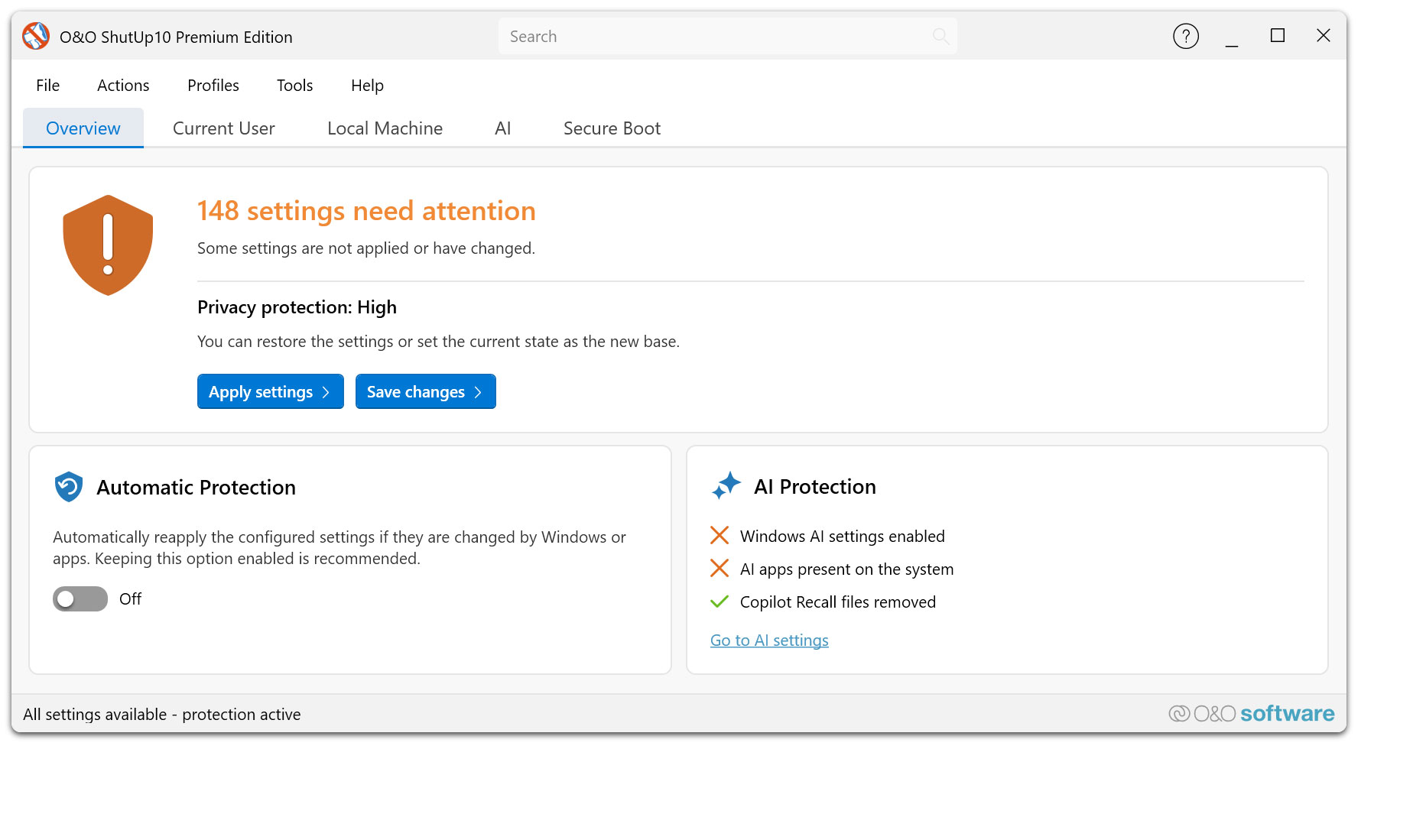
Windows has many privacy options spread across different sections of Settings. Some are easy to find, while others are less obvious. O&O ShutUp10 brings many of these controls together, making them easier to review and change. The software doesn’t replace Windows Defender, antivirus software, or a firewall. It also doesn’t make your computer completely private. Its purpose is to give you more control over how Windows handles certain information and features. The Premium edition becomes more useful when Windows changes a setting after an update. Instead of checking everything manually, the program can watch selected settings and restore them when necessary.
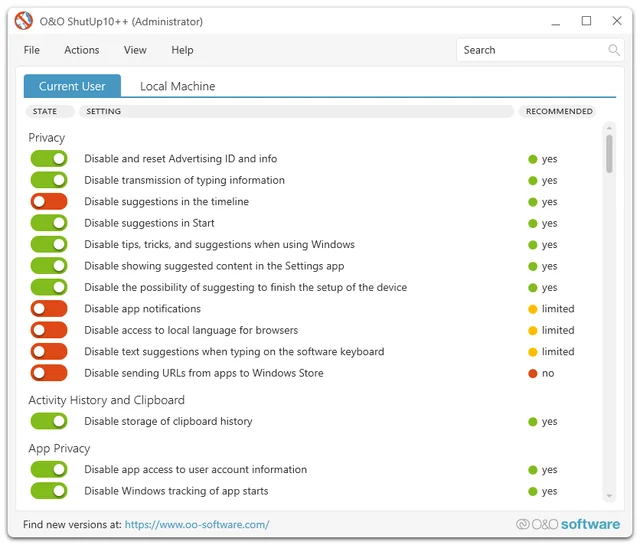
For most users, the interface is easier than manually searching through Windows settings. Each option comes with information explaining what it controls. The recommendation levels also help users understand which settings are generally safer to change. Still, some settings can affect Windows functionality. If you’re unsure about an option, don’t change it simply because it is marked as a privacy setting. The best results come from making a few informed changes rather than switching off everything.
Privacy Control
The main reason to use O&O ShutUp10 Premium is to get easier access to Windows privacy controls. Instead of searching through several Windows menus, you can review related settings together. This makes it easier to decide which features you want enabled and which ones you don’t need. You don’t have to disable everything. In fact, doing so can cause some Windows features or applications to stop working properly. A better approach is to start with the recommended options and then review individual settings based on how you use your computer.
Automatic Protection
Automatic protection is the biggest reason to choose Premium instead of the free version. Windows updates can change system settings. When that happens, you may have to check your privacy configuration again. Premium can monitor the settings you’ve chosen to protect. If one of those settings changes, the software can restore your preferred configuration. This is particularly useful if you don’t want to manually review Windows privacy settings after every major update.
Windows 11 Support
O&O ShutUp10 Premium works with Windows 11 and includes controls for features found in newer versions of Microsoft’s operating system. The available options can vary depending on your Windows version. You may therefore see different settings on different computers. This is normal because Microsoft regularly adds, removes, or changes Windows features.
Windows AI Controls
Recent Windows versions include more AI-based features, and O&O ShutUp10 provides settings that let users control some of them. These options can be useful if you don’t want particular AI features enabled or don’t want certain Windows components using specific information. However, turning off these options can also remove features you may find useful. It’s better to understand each setting before disabling it.
Key Features of O&O ShutUp10 Premium 2026
- Controls many Windows privacy settings from one interface.
- Supports Windows 10 and Windows 11.
- Monitors selected privacy settings.
- Restores protected settings when Windows changes them.
- Provides recommended privacy settings.
- Offers different privacy levels.
- Supports custom privacy profiles.
- Controls advertising-related settings.
- Manages app permissions.
- Controls location access.
- Provides Windows Search privacy options.
- Includes synchronization controls.
- Includes selected Windows Update settings.
- Provides controls for some Windows security features.
- Includes settings for newer Windows AI features.
- Shows information about individual settings.
- Allows users to restore Windows settings.
- Supports user-specific and system-wide settings.
- Provides an activity log in the Premium edition.
- Works quietly in the background.
O&O ShutUp10 Premium 2026 Alternatives
WPD
WPD is a Windows privacy tool designed to give users more control over Windows data collection and privacy settings. It can be a useful option if you want a free alternative and are comfortable managing settings yourself.
Privatezilla
Privatezilla provides a simple way to review and change several Windows privacy settings. It’s aimed at users who want a lightweight privacy tool without the extra background protection provided by O&O ShutUp10 Premium.
WinSlap
WinSlap focuses on Windows privacy as well as removing or disabling certain Windows features. It can be useful if you want privacy controls together with additional Windows customization options.
Windows Group Policy
Group Policy is built into supported Windows editions and can be used to control many system settings without installing third-party software. The downside is that finding the correct settings can be more difficult for beginners. It’s a good choice for experienced Windows users who want direct control over system policies.
Windows Settings
You don’t always need another program. Windows itself already provides many privacy controls under Settings. You can manually manage permissions, location, advertising options, diagnostics, search settings, and other privacy features. The downside is that these controls are spread across different areas, so managing them takes more time.
O&O ShutUp10 Premium 2026 Technical Setup Details
- Software Full Name: O&O ShutUp10 Premium 2026
- Setup File Name: O-O_ShutUp10_Premium_Edition_3.4.1124.rar
- Setup Size: 60 MB
- Setup Type: Offline Installer / Full Standalone Setup
- Compatibility: 32 Bit (x86) / 64 Bit (x64)
- Developers: O&O ShutUp
System Requirements for O&O ShutUp10 Premium 2026
- Operating System: Windows 7/8/10
- RAM: 1 GB
- Hard Disk: 100 MB
- Processor: Intel Dual Core or higher processor
O&O ShutUp10 Premium 2026 Download
Download O&O ShutUp10 Premium 2026 free latest full version offline direct download link for full offline setup by clicking the button below.