Download Resolume Arena 2026 full latest version program free setup for Windows.
Resolume Arena 2026 for Windows Review
Resolume Arena 2026 is professional VJ and projection mapping software for Windows users who create live visuals for concerts, music festivals, clubs, stage performances, and large-screen installations. It allows users to play video clips, combine visual effects, mix multiple layers, and control screen output in real time. DJs, VJs, event production teams, and visual artists can use it to build performances that respond to music and stage requirements.
The software is part of the Resolume 7 series. The latest official Windows release listed in November 2026 is Resolume Arena 7.29.0. It combines live video mixing with advanced output tools, making it more suitable for professional stage setups than a basic video playback application. Users can organize visual content into compositions, prepare different clips, and switch between them during a performance.
Live Video Mixing and Layer Control
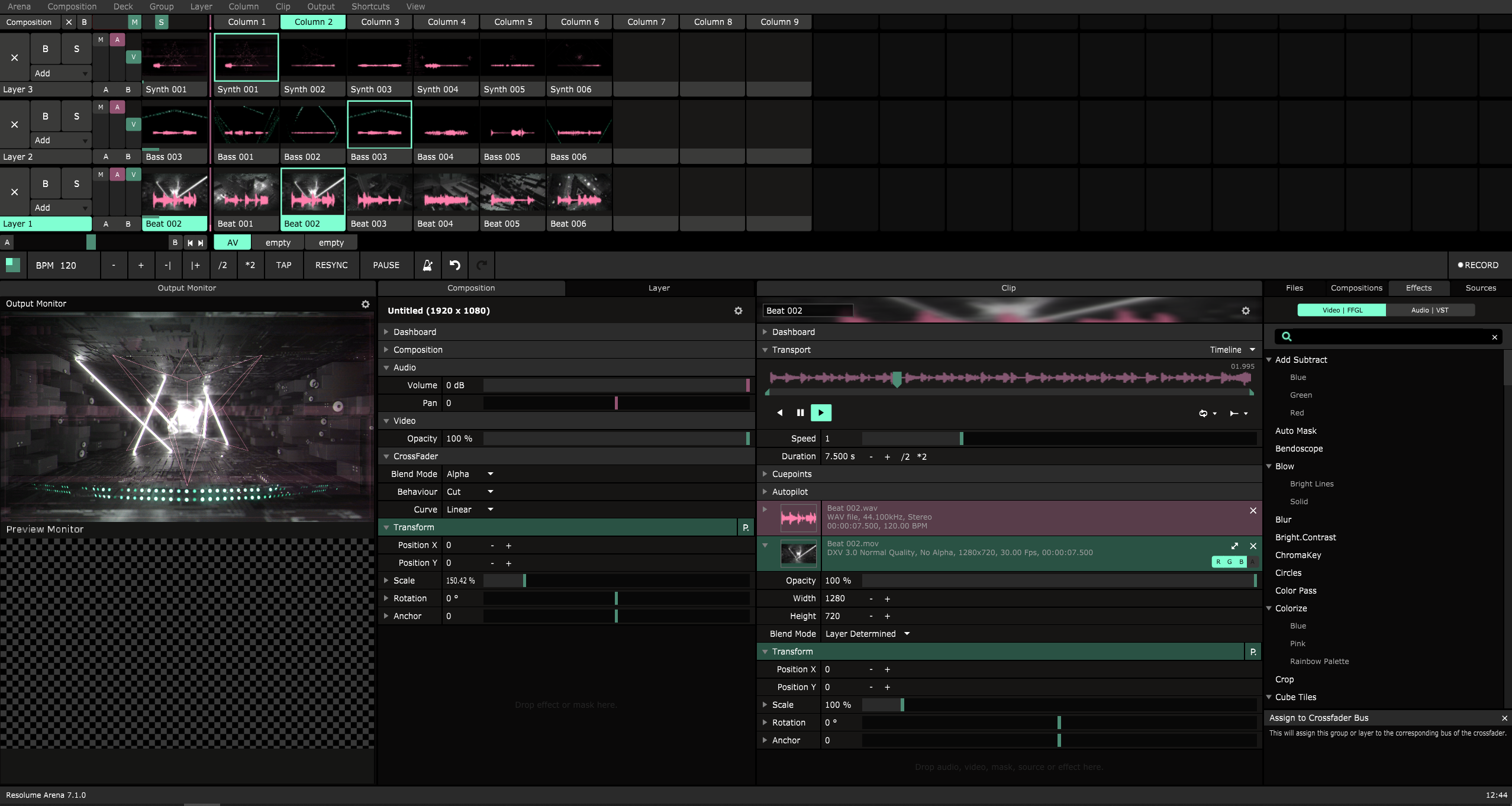
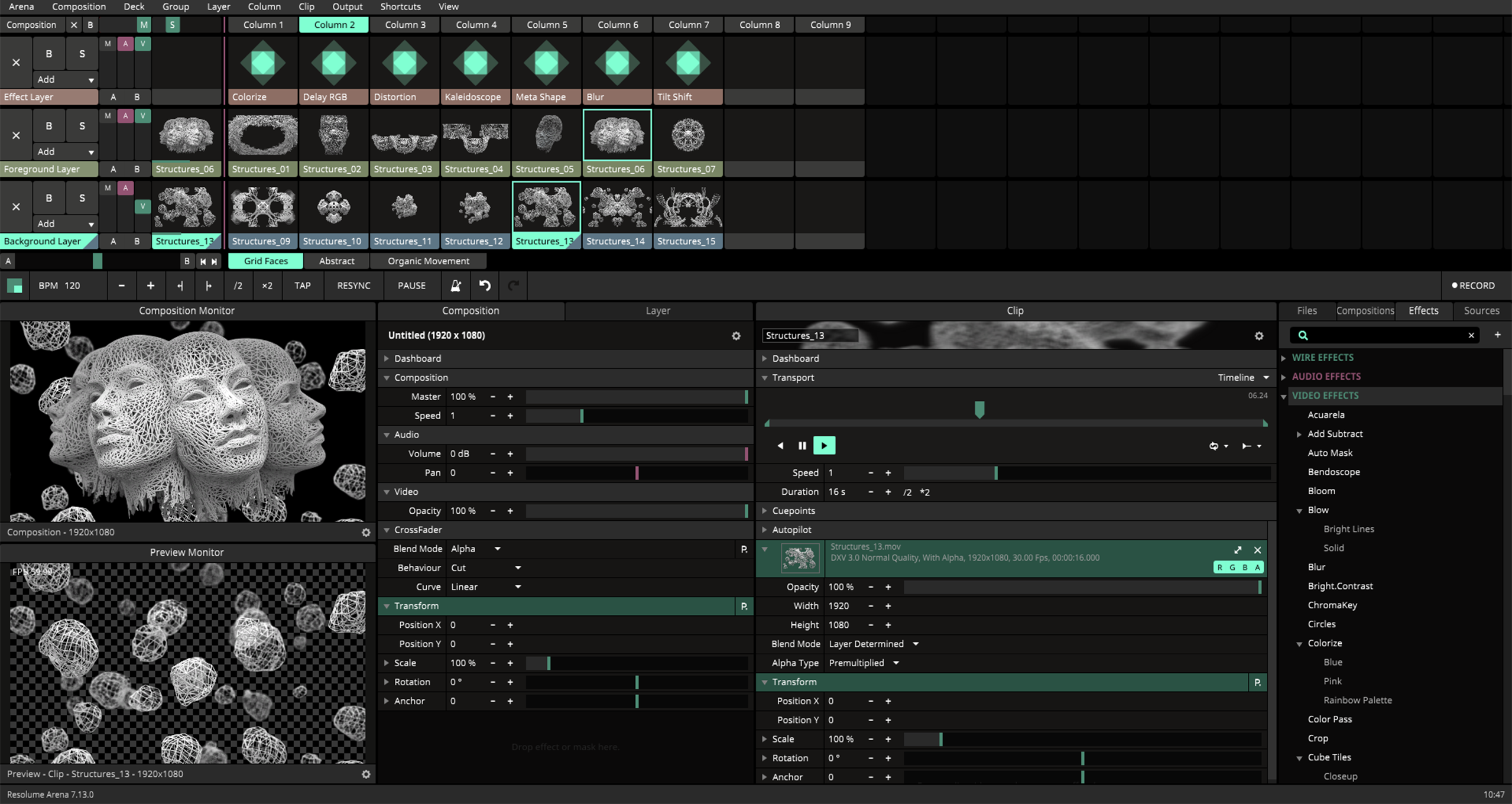
Resolume Arena uses a layer-based workflow. Users can load video files, still images, audio clips, and generated sources into individual clips. These clips can be arranged in columns and layers, allowing several visual elements to play together. Each layer has controls for opacity, volume, playback, and blending, which helps create more complex compositions.
The clip triggering system is particularly useful during live performances. Users can start a clip by clicking its thumbnail or assigning a keyboard shortcut or MIDI control. Auto Pilot can also move between clips automatically when a selected clip finishes. This gives performers the choice between manually controlling every visual and preparing parts of a show in advance.
Effects and Audio-Reactive Visuals
Resolume Arena includes more than 100 built-in video effects, along with audio effects and additional sources. Users can apply effects to individual clips, entire layers, groups, or the final composition. This makes it possible to change the appearance of one video without affecting the rest of the performance.
Its audio analysis tools can connect visual parameters to incoming music. For example, brightness, movement, and effect intensity can respond to changes in the audio signal. BPM synchronization also helps clips play at a speed that matches the music. These features are useful for DJs and VJs who want their visuals to move naturally with a live set rather than relying on manually timed playback.
Projection Mapping and Multiple Screens
Projection mapping is one of the main reasons to choose Arena over the standard Resolume Avenue edition. Its Advanced Output panel allows users to arrange content across projectors, LED walls, and other display devices. Users can create slices, adjust output positions, warp visuals, and prepare different screen layouts.
Edge blending is useful when multiple projectors need to create one continuous image. Arena can also route different parts of a composition to separate outputs. This gives event teams more flexibility when working with unusual stage designs, building projections, and large LED displays.
DMX, MIDI, and Timecode Control
Arena offers several options for controlling a performance externally. MIDI and OSC allow users to connect controllers and other compatible devices to software parameters. DMX output can send pixel color and brightness information to supported lighting equipment through Art-Net-based setups.
The software also supports SMPTE timecode input, which is useful when video playback needs to follow a prearranged show timeline. It can help synchronize visuals with music, lighting, and other stage elements. These tools make Arena suitable for productions that need more than simple clip playback, although configuring them requires compatible hardware and some technical preparation.
Windows Compatibility and Performance
Resolume Arena supports Windows 10 as its minimum listed operating system, while Windows 11 is recommended. The minimum specifications include an NVIDIA or AMD graphics card and 8 GB of RAM. For smoother performance, Resolume recommends an Intel Core i7 processor with six cores at 3.7 GHz, an NVIDIA RTX 4070, an SSD, and 16 GB of RAM.
Actual performance depends on the resolution of the media, number of active layers, effects, and connected displays. Resolume recommends using its DXV video codec because it allows the GPU to decode video frames efficiently. This can help when playing several video clips simultaneously. Users planning to operate multiple projectors or high-resolution LED screens should test their complete setup before a live event.
The software is available as a fully functional demo, but its output includes a visible watermark and occasional robotic voice reminders. Purchasing a license removes these limitations. One important distinction is that Resolume Avenue focuses on live VJ mixing, while Arena adds advanced projection mapping, edge blending, DMX, timecode, and other professional output features.
Key Features of Resolume Arena 2026
- Live VJ performance:Play and mix video clips, images, audio files, and generated visual sources.
- Multiple layers:Combine several visual elements into one composition.
- Clip triggering:Start clips manually using mouse controls, keyboard shortcuts, or MIDI.
- Auto Pilot:Automatically move between selected clips during playback.
- 100+ video effects:Change colors, shapes, movement, and other visual properties.
- Audio-reactive controls:Connect visual parameters to incoming audio.
- BPM synchronization:Match clip playback speed to the music tempo.
- Advanced Output:Arrange content across multiple screens, projectors, and LED displays.
- Projection mapping:Adjust and warp visual content to fit physical surfaces.
- Edge blending:Combine multiple projector outputs into a continuous image.
- DMX and Art-Net:Send visual and pixel information to compatible lighting equipment.
- SMPTE timecode:Synchronize video playback with external show timing.
- MIDI and OSC support:Control software parameters using external devices and applications.
- DXV codec:Improve video playback performance by using GPU-based decoding.
Best Alternatives to Resolume Arena 2026
MadMapper
MadMapper is a strong alternative for users who mainly work with projection mapping and LED installations. It provides tools for mapping video onto buildings, objects, and complex surfaces. It is available for Windows and macOS. While Resolume Arena combines live VJ mixing and mapping, MadMapper places more emphasis on the mapping workflow.
TouchDesigner
TouchDesigner is a flexible visual development platform for creating interactive installations, generative graphics, and real-time visual effects. It supports Windows and macOS and offers a node-based system for building custom projects. It is a better choice for artists who want to create their own visual systems rather than mainly mixing ready-made video clips. However, its learning curve is steeper for beginners.
HeavyM
HeavyM is another Windows-compatible option for projection mapping and live visual performances. Its interface is designed to make mapping content onto physical surfaces more approachable. It is worth considering for users who want to create projection shows without working through as many advanced controls as a professional VJ setup may require. Resolume Arena offers broader live mixing and stage-control features.
Conclusion
Resolume Arena 2026 is a powerful Windows application for live VJ performances, projection mapping, and professional stage visuals. Its layer-based mixing, large collection of effects, audio synchronization, Advanced Output, DMX support, and timecode features provide plenty of control for demanding productions. The software requires a capable graphics card and some time to learn, especially when setting up multiple screens and external equipment. However, it is a strong choice for DJs, VJs, event professionals, and visual artists who need reliable control over live video and stage displays. If projection mapping and live visual mixing are both important to your work, Resolume Arena is worth considering.
Resolume Arena 2026 Technical Setup Details
- Software Full Name: Resolume Arena 2026
- Setup File Name: Resolume_Arena_7.29.0_rev_33052.rar
- Setup Size: 1.3 GB
- Setup Type: Offline Installer / Full Standalone Setup
- Compatibility Mechanical: 32 Bit (x86) / 64 Bit (x64)
- Developers: Resolume Arena
System Requirements for Resolume Arena 2026
- Operating System: Windows 7/8/10
- RAM: 8 GB
- Hard Disk: 10 GB
- Processor: Intel Core i5 or higher processor
Resolume Arena 2026 Free Download
Download Resolume Arena 2026 free latest full version offline direct download link for full offline setup by clicking the button below.