Download SnapTube Downloader full latest version program free setup for Windows. SnapTube is an app that saves videos and music from YouTube and other supported sites for offline viewing. It converts videos to MP3 and supports multiple resolutions, from 144p up to 4K where available.
SnapTube Downloader Review
Many Android users hit the same problem. They watch a video or hear a song online and want to save it for later, but the app they are using has no download button. SnapTube was built to fix that gap. It works as a search and download tool, so users can find a video or track and save it straight to their phone.
The app supports a long list of platforms. This includes YouTube, Facebook, Instagram, TikTok, Dailymotion, and SoundCloud. Users can search inside the app itself, without switching to a browser first. Once a video is found, SnapTube shows the available formats and resolutions before the download starts. This lets users pick a smaller file for slow connections or a higher one for better quality.
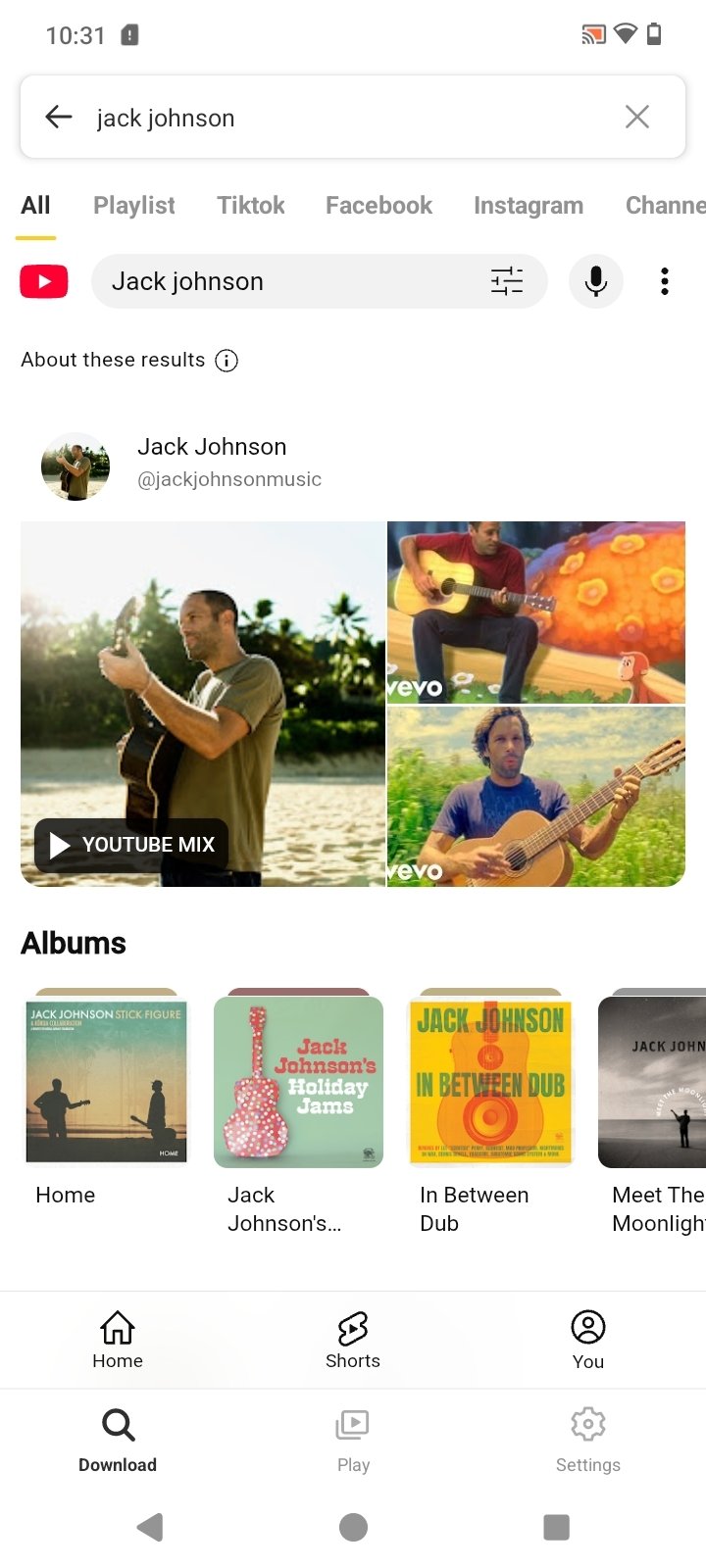
Audio conversion is one of the most used features. A user can turn any supported video into an MP3 file in a few taps. This is useful for saving music, podcasts, or lecture audio without needing a separate converter app. The built-in download manager also helps with larger downloads. Users can pause, resume, or retry a download, and check their full download history in one place.
There is one important point to understand before installing SnapTube. The app is not available on the Google Play Store. This is because it downloads content in a way that goes against the terms of service of platforms like YouTube. This does not mean the app itself is unsafe, but it does mean updates and security checks work differently than they would for a Play Store app. Users should only install SnapTube from its official website, since APK files from unknown third-party sites often carry hidden extra software.
There is also a legal side to keep in mind. Downloading a video you do not own or do not have permission to save can break the platform’s terms of service and, in some cases, copyright rules. SnapTube is fine to use for your own content, royalty-free clips, Creative Commons material, or anything a creator has clearly allowed people to download. It should not be used to collect copyrighted movies, music, or shows without permission. SnapTube does not run on Windows, Mac, or iPhone directly, since it is built only for Android. Desktop users sometimes rely on an Android emulator or a browser-based tool instead, though these come with their own trade-offs in speed and reliability.
Key Features
- Downloads video and audio from YouTube, Facebook, Instagram, TikTok, and more
- Converts videos to MP3 audio files
- Multiple resolution options, from 144p to 4K
- Built-in search, no browser switching needed
- Download manager with pause, resume, and retry
- Supports multiple downloads at the same time
- Night mode for low-light use
- Free to use, no Play Store account needed
SnapTube Downloader Technical Setup Details
- Software Full Name: SnapTube Downloader
- Setup File Name: SnapTube_Downloader-21-07-2026.rar
- Setup Size: 188 MB
- Setup Type: Offline Installer / Full Standalone Setup
- Compatibility Mechanical: 32 Bit (x86) / 64 Bit (x64)
- Developers: SnapTube Downloader
System Requirements for SnapTube Downloader
- Operating System: Windows 7/8/10
- RAM: 2 GB
- Hard Disk: 1 GB
- Processor: Intel Dual Core or higher processor
SnapTube Downloader Free Download
Download SnapTube Downloader free latest full version offline direct download link for full offline setup by clicking the button below.