Download SuperPro Designer 2026 full latest version program free setup for Windows.
SuperPro Designer 2026 Review
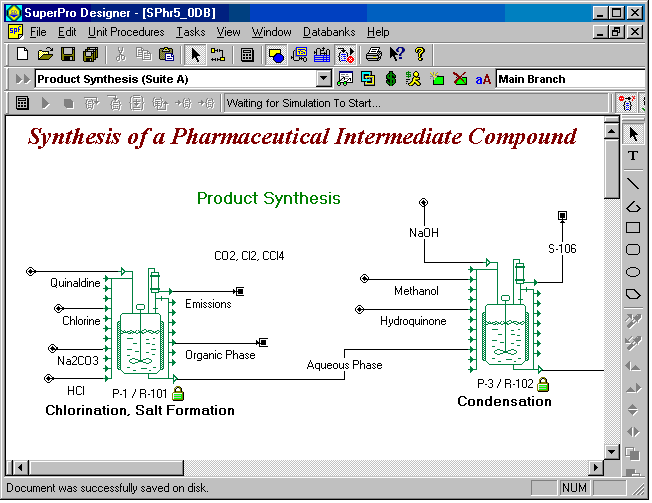
SuperPro Designer 2026 is a process simulation and design software for Windows users working with chemical, pharmaceutical, biotechnology, food, environmental, and other industrial processes. It can model batch, continuous, and semi-continuous processes while also helping with equipment sizing, scheduling, material balances, energy use, and economic analysis. The current 2026 release is SuperPro Designer v15, Build 02, released in July 2026. The software is mainly aimed at process engineers, researchers, plant designers, and students. Instead of focusing only on process simulation, SuperPro Designer connects process modeling with production scheduling, equipment requirements, resource use, cost analysis, and reporting. This makes it useful when users need to evaluate how a process could work before moving toward actual production. SuperPro Designer is built around process simulation and engineering analysis. Users can create process flowsheets, define materials and operations, connect equipment, and study how a process behaves.

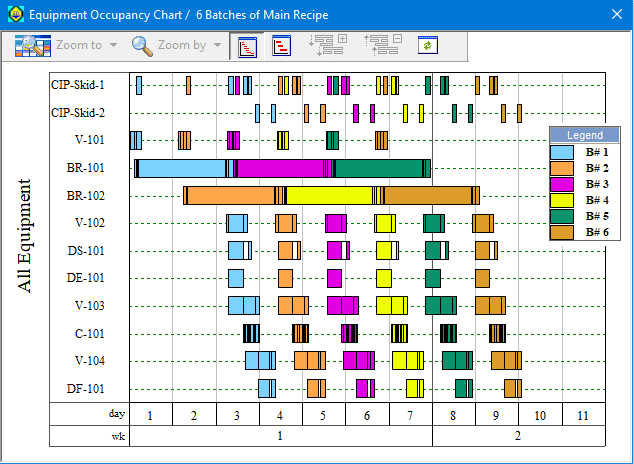
It supports batch processes as well as continuous and semi-continuous workflows, which makes it suitable for industries where production methods vary significantly. One of its strongest areas is batch process modeling. The software can represent time-dependent operations and equipment usage, making it useful for pharmaceutical and biotechnology processes where production involves multiple steps and batches. Scheduling tools can show equipment usage and help identify conflicts or production bottlenecks. SuperPro Designer also goes beyond basic process calculations by providing equipment sizing and resource analysis. Users can evaluate equipment requirements, utilities, materials, labor, and other resources involved in a process. This gives engineers more information when comparing different process configurations.
Economic analysis is another major part of the software. SuperPro can be used for capital and operating cost estimation and can generate reports for analyzing the financial side of a proposed process. Earlier releases also introduced support for multiple currencies and detailed cost databases, while newer versions continue to expand reporting and economic analysis capabilities. The latest v15 release adds several useful features. These include a new report focused on Global Warming Potential, improved pH calculations for streams and equipment contents, better handling of heat-transfer agent costs, and new process operations such as steam ejection, bipolar membrane electrodialysis, gas membrane separation, and pH regulation.
The software also includes improved handling of heat-transfer agents and additional operations that can interact with transfer panels. The v15 release further updates lyophilization and cooling-tower operations and improves loop convergence, which can help with larger or more complicated process models. Reporting is another useful feature. SuperPro has long supported customizable reports and exports, including Excel-based workflows. The platform can generate information about equipment, costs, cash flow, resource consumption, and process performance. This is helpful when simulation results need to be shared with engineering, management, or academic teams.
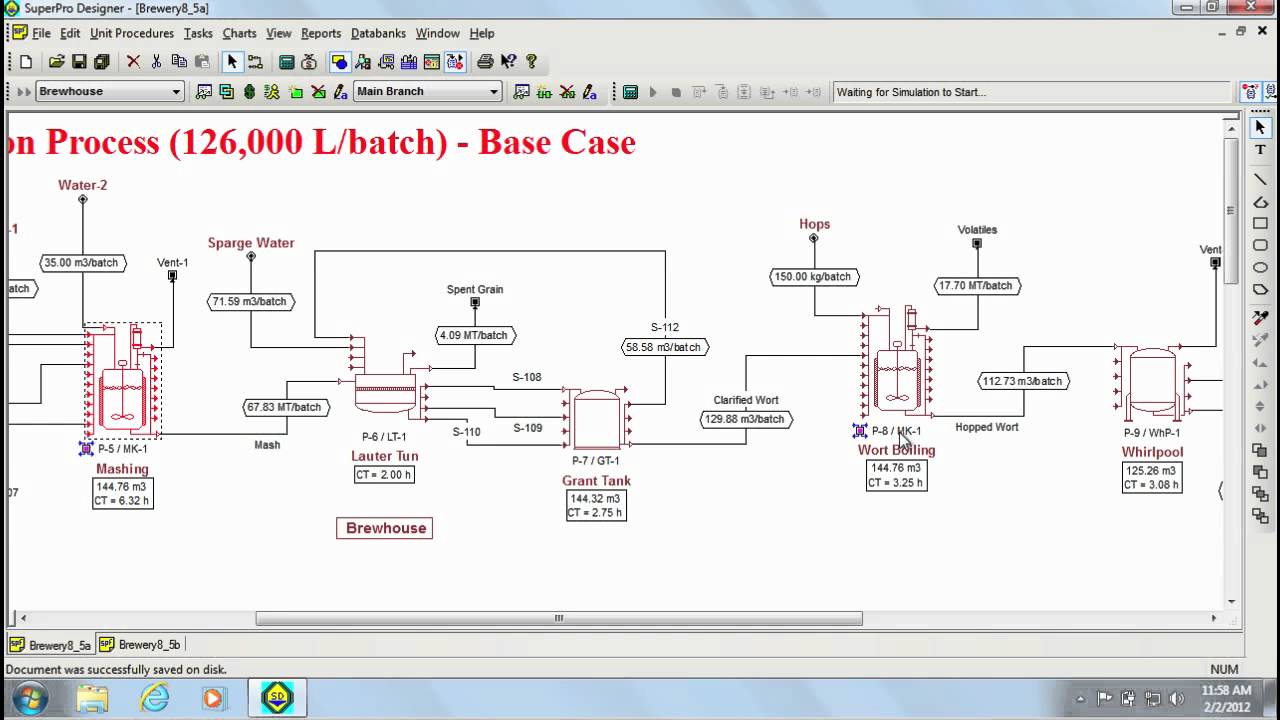
SuperPro Designer is also supported by a large collection of examples. The developer says the software is shipped with more than 60 detailed examples covering different processes and industries. These examples can be useful for students and new users who need to understand how process models are constructed. The main limitation is its specialized nature. SuperPro Designer is not intended to be a general engineering application. New users may need time to understand flowsheets, unit procedures, material balances, scheduling, equipment data, and economic calculations. Its extensive feature set can also feel overwhelming for simple simulation tasks.
Key Features
- Batch, continuous, and semi-continuous process simulation
- Process flowsheet development
- Material and energy balance calculations
- Equipment sizing and analysis
- Batch scheduling and Gantt charts
- Equipment occupancy analysis
- Resource consumption tracking
- Capital cost estimation
- Operating cost analysis
- Techno-economic evaluation
- Multiple currency support
- Customizable reports
- Excel integration
- Global Warming Potential reporting
- pH calculations for streams and equipment contents
- Heat-transfer agent modeling
- Steam ejection operation
- Gas membrane separation
- Bipolar membrane electrodialysis
- pH regulation for batch and continuous processes
- Lyophilization modeling
- Cooling-tower operations
- Process databases
- COM automation support
- More than 60 detailed process examples
- Suitable for pharmaceutical, biotech, chemical, food, environmental, and related industries
Alternatives
SuperPro Designer is designed around process simulation, batch production, equipment sizing, scheduling, and economic analysis. Several alternatives cover similar areas, but they have different strengths and workflows.
Aspen Plus is a major alternative for process simulation, particularly for chemical engineering and continuous processes. It provides extensive thermodynamic and process-modeling capabilities and is widely used for chemical process design. SuperPro Designer can be more suitable when the workflow depends heavily on batch operations, production scheduling, and time-dependent equipment usage.
Aspen HYSYS is another option, especially for oil and gas, refining, and hydrocarbon processing. It focuses strongly on process simulation and engineering calculations for energy-related industries. Users working mainly with continuous hydrocarbon processes may find its workflow more aligned with their projects.
ChemCAD provides process simulation and engineering tools for chemical industries. It supports flowsheet creation, thermodynamic calculations, equipment modeling, and process analysis. It can be considered by users who need a general chemical process simulator rather than a platform centered heavily on batch manufacturing.
DWSIM is an open-source process simulator that can be useful for students, researchers, and engineers who want a lower-cost alternative. It supports steady-state process simulation and a range of thermodynamic and unit-operation models. Its workflow is different from SuperPro Designer’s strong focus on batch production and detailed manufacturing economics.
gPROMS is aimed at advanced process modeling and simulation. It is useful for users who need detailed mathematical models, optimization, parameter estimation, and dynamic process analysis. It is generally more suited to advanced modeling work than straightforward process design.
SchedulePro is another Intelligen product that is worth considering when scheduling is the main requirement. It focuses more specifically on production scheduling and resource planning, while SuperPro Designer combines scheduling with process simulation, equipment design, and economic analysis.
BioSolve Process can be relevant to biotechnology and biopharmaceutical users who need process economics and manufacturing analysis. It is more specialized toward bioprocessing, whereas SuperPro Designer covers a broader range of industries and process types.
For users choosing between these tools, the workflow matters most. SuperPro Designer is particularly suited to projects where process simulation, batch scheduling, equipment sizing, resource analysis, and economic evaluation need to work together. Aspen Plus and HYSYS are strong alternatives for other types of process simulation, while DWSIM offers an open-source option and gPROMS focuses more on advanced mathematical modeling.
Conclusion
SuperPro Designer 2026 is a specialized Windows application for designing, simulating, scheduling, and economically evaluating industrial processes. Its combination of process modeling, equipment analysis, batch scheduling, resource tracking, and cost estimation makes it useful well beyond basic flowsheet simulation. The v15 release adds new process operations, Global Warming Potential reporting, improved pH and heat-transfer calculations, faster loop convergence, and other updates for modern process modeling. It is particularly relevant for pharmaceutical, biotechnology, chemical, food, environmental, and specialty manufacturing projects. Beginners may need some time to learn the interface and process-modeling concepts, but users who need detailed process and production analysis can get a lot from the software.
SuperPro Designer 2026 Technical Setup Details
- Software Full Name: SuperPro Designer 2026
- Setup File Name: Intelligen_SuperPro_Designer_10.7.rar
- Setup Size: 356 MB
- Setup Type: Offline Installer / Full Standalone Setup
- Compatibility: 32 Bit (x86) / 64 Bit (x64)
- Developers: SuperPro
System Requirements for SuperPro Designer 2026
- Operating System: Windows 7/8/10
- RAM: 4 GB
- Hard Disk: 2 GB
- Processor: Intel Dual-Core or higher processor
SuperPro Designer 2026 Download
Download SuperPro Designer 2026 free latest full version offline direct download link for full offline setup by clicking the button below.