Download Tsuga Audio MoonBass for Mac Free. It is full Latest Version setup of Tsuga Audio MoonBass DMG for Mac OS X.
Tsuga Audio MoonBass for Mac Review
Tsuga Audio MoonBass is a bass analysis plugin for Mac users who want a clearer view of what is happening between the kick and bass in a mix. It is designed for producers, musicians, and mixing engineers who need to check low-frequency balance, timing, phase problems, and bass movement without relying only on their ears. Instead of changing the sound like an EQ, compressor, or saturation plugin, MoonBass focuses on showing what’s happening in the low end. It combines a beat-synchronized oscilloscope, bass spectrogram, phase analysis, bass dynamics monitoring, and frequency filtering in one interface. For Mac users, MoonBass supports macOS, including Apple Silicon systems, and is available in AU and VST3 formats. The current version listed by Tsuga Audio is 1.0.0, released in May 2026. MoonBass stands out because it concentrates almost entirely on the low end.
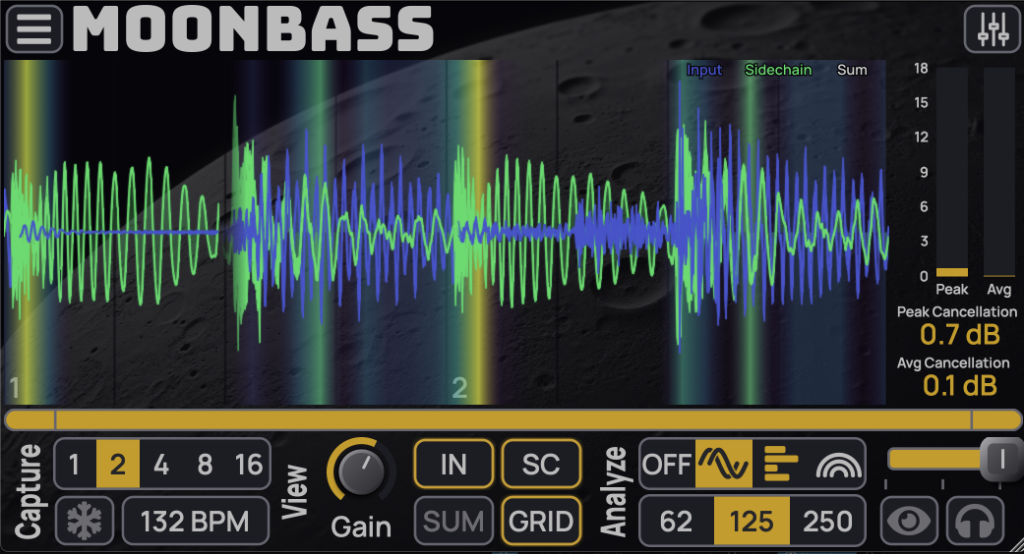
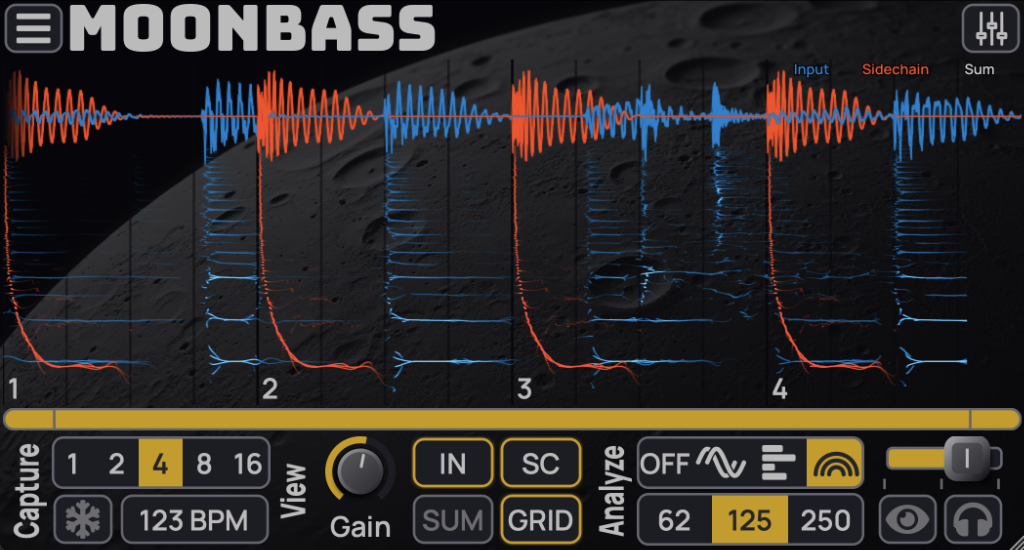
Its main purpose is to help you understand the relationship between kick and bass rather than simply showing a general frequency graph. The oscilloscope lets you view two signals together, which is useful when a kick and bass appear to fight for the same space. You can see how their waveforms line up and how the bass behaves around each kick hit. The spectrogram adds another layer of information. Instead of only seeing the waveform, you can inspect low-frequency content across time. This can make it easier to find uneven bass notes, excessive sub frequencies, or sections where the low end changes unexpectedly.
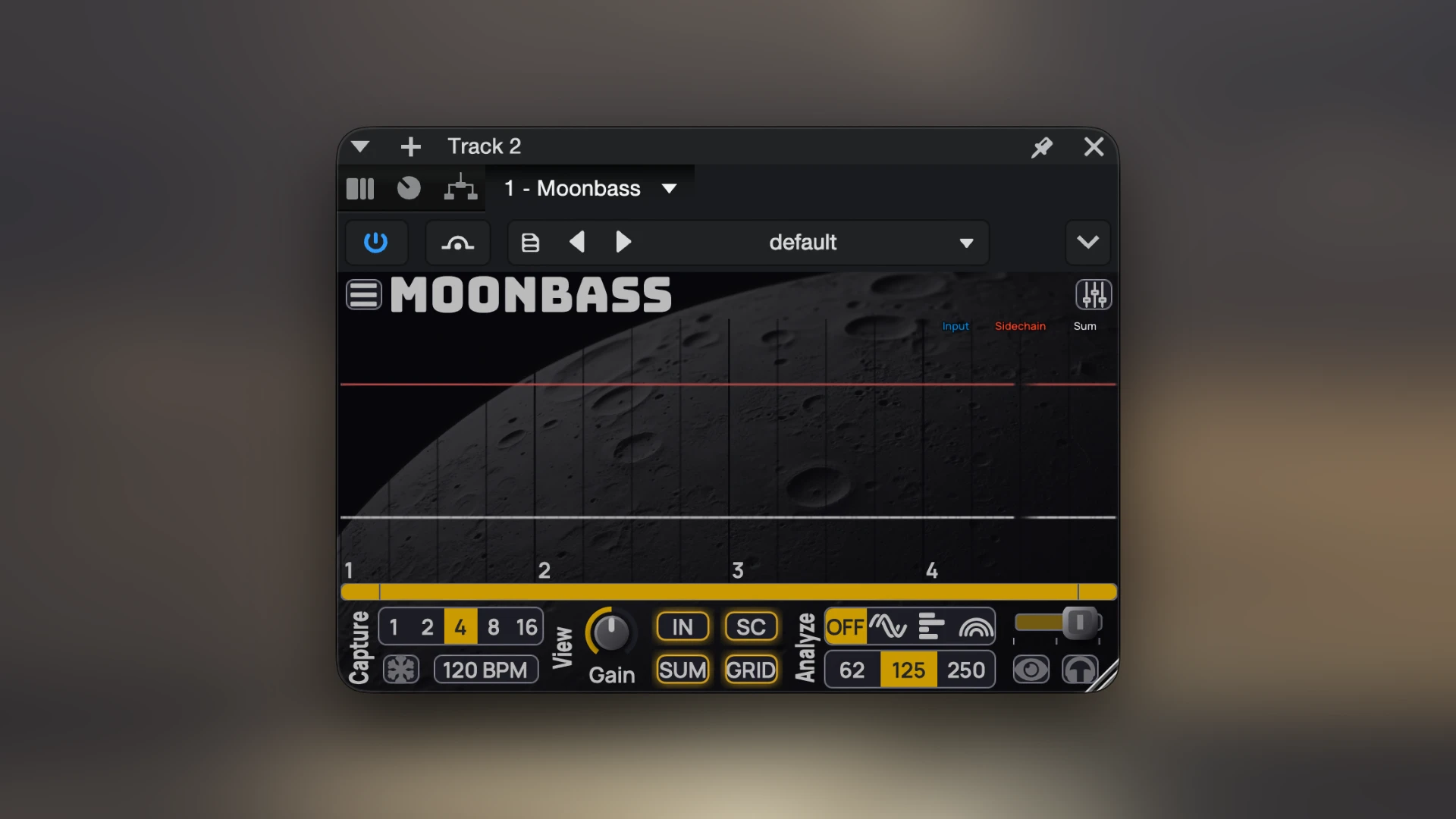
Phase analysis is another important part of MoonBass. When kick and bass interact in the wrong way, some low-frequency energy can cancel out. MoonBass is designed to highlight possible phase cancellation so you can investigate the problem before changing your mix. It should still be treated as an aid rather than a final answer because phase differences aren’t automatically bad. The zero-phase filter is useful when you don’t want to examine the entire audio range. You can focus on a particular low-frequency area and see what’s happening there. This can be helpful when checking sub-bass, kick fundamentals, or the lower harmonics of a bass sound.
MoonBass also includes bass dynamics analysis. This allows you to see how the energy of the bass changes throughout a track. For electronic music, this can be useful when comparing different sections or checking whether the bass behaves consistently from one beat or bar to another. The gain controls added in version 1.0.0 make visual comparison easier. If the kick and bass have very different levels, their displays can be difficult to compare. Adjusting the displayed levels helps you examine their relationship without confusing volume differences with actual timing or frequency problems.
The time offset control is another practical addition. Some hosts may not handle timing compensation in exactly the way the scope expects. MoonBass allows the display to be adjusted so the visual information lines up more closely with the audio. The zoom and scrolling controls are useful when you want to examine a small part of a track. Instead of viewing a whole song at once, you can zoom into individual kick hits or short bass patterns and inspect them more closely. MoonBass also lets you listen to the combined kick and bass through the selected low-pass filter. This is helpful because the visual display should not be used by itself. If you see something unusual, listening to the low end separately can help determine whether it actually affects the sound.
The plugin can be useful on individual tracks, buses, or the master channel. For example, you could place it after your kick and bass processing to check the final relationship, or use it on a bus while adjusting sidechain settings. For electronic music, MoonBass can be especially useful. House, techno, EDM, drum and bass, hip-hop, and other bass-focused styles often depend heavily on the relationship between kick and bass. A problem that seems small on headphones can become much more obvious on a larger system. MoonBass isn’t limited to professional producers, though. Beginners can also use it as a learning tool. Seeing the relationship between two sounds can make concepts such as bass overlap, timing, and phase easier to understand.
Key Features of Tsuga Audio MoonBass
- Designed specifically for bass and kick analysis.
- Displays kick and bass signals together.
- Includes a beat-synchronized oscilloscope.
- Provides a high-resolution bass spectrogram.
- Helps identify possible phase cancellation.
- Shows bass dynamics over time.
- Includes zero-phase filtering.
- Allows you to focus on selected bass frequency ranges.
- Provides gain controls for matching signal levels.
- Includes time offset adjustment.
- Offers zoom and scrolling controls.
- Includes low-pass listening for the combined kick and bass.
- Supports AU and VST3 plugin formats.
- Works on Intel Macs.
- Supports Apple Silicon Macs.
- Includes light and dark display options.
- Provides different colour themes for visual traces.
- The Mac installer is signed and notarized by Apple.
- Available with a trial option.
- Version 1.0.0 reduced CPU use for visual trace rendering.
Tsuga Audio MoonBass Alternatives
Voxengo SPAN
Best free alternative for general bass and frequency analysis. It supports Mac AU, VST3, and AAX and includes spectrum analysis, correlation metering, RMS, true-peak, and clipping information.
Voxengo SPAN Plus
A better choice if you need more advanced spectrum comparison. It adds features such as spectrum import/export and wider analysis options.
Sound Radix Pi
Best for kick and bass phase problems. Pi continuously analyzes phase relationships and dynamically adjusts phase to reduce cancellation between overlapping sounds such as kick and bass.
Voxengo PHA-979
A good option when your main concern is phase alignment. It can time-align and phase-rotate audio and includes multiband correlation monitoring.
MAAT 2BC multiCORR
Best for checking phase and stereo correlation across different frequency ranges. Its multiband approach can help identify low-frequency problems that a single overall correlation meter might miss.
MeldaProduction MOscilloscope
A useful alternative if you mainly want to inspect waveforms, phase movement, transients, and pitch. It works with Mac hosts and is useful for checking kick and bass waveforms.
Technical Details
- Full Name: Tsuga Audio MoonBass
- Setup App File Name: Tsuga Audio MoonBass
- Full Application Size: 7 MB
- Latest Version: 1.0.0
- Setup Type: AU, VST3
- Developers: Tsuga Audio
System Requirements
- Operating System: macOS 10.13 (High Sierra) or later
- Memory (RAM): 4/8 GB
- Hard Disk Space: 14.5 MB
- Processor: Apple Silicon (M1-M5) and newer or Intel Core (64-bit)
Download Tsuga Audio MoonBass Latest Version Free
Click on the button below to start Tsuga Audio MoonBass Download for Mac OS X. This is completely Tested and Working Latest Version Mac OS App of Tsuga Audio MoonBass. It is offline installer and standalone setup for Tsuga Audio MoonBass for Apple Macintosh. We provide Resumeable single direct link Tsuga Audio MoonBass Download for Mac.