Download VideoForge AI Pro 2026 free. It is the full offline installer standalone setup of VideoForge AI Pro for Windows. VideoForge AI Pro 2026 is a free AI-powered video upscaling application made by Beckhusen. It improves low-resolution videos up to 4K quality using your local GPU, with no cloud service and no monthly subscription required.
Review of VideoForge AI Pro 2026
VideoForge AI Pro 2026 is a professional AI video upscaler for Windows that runs entirely offline on your own computer. It is developed by Beckhusen. The software uses neural network AI models to analyze each frame of a video and reconstruct missing detail. Instead of simply stretching pixels, it intelligently fills in sharp information where the source file had none.
Most video editors and content creators share the same problem. Old footage looks soft and blocky on modern screens. VHS tapes, DVD rips, 480p recordings, and compressed downloads all suffer from this. Professional upscaling tools like Topaz Video AI cost hundreds of dollars. Cloud-based services charge per clip and upload your files to external servers. VideoForge AI Pro solves this. It runs entirely on your own GPU, processes everything locally, and is free to download and use. The software supports Windows 10 and 11 (x64). It uses Vulkan GPU acceleration, which works with AMD, NVIDIA, and Intel graphics cards.
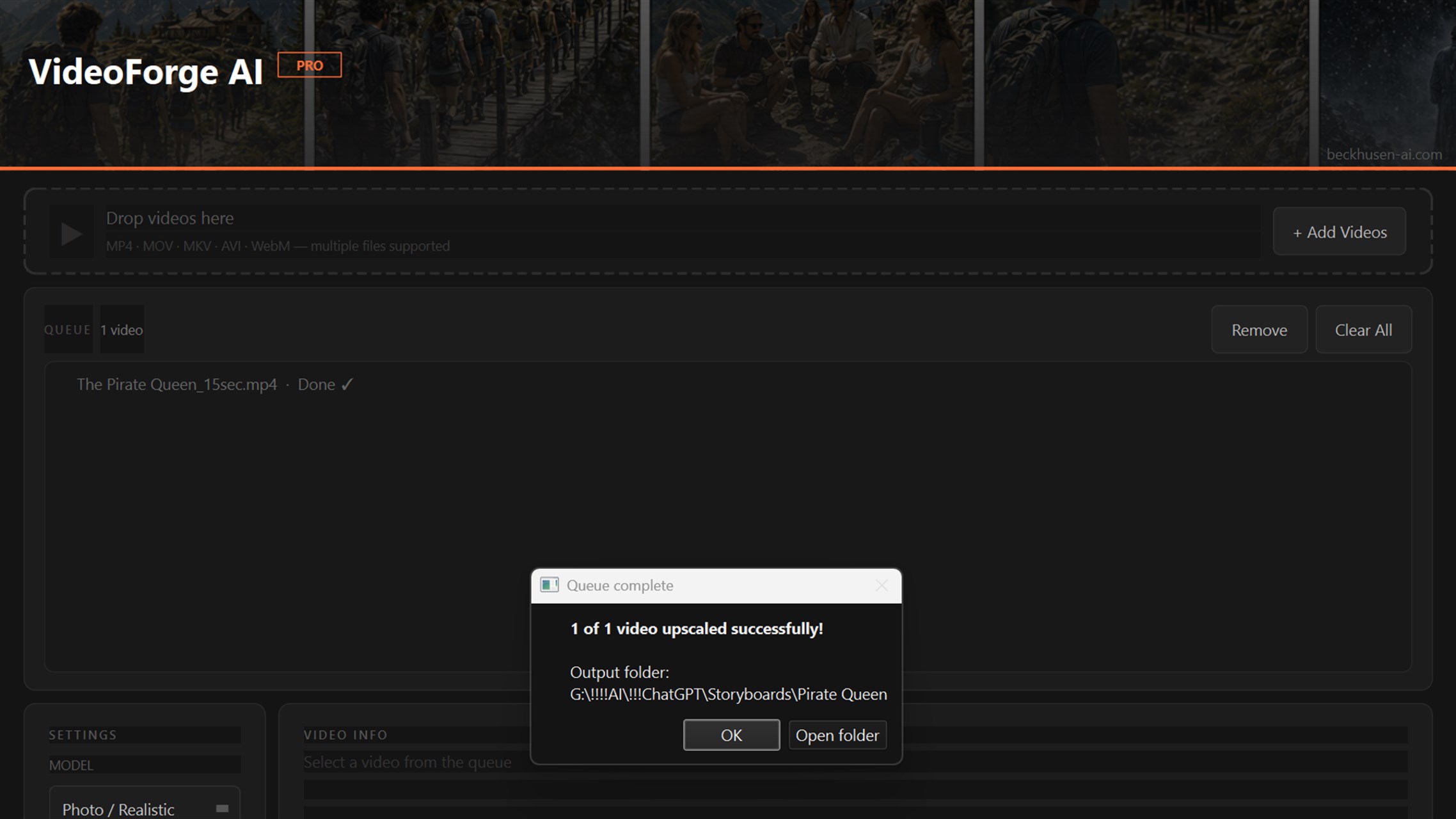
One important note before you read further. VideoForge AI Pro by Beckhusen is not the same as videoforge.video. They share the same brand word but are completely different products. This article covers VideoForge AI Pro by Beckhusen only. VideoForge AI Pro is built around one focused job: making low-resolution video look sharp and clear on modern displays. It does this using two AI models, a batch processing queue, local GPU acceleration, and professional export formats. The entire process happens on your machine, with no account needed and no internet connection required after the initial download.
Two AI Models: Photo and Anime
VideoForge AI Pro includes two AI upscaling models. The first is Photo/Realistic. This model is built for live-action footage, real people, natural scenes, and cinematic content. The second is Anime/Illustration. This model is built for animated content, illustrated videos, and stylized footage. Choosing the right model matters. Using the wrong model on your content type produces visually poor results. The Anime model on live-action footage creates an over-sharpened, artificial look. The Photo model on animation smooths out lines that should stay crisp. Always match the model to the type of content you are upscaling.
Upscaling Range and Output Resolution
VideoForge AI Pro can upscale video by up to 400 percent of the original resolution. Common upgrade paths include 480p to 1080p for old DVD and phone footage, 720p to 4K for early HD content, 1080p to 4K for broadcast and streaming upgrades, and 4K to 8K for high-end professional projects where the hardware can support it. Output resolutions include native 4K, 1080p, 720p, and custom dimensions you define manually.
Batch Queue Processing
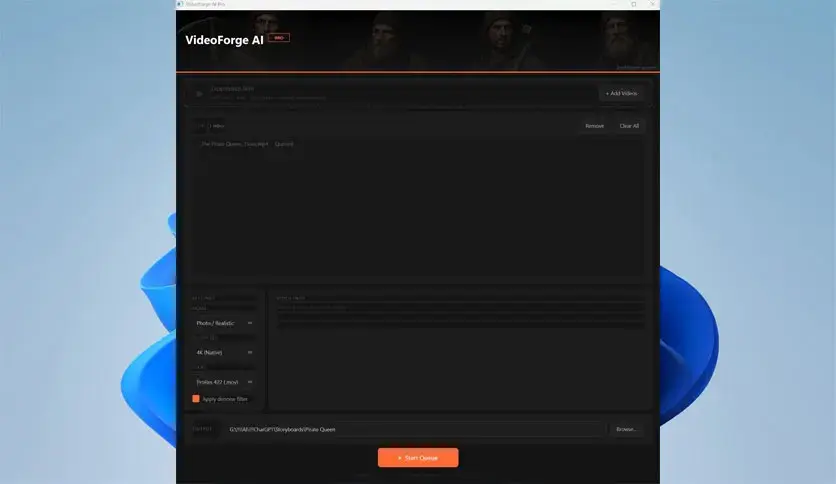
The batch queue is one of the most useful features in VideoForge AI Pro. You add multiple video files to the queue and the software processes them in sequence without any manual input between files. Each file shows a live status: Queued, Processing, and Done. For large collections of old footage, you can set up the full batch before sleeping and let the GPU run overnight. This makes VideoForge AI Pro practical for archivists and editors working through large libraries of low-resolution content.
GPU Acceleration via Vulkan
VideoForge AI Pro uses the Vulkan API for GPU acceleration. This is important because it works with AMD, NVIDIA, and Intel graphics cards. Most competing tools use NVIDIA CUDA only, which excludes AMD and Intel GPU users entirely. Vulkan support means VideoForge AI Pro is accessible to a much broader range of hardware configurations without needing to buy a specific brand of GPU.
Optional Denoising Pre-Filter
An optional hqdn3d denoising pre-filter is available before the AI upscaling pass runs. This filter reduces grain, compression artifacts, and digital noise in the source footage before the AI processes it. This is especially useful for older source clips where noise would otherwise be amplified during upscaling. Enabling it adds a small amount of extra processing time but produces noticeably cleaner output on noisy footage.
Professional Export Formats with Audio Preserved
VideoForge AI Pro exports in three professional formats. H.265 (HEVC) offers the best storage efficiency at high resolutions. H.264 provides the broadest compatibility for sharing and uploading. ProRes 422 is the professional intermediate format for users who plan to do further color grading in DaVinci Resolve, Premiere Pro, or Final Cut Pro after upscaling. The original audio track is preserved in all three output formats. The upscaling process does not affect the audio.
Real-Time Preview and Simple Interface
A real-time preview lets you compare the original and upscaled video side by side before committing to a full export run. The interface is straightforward. You add files, select an AI model, choose your output resolution and format, and start processing. No complex setup is needed. Beginners can get a professional upscaling result in a few clicks. Experienced users can dig into the denoising filter, custom resolution settings, and ProRes export for a more refined workflow.
100 Percent Offline Processing
All processing in VideoForge AI Pro happens locally. No files leave your machine. No account is required. No internet connection is needed once the software is installed. This makes it suitable for sensitive or proprietary footage, such as client recordings, personal archives, or content where data privacy is a concern.
Key Features of VideoForge AI Pro 2026
- Free AI-powered video upscaling with no subscription and no cloud service
- Two AI models: Photo/Realistic for live-action and Anime/Illustration for animated content
- Upscales up to 400 percent of original resolution, from 480p up to 4K and 8K
- Output resolutions: native 4K, 1080p, 720p, and custom dimensions
- Batch queue for processing multiple videos in sequence without manual input
- Live status tracking: Queued, Processing, and Done for each file
- Vulkan GPU acceleration supporting AMD, NVIDIA, and Intel graphics cards
- Optional hqdn3d denoising pre-filter for noisy or compressed source footage
- Export formats: H.265, H.264, and ProRes 422
- Original audio preserved in all output formats
- Real-time side-by-side preview before exporting
Technical Setup Details
- Software Full Name: VideoForge AI Pro 2026
- Setup File Name: VideoForge_AI_Pro_v1.0.2.rar
- Setup Size: 542 MB
- Setup Type: Offline Installer / Full Standalone Setup
- Compatibility Mechanical: 32 Bit (x86) / 64 Bit (x64)
- Developers: VideoForge
System Requirements
- Operating System: Windows 7/8/10
- RAM: 8 GB
- Hard Disk: 4 GB
- Processor: Intel Dual Core or higher processor
Frequently Asked Questions
Is VideoForge AI Pro 2026 completely free?
Yes. VideoForge AI Pro 2026 is completely free to download and use. There is no subscription, no license fee, and no trial period. The full software including all AI models, batch queue, and export options is available at no cost. A portable version is also available that requires no installation.
What is the difference between VideoForge AI Pro and videoforge.video?
These are two completely different products. VideoForge AI Pro is a free offline AI video upscaler for Windows, made by Beckhusen. Videoforge.video is a separate $99.99 per month subscription service for automated YouTube video production. They share the word VideoForge in their names but have no connection to each other.
Does VideoForge AI Pro work on AMD and Intel GPUs?
Yes. VideoForge AI Pro uses the Vulkan API for GPU acceleration, which supports AMD, NVIDIA, and Intel graphics cards. This sets it apart from most competing upscalers that require NVIDIA CUDA and therefore exclude AMD and Intel GPU users.
What AI models does VideoForge AI Pro include?
VideoForge AI Pro includes two AI models. The Photo/Realistic model is designed for live-action footage, real people, natural scenes, and cinematic content. The Anime/Illustration model is designed for animated content, illustrated videos, and stylized footage. Choosing the correct model for your content type is the most important setting in the software.
Does VideoForge AI Pro need an internet connection?
No. VideoForge AI Pro processes all video entirely offline on your local GPU. No files are uploaded to any server. No internet connection is needed after the initial software download. No account is required to use the software.
What video formats does VideoForge AI Pro support?
VideoForge AI Pro accepts MP4, AVI, FLV, MOV, WMV, and MKV as input formats. It exports in H.265, H.264, and ProRes 422. The original audio track is preserved in all output formats and is not affected by the upscaling process.
Is there a portable version of VideoForge AI Pro?
Yes. VideoForge AI Pro is available as a portable version at approximately 539.7 MB. The portable version requires no installation and can be run directly from any folder or storage device on a compatible Windows 10 or 11 (x64) machine.
Download VideoForge AI Pro 2026 Free
Click the button below to start the VideoForge AI Pro 2026 download. This is the full latest version for Windows 10 and 11 (x64).