Download Unison Audio 808 Machine for Mac Free. It is full Latest Version setup of Unison Audio 808 Machine DMG for Mac OS X.
Unison Audio 808 Machine for Mac Review
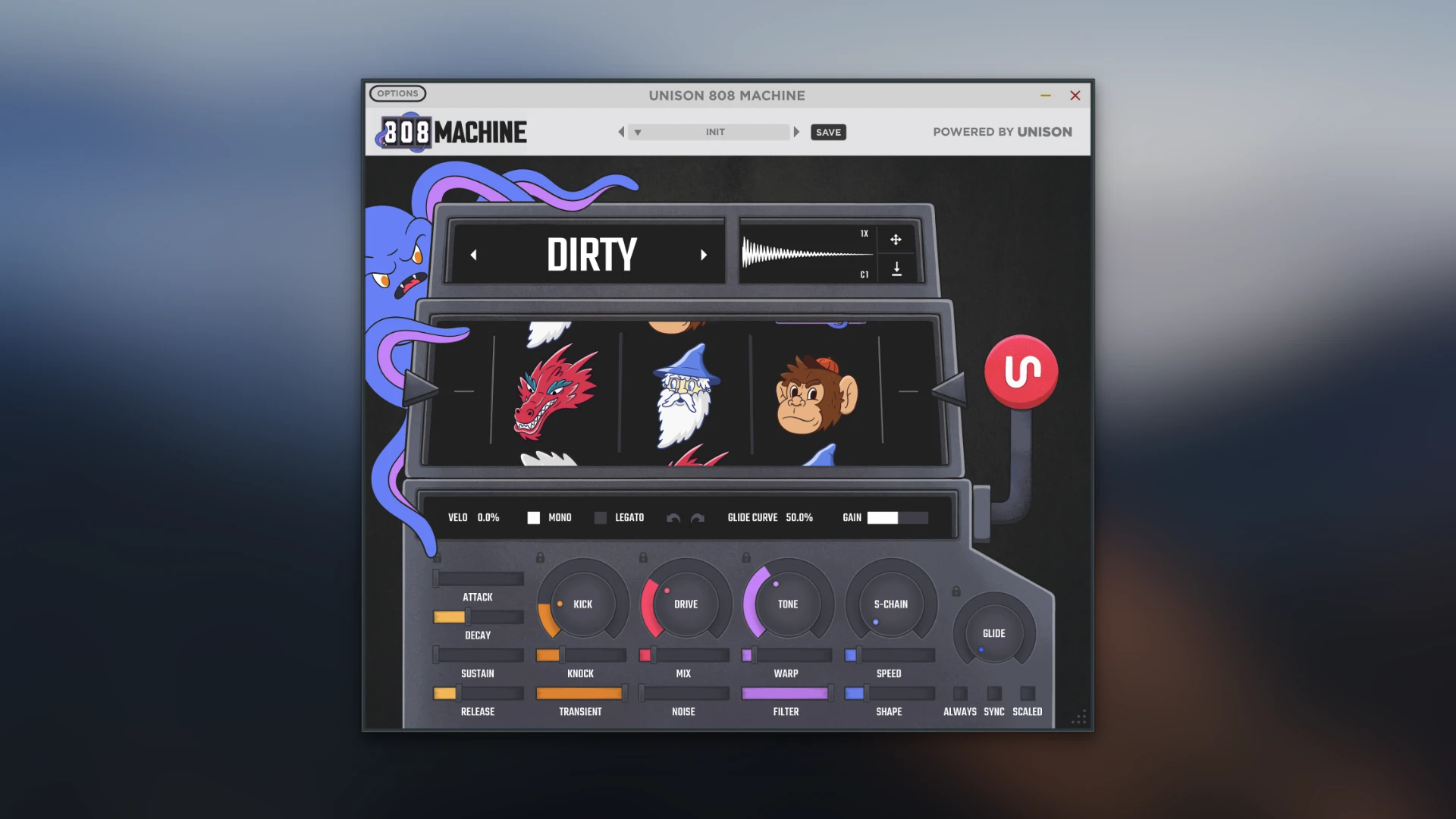
Unison Audio 808 Machine is a virtual instrument and sample-generation plugin designed for producers who want to create custom 808 bass sounds quickly. Instead of searching through large sample libraries, it lets you generate new 808 sounds directly inside your music project. The plugin is aimed mainly at hip-hop, trap, drill, electronic, and other styles where the 808 plays an important role. The main idea is simple. You choose the type of 808 you want, generate a sound, adjust it if needed, and then drag the result into your project or export it as a WAV file. Unison Audio says the plugin uses its own AI wavetable generation system to create different 808 sounds. The company also says the development involved more than 3,000 hours of work and nine months of testing.
808 Machine isn’t limited to one fixed bass tone. It includes five generation modes, allowing users to create different styles of 808 sounds. After generating a sound, you can change its tone and behavior using the built-in controls. This makes it more flexible than simply loading a ready-made sample. For Mac users, 808 Machine works with major DAWs and is compatible with applications such as Logic Pro, Ableton Live, FL Studio, Pro Tools, Studio One, Cubase, GarageBand, Reason, Reaper, Cakewalk, Mixcraft, and Bitwig Studio. It is designed to work on both Mac and Windows systems.
AI Wavetable Generation
The main feature that separates 808 Machine from a normal 808 synthesizer is its generation system. Instead of starting with a single oscillator and manually building an 808 tone, the plugin generates different sounds for you. Unison Audio says its system was developed using characteristics from thousands of 808 sounds and was designed to produce new variations. This can be useful when you don’t want to spend a long time designing a bass sound from scratch.
There is also a practical advantage for producers who already have a large sample library. Sometimes the problem isn’t a lack of samples. It’s finding one that fits the exact key, tone, length, and character of the beat. Generating new variations can make that search much faster. The developer claims that 97% of generated sounds are usable. That’s a company claim rather than an independently verified measurement, so it shouldn’t be treated as a universal result. The quality of each generation will still depend on the selected style and the producer’s preferences.
Five Generation Modes
808 Machine provides five different generation modes for creating different types of 808 sounds. This gives the plugin more variety than a single 808 preset generator. You can generate several versions, listen to them in the context of your beat, and keep the one that fits best. This is particularly useful for producers working on several tracks in the same genre. Instead of using the same few 808 samples repeatedly, you can create different variations for different songs. The generated sound is only the starting point. You can continue adjusting it with the plugin’s controls before exporting it.
808 Sound Customization
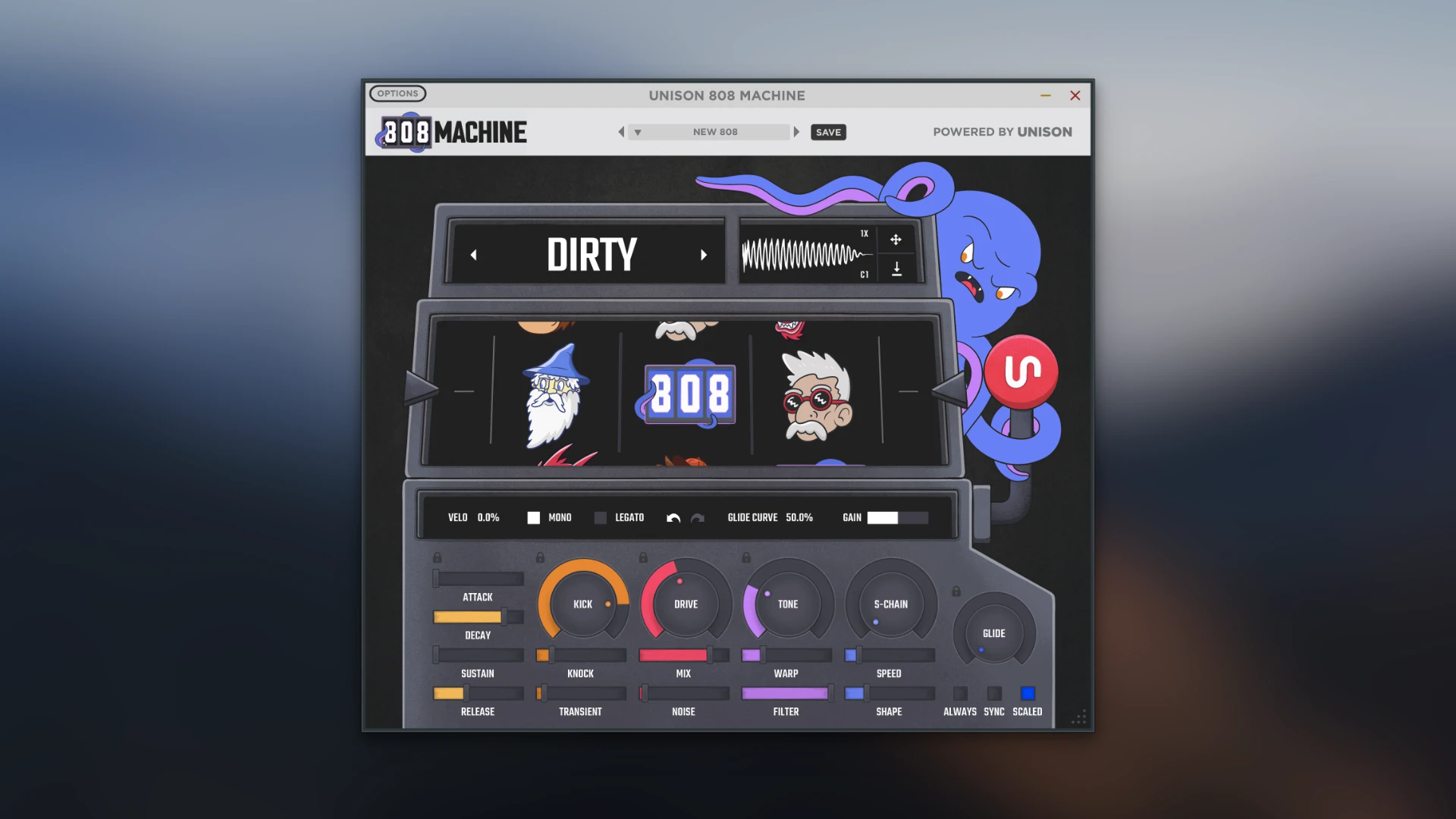
808 Machine isn’t just a randomizer. After generating an 808, you can adjust several parts of the sound. The plugin includes controls for tone, ADSR, glide, and key tracking, along with built-in effects. The ADSR controls are useful for changing how quickly the 808 starts, how long it stays at its strongest level, and how it fades away. Glide is particularly useful for trap and drill-style bass lines. It allows one note to slide into another rather than moving between notes with a hard transition. Key tracking helps the sound respond to different MIDI notes. This matters when the 808 is being played melodically rather than used as a single repeated note.
Built-In Effects
808 Machine also includes built-in effects for shaping the generated sound. This means you don’t always need to load additional effects immediately after creating an 808. You can adjust the sound inside the plugin first and then decide whether additional EQ, compression, distortion, or other processing is necessary. This can keep the workflow simple. For example, if a generated 808 has the right pitch but needs more character, you can shape it inside 808 Machine before exporting it. If the final sound still needs additional processing, you can continue working on it in your DAW.
Preset Saver
808 Machine includes a preset-saving feature for storing generated sounds. This is useful because the generation process can produce sounds that you may not want to use immediately. Instead of trying to recreate the same result later, you can save the sound and its settings. For producers who create a large number of beats, this can become a useful personal collection of 808 sounds. It also allows you to build a smaller library based on your own taste rather than relying entirely on factory sounds.
Drag and Drop WAV Export
One of the simplest parts of the workflow is exporting the generated 808. After creating and adjusting a sound, you can drag the audio directly into your DAW or export it as a WAV file for later use. This is useful if you prefer working with audio rather than keeping the 808 inside a virtual instrument. For example, you can generate several versions, export the best ones, and then arrange them as audio clips in Logic Pro, Ableton Live, FL Studio, or another DAW.
Key Features of Unison Audio 808 Machine
- Generates new 808 bass sounds inside the plugin.
- Uses AI-based wavetable generation.
- Provides five different generation modes.
- Creates different 808 variations with each generation.
- Allows generated sounds to be customized.
- Includes built-in effects.
- Provides ADSR controls.
- Includes glide control.
- Includes tone control.
- Provides key tracking.
- Includes built-in sidechain processing.
- Allows sidechain amount and behavior to be adjusted.
- Includes a preset-saving system.
- Lets users save favorite 808 sounds and settings.
- Supports drag-and-drop audio export.
- Allows sounds to be exported as WAV files.
- Works with Mac and Windows.
- Supports major music production software.
- Designed for fast 808 creation.
- Useful for trap, hip-hop, drill, and electronic music.
- Can be used for both simple and heavily processed 808 sounds.
Unison Audio 808 Machine Alternatives
SubLab XL
SubLab XL is one of the strongest alternatives for producers who want a dedicated 808 and bass instrument. It provides more detailed sound-design options and is useful when you want to build bass sounds rather than simply generate them. Compared with 808 Machine, SubLab XL gives you more control over the actual design of the sound. 808 Machine is easier when speed and quick generation are the priority.
Kick 2
Sonic Academy Kick 2 is mainly known as a kick-design instrument, but it can also be useful when you want precise control over low-frequency sounds. It is a better choice for producers who want to manually shape the sound rather than rely on automatic generation.
Serum
Xfer Records Serum is a full wavetable synthesizer that can create 808-style basses along with many other sounds. Serum provides far more control than 808 Machine, but it also requires more time to learn. If you want a complete synthesizer, Serum is the more flexible choice. If you only want to create 808s quickly, 808 Machine is easier to approach.
Massive X
Native Instruments Massive X is another powerful synthesizer that can be used to create deep bass and 808-style sounds. It is better suited to producers who want detailed synthesis and sound design rather than a dedicated 808 generation workflow.
Bass Engine by Initial Audio
Bass Engine is designed around bass and low-frequency sounds and can be useful for producers looking for ready-made bass tones and sound-design options. It offers a different workflow from 808 Machine and may be preferable if you want more traditional preset-based browsing.
Conclusion
Unison Audio 808 Machine is a useful Mac plugin for producers who want to generate custom 808 bass sounds quickly without spending a long time designing them manually. Its five generation modes, sound controls, glide, built-in effects, sidechain, preset saving, and WAV export make it more than a basic sample browser. It is best for producers who regularly work with 808-heavy music and value speed, experimentation, and simple sound creation. Unison Audio 808 Machine is designed around one clear purpose: making the creation of 808 bass sounds faster. Its generation system can produce different 808 variations, while ADSR, glide, tone, key tracking, effects, and sidechain controls provide enough adjustment to shape the result before it reaches the final mix.
Technical Details
- Full Name: Unison Audio 808 Machine
- Setup App File Name: Unison Audio 808 Machine
- Full Application Size: 268 MB
- Latest Version: 1.0.44
- Setup Type: AU, VST, VST3, Standalone
- Developers: Unison Audio
System Requirements
- Operating System: macOS 11 (Big Sur) or later
- Memory (RAM): 4/8 GB
- Hard Disk Space: 1 GB
- Processor: Apple Silicon (M1-M5) and newer or Intel Core (64-bit)
Download Unison Audio 808 Machine Latest Version Free
Click on the button below to start Unison Audio 808 Machine Download for Mac OS X. This is completely Tested and Working Latest Version Mac OS App of Unison Audio 808 Machine. It is offline installer and standalone setup for Unison Audio 808 Machine for Apple Macintosh. We provide Resumeable single direct link Unison Audio 808 Machine Download for Mac.